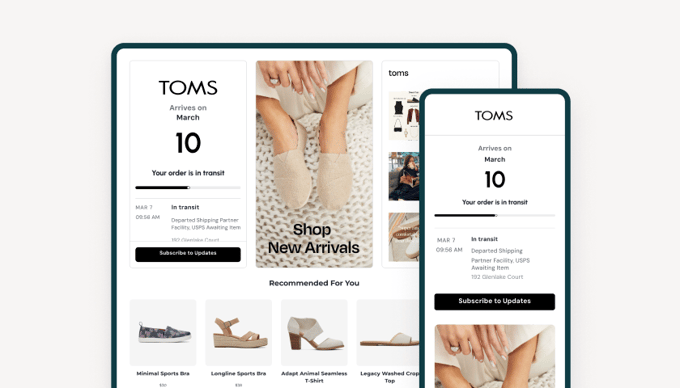
top banner main image
Start for free. Then get your first month for just $1 on select plans.
Start for free

Empower Your Dev Team with the JD Worldwide Tracking API via AfterShip.

Integrate seamless JD Worldwide tracking integration with robust RESTful API and webhooks to automate JD Worldwide delivery updates in real-time.

With an AfterShip developer account, you'll experience fast tracking updates and industry-leading 99.9% API uptime. Enhance your logistics now with the JD Worldwide Tracking API.

curl --request GET \
     --url https://api.aftership.com/tracking/2024-04/trackings/id \
     --header 'Content-Type: application/json'
JD Worldwide
Delivery dateMarch10Your order is
is about to pick up
MAR 7
09:56 AM
In transitDeparted Shipping Partner Facility, JD Worldwide Awaiting Item
192 Glenlake Court
See more info

JD Worldwide Tracking API

Create a tracking

Creates a new tracking object.

Parameters

  • tracking_number string required
    Tracking number of a shipment. Duplicated tracking numbers, tracking numbers with invalid tracking number format will not be accepted.
    Only accept tracking numbers with length from 4 to 100
  • slug string, static jd-worldwide.
  • title string
    By default this field shows the tracking_number, but you can customize it as you wish with any info (e.g. the order number).
  • order_id string
    A globally-unique identifier for the order.
  • order_promised_delivery_date string
    The promised delivery date of the order. It uses the format YYYY-MM-DD. This has no timezone and uses whatever date you provide. Since other EDDs use the shipment recipient’s timezone, we suggest following the same logic here.

Returns

Return a tracking object if the call succeeded.

curl --request POST \
     --url https://api.aftership.com/tracking/2024-04/trackings \
     --header 'Content-Type: application/json'\
     --data '{"tracking":{"slug":"jd-worldwide","title":"Title Name","smses":["+18555072509","+18555072501"],"emails":["[email protected]","[email protected]"],"order_id":"ID 1234","language":"en","pickup_note":"Reach out to our staffs when you arrive our stores for shipment pickup","origin_city":"Beijing","order_number":"1234","origin_state":"Beijing","order_id_path":"http://www.aftership.com/order_id=1234","custom_fields":{"product_name":"iPhone Case","product_price":"USD19.99"},"delivery_type":"pickup_at_store","tracking_number":"123456789","pickup_location":"Flagship Store","destination_city":"New York City","destination_state":"New York","origin_postal_code":"065001","origin_country_iso3":"CHN","origin_raw_location":"Lihong Gardon 4A 2301, Chaoyang District, Beijing, BJ, 065001, CHN, China","destination_postal_code":"10001","destination_country_iso3":"USA","destination_raw_location":"13th Street, New York, NY, 10011, USA, United States","order_promised_delivery_date":"2019-05-20"}}'
response.json
{
  "meta": {
    "code": 201
  },
  "data": {
    "tracking": {
      "id": "5b766a5cc7c33c0e007de3c9",
      "ios": [],
      "tag": "Pending",
      "slug": "jd-worldwide",
      "note": "test note",
      "smses": [],
      "title": "1111111111111",
      "active": true,
      "emails": [],
      "source": "api",
      "subtag": "Pending_001",
      "android": [],
      "order_id": "123",
      "language": null,
      "signed_by": "John Doe",
      "created_at": "2018-08-17T06:25:32+00:00",
      "updated_at": "2018-08-17T06:25:32+00:00",
      "order_date": "2021-07-26T11:23:51-05:00",
      "order_tags": [],
      "checkpoints": [],
      "pickup_note": "Contact shop keepers when you arrive our stores for shipment pickup",
      "unique_token": "deprecated",
      "tracking_key": null,
      "custom_fields": null,
      "customer_name": "John doe",
      "delivery_time": 0,
      "order_id_path": "/123",
      "shipment_type": "{shipment_type}",
      "tracked_count": 0,
      "delivery_type": "pickup_at_store",
      "subtag_message": "Pending",
      "tracking_state": null,
      "on_time_status": "trending-on-time",
      "last_updated_at": "2018-08-17T06:25:32+00:00",
      "tracking_number": "1111111111111",
      "shipment_weight": 1,
      "pickup_location": "Flagship Store",
      "subscribed_smses": [],
      "return_to_sender": false,
      "expected_delivery": "2018-08-16",
      "subscribed_emails": [],
      "tracking_ship_date": null,
      "first_attempted_at": "2018-08-16",
      "on_time_difference": 0,
      "origin_country_iso3": "USD",
      "shipment_pickup_date": "2018-08-16",
      "shipment_weight_unit": "kg",
      "tracking_postal_code": null,
      "courier_tracking_link": "{courier_tracking_link}",
      "courier_redirect_link": "{courier_redirect_link}",
      "shipment_package_count": 0,
      "shipment_delivery_date": "2018-08-16",
      "tracking_account_number": null,
      "tracking_origin_country": null,
      "destination_country_iso3": "USA",
      "last_mile_tracking_supported": false,
      "tracking_destination_country": null,
      "order_promised_delivery_date": "2019-05-20",
      "courier_destination_country_iso3": "USA",
      "aftership_estimated_delivery_date": null
    }
  }
}

Retrieve a tracking

Retrieves the details of an existing tracking. Supply the unique tracking ID from either a tracking creation request or the tracking list, and AfterShip will return the corresponding tracking information.

Parameters

  • fields string
    List of fields to include in the response. Use comma for multiple values. Fields to include: tracking_postal_code, tracking_ship_date, tracking_account_number, tracking_key, tracking_origin_country, tracking_destination_country, tracking_state, title, order_id, tag, checkpoints
  • lang string
    Translate checkpoint messages from the carrier’s provided language to the target language.

Returns

Returns a tracking object if a valid identifier was provided.

curl --request GET \
     --url https://api.aftership.com/tracking/2024-04/trackings/id \
     --header 'Content-Type: application/json'
response.json
{
  "meta": {
    "code": 200
  },
  "data": {
    "tracking": {
      "id": "5b7658cec7c33c0e007de3c5",
      "ios": [],
      "tag": "Delivered",
      "slug": "jd-worldwide",
      "note": null,
      "smses": [],
      "title": "Title Name",
      "active": false,
      "emails": [],
      "source": "api",
      "subtag": "Delivered_001",
      "android": [],
      "order_id": null,
      "language": null,
      "signed_by": "..KOSUTOKO",
      "created_at": "2018-08-17T05:10:38+00:00",
      "updated_at": "2018-08-17T05:10:46+00:00",
      "order_tags": [],
      "checkpoints": [
        {
          "slug": "jd-worldwide",
          "city": null,
          "created_at": "2018-08-17T05:10:41+00:00",
          "location": null,
          "country_name": null,
          "message": "Shipment information sent to JD Worldwide",
          "country_iso3": null,
          "tag": "InfoReceived",
          "subtag": "InfoReceived_001",
          "subtag_message": "Info Received",
          "checkpoint_time": "2018-07-23T01:21:39-05:00",
          "coordinates": [],
          "state": null,
          "zip": null,
          "raw_tag": "FPX_L_RPIF"
        }
      ],
      "pickup_note": null,
      "order_number": "1234",
      "unique_token": "deprecated",
      "tracking_key": null,
      "custom_fields": null,
      "customer_name": null,
      "delivery_time": 2,
      "order_id_path": null,
      "shipment_type": "{shipment_type}",
      "tracked_count": 1,
      "delivery_type": "pickup_at_store",
      "subtag_message": "Delivered",
      "tracking_state": null,
      "on_time_status": "trending-on-time",
      "last_updated_at": "2018-08-17T05:10:46+00:00",
      "tracking_number": "111111111111",
      "shipment_weight": 4,
      "pickup_location": "Flagship Store",
      "subscribed_smses": [],
      "return_to_sender": false,
      "expected_delivery": null,
      "subscribed_emails": [],
      "tracking_ship_date": null,
      "first_attempted_at": "2018-07-25T10:10:00+09:00",
      "on_time_difference": 0,
      "origin_country_iso3": "CHN",
      "shipment_pickup_date": "2018-07-23T08:58:00",
      "shipment_weight_unit": "kg",
      "tracking_postal_code": null,
      "courier_tracking_link": "{courier_tracking_link}",
      "courier_redirect_link": "{courier_redirect_linkGet tracking results of a single tracking.}",
      "shipment_package_count": 1,
      "shipment_delivery_date": "2018-07-25T01:10:00",
      "tracking_account_number": null,
      "tracking_origin_country": null,
      "destination_country_iso3": "JPN",
      "last_mile_tracking_supported": null,
      "tracking_destination_country": null,
      "order_promised_delivery_date": "2019-05-02",
      "courier_destination_country_iso3": "JPN",
      "aftership_estimated_delivery_date": {
        "confidence_score": null,
        "estimated_delivery_date": "2022-01-03",
        "estimated_delivery_date_min": "2022-01-01",
        "estimated_delivery_date_max": "2022-01-06"
      }
    }
  }
}

Update a tracking

Updates the specific tracking by setting the values of the parameters passed. Any parameters not provided will be left unchanged.

Parameters

  • smses array[string]
    The phone number(s) to receive sms notifications. Input [] to clear the value of this field. Supports up to 3 phone numbers.
  • emails array[string]
    Email address(es) to receive email notifications. Input [] to clear the value of this field. Supports up to 3 email addresses.
  • title string
    By default this field shows the tracking_number, but you can customize it as you wish with any info (e.g. the order number).
  • customer_name string
    Customer name of the tracking.
  • order_id string
    A globally-unique identifier for the order.
  • order_id_path string
    The URL for the order in your system or store.
  • note string
    Text field for the note. Input "" to clear the value of this field.
  • language string
    The recipient’s language. If you set up AfterShip notifications in different languages, we use this to send the recipient tracking updates in their preferred language. Use an ISO 639-1 Language Code to specify the language.
  • order_promised_delivery_date string
    The promised delivery date of the order. It uses the format YYYY-MM-DD. This has no timezone and uses whatever date you provide. Since other EDDs use the shipment recipient’s timezone, we suggest following the same logic here.

Returns

Returns the tracking object if the update succeeded.

curl --request PUT \
     --url https://api.aftership.com/tracking/2024-04/trackings/id \
     --header 'Content-Type: application/json'\
     --data '{"value":{"tracking":{"note":"some notes","title":"New Title"}}}'
response.json
{
  "value": {
    "meta": {
      "code": 200
    },
    "data": {
      "tracking": {
        "id": "5b7658cec7c33c0e007de3c5",
        "ios": [],
        "tag": "Delivered",
        "slug": "jd-worldwide",
        "note": null,
        "smses": [],
        "title": "Title Name",
        "active": false,
        "emails": [],
        "source": "api",
        "subtag": "Delivered_001",
        "android": [],
        "order_id": null,
        "language": null,
        "signed_by": "..KOSUTOKO",
        "created_at": "2018-08-17T05:10:38+00:00",
        "updated_at": "2018-08-17T05:10:46+00:00",
        "order_tags": [],
        "checkpoints": [
          {
            "slug": "jd-worldwide",
            "city": null,
            "created_at": "2018-08-17T05:10:41+00:00",
            "location": null,
            "country_name": null,
            "message": "Shipment information sent to JD Worldwide",
            "country_iso3": null,
            "tag": "InfoReceived",
            "subtag": "InfoReceived_001",
            "subtag_message": "Info Received",
            "checkpoint_time": "2018-07-23T01:21:39-05:00",
            "coordinates": [],
            "state": null,
            "zip": null,
            "raw_tag": "FPX_L_RPIF"
          }
        ],
        "pickup_note": null,
        "unique_token": "deprecated",
        "tracking_key": null,
        "custom_fields": null,
        "customer_name": null,
        "delivery_time": 2,
        "order_id_path": null,
        "shipment_type": "{shipment_type}",
        "tracked_count": 1,
        "delivery_type": "pickup_at_store",
        "subtag_message": "Delivered",
        "tracking_state": null,
        "on_time_status": "trending-on-time",
        "last_updated_at": "2018-08-17T05:10:46+00:00",
        "tracking_number": "111111111111",
        "shipment_weight": 4,
        "pickup_location": "Flagship Store",
        "subscribed_smses": [],
        "return_to_sender": false,
        "expected_delivery": null,
        "subscribed_emails": [],
        "tracking_ship_date": null,
        "first_attempted_at": "2018-07-25T10:10:00+09:00",
        "on_time_difference": 0,
        "origin_country_iso3": "CHN",
        "shipment_pickup_date": "2018-07-23T08:58:00",
        "shipment_weight_unit": "kg",
        "tracking_postal_code": null,
        "courier_tracking_link": "{courier_tracking_link}",
        "courier_redirect_link": "{courier_redirect_link}",
        "shipment_package_count": 1,
        "shipment_delivery_date": "2018-07-25T01:10:00",
        "tracking_account_number": null,
        "tracking_origin_country": null,
        "destination_country_iso3": "JPN",
        "last_mile_tracking_supported": null,
        "tracking_destination_country": null,
        "order_promised_delivery_date": "2019-05-02",
        "courier_destination_country_iso3": "JPN",
        "aftership_estimated_delivery_date": {
          "confidence_score": null,
          "estimated_delivery_date": "2022-01-03",
          "estimated_delivery_date_min": "2022-01-01",
          "estimated_delivery_date_max": "2022-01-06"
        }
      }
    }
  }
}

Delete a tracking

Delete a tracking.

Parameters

  • id string required
    Tracking ID

Returns

Returns a deleted object on success. Otherwise, this call raises an error.

curl --request DELETE \
     --url https://api.aftership.com/tracking/2024-04/trackings/id \
     --header 'Content-Type: application/json'
response.json
{
  "value": {
    "meta": {
      "code": 200
    },
    "data": {
      "tracking": {
        "id": "5b7658cec7c33c0e007de3c5",
        "slug": "jd-worldwide",
        "tracking_key": null,
        "tracking_state": null,
        "tracking_number": "772857780801111",
        "tracking_ship_date": null,
        "tracking_postal_code": null,
        "tracking_account_number": null,
        "tracking_origin_country": null,
        "tracking_destination_country": null
      }
    }
  }
}

Retrack an expired tracking

Retrack an expired tracking. Max 3 times per tracking.

Parameters

  • id string, required
    Tracking ID

Returns

Returns the tracking object if the retrack succeeded.

curl --request POST \
     --url https://api.aftership.com/tracking/2024-04/trackings/id/retrack \
     --header 'Content-Type: application/json'
response.json
{
  "meta": {
    "code": 200,
    "type": "BadRequest",
    "message": "string"
  },
  "data": {
    "tracking": {
      "id": "string",
      "slug": "string",
      "active": true,
      "tracking_key": "string",
      "tracking_state": "string",
      "tracking_number": "string",
      "tracking_ship_date": "string",
      "tracking_postal_code": "string",
      "tracking_account_number": "string",
      "tracking_origin_country": "string",
      "tracking_destination_country": "string"
    }
  }
}

Mark tracking as completed

Mark a tracking as completed. The tracking won't auto update until retrack it.

Parameters

reason string required
required
One of DELIVERED, LOST or RETURNED_TO_SENDER.

  • Mark the tracking as completed with DELIVERED. The tag of the tracking will be updated to Delivered and the subtag will be updated to Delivered_001.
  • Mark the tracking as completed with LOST. The tag of the tracking will be updated to Exception and the subtag will be updated to Exception_013.
  • Mark the tracking as completed with RETURNED_TO_SENDER. The tag of the tracking will be updated to Exception and the subtag will be updated to Exception_011.

Allowed values: DELIVERED LOST RETURNED_TO_SENDER

Returns

meta meta required
Meta data

  • codeinteger required
    meta code
    Example: 200
  • messagestring
    error message, only exist if the response status is not 2xx
  • typestring
    error type, only exist if the response status is not 2xx
    Allowed values: BadRequest Unauthorized Forbidden NotFound TooManyRequests InternalError
    dataobject required
  • tracking Tracking
    Object describes the tracking information.
curl --request POST \
     --url https://api.aftership.com/tracking/2024-04/trackings/id/mark-as-completed \
     --header 'Content-Type: application/json'\
     --data '{"reason":{"type":"string","enum":["DELIVERED","LOST","RETURNED_TO_SENDER"],"description":"One of `DELIVERED`, `LOST` or `RETURNED_TO_SENDER`.\n\n- Mark the tracking as completed with `DELIVERED`. The tag of the tracking will be updated to `Delivered` and the subtag will be updated to `Delivered_001`.\n- Mark the tracking as completed with `LOST`. The tag of the tracking will be updated to `Exception` and the subtag will be updated to `Exception_013`.\n- Mark the tracking as completed with `RETURNED_TO_SENDER`. The tag of the tracking will be updated to `Exception` and the subtag will be updated to `Exception_011`."}}'
response.json
{
  "meta": {
    "code": 200,
    "type": "BadRequest",
    "message": "string"
  },
  "data": {
    "tracking": {
      "id": "my2uktymyz72xld1f7l3h01z",
      "tag": "Delivered",
      "slug": "jd-worldwide",
      "note": "note",
      "smses": [
        "+8613800138000"
      ],
      "title": "61293150000079650811",
      "active": false,
      "emails": [
        "[email protected]"
      ],
      "source": "api",
      "subtag": "Delivered_002",
      "order_id": "6845a095a27a4caeb27487806f058add",
      "language": "en",
      "signed_by": "Steve Young",
      "created_at": "2023-01-18T08:47:10+00:00",
      "updated_at": "2023-01-18T17:47:10+00:00",
      "order_date": "2022-01-20T15:56:12+08:00",
      "order_tags": [
        "Exception"
      ],
      "origin_city": "Beijing",
      "checkpoints": [
        {
          "created_at": "2023-01-18T08:47:10+00:00",
          "slug": "jd-worldwide",
          "checkpoint_time": "2022-01-01T18:47:10-05:00",
          "location": "13th Street, New York, NY 10011, USA, United States",
          "city": "New York",
          "state": "NY",
          "zip": "10011",
          "coordinate": null,
          "country_iso3": "USA",
          "country_name": "United States",
          "message": "Package delivered",
          "tag": "Delivered",
          "subtag": "Delivered_002",
          "subtag_message": "Picked up by customer",
          "raw_tag": "RO",
          "events": {
            "code": "unable_to_deliver",
            "reason": {
              "code": "incorrect_missing_address"
            }
          }
        }
      ],
      "pickup_note": "No notes",
      "location_id": "bda843ed811541fc852a8447371cf6f2",
      "transit_time": 9,
      "origin_state": "Beijing",
      "unique_token": "Deprecated",
      "tracking_key": null,
      "order_number": "162654659775",
      "custom_fields": {
        "store_name": "my-store"
      },
      "customer_name": "Steve Young",
      "order_id_path": "https://www.aftership.com/my-orders/6845a095a27a4caeb27487806f058add",
      "shipment_type": "{shipment_type}",
      "tracked_count": 13,
      "delivery_type": "pickup_at_store",
      "shipment_tags": [
        "Returned"
      ],
      "next_couriers": [
        {
          "slug": "jd-worldwide",
          "tracking_number": "61293150000079650811",
          "source": "system"
        }
      ],
      "subtag_message": "Picked up by customer",
      "on_time_status": "on-time",
      "tracking_state": "CA",
      "last_updated_at": "2023-01-18T17:47:10+00:00",
      "tracking_number": "61293150000079650811",
      "shipment_weight": 0.7,
      "pickup_location": "13th Street, New York, NY 10011, USA, United States",
      "shipping_method": "Local Delivery",
      "destination_city": "New York City",
      "subscribed_smses": [
        "string"
      ],
      "return_to_sender": false,
      "carbon_emissions": {
        "unit": "kg",
        "value": 0.7
      },
      "destination_state": "New York",
      "expected_delivery": "2022-01-05T12:11:11+01:00",
      "subscribed_emails": [
        "string"
      ],
      "origin_postal_code": "065001",
      "first_attempted_at": "2022-01-01T17:00:00-05:00",
      "tracking_ship_date": "20220101",
      "on_time_difference": 0,
      "origin_country_iso3": "CHN",
      "origin_raw_location": "Lihong Gardon 4A 2301, Chaoyang District, Beijing, BJ, 065001, CHN, China",
      "shipment_pickup_date": "2022-01-21T15:00:00",
      "shipment_weight_unit": "kg",
      "tracking_postal_code": "90213",
      "courier_tracking_link": "{courier_tracking_link}",
      "courier_redirect_link": "{courier_redirect_link}",
      "courier_connection_id": "8e1261bde336436abbc7cb3eee8cd707",
      "signature_requirement": "signature_required",
      "shipment_package_count": 1,
      "shipment_delivery_date": "2022-01-29T11:23:00",
      "destination_postal_code": "10001",
      "tracking_account_number": null,
      "tracking_origin_country": "CHN",
      "destination_country_iso3": "USA",
      "destination_raw_location": "13th Street, New York, NY, 10011, USA, United States",
      "first_estimated_delivery": {
        "type": "specific",
        "source": "Carrier EDD",
        "datetime": "2022-01-05T12:11:11+01:00",
        "datetime_min": null,
        "datetime_max": null
      },
      "failed_delivery_attempts": 2,
      "latest_estimated_delivery": {
        "type": "specific",
        "source": "AfterShip EDD",
        "datetime": "2022-01-05T12:11:11+01:00",
        "datetime_min": null,
        "datetime_max": null
      },
      "last_mile_tracking_supported": true,
      "order_promised_delivery_date": "2022-01-01",
      "tracking_destination_country": "USA",
      "custom_estimated_delivery_date": {
        "type": "specific",
        "datetime": "2022-01-05",
        "datetime_min": null,
        "datetime_max": null
      },
      "courier_destination_country_iso3": "USA",
      "aftership_estimated_delivery_date": {
        "confidence_code": 10001,
        "estimated_delivery_date": "2022-01-03",
        "estimated_delivery_date_min": "2022-01-02",
        "estimated_delivery_date_max": "2022-01-04"
      }
    }
  }
}

JD Worldwide Last Checkpoint API

Get last checkpoint

Return the tracking information of the last checkpoint of a single tracking.

Parameters

  • fieldsstring
    List of fields to include in the response. Use comma for multiple values. Fields to include: slug, created_at, checkpoint_time, city, coordinates, country_iso3, country_name, message, state, tag, zip
    Example:city,tag
  • langstring
    Support Chinese to English translation for china-ems and china-post only
    Example:en

Returns

  • meta meta
    • codeinteger required
      meta code
      Example: 200
    • message string
      error message, only exist if the response status is not 2xx
    • typestring
      error type, only exist if the response status is not 2xx
      Allowed values:BadRequest Unauthorized Forbidden NotFound
      TooManyRequests InternalError
  • dataobject
    • id string
      Tracking id
    • tracking_number string
      Tracking number.
    • slug string jd-worldwide
      Unique code of courier.
    • tag string
      Current status of tracking. (See tag definition)
      Allowed values:Pending InfoReceived InTransit OutForDelivery AttemptFail Delivered AvailableForPickup Exception Expired
      Example:Delivered
    • subtagstring
      Current subtag of tracking. ([See subtag definition]
    • subtag_messagestring
      Normalized tracking message. (See subtag message definition)
    • checkpointCheckpoint
      Object describes checkpoint information.
curl --request GET \
     --url https://api.aftership.com/tracking/2024-04/last_checkpoint/tracking_id \
     --header 'Content-Type: application/json'
response.json
{
  "value": {
    "meta": {
      "code": 200
    },
    "data": {
      "id": "5b74f4958776db0e00b6f5ed",
      "tag": "Delivered",
      "slug": "jd-worldwide",
      "subtag": "Delivered_001",
      "checkpoint": {
        "tag": "Delivered",
        "zip": null,
        "slug": "jd-worldwide",
        "city": "Deal",
        "state": "NJ",
        "subtag": "Delivered_001",
        "message": "Delivered - Left at front door. Signature Service not requested.",
        "raw_tag": "FPX_L_RPIF",
        "created_at": "2018-08-16T03:50:47+00:00",
        "coordinates": [],
        "country_iso3": null,
        "country_name": null,
        "subtag_message": "Delivered",
        "checkpoint_time": "2018-08-01T13:19:47-04:00"
      },
      "subtag_message": "Delivered",
      "tracking_number": "111111111111"
    }
  }
}

JD Worldwide Estimated delivery date API

Batch predict the estimated delivery date

The estimated delivery date is provided by AfterShip, based on its AI-predictive model. You can display the EDD on the product page, cart, and order checkout page. It indicates when a customer will receive the order.

You can use AfterShip’s AI-powered predictive estimated delivery date API to provide expected delivery dates to shoppers for online orders without tracking numbers. You can get the earliest date, the latest date, and the most-likely-arrival date through our AI-predictive EDD API.

Display accurate estimated delivery dates on the product page, store cart, and order checkout page to encourage customers to check out faster and give them a better customer experience.

Contact sales to activate this feature.

Supported functionalities require:

  1. One EstimatedDeliveryDate object for one prediction result.
  2. Maximum 5 EstimatedDeliveryDate objects are allowed.
  3. API call will fail if any of the requests EstimatedDeliveryDate objects do not meet the specification requirement.

Parameters

  • estimated_delivery_dates array[EstimatedDeliveryDate] required
    >= 1 items <= 5 items
  • slugstringjd-worldwiderequired
    AfterShip's unique code of courier. Please refer to https://track.aftership.com/couriers/download.
  • service_type_name string or null
    AfterShip’s unique code represents carrier’s shipping and delivery options. Refer to Download Link.
  • origin_addressobjectrequired
    The location from where the package is picked up by the carrier to be delivered to the final destination.
  • destination_addressobjectrequired
    The final destination of the customer where the delivery will be made.
  • weightobject or null
    AfterShip uses this object to calculate the total weight of the order.
  • package_countinteger or null
    The number of packages.
  • pickup_time string or null
    The local pickup time in the origin address time zone of the package.
  • estimated_pickupobject or null
    The local pickup time of the package. Either pickup_time or estimated_pickup is required.

Returns

  • metameta required
    • codeinteger required
      meta code
    • messagestring
      error message, only exist if the response status is not 2xx
    • typestring
      error type, only exist if the response status is not 2xx
      Allowed values:BadRequest Unauthorized Forbidden NotFound TooManyRequests InternalError
  • data object required
  • estimated_delivery_dates array[EstimatedDeliveryDate] required
curl --request POST \
     --url https://api.aftership.com/tracking/2024-04/estimated-delivery-date/predict-batch \
     --header 'Content-Type: application/json'\
     --data '{"estimated_delivery_dates":[{"slug":"jd-worldwide","service_type_name":"{service_type_name}","origin_address":{"country":"USA","state":"WA","city":"Seattle","postal_code":"98108","raw_location":"Seattle, Washington, 98108, USA, United States"},"destination_address":{"country":"USA","state":"CA","postal_code":"92019","raw_location":"El Cajon, California, 92019, USA, United States"},"weight":{"unit":"kg","value":1},"package_count":1,"pickup_time":"2021-07-01 15:00:00"},{"slug":"jd-worldwide","service_type_name":"{service_type_name}","origin_address":{"country":"USA","state":"WA","postal_code":"98108","raw_location":"Seattle, Washington, 98108, USA, United States"},"destination_address":{"country":"USA","state":"California","postal_code":"92019","raw_location":"El Cajon, California, 92019, USA, United States"},"weight":null,"package_count":null,"estimated_pickup":{"order_time":"2021-07-01 15:04:05","order_cutoff_time":"20:00:00","business_days":[1,2,3,4,5,6,7],"order_processing_time":{"unit":"day","value":0}}}]}'
response.json
{
  "meta": {
    "code": 200
  },
  "data": {
    "estimated_delivery_dates": [
      {
        "slug": "jd-worldwide",
        "service_type_name": "{service_type_name}",
        "origin_address": {
          "country": "USA",
          "state": "WA",
          "postal_code": "98108",
          "raw_location": "Seattle, Washington, 98108, USA, United States",
          "city": null
        },
        "destination_address": {
          "country": "USA",
          "state": "CA",
          "postal_code": "92019",
          "raw_location": "El Cajon, California, 92019, USA, United States",
          "city": null
        },
        "weight": {
          "unit": "kg",
          "value": 1
        },
        "package_count": 1,
        "pickup_time": "2021-07-01 15:00:00",
        "estimated_pickup": null,
        "estimated_delivery_date": "2021-07-04",
        "estimated_delivery_date_min": "2021-07-03",
        "estimated_delivery_date_max": "2021-07-04"
      },
      {
        "slug": "jd-worldwide",
        "service_type_name": "{service_type_name}",
        "origin_address": {
          "country": "USA",
          "state": "WA",
          "postal_code": "98108",
          "raw_location": "Seattle, Washington, 98108, USA, United States",
          "city": null
        },
        "destination_address": {
          "country": "USA",
          "state": "CA",
          "postal_code": "92019",
          "raw_location": "El Cajon, California, 92019, USA, United States",
          "city": null
        },
        "weight": null,
        "package_count": null,
        "pickup_time": null,
        "estimated_pickup": {
          "order_time": "2021-07-01 15:04:05",
          "order_cutoff_time": "20:00:00",
          "business_days": [
            1,
            2,
            3,
            4,
            5,
            6,
            7
          ],
          "order_processing_time": {
            "unit": "day",
            "value": 0
          },
          "pickup_time": "2021-07-01 20:00:00"
        },
        "estimated_delivery_date": "2021-07-03",
        "estimated_delivery_date_min": "2021-07-02",
        "estimated_delivery_date_max": "2021-07-04"
      }
    ]
  }
}

JD Worldwide Rate API

We currently do not support this API. If you are interested in this API, please request for an integration.

JD Worldwide Label API

We currently do not support this API. If you are interested in this API, please request for an integration.

JD Worldwide Manifest API

We currently do not support this API. If you are interested in this API, please request for an integration.

JD Worldwide Cancel Label API

We currently do not support this API. If you are interested in this API, please request for an integration.

JD Worldwide Pickup API

We currently do not support this API. If you are interested in this API, please request for an integration.

JD Worldwide Cancel Pickup API

We currently do not support this API. If you are interested in this API, please request for an integration.

JD Worldwide Shipper Account API

We currently do not support this API. If you are interested in this API, please request for an integration.

JD Worldwide Address Validation (Beta) API

We currently do not support this API. If you are interested in this API, please request for an integration.

Why use AfterShip API for JD Worldwide Integration

Integrating directly with JD Worldwide's native API requires months of development, constant maintenance, and deep carrier-specific expertise. AfterShip offers a single unified RESTful API that supports JD Worldwide and 1,200+ global carriers—while reducing development overhead, handling documentation changes, and managing regional exceptions. With AfterShip, you can focus on scaling operations rather than separate carrier technical challenges.

  • Cost-saving and faster integration

    Integrating directly with JD Worldwide's native API requires months of development, constant maintenance, and deep carrier-specific expertise. AfterShip offers a single unified RESTful API that supports JD Worldwide and 1,200+ global carriers—while reducing development overhead, handling documentation changes, and managing regional exceptions. With AfterShip, you can focus on scaling operations rather than separate carrier technical challenges.

  • Comprehensive developer resources

    Access open, easy-to-follow API documentation with tutorials, code samples, and clearly-defined endpoints—ready for immediate implementation.

  • Multi-language SDK support

    Use open-source SDKs in your preferred programming language, including Go, Python, PHP, Java, JavaScript, and C#.

  • 24/7 live chat with technical support

    Resolve technical issues and integration questions with 24/7 live chat backed by our dedicated support team.

  • Unified carrier management

    Replace separate carrier integrations with one connection to JD Worldwide and 1,200+ other providers via AfterShip API, eliminating maintenance overhead.

AfterShip's JD Worldwide Tracking API: Building seamless shipment visibility

Easily integrate AfterShip's JD Worldwide shipment tracking API into your website or internal system to deliver a unified, real-time tracking experience across multiple touchpoints. With 8B+ shipments tracked and 99.99%+ API uptime, AfterShip ensures unmatched reliability and visibility across 1,200+ carriers globally.

  • Effortless global tech stack integrations

    Access 1,200+ international carriers, including FedEx, UPS, DHL, USPS, and many more, and track shipments across 70+ eCommerce platforms, such as Shopify, Magento, Salesforce Cloud Commerce, BigCommerce, supporting multiple languages and reducing implementation time.

  • Accurate and standardized tracking data

    Transform tracking data into 7 standardized delivery statuses & 33 sub-statuses and normalize different data formats, including pickup dates, delivery dates, and location names, improving reporting accuracy and enabling data-driven decisions.

  • AI-optimized data integrity

    Get full updates by automatically detecting multi-carrier shipments with a single tracking number and continuously recognizing new number patterns, resolving carrier data discrepancies through advanced algorithms.

  • Real-time and reliable data retrieval

    Retrieve dependable tracking data in <100 ms with 99.99%+ uptime. Enterprise-grade reliability ensured by diversified cloud storage, distributed data center, and security-first architecture, guaranteeing real-time visibility at scale.

Learn more about AfterShip Tracking API

AfterShip's JD Worldwide Shipping API: Automating multi-carrier logistics

Simplify global fulfillment by integrating AfterShip's Shipping API with JD Worldwide and 125 carriers worldwide. With a single scalable API built for eCommerce, you can streamline shipping and automate 80% of fulfillment with one portal—while managing all carriers to cut supply chain costs.

  • Automated shipping labels and orders

    Create shipping labels certified by carriers and place carrier orders in a single API request with access to 125 trusted and international carriers, helping you reduce manual work, eliminate errors, and speed up the shipping process with automated label generation.

  • Real-time shipping rate calculation

    Display and compare live rates across carriers to choose the best option based on cost and speed, allowing customers to select preferred services at checkout to increase conversions and reduce cart abandonment.

  • Cross-border fulfillment optimization

    Automatically add required information for the customs clearance, including item HS code and origin, shipping purpose, and terms of trade, and generate customs documents, including commercial invoices, to ensure smooth customs clearance and improve operational efficiency.

  • Carrier accounts management

    Connect your existing carrier accounts to retain your negotiated shipping rates. Enable only the services you need and offer flexible delivery options to fit your business and customers and avoid unnecessary service costs.

Learn more about AfterShip Shipping API

AfterShip's JD Worldwide Address API: Enhancing delivery accuracy

Ensure smooth order fulfillment and fewer delivery errors with AfterShip's Address API. Designed for eCommerce businesses, it verifies customer-entered addresses in real time—reducing failed deliveries, eliminating manual checks, and enhancing user experience at checkout. Integrate with AfterShip's Address API alongside your JD Worldwide to streamline the entire shipping process from cart to doorstep.

  • Real-time address validation

    Validate customer addresses in real time during checkout and the label generation process, flag potential errors for invalid or incomplete addresses, and suggest corrections—before the order is even placed, helping reduce delivery failures and operational costs.

  • Surcharge prevention & timely deliveries

    Avoid JD Worldwide address correction surcharges by catching errors early and ensuring packages arrive on time and at the correct destination to deliver a better post-purchase experience—leading to higher retention and better reviews.

Learn more about AfterShip Address API

Enterprise-grade security and privacy for JD Worldwide API integration

AfterShip's API infrastructure meets global compliance standards—ensuring secure, audit-ready JD Worldwide integration for enterprise workloads:

  • SOC 2 compliance

    We adhere to meet SOC 2 standards for ensuring our processes are designed to secure sensitive information.

  • ISO 27001 certification

    We are certified to the world's most rigorous standards for information security and privacy.

  • GDPR compliance

    We comply with the GDPR rules to protect user data and privacy across Europe.

Stars

Recognized by customers for exceptional service

G2 BadgeG2 BadgeG2 BadgeG2 BadgeG2 BadgeG2 BadgeG2 BadgeG2 BadgeG2 Badge

Frequently Asked Questions

How to generate JD Worldwide API key?

To ensure secure access, AfterShip requires an as-api-key in the header of each request. You can request a free API key by submitting the form. Get a free API Key

Do I need a JD Worldwide developer account to use this API?

No, you don't need a JD Worldwide account. AfterShip has partnered with JD Worldwide, allowing you direct access to JD Worldwide tracking data through the AfterShip API.