Strategy
Overview
This document focuses on the strategy API within the recommendation module. The products recommended by the strategy API depend on the configured strategy, allowing customers to adjust the recommendation capabilities directly in the admin without coding.
Getting a strategy ID
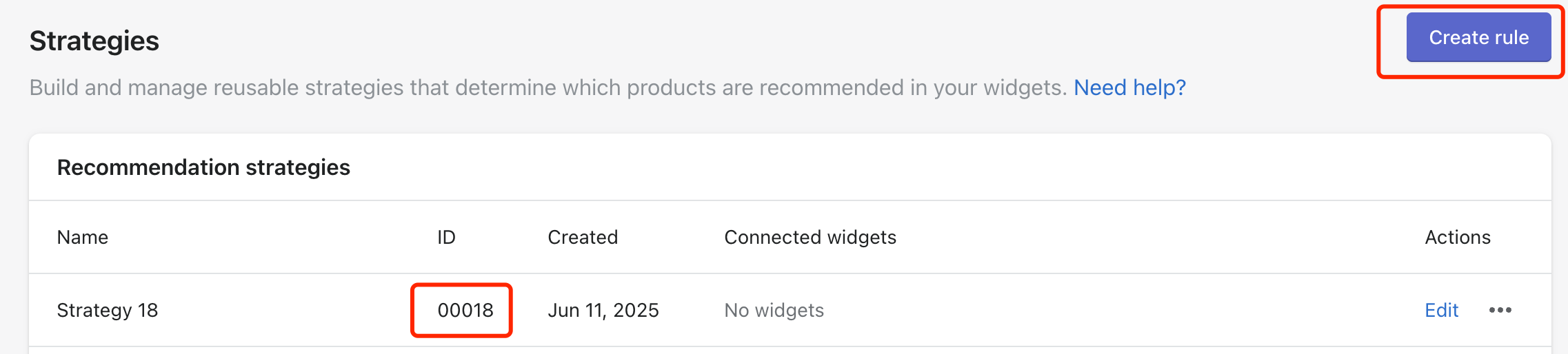
To use the strategy API capability, you must first create a rule here and get the strategy ID. And then you can just edit the strategy in the admin.
Example
After getting the ID, we copy it and use it as a parameter named strategy_id
In the sample request outlined below, we’ve initiated a request to the AfterShip Personalization API to fetch recommendations using the STRATEGY type. The request includes the following parameters:
-
type: Specifies the type of recommendations, which in this case is set to STRATEGY.
-
session_id: Represents the unique identifier for the user session.
-
strategy_id: The rule id we’ve created
-
limit: Determines the maximum number of products to be returned in the response. In this example, the limit is set to 5.
Sample Request
preparing...
By providing these parameters in the request, the API will generate a curated list of the products based on rule
Sample Response
preparing...