

Parabolaby Parabola
Parabola is an AI-enabled workflow automation tool built for supply chain teams to automate any manual data process.

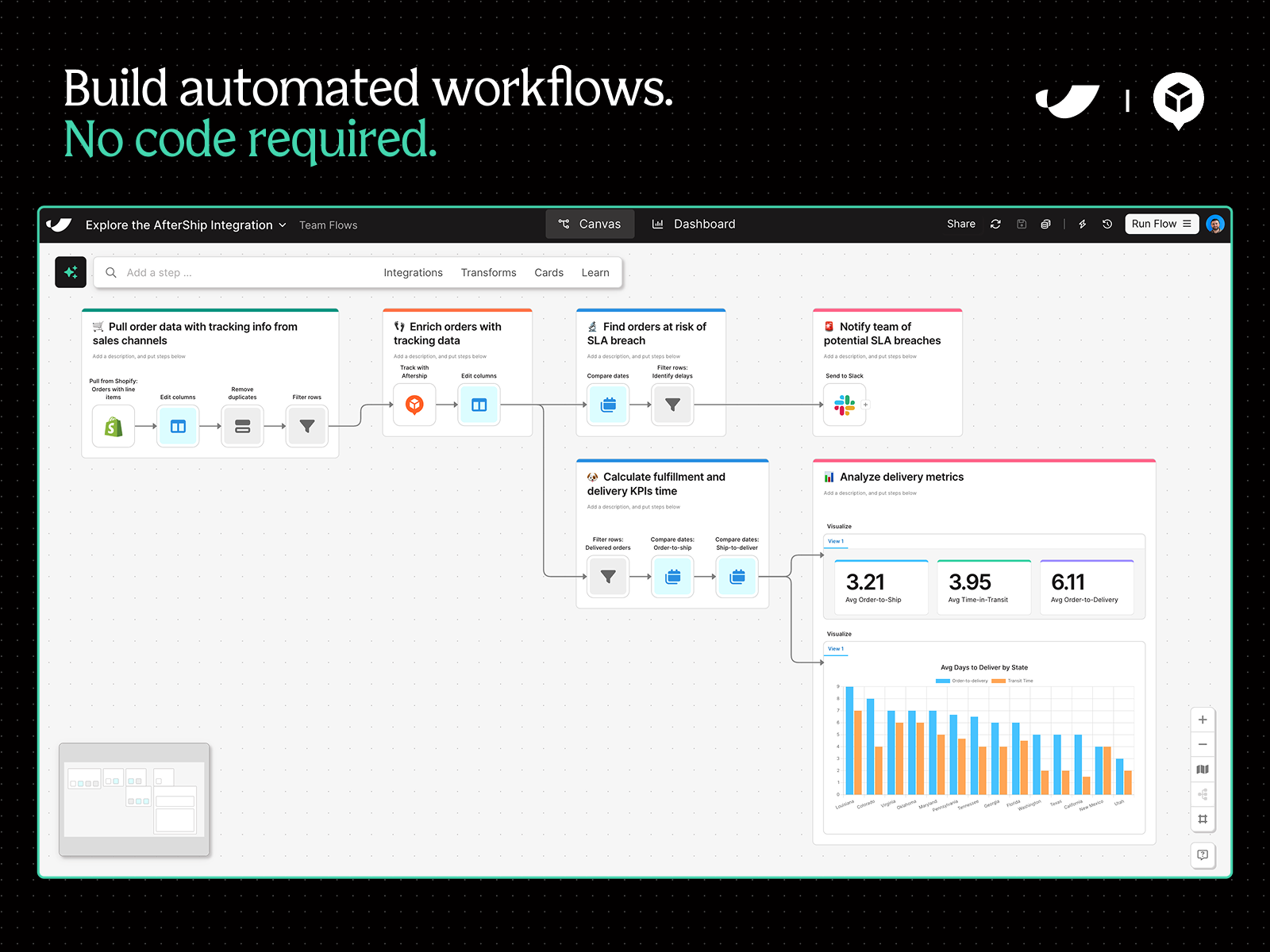
Custom workflows, no code
Improve visibility, catch discrepancies, trigger alerts, and combine data across tools—all without requiring tech resources.
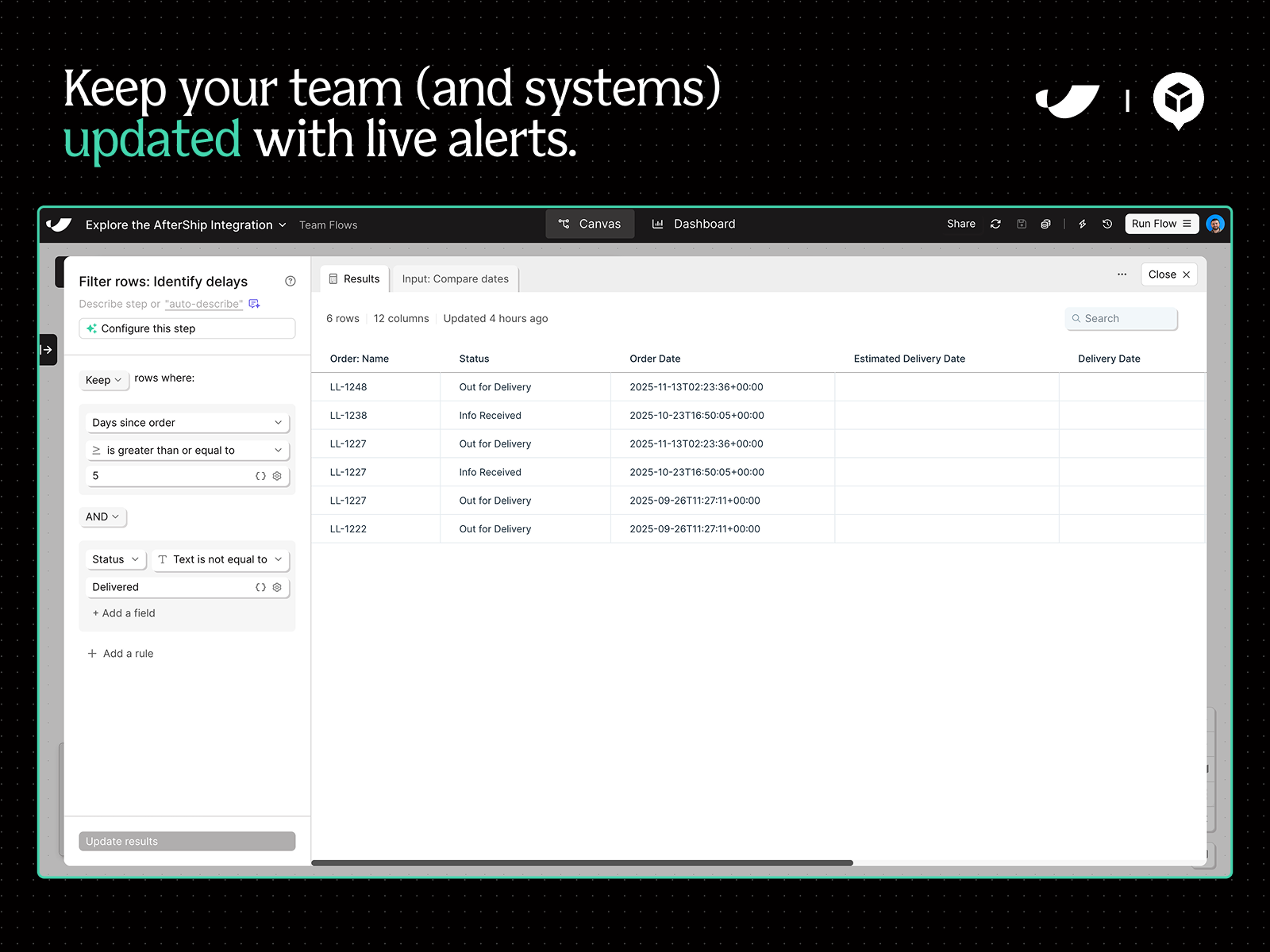
Trigger alerts & update tools
Monitor shipment updates around the clock. Trigger Slack or email alerts to get ahead of delays and update systems as shipments are updated.
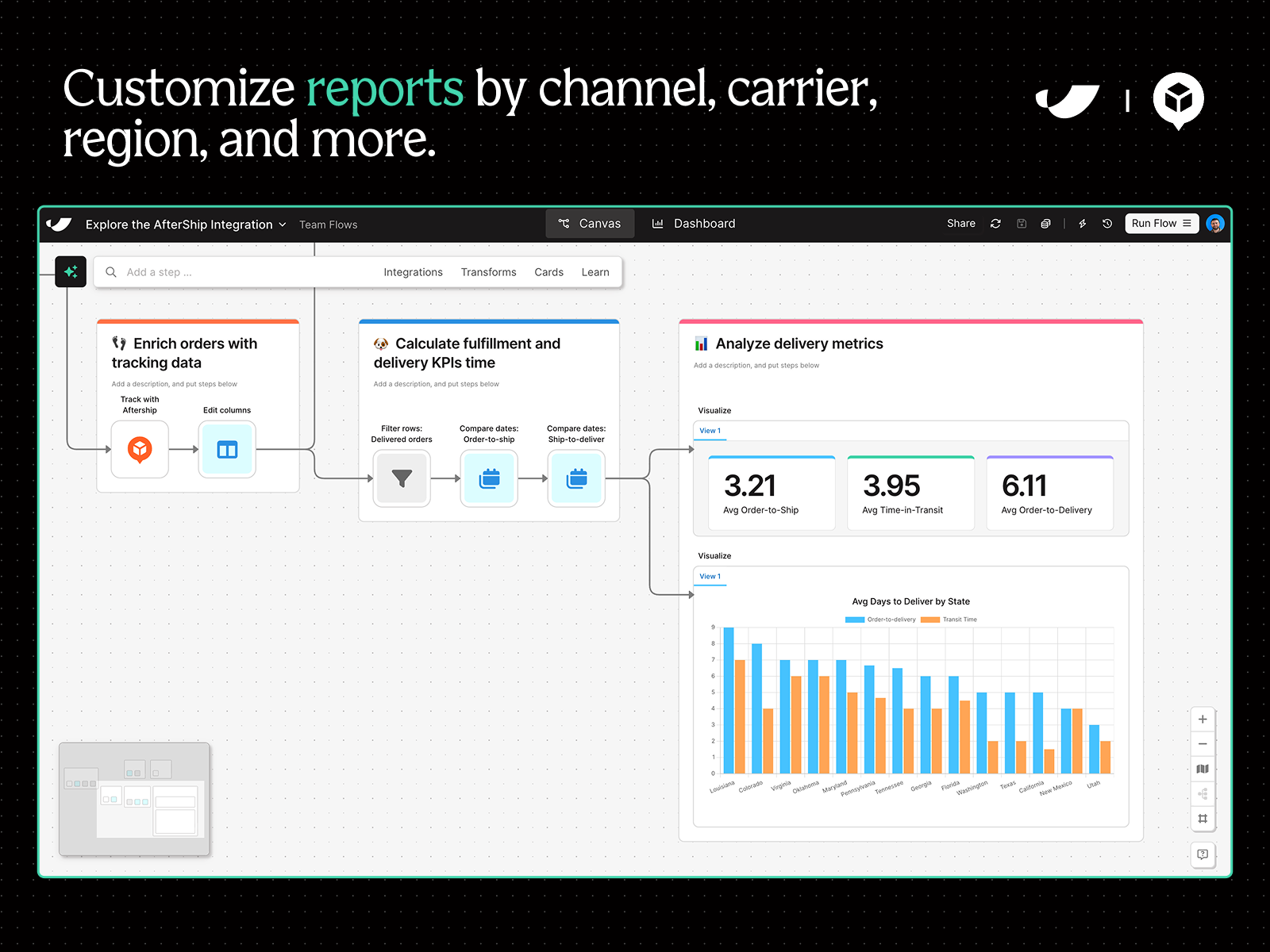
Design reporting dashboards
Make better decisions by extracting insight from your tracking data. Scorecard carriers, analyze performance region, & customize any report.
Why to extend AfterShip with Parabola
Parabola's AfterShip Tracking integration serves up real-time shipment data so that you can incorporate it into any process—from a custom channel-performance report to an alerting workflow for delays. Your team is likely doing much of this work manually in spreadsheets: exporting CSVs, creating scorecards, searching for discrepancies, and updating systems as updates come in. With Parabola, you can integrate every tool in your stack—from NetSuite and Shopify to ShipBob and AfterShip—and automate any process you could otherwise do manually, all without tech resources.
How it works
-
Sign up for a free trial at Parabola.io (we highly recommend completing Parabola University to short-cut your learning journey)
-
Once you’re inside a workflow, type “AfterShip” in the search bar and pull the integration onto the canvas. Alternatively, type your use case into the AI-enabled chat and Parabola will help you build your flow.
-
Open the AfterShip step once on the canvas and follow the instructions to connect your account
-
Add filters to pull specific data from AfterShip. Or, pull data from another system and lookup updates for specific tracking numbers.
-
Use your AfterShip data to automate any process, asking Parabola’s AI questions along the way to help you build


