)
Products
Tags
Select Tags
- Carrier Integration
- Company
- AEDD
- Home
- Analytics
- Copilot
- Member
- Post-purchase EDD
- Pre-purchase EDD
- Email templates
- Integration
- AI shipping rule
- Settings
- Account
- Organization
- Connectors
- Billing
- Smart Cart
- Smart Search & Browse
- Product Recommendations
- Product Tagging
- Strategic Merchandising
- Orders
- Notifications
- Admin
- AEDD
- Settings
- EDD
- API versioning
- Contacts
- Integrations
- Analytics
- Smart upsell widgets
- Integration
- Product recommendations
- Settings
- Analytics
- Shipments
- Tracking pages
- Carriers
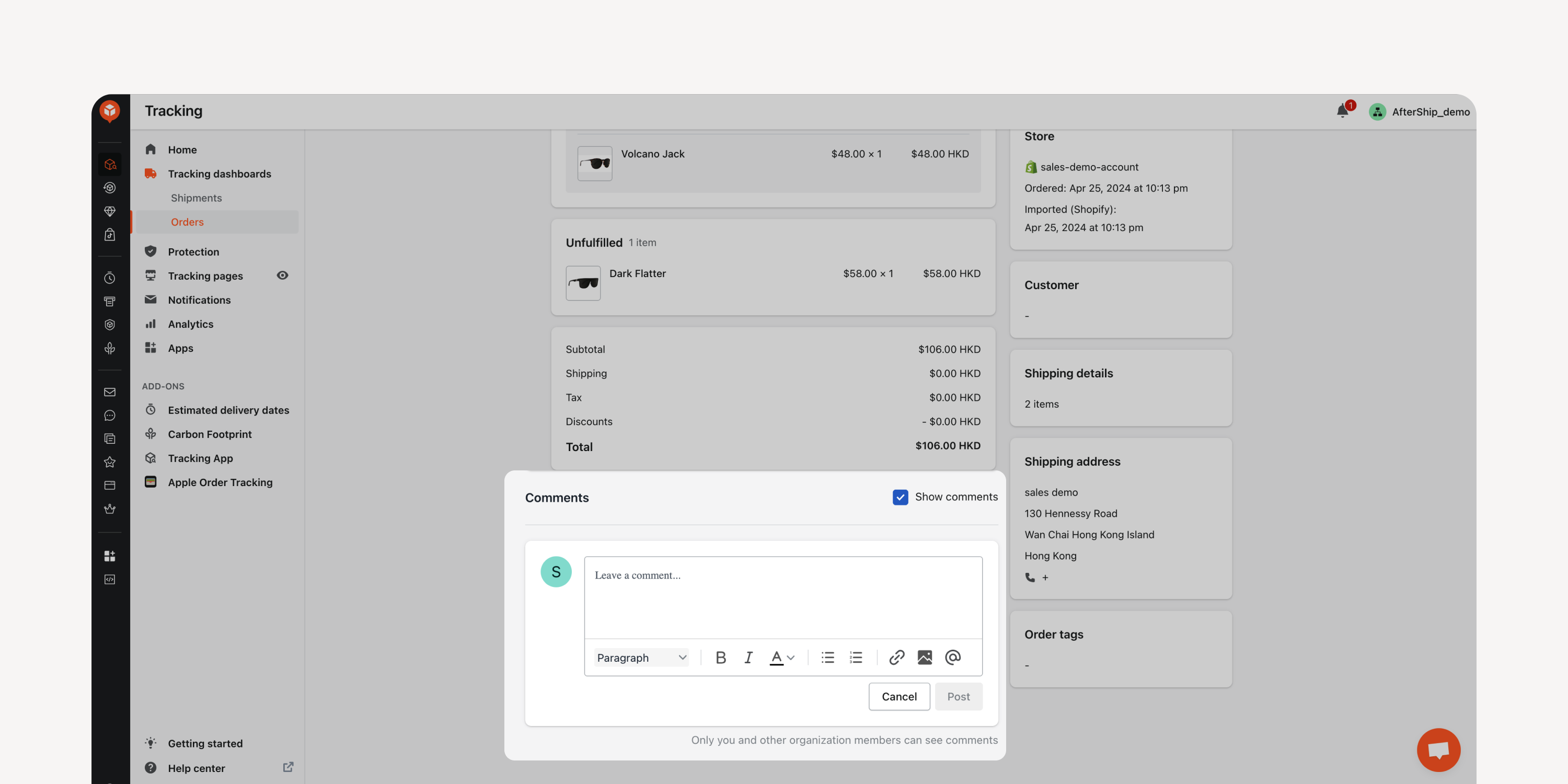
- Comments in Orders Dashboard
Comment on and assign followers directly within the “Orders” dashboard. Foster seamless internal collaboration without the need for external communication via email.
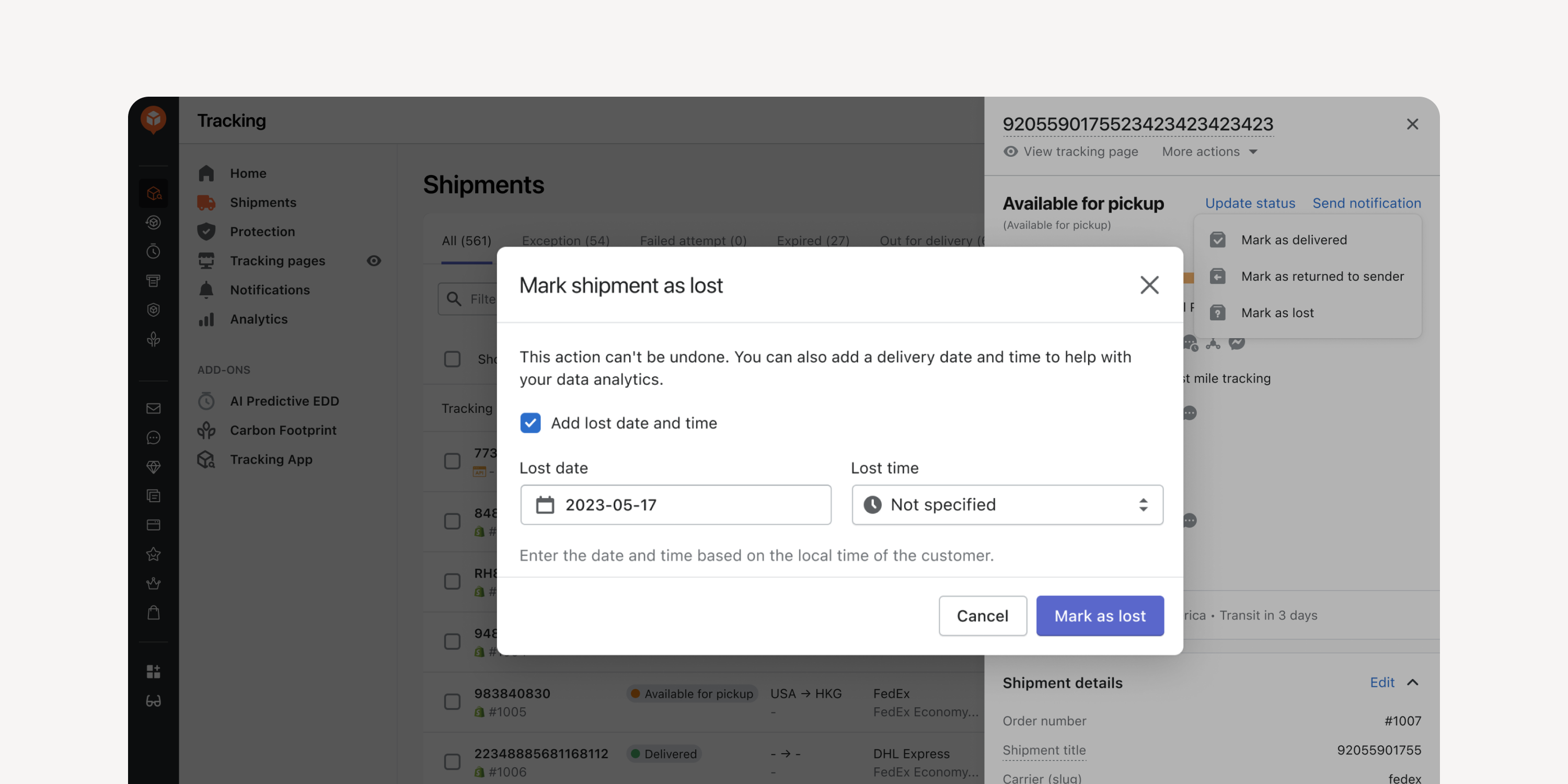
- Date Entry for Returned and Lost Shipments
Enter the date and time when manually marking shipments as “returned to sender” or as “lost”. Incorporate this data into your exceptions reports for improved data accuracy.
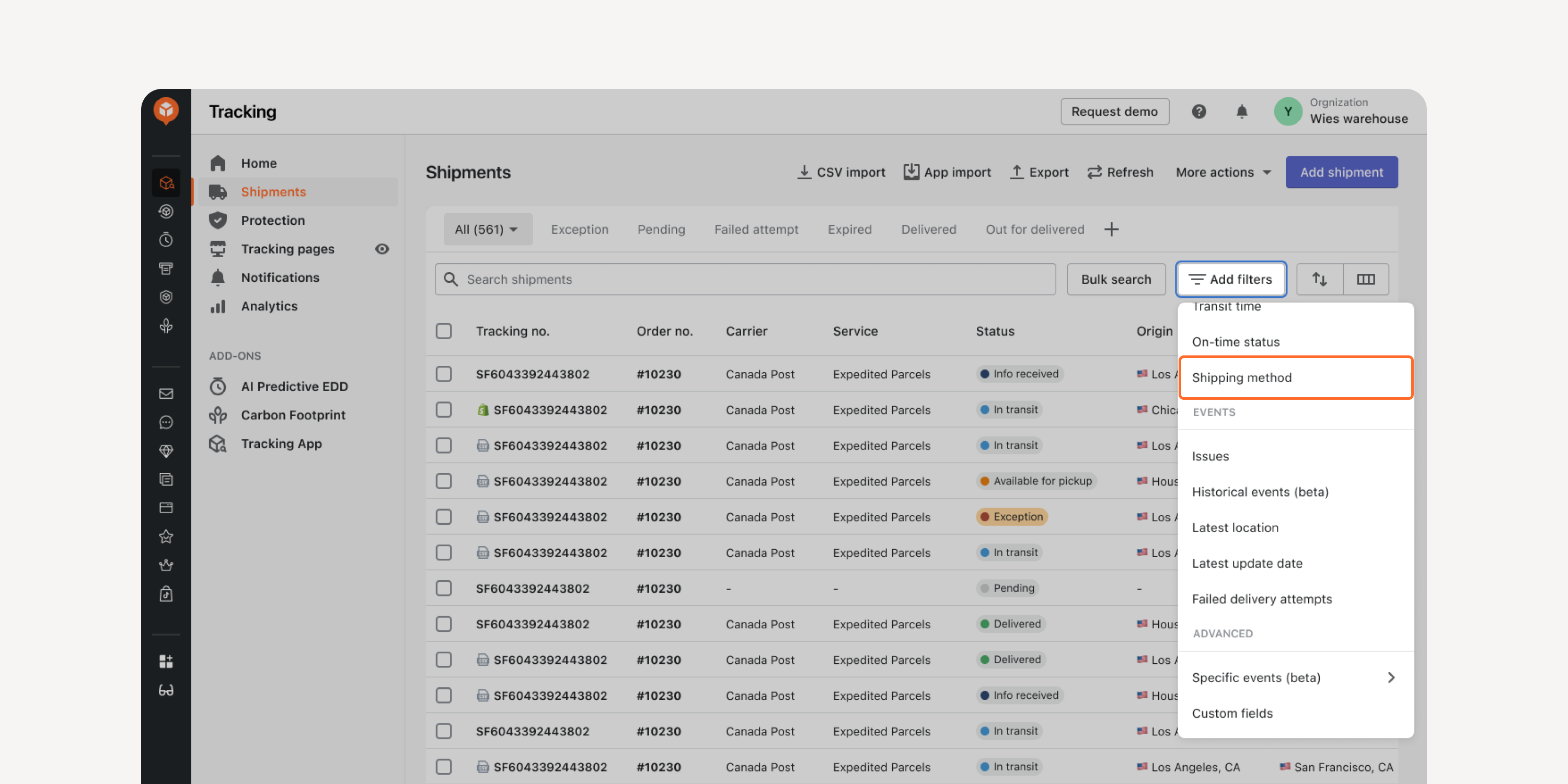
- Shipping Method Filter in “Shipments” Dashboard
Locate shipments with the same shipping method using this filter. Quickly access the shipments, compare their transit times, and decide the most cost-effective service types for your shipping method.
Failed to load more updates.
Share your Wishlist for AfterShip
Got brilliant ideas? We're all ears! Submit your thoughts through the Idea Portal today.

:fill(transparent))
:fill(transparent))