)
Products
Tags
Select Tags
- Carrier Integration
- Copilot
- Company
- AEDD
- Home
- Copilot
- Member
- Post-purchase EDD
- Pre-purchase EDD
- Affiliates
- Review sync
- Integration
- AI shipping rule
- Discovery
- Creators
- Fulfillment sync
- Account
- Organization
- Connectors
- Billing
- Orders
- Products
- Listings
- Orders
- Notifications
- Admin
- AEDD
- Onboarding
- EDD
- Category templates
- API versioning
- Integrations
- Settings
- Product sync
- Inventory sync
- Order sync
- Analytics
- Shipments
- Tracking pages
- Pricing
- Carriers
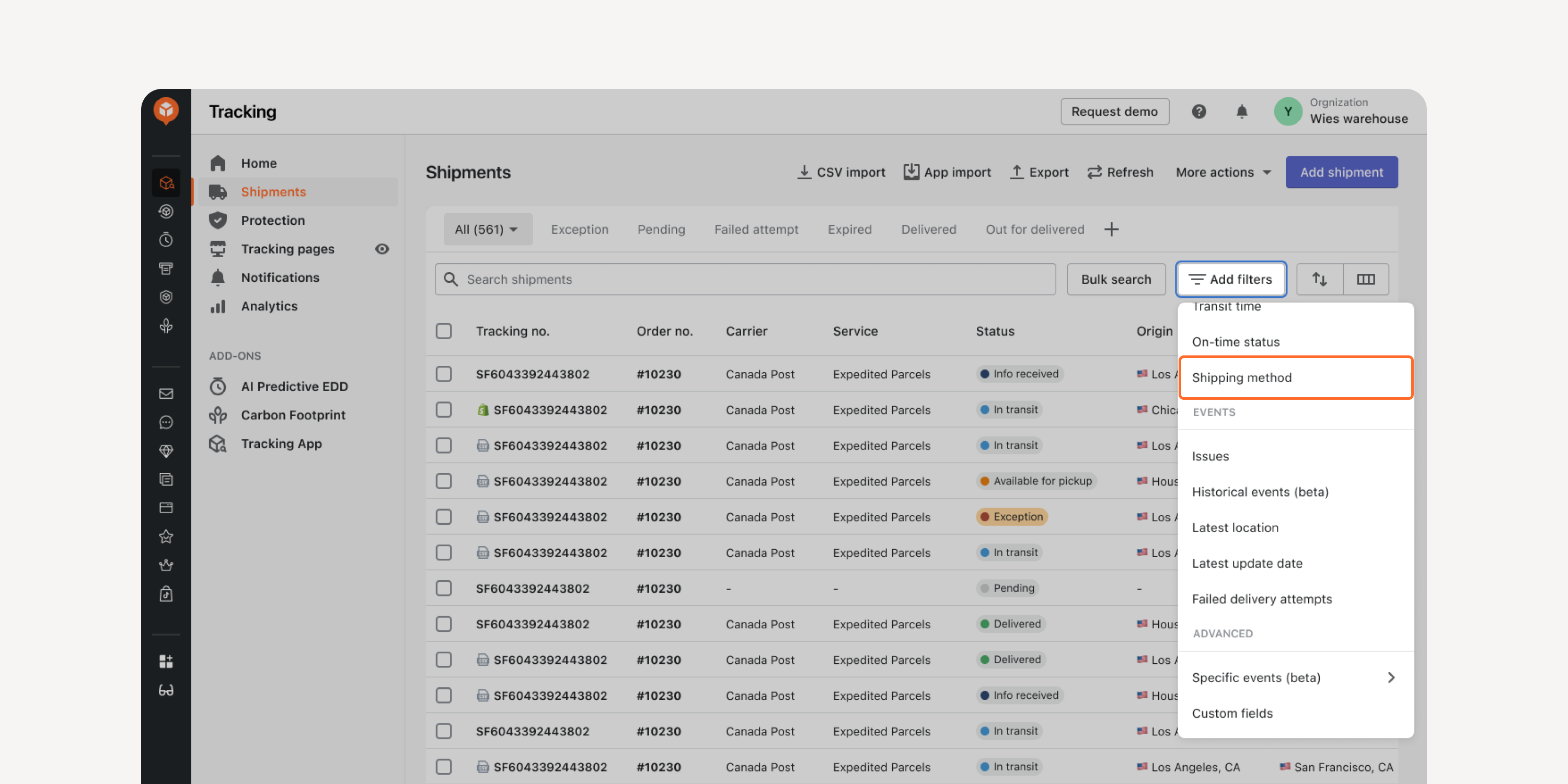
- Shipping Method Filter in “Shipments” Dashboard
Locate shipments with the same shipping method using this filter. Quickly access the shipments, compare their transit times, and decide the most cost-effective service types for your shipping method.
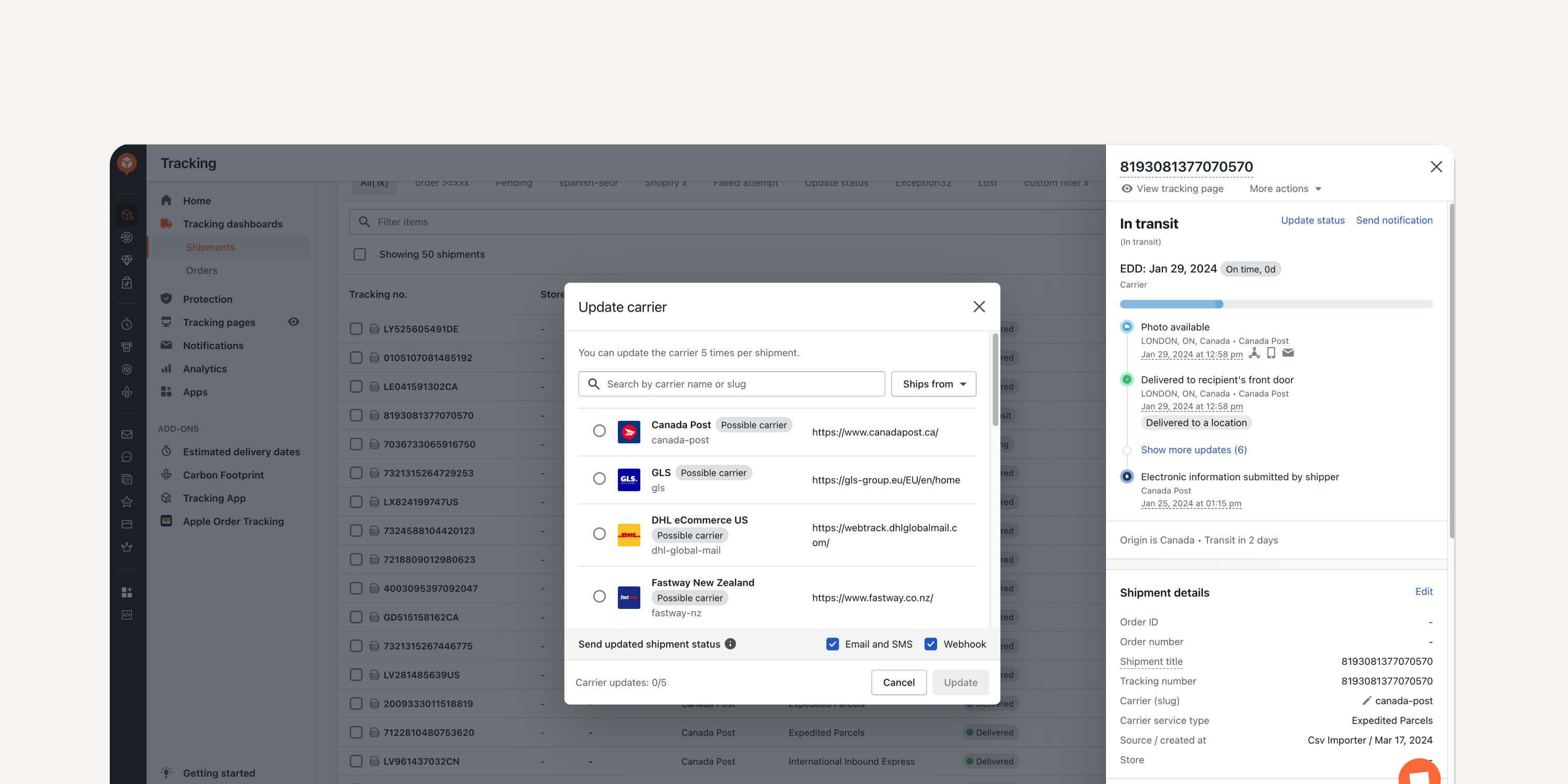
- Carrier Name Update
Update shipments’ carrier info directly within the "Shipments" dashboard. Reduce WISMO tickets and ensure accurate tracking in case of an incorrect entry.
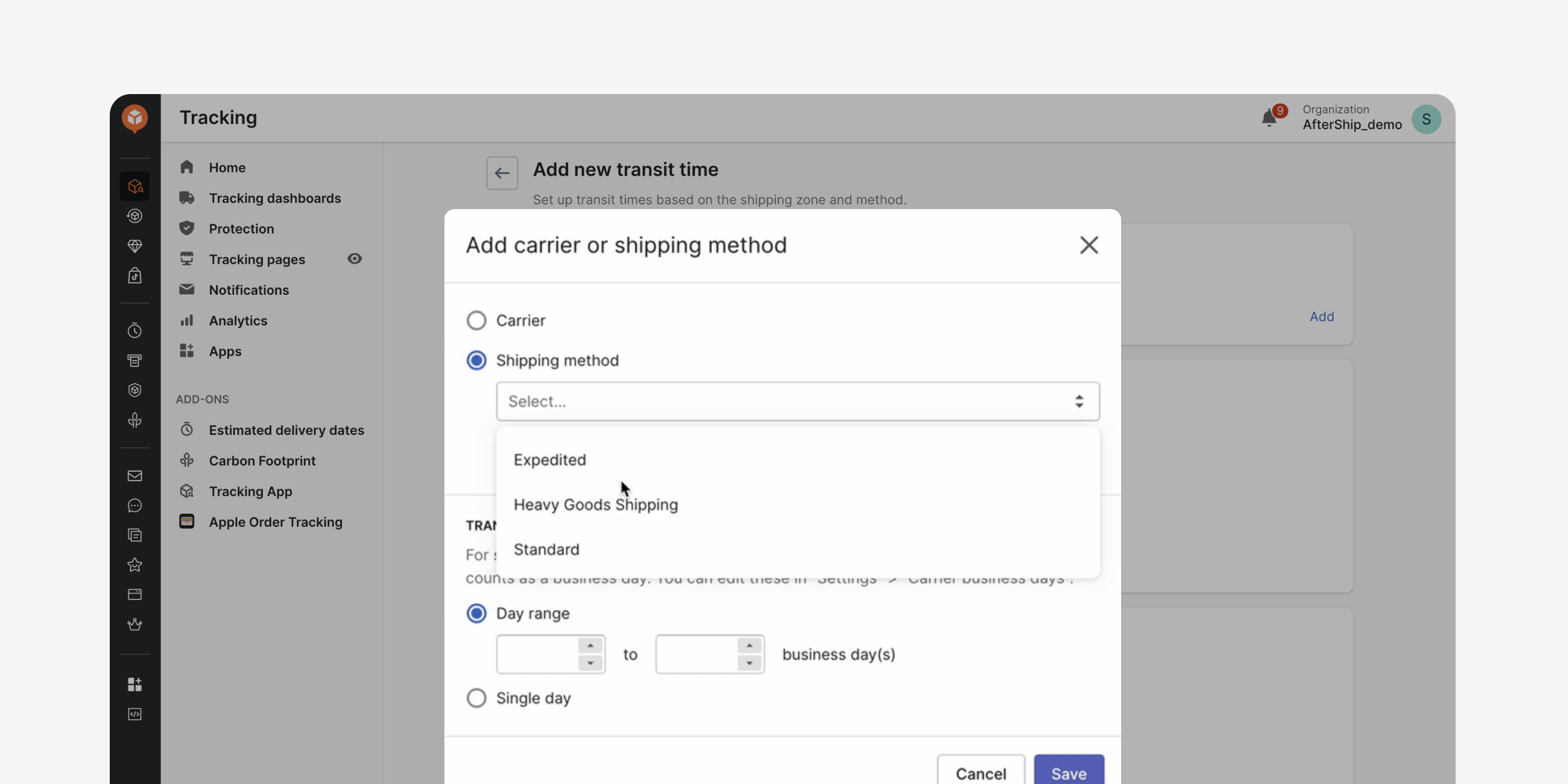
- Upgraded Custom EDD Setup
Set rules for Custom EDD in ‘Settings’ and select shipping methods from a drop-down menu instead of manually filling in. Centralize rule-setting system-wide and avoid re-entry and errors.
Failed to load more updates.
Share your Wishlist for AfterShip
Got brilliant ideas? We're all ears! Submit your thoughts through the Idea Portal today.

:fill(transparent))
:fill(transparent))