)
Select Products
Select Tags
- Warranty Workflows
- Carrier Integration
- Copilot
- Company
- Dashboard
- AEDD
- Extension
- Home
- Analytics
- Copilot
- Migration
- Member
- Post-purchase EDD
- Pre-purchase EDD
- Warranty Analytics
- Affiliates
- Return Care
- Review sync
- Email templates
- Integration
- AI shipping rule
- Warranty page
- Warranty Management
- Discovery
- Creators
- Onboarding
- Settings
- Warranty shipping
- Fulfillment sync
- Collect reviews
- Social platforms
- Integration
- Warranty resolutions
- Account
- Organization
- Connectors
- Billing
- Shop now
- Display settings
- Smart Cart
- Smart Search & Browse
- Product Recommendations
- Product Tagging
- Strategic Merchandising
- Settings
- Orders
- Label history
- Claims
- Orders
- Products
- Listings
- Orders
- Notifications
- Carrier rates
- Notifications
- Claim page
- Admin
- AEDD
- Settings
- Onboarding
- Organization settings
- EDD
- Category templates
- API versioning
- Contacts
- Net Promoter Score
- Settings
- Reviews
- Settings
- Overview
- Webhook
- Coverage
- Integrations
- Analytics
- Smart upsell widgets
- Integration
- Analytics
- Integrations
- AEDD
- EDD
- Carriers
- Product recommendations
- Settings
- Product sync
- Inventory sync
- Order sync
- Resolution methods
- Claims
- Analytics
- Shipments
- Tracking pages
- Pricing
- Q&A
- Carriers
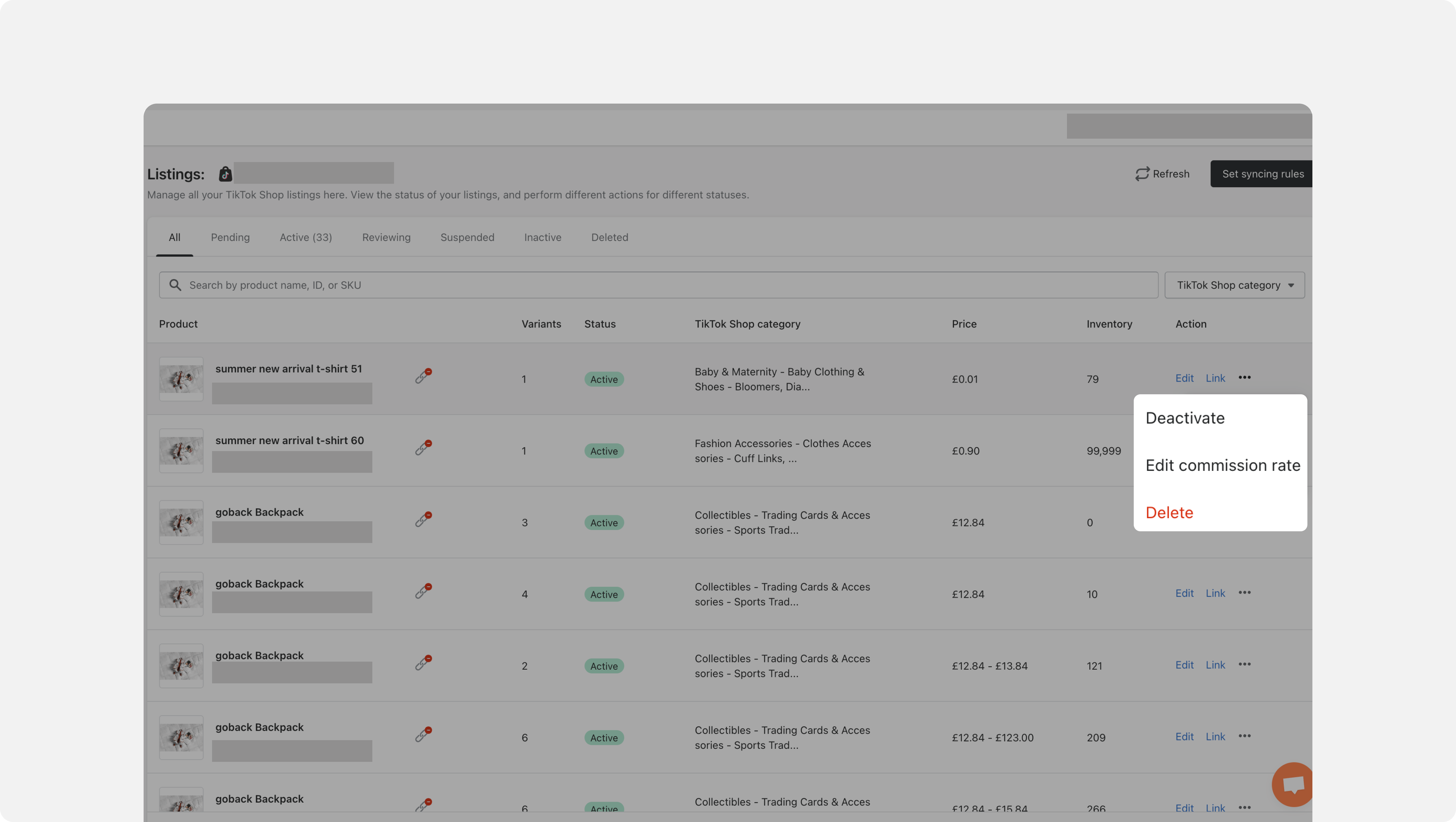
- Edit Affiliate Commission
Edit affiliate commission for products you want to promote in the Listings module and relevant changes will be automatically reflected in the open collaboration module in TikTok Shop Affiliate Center. Help sellers make their products visible for promotion to all TikTok Shop creators, increasing the pool of creators who can promote products and eventually drive sales.
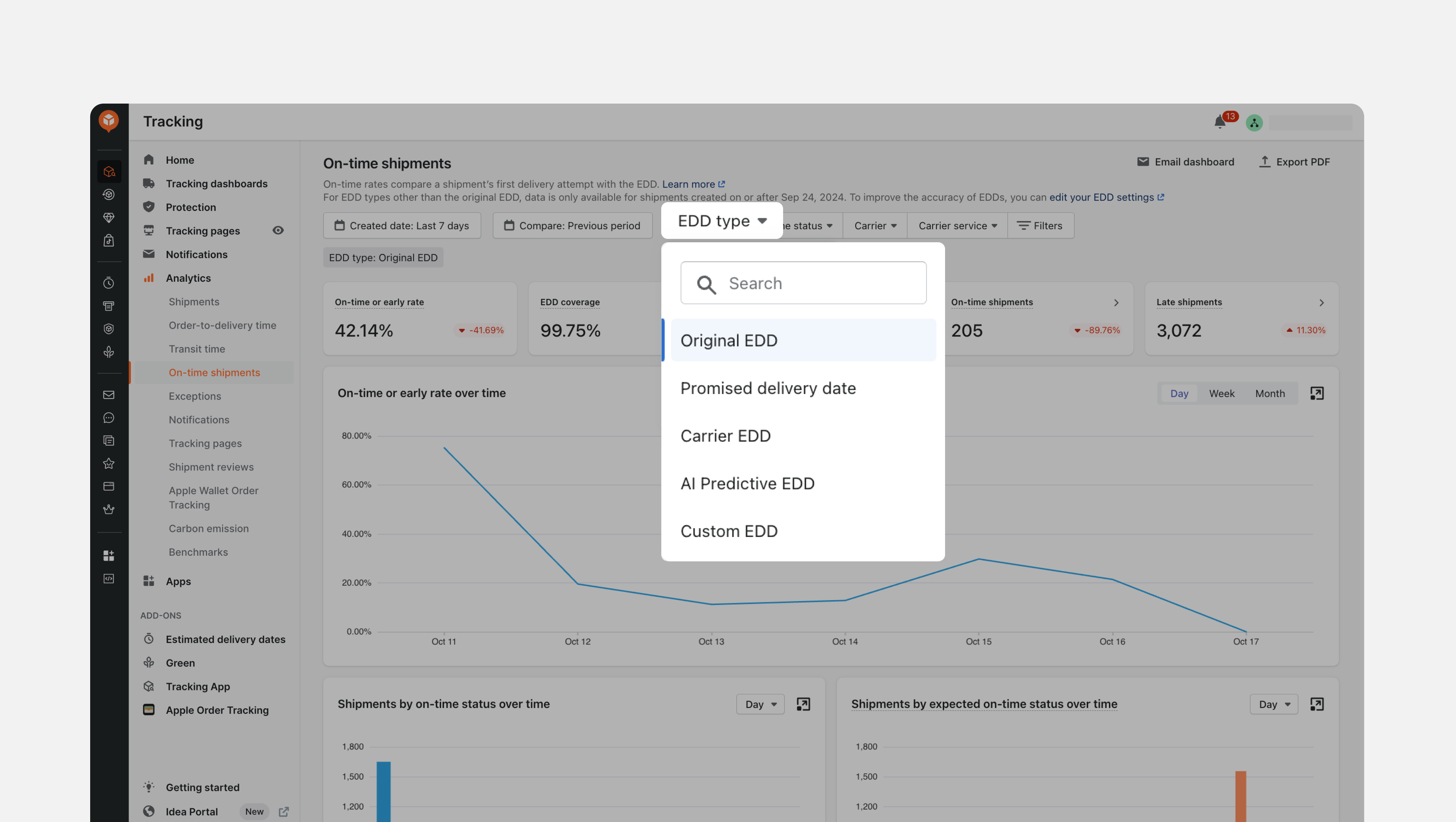
- On-Time Analytics by EDD Types
Choose from various EDD types to evaluate on-time performance, in addition to the default, auto-populated Original EDD. Align performance metrics with the EDDs most relevant to your operations.
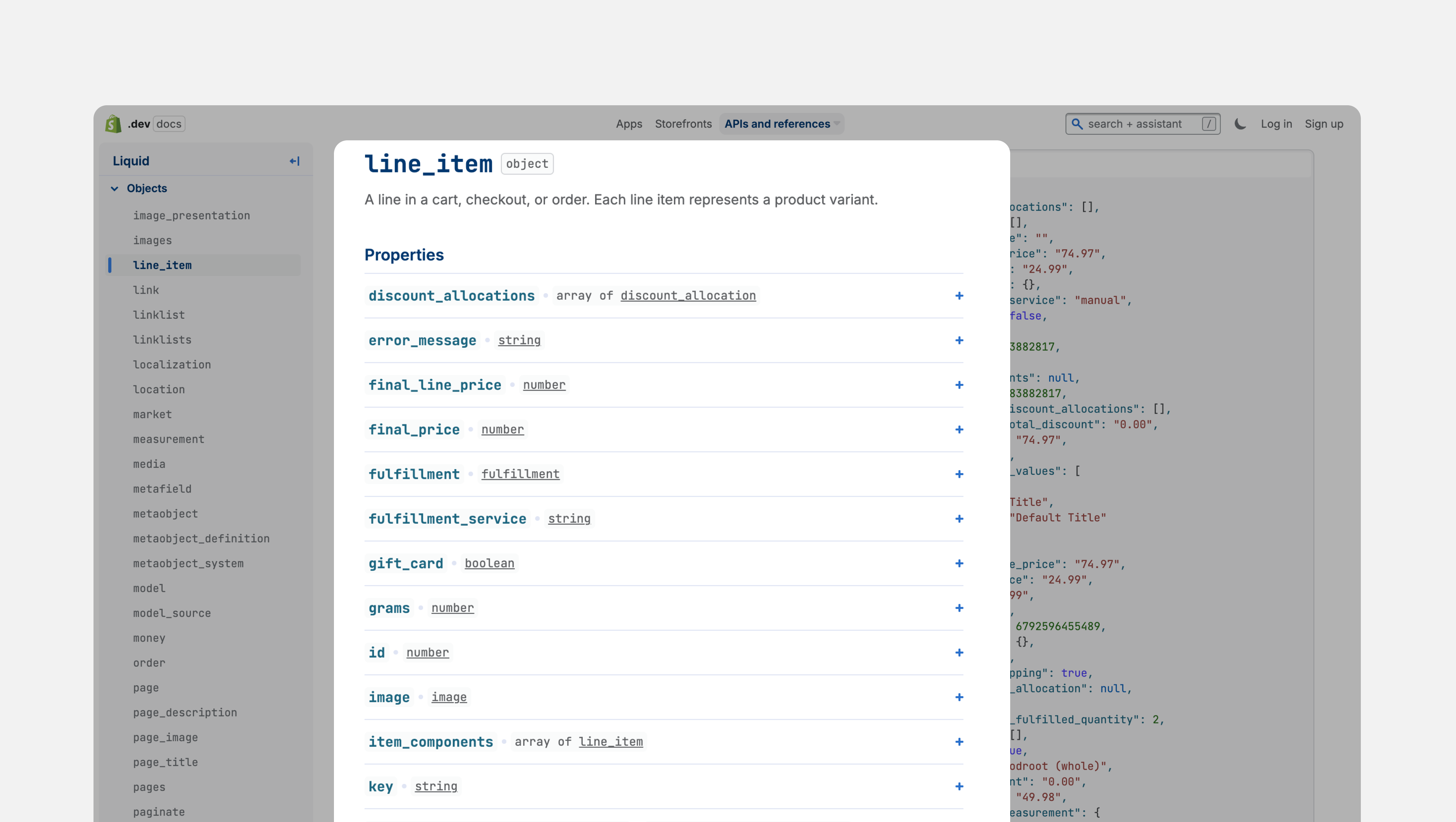
- Blocklist by Shopify “Line Item” Property
Besides using product tags in Returns' blocklist, mark final sale items as non-returnable by utilizing Shopify’s "line_item" properties. Ensure policy enforcement even if tags are accidentally removed.
Failed to load more updates.
Next pageShare your Wishlist for AfterShip
Got brilliant ideas? We're all ears! Submit your thoughts through the Idea Portal today.

:fill(transparent))
:fill(transparent))