)
Select Tags
- Carrier Integration
- Company
- AEDD
- Home
- Copilot
- Migration
- Member
- Post-purchase EDD
- Pre-purchase EDD
- Integration
- AI shipping rule
- Collect reviews
- Social platforms
- Integration
- Account
- Organization
- Connectors
- Billing
- Display settings
- Smart Cart
- Smart Search & Browse
- Product Recommendations
- Product Tagging
- Strategic Merchandising
- Orders
- Notifications
- Admin
- AEDD
- Settings
- EDD
- API versioning
- Net Promoter Score
- Settings
- Reviews
- Integrations
- Analytics
- Smart upsell widgets
- Integration
- Analytics
- Product recommendations
- Settings
- Analytics
- Shipments
- Tracking pages
- Q&A
- Carriers
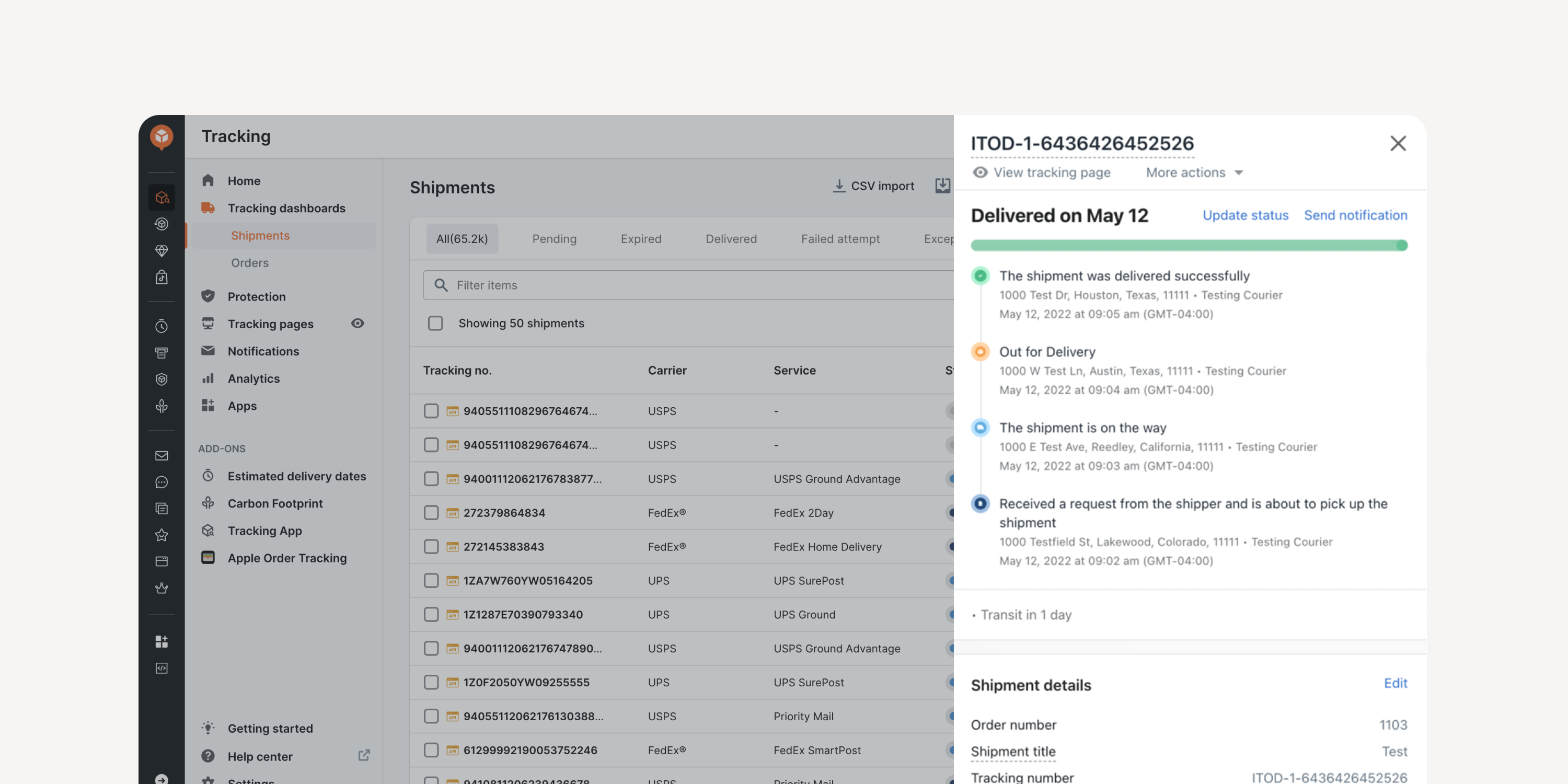
- Test Shipment for Post-Purchase EDD
Import a test shipment via CSV or API, or create one to view an auto-updated EDD. Easily test the EDD update frequency and preview the associated shipment status in the ‘Shipments’ dashboard.
* Creating a test shipment uses up your shipment quota
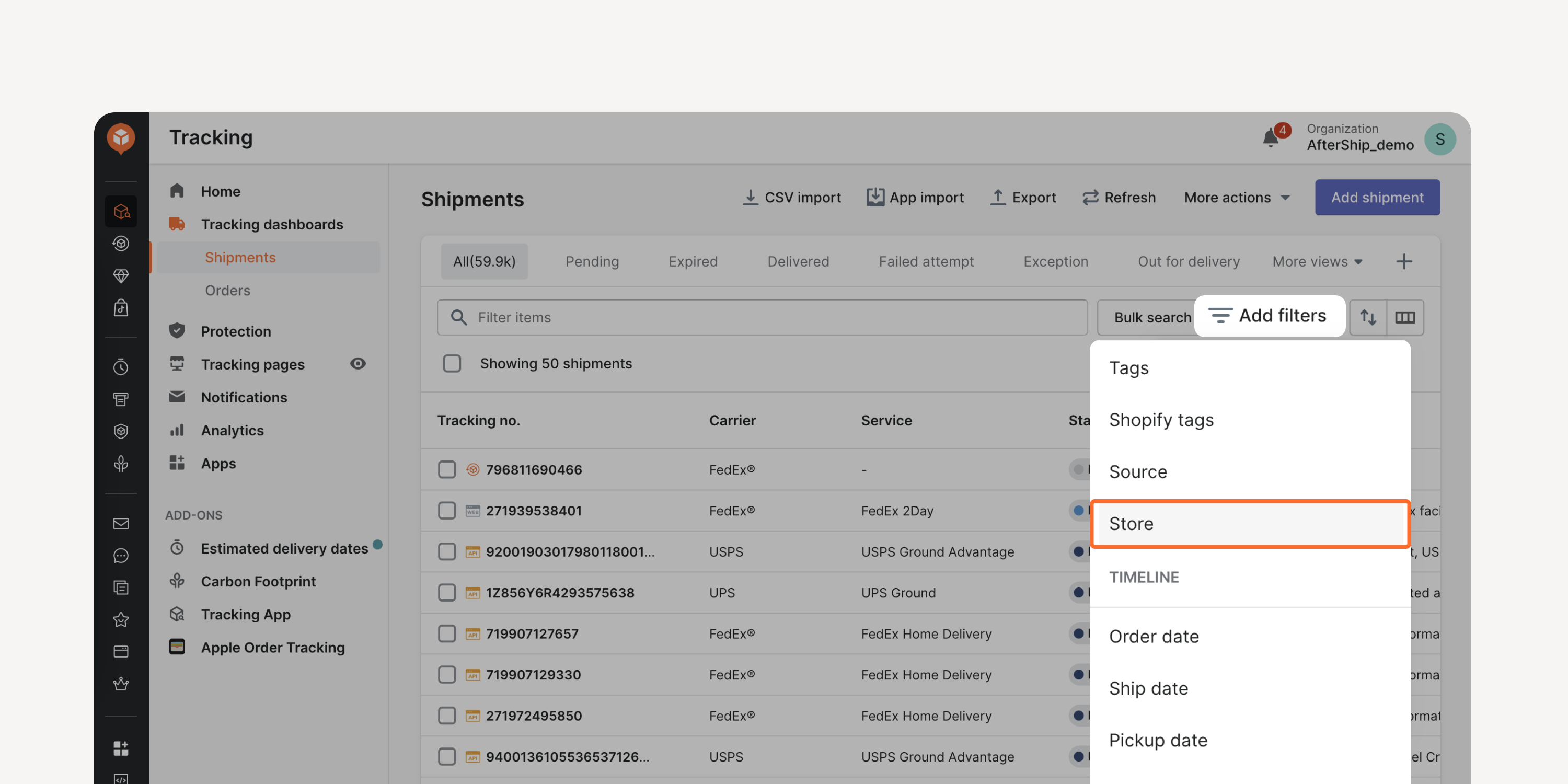
- “Store” Filter in Shipments Dashboard
Locate shipments from specific stores using the new filter. Analyze stores' shipping performance, gain quick access to exceptions, and take proactive measures to address them.
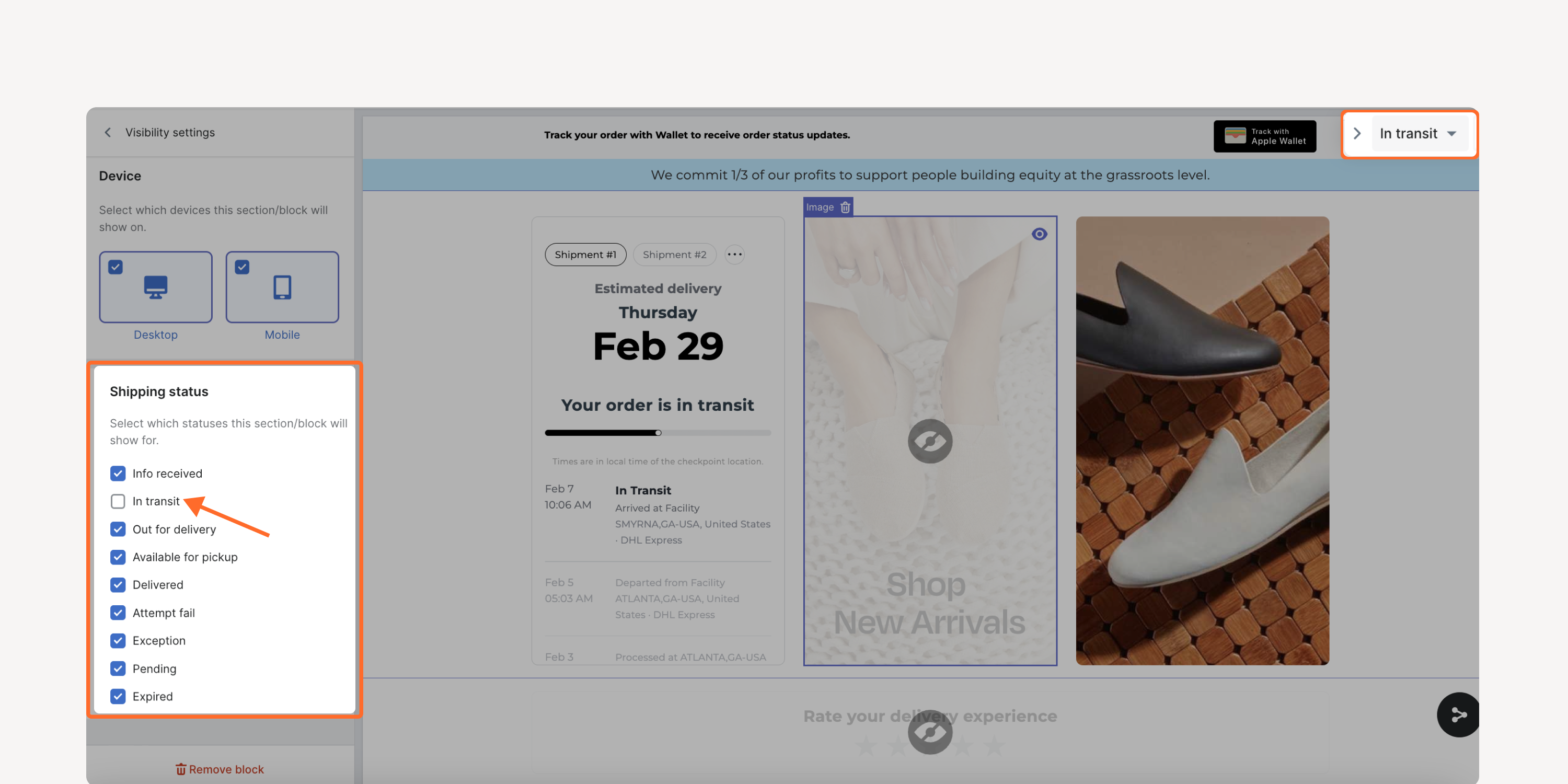
- Trigger-Based Tracking Page Assets
Display specific images and text blocks on the track page based on delivery statuses or the shopper’s device used. Enhance the tracking experience with a more targeted and contextual experience.
*Accessible by Enterprise plan users
Failed to load more updates.
Share your Wishlist for AfterShip
Got brilliant ideas? We're all ears! Submit your thoughts through the Idea Portal today.

:fill(transparent))
:fill(transparent))