)
Products
Select Products
Tags
- Warranty Workflows
- Carrier Integration
- Copilot
- Company
- Dashboard
- AEDD
- Extension
- Home
- Analytics
- Copilot
- Migration
- Member
- Post-purchase EDD
- Pre-purchase EDD
- Warranty Analytics
- Affiliates
- Return Care
- Review sync
- Email templates
- Integration
- AI shipping rule
- Warranty page
- Warranty Management
- Discovery
- Creators
- Onboarding
- Settings
- Warranty shipping
- Fulfillment sync
- Collect reviews
- Social platforms
- Integration
- Warranty resolutions
- Account
- Organization
- Connectors
- Billing
- Shop now
- Display settings
- Smart Cart
- Smart Search & Browse
- Product Recommendations
- Product Tagging
- Strategic Merchandising
- Settings
- Orders
- Label history
- Claims
- Orders
- Products
- Listings
- Orders
- Notifications
- Carrier rates
- Notifications
- Claim page
- Admin
- AEDD
- Settings
- Onboarding
- Organization settings
- EDD
- Category templates
- API versioning
- Contacts
- Net Promoter Score
- Settings
- Reviews
- Settings
- Overview
- Webhook
- Coverage
- Integrations
- Analytics
- Smart upsell widgets
- Integration
- Analytics
- Integrations
- AEDD
- EDD
- Carriers
- Product recommendations
- Settings
- Product sync
- Inventory sync
- Order sync
- Resolution methods
- Claims
- Analytics
- Shipments
- Tracking pages
- Pricing
- Q&A
- Carriers
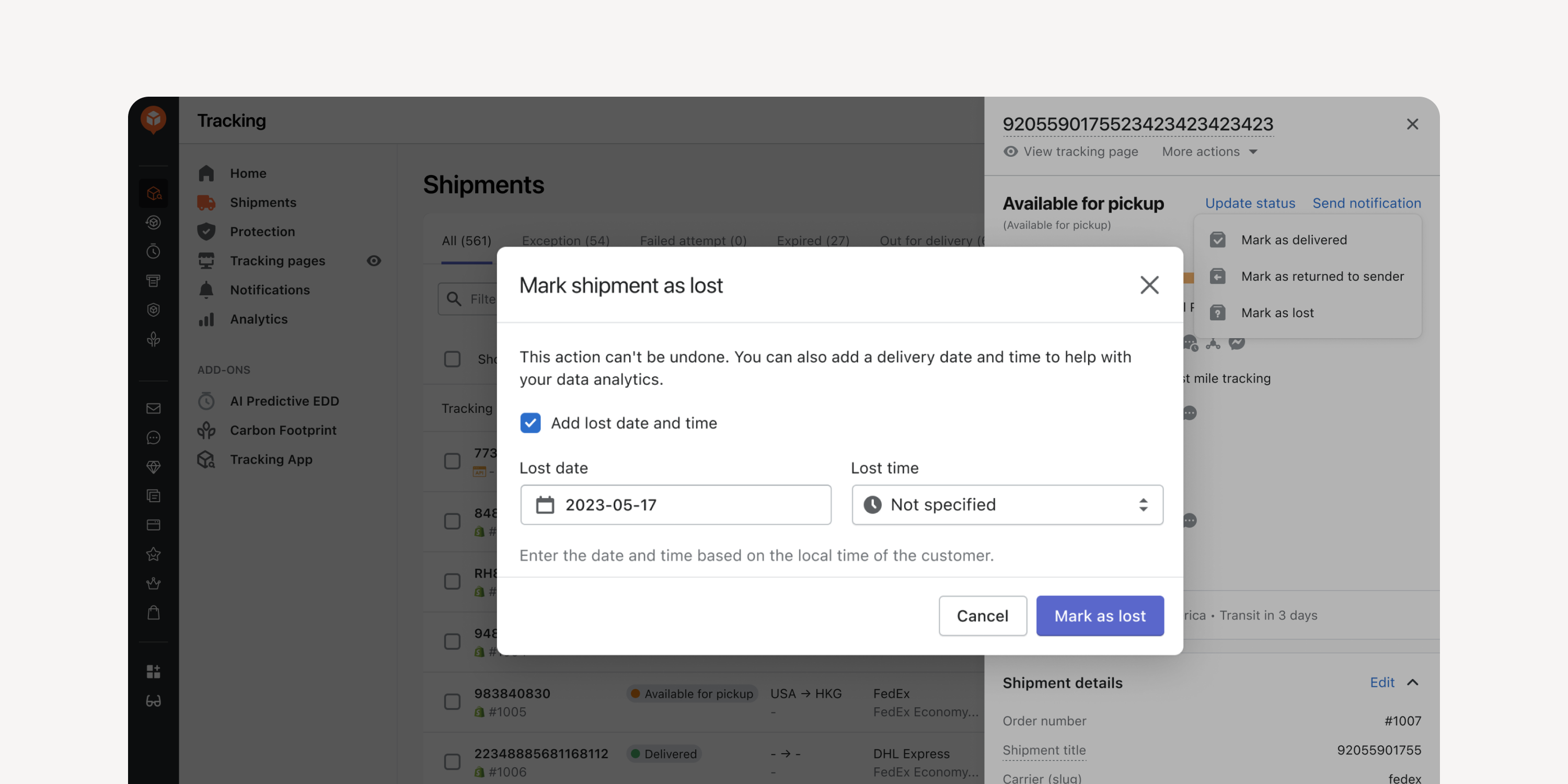
- Date Entry for Returned and Lost Shipments
Enter the date and time when manually marking shipments as “returned to sender” or as “lost”. Incorporate this data into your exceptions reports for improved data accuracy.
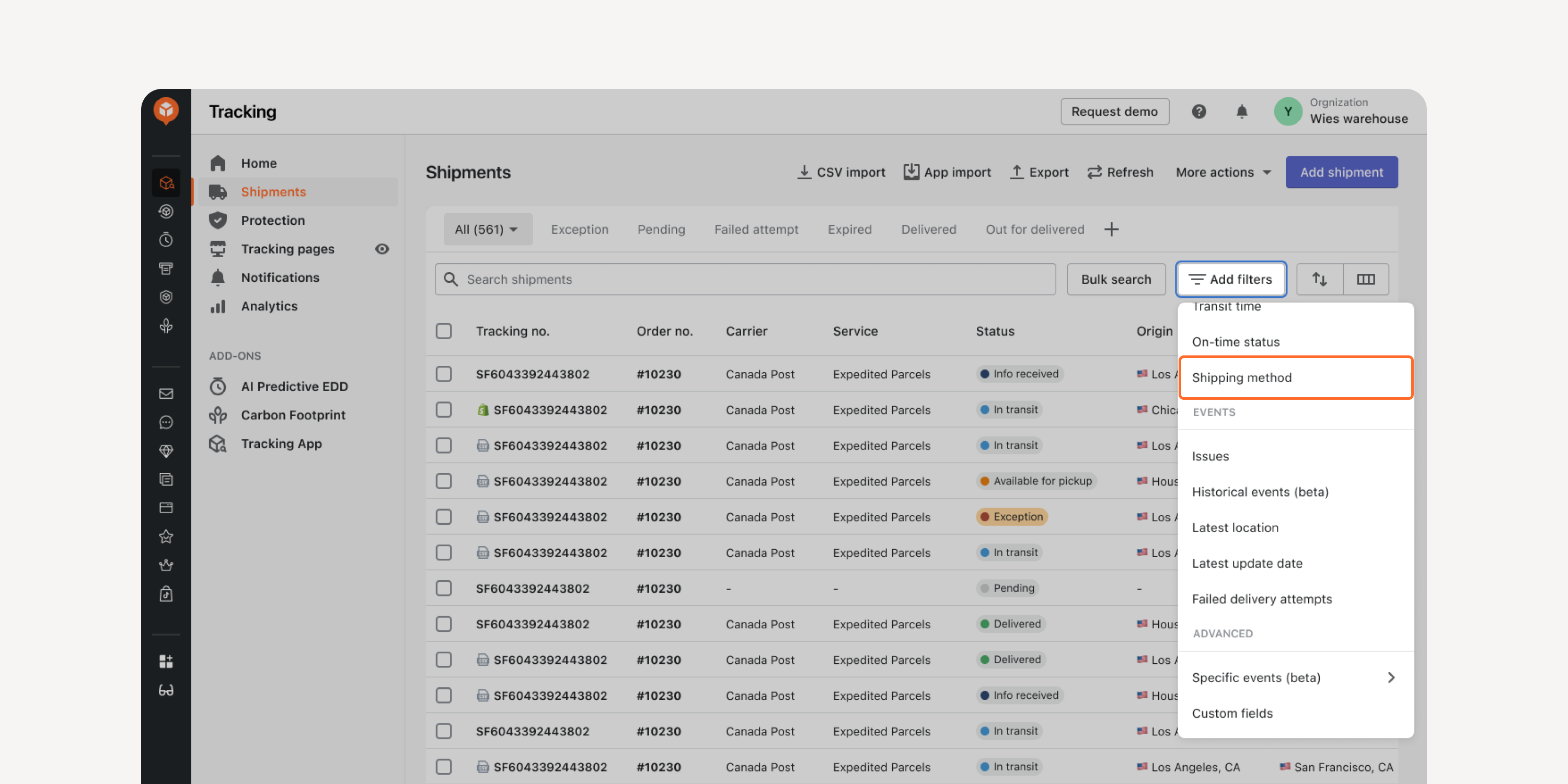
- Shipping Method Filter in “Shipments” Dashboard
Locate shipments with the same shipping method using this filter. Quickly access the shipments, compare their transit times, and decide the most cost-effective service types for your shipping method.
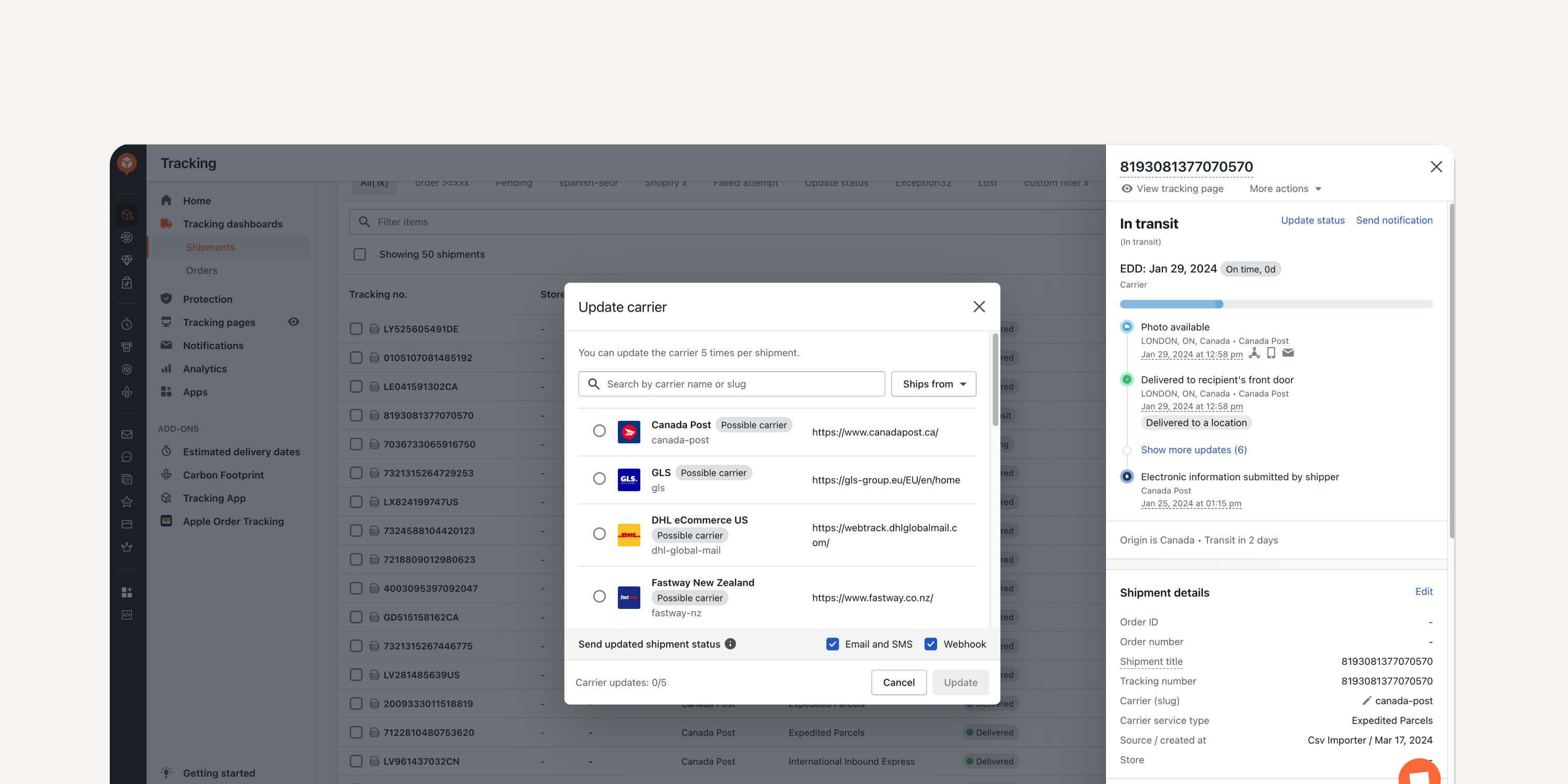
- Carrier Name Update
Update shipments’ carrier info directly within the "Shipments" dashboard. Reduce WISMO tickets and ensure accurate tracking in case of an incorrect entry.
Failed to load more updates.
Share your Wishlist for AfterShip
Got brilliant ideas? We're all ears! Submit your thoughts through the Idea Portal today.

:fill(transparent))
:fill(transparent))