)
Products
Tags
Select Tags
- Carrier Integration
- Copilot
- AEDD
- Analytics
- Copilot
- Post-purchase EDD
- Pre-purchase EDD
- Affiliates
- Review sync
- Email templates
- Integration
- AI shipping rule
- Discovery
- Creators
- Settings
- Fulfillment sync
- Orders
- Products
- Listings
- Orders
- Notifications
- Admin
- AEDD
- Onboarding
- EDD
- Category templates
- API versioning
- Contacts
- Integrations
- Settings
- Product sync
- Inventory sync
- Order sync
- Analytics
- Shipments
- Tracking pages
- Pricing
- Carriers
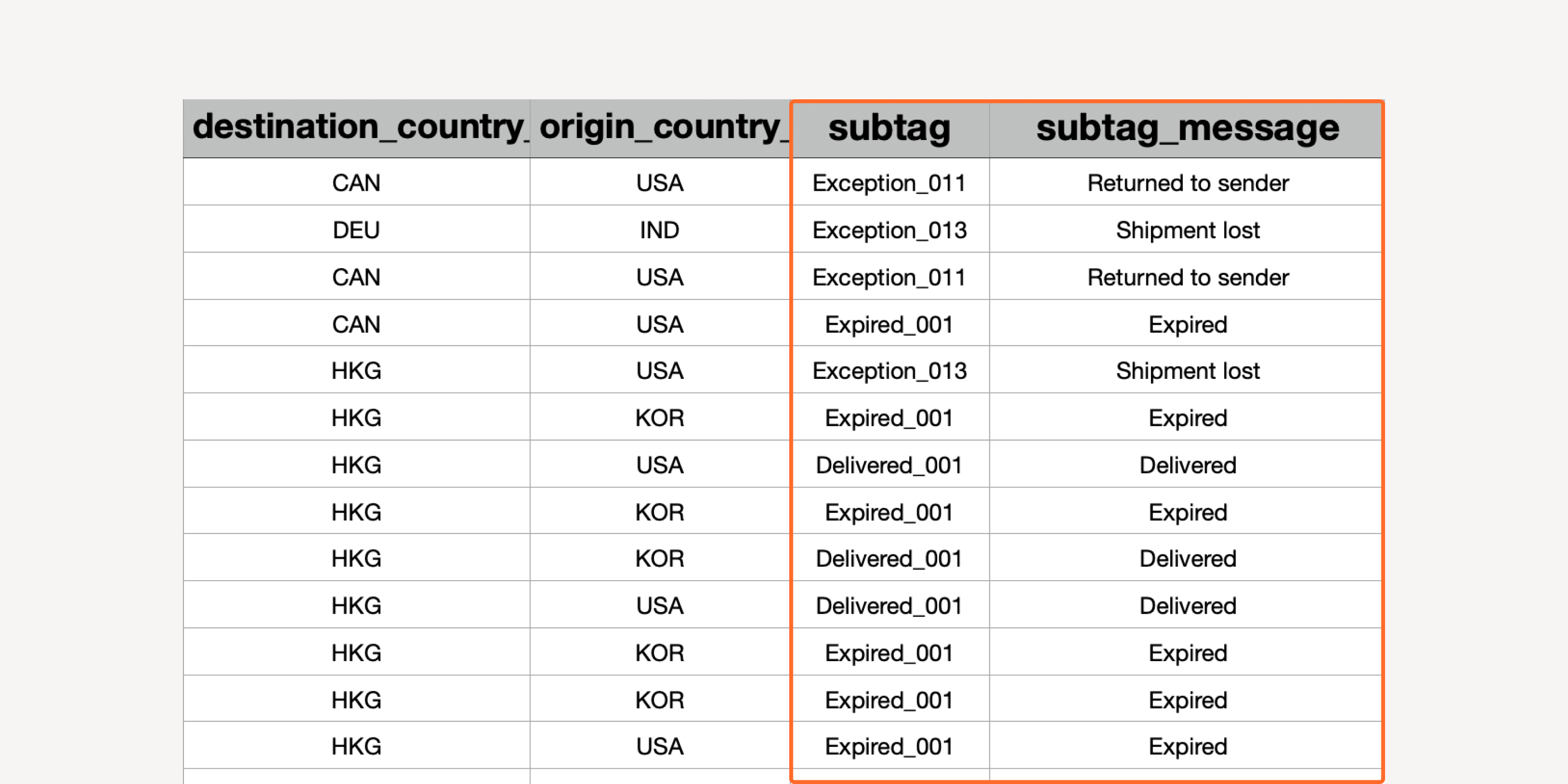
- Updated sub-statuses in shipment export
Associate delivery status code (“subtag”) with the respective events (“subtag message”) directly in the export file. Investigate reasons for shipping exceptions by referencing sub-statuses.
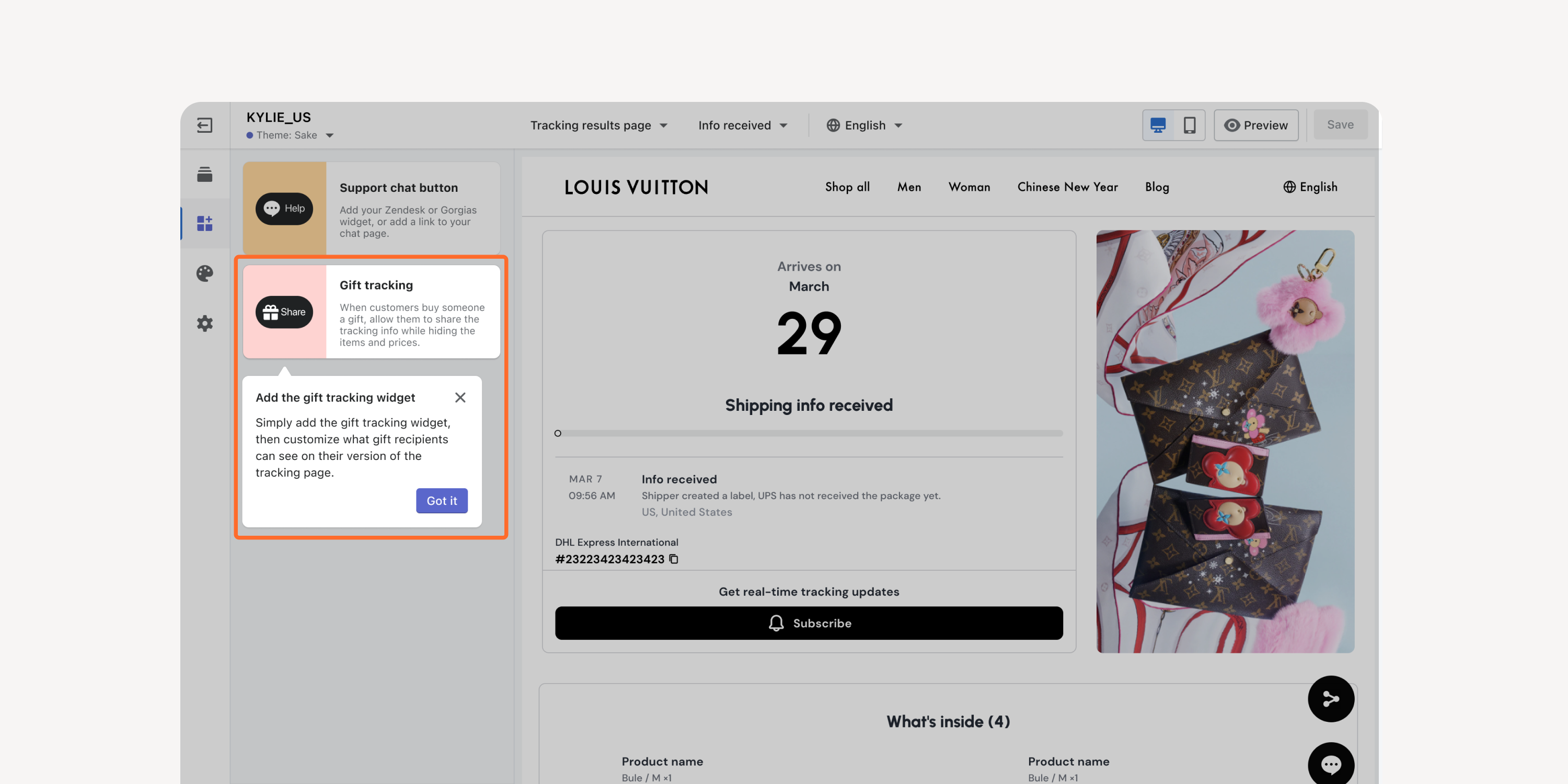
- Gift tracking link
Enable a special tracking link on tracking pages that hides item and order details. Protect the goodwill of gift givers and keep their gifts a surprise until delivery.
*Applicable to Enterprise plan (exclude API plans) users
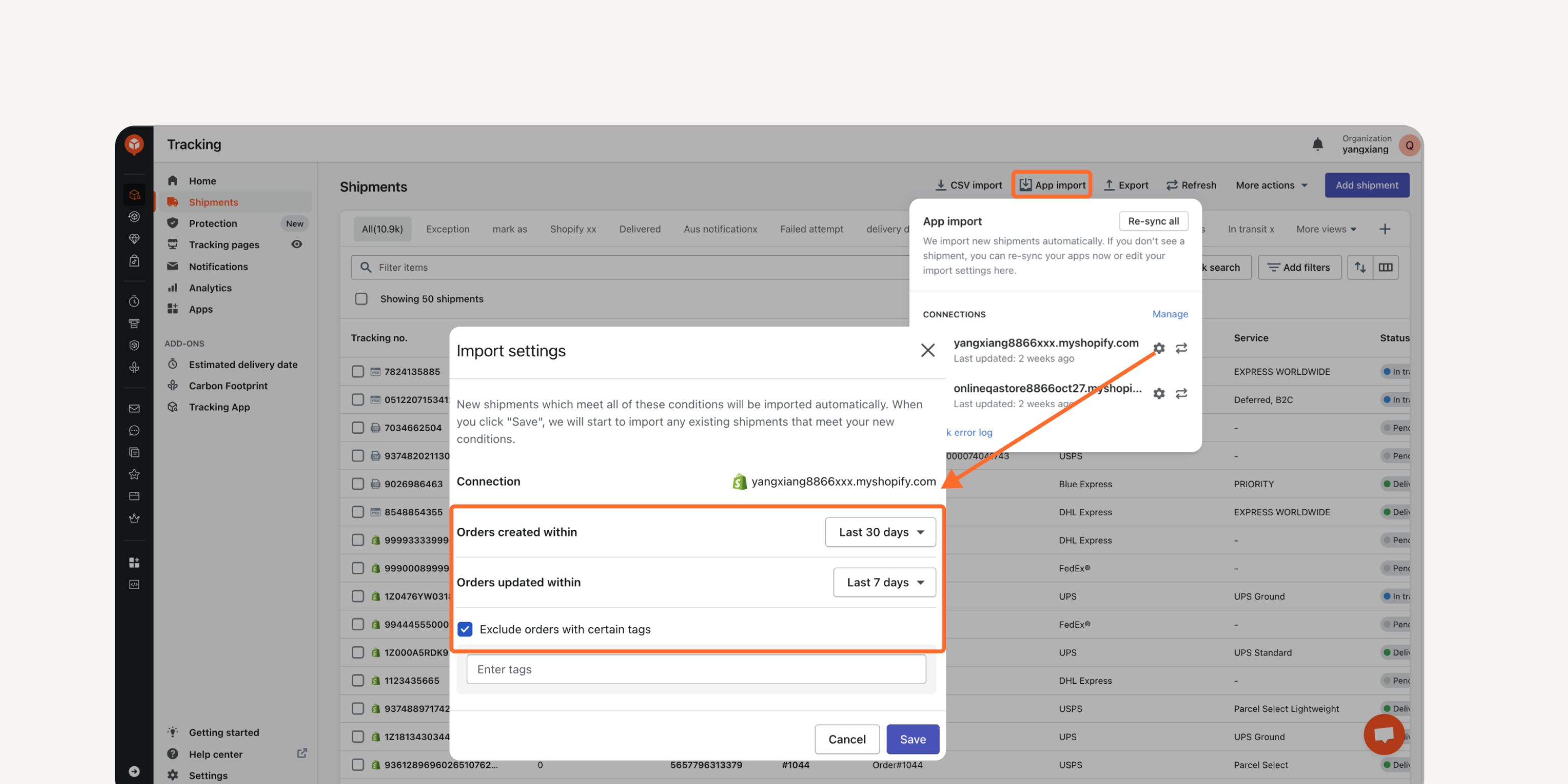
- Import settings for relevant orders
Cut unnecessary expenses with only the relevant orders imported and tracked. Exclude orders with certain tags from your eCommerce platforms based on specified parameters.
Failed to load more updates.
Share your Wishlist for AfterShip
Got brilliant ideas? We're all ears! Submit your thoughts through the Idea Portal today.

:fill(transparent))
:fill(transparent))