)
Products
Tags
Select Tags
- Carrier Integration
- Company
- AEDD
- Home
- Copilot
- Member
- Post-purchase EDD
- Pre-purchase EDD
- Integration
- AI shipping rule
- Account
- Organization
- Connectors
- Billing
- Smart Cart
- Smart Search & Browse
- Product Recommendations
- Product Tagging
- Strategic Merchandising
- Orders
- Label history
- Orders
- Notifications
- Carrier rates
- Admin
- AEDD
- Settings
- Organization settings
- EDD
- API versioning
- Integrations
- Analytics
- Smart upsell widgets
- Integration
- Product recommendations
- Settings
- Analytics
- Shipments
- Tracking pages
- Carriers
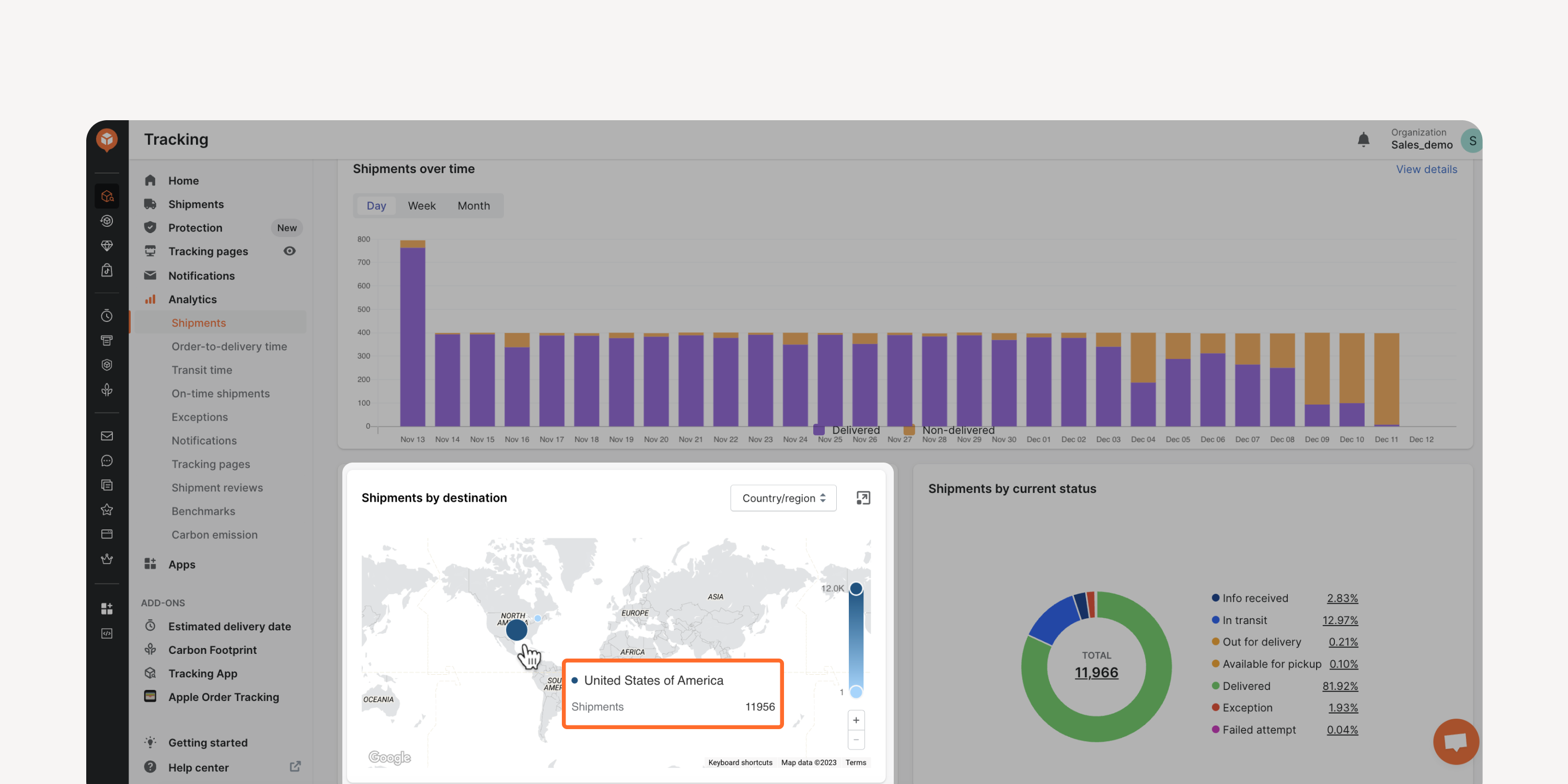
- Map view for shipment and transit time analytics
Use the map view to see the volume and transit time of shipments for different countries/regions or states. Enable faster decision-making by visualizing data at a higher level.
* Applicable to Premium and Enterprise plan users
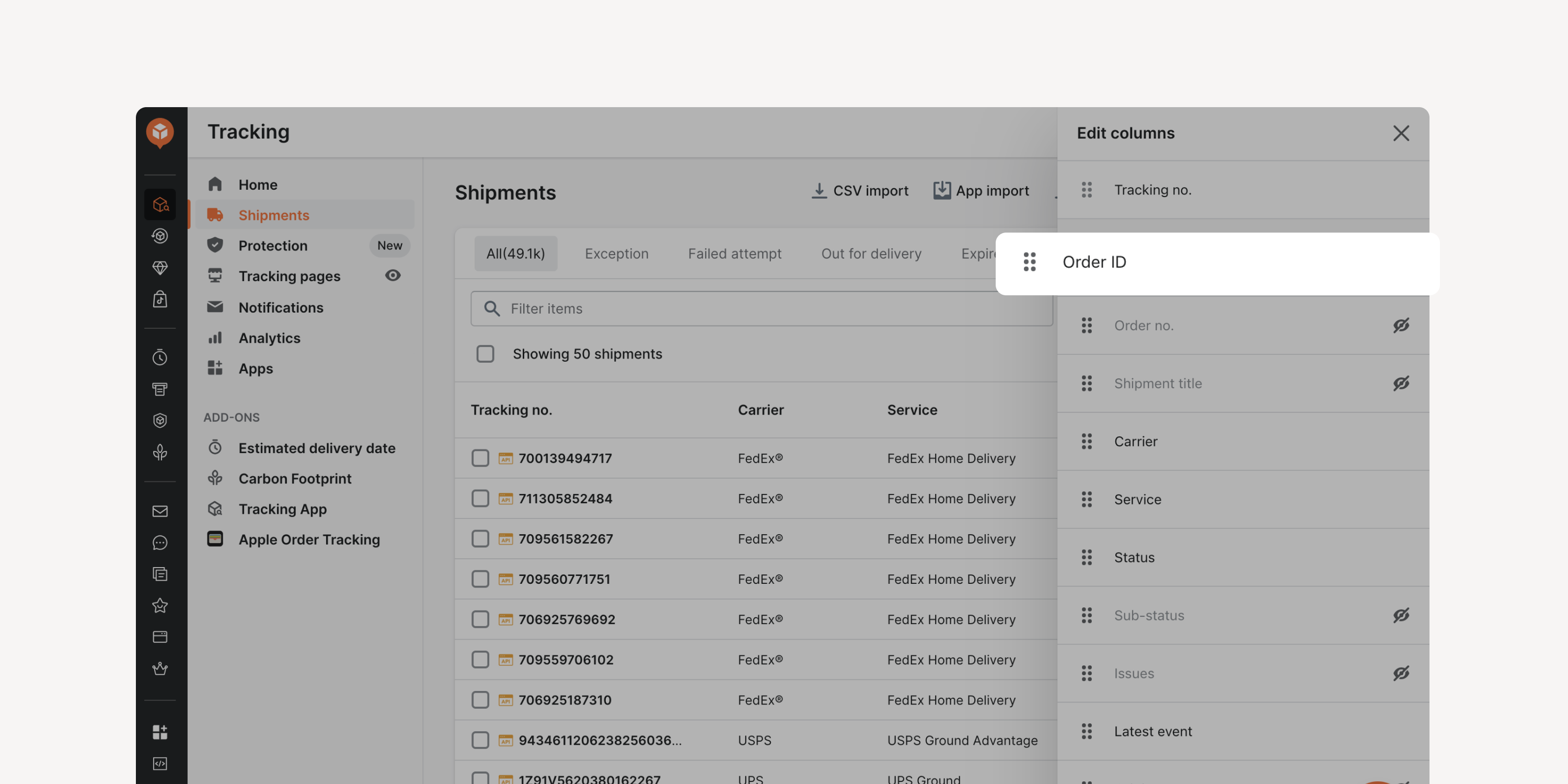
- New “Order ID” column
View and search shipments by order IDs in the Shipments dashboard. Gain quick access to relevant fields, facilitating efficient exception investigations and claims filing process.
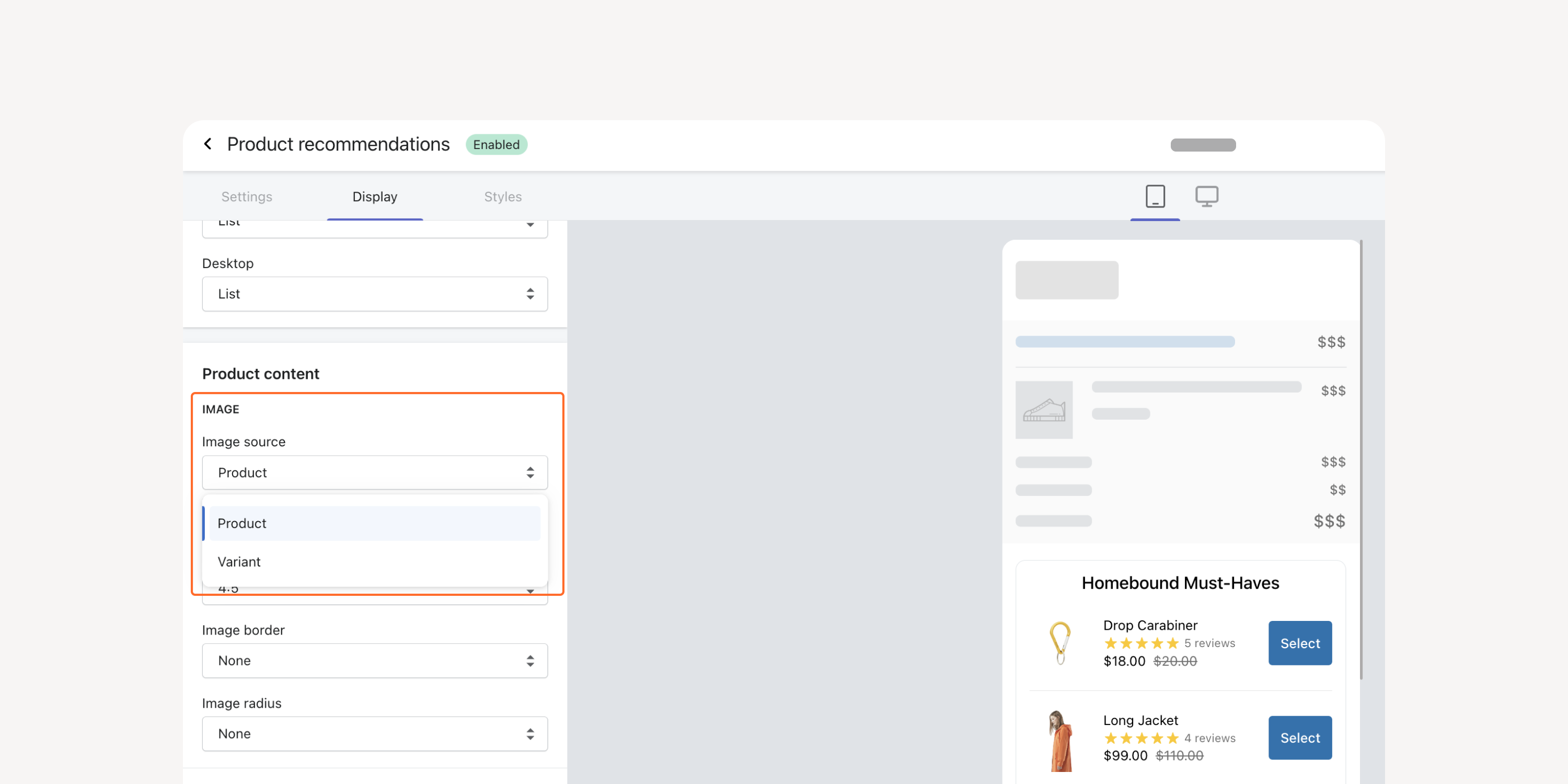
- Product image based on SPU or SKU
Display recommended item images for the product or a specific variant. Select the best image according to your needs.
Failed to load more updates.
Share your Wishlist for AfterShip
Got brilliant ideas? We're all ears! Submit your thoughts through the Idea Portal today.

:fill(transparent))
:fill(transparent))