)
Products
Tags
Select Tags
- Carrier Integration
- Copilot
- Copilot
- Affiliates
- Review sync
- Discovery
- Creators
- Fulfillment sync
- Shop now
- Orders
- Products
- Listings
- Orders
- Notifications
- Admin
- AEDD
- Onboarding
- Category templates
- API versioning
- Integrations
- Settings
- Product sync
- Inventory sync
- Order sync
- Analytics
- Shipments
- Tracking pages
- Pricing
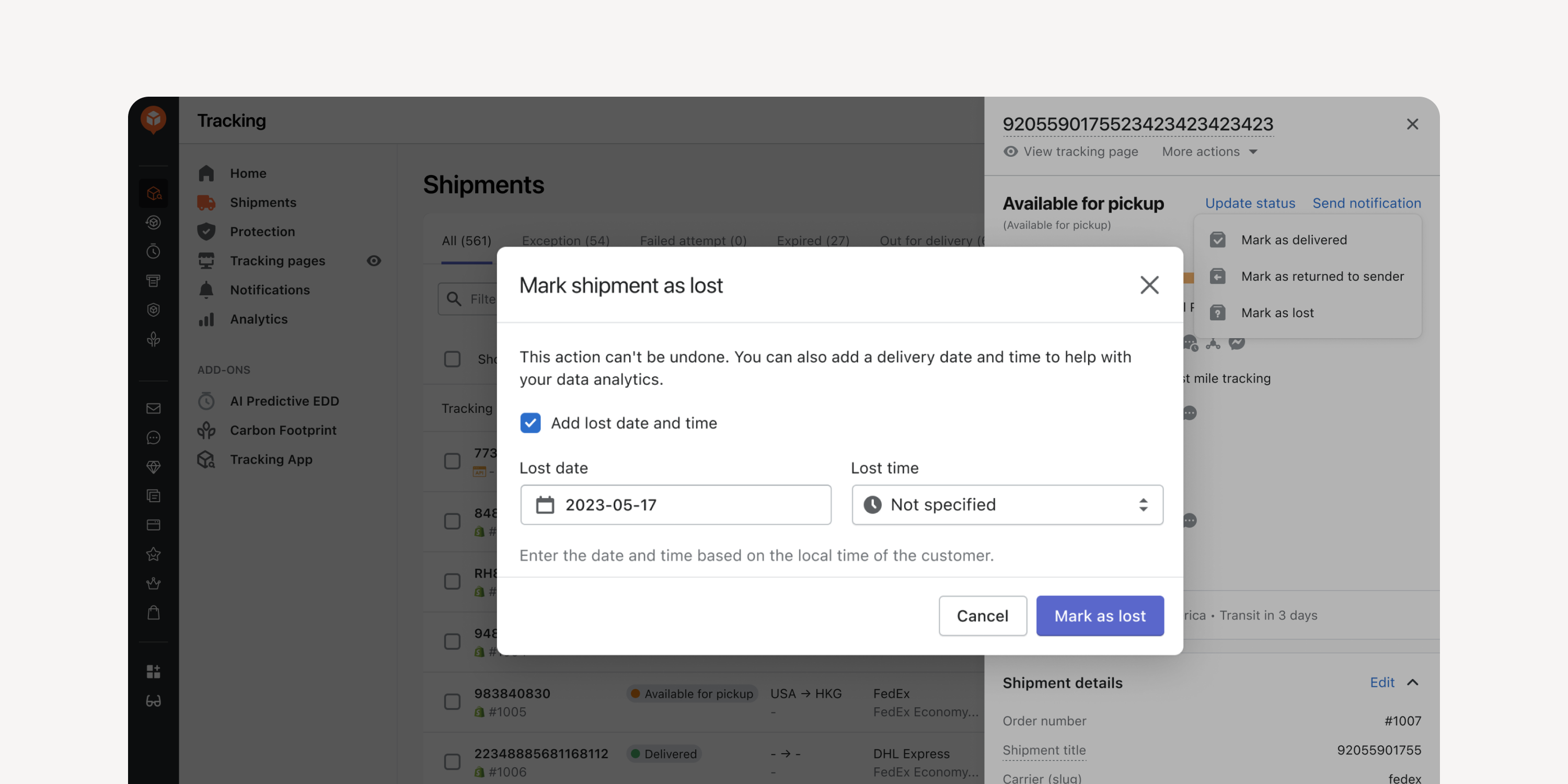
- Date Entry for Returned and Lost Shipments
Enter the date and time when manually marking shipments as “returned to sender” or as “lost”. Incorporate this data into your exceptions reports for improved data accuracy.
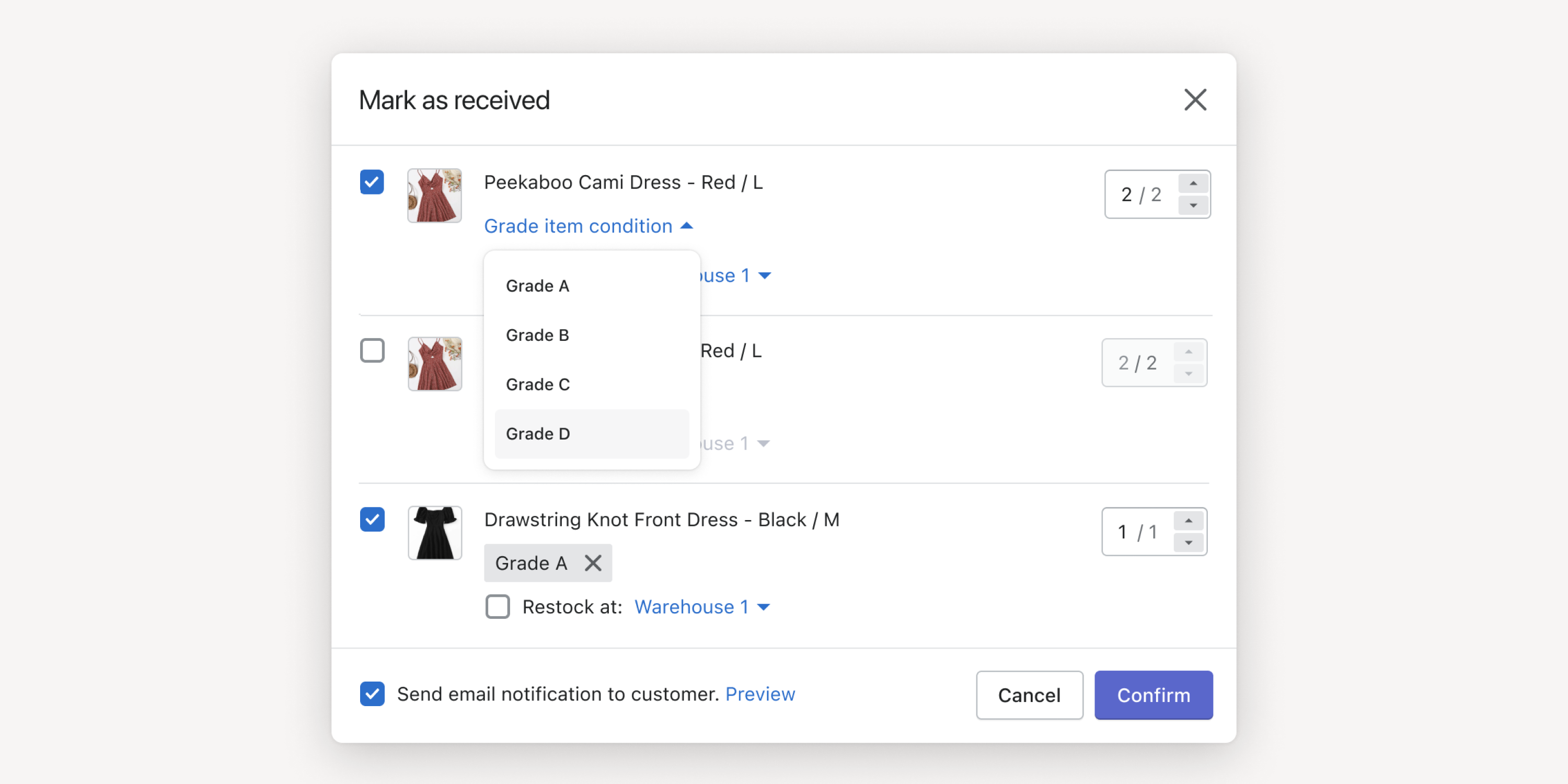
- Item Grading
Set item grades when marking items as received and trigger auto-refund based on grades. Facilitate warehouse inspections and reduce financial losses due to potential returns fraud.
* Auto-refund accessible by Premium and Enterprise plan users
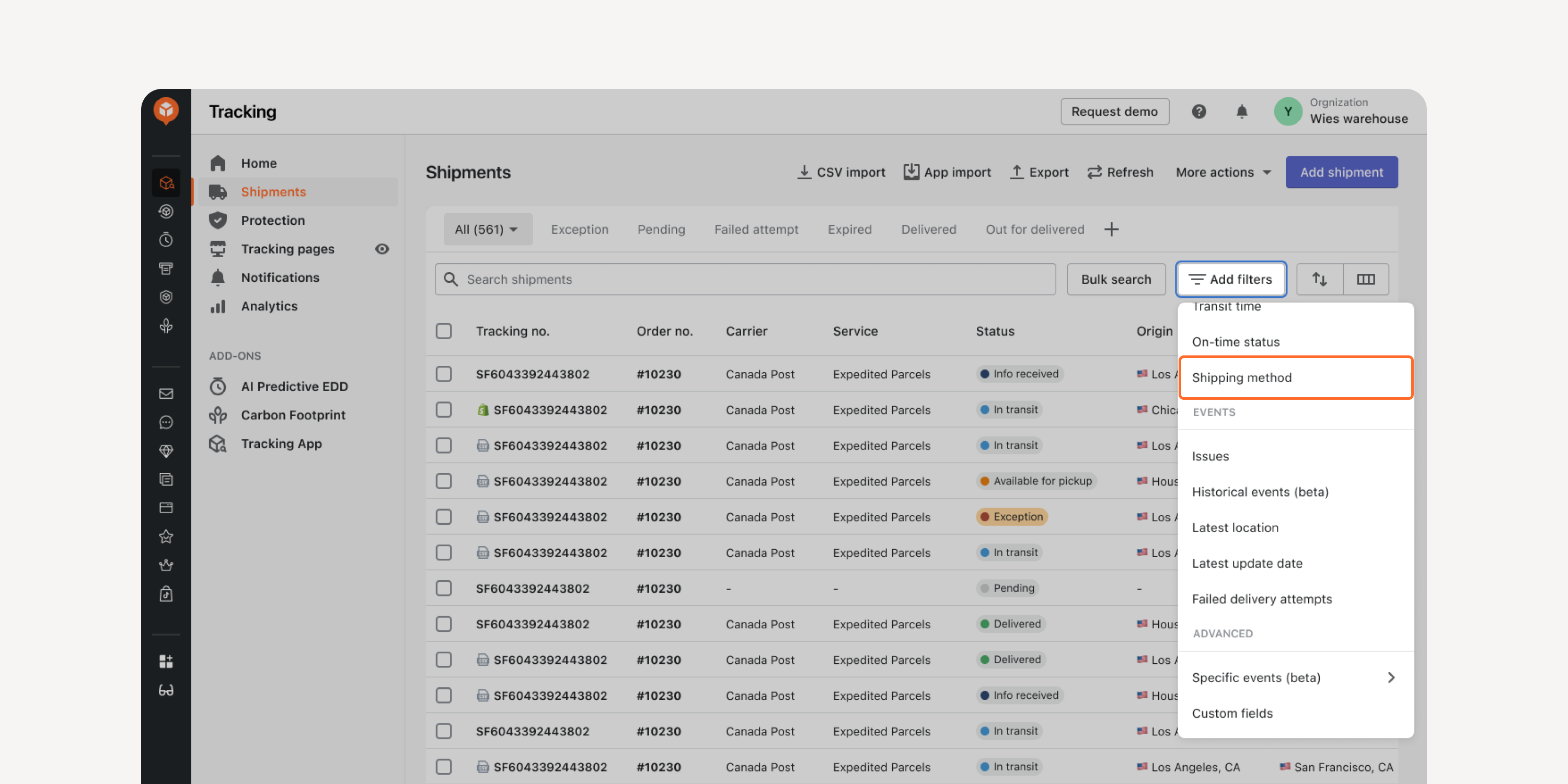
- Shipping Method Filter in “Shipments” Dashboard
Locate shipments with the same shipping method using this filter. Quickly access the shipments, compare their transit times, and decide the most cost-effective service types for your shipping method.
Failed to load more updates.
Share your Wishlist for AfterShip
Got brilliant ideas? We're all ears! Submit your thoughts through the Idea Portal today.

:fill(transparent))
:fill(transparent))