)
Products
Tags
Select Tags
- Carrier Integration
- Company
- AEDD
- Home
- Copilot
- Member
- Post-purchase EDD
- Pre-purchase EDD
- Integration
- AI shipping rule
- Account
- Organization
- Connectors
- Billing
- Smart Cart
- Smart Search & Browse
- Product Recommendations
- Product Tagging
- Strategic Merchandising
- Orders
- Notifications
- Admin
- AEDD
- Settings
- EDD
- API versioning
- Integrations
- Analytics
- Smart upsell widgets
- Integration
- Product recommendations
- Settings
- Analytics
- Shipments
- Tracking pages
- Carriers
- New shipment filters
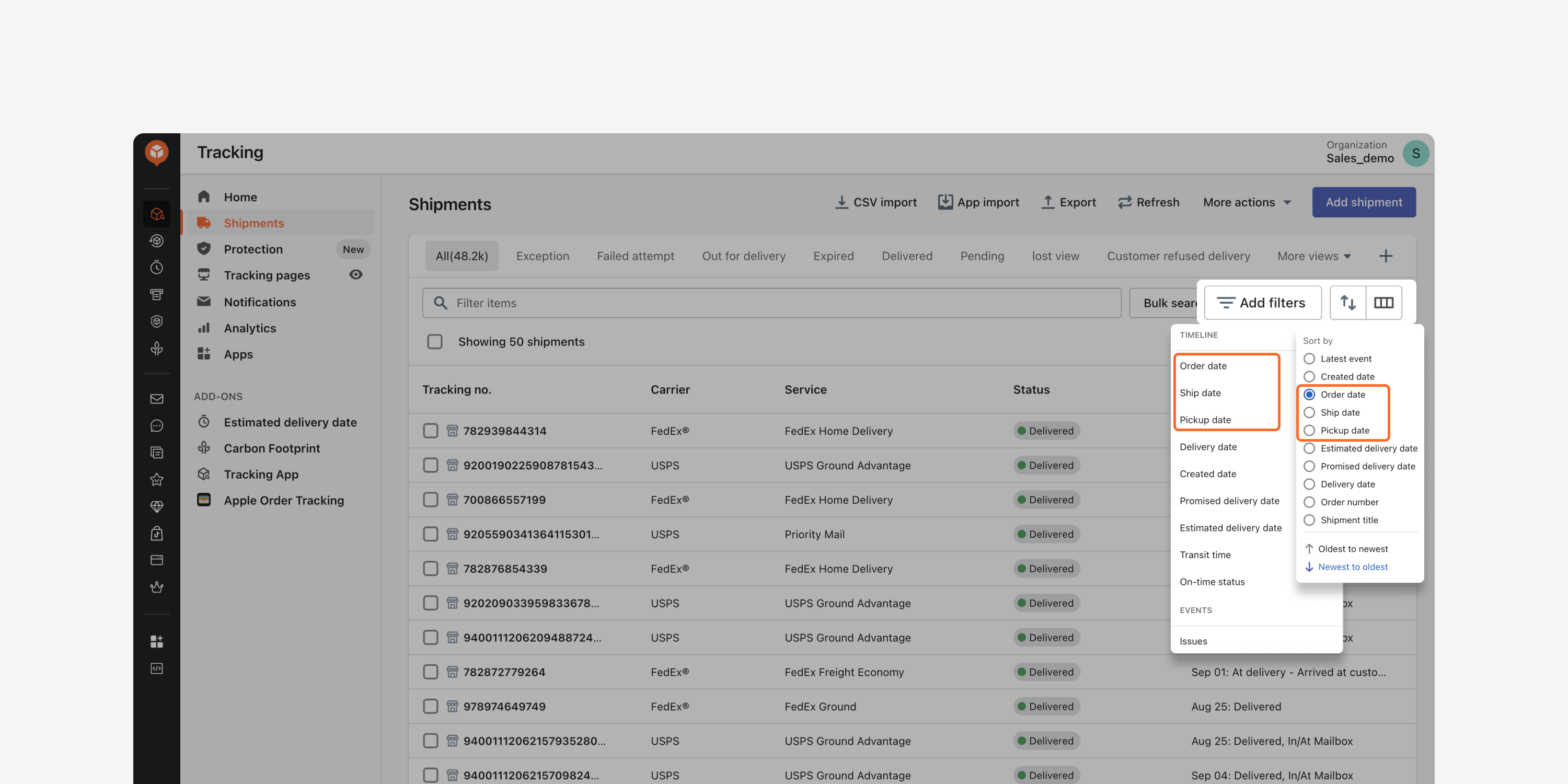
Sort and filter shipments by “order date”, “ship date” and “picked up date” on the Shipments dashboard. Monitor shipment checkpoints to identify potential exceptions and ensure timeliness.
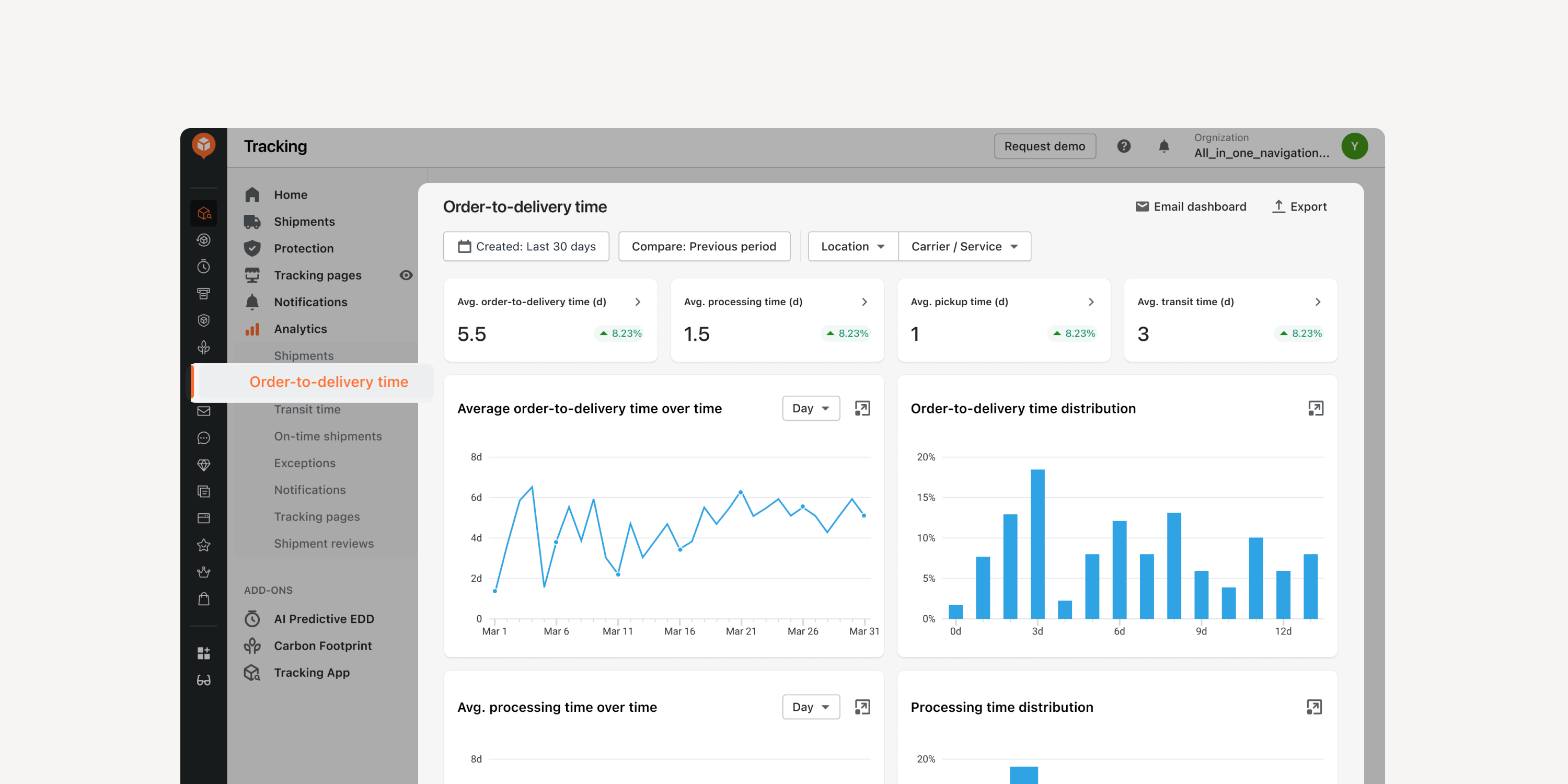
- Order-to-delivery time analytics dashboard
Monitor shipment delivery times from “order date” to “ship date”, “ship date” to “pickup date”, and more. Efficiently track order processing times, both internally and through the carrier, and optimize fulfillment strategies.
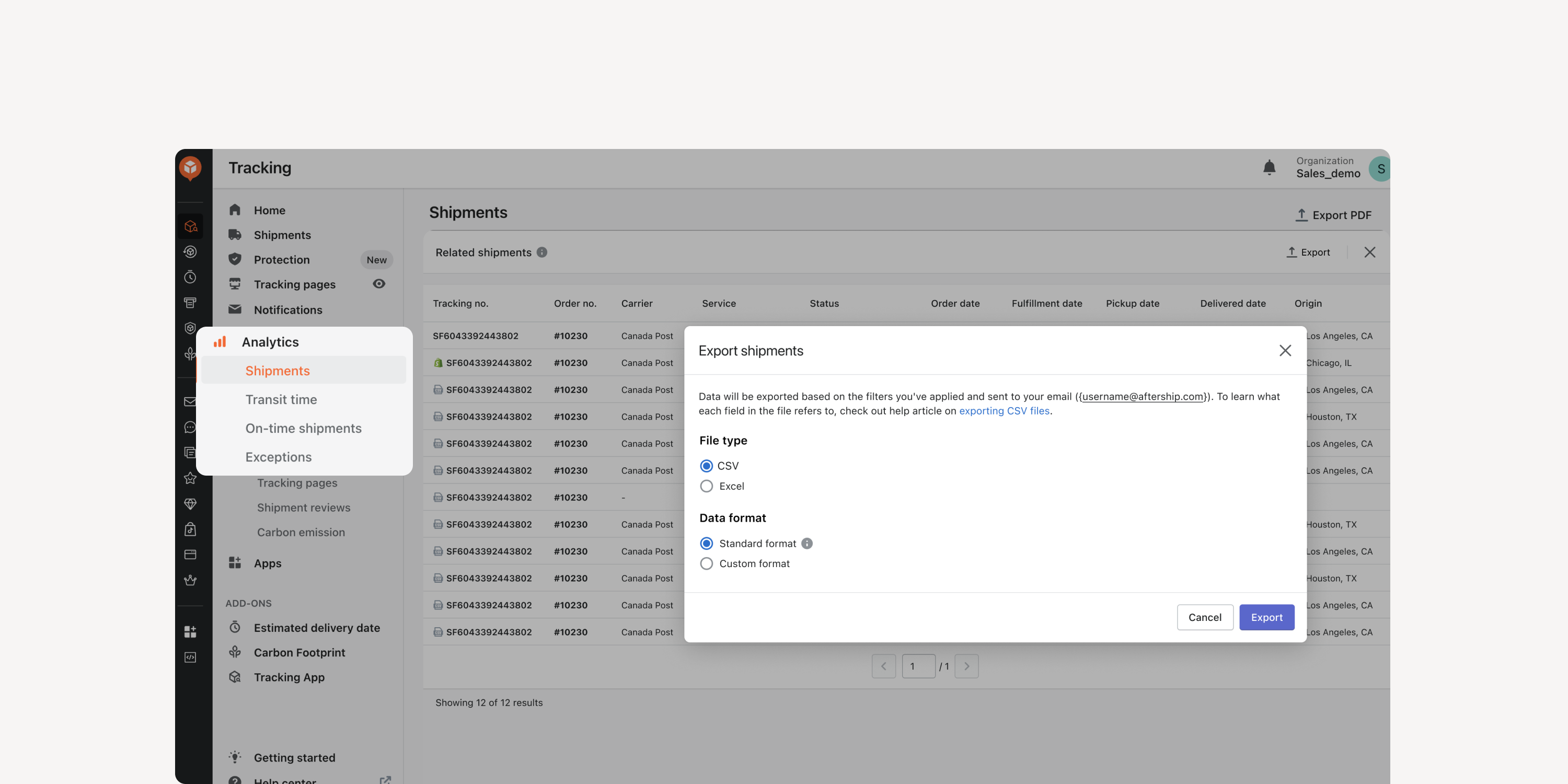
- Shipment drill-down export
Export shipment data directly from the shipments drill-down in the analytics dashboard. Improve efficiency by exporting shipment details on the same screen without jumping back and forth.
Failed to load more updates.
Share your Wishlist for AfterShip
Got brilliant ideas? We're all ears! Submit your thoughts through the Idea Portal today.

:fill(transparent))
:fill(transparent))