)
Select Tags
- Carrier Integration
- Copilot
- Company
- Home
- Copilot
- Migration
- Member
- Affiliates
- Review sync
- Discovery
- Creators
- Fulfillment sync
- Collect reviews
- Social platforms
- Integration
- Account
- Organization
- Connectors
- Billing
- Display settings
- Orders
- Label history
- Orders
- Products
- Listings
- Orders
- Notifications
- Carrier rates
- Admin
- AEDD
- Onboarding
- Organization settings
- Category templates
- API versioning
- Net Promoter Score
- Settings
- Reviews
- Integrations
- Analytics
- Settings
- Product sync
- Inventory sync
- Order sync
- Analytics
- Shipments
- Tracking pages
- Pricing
- Q&A
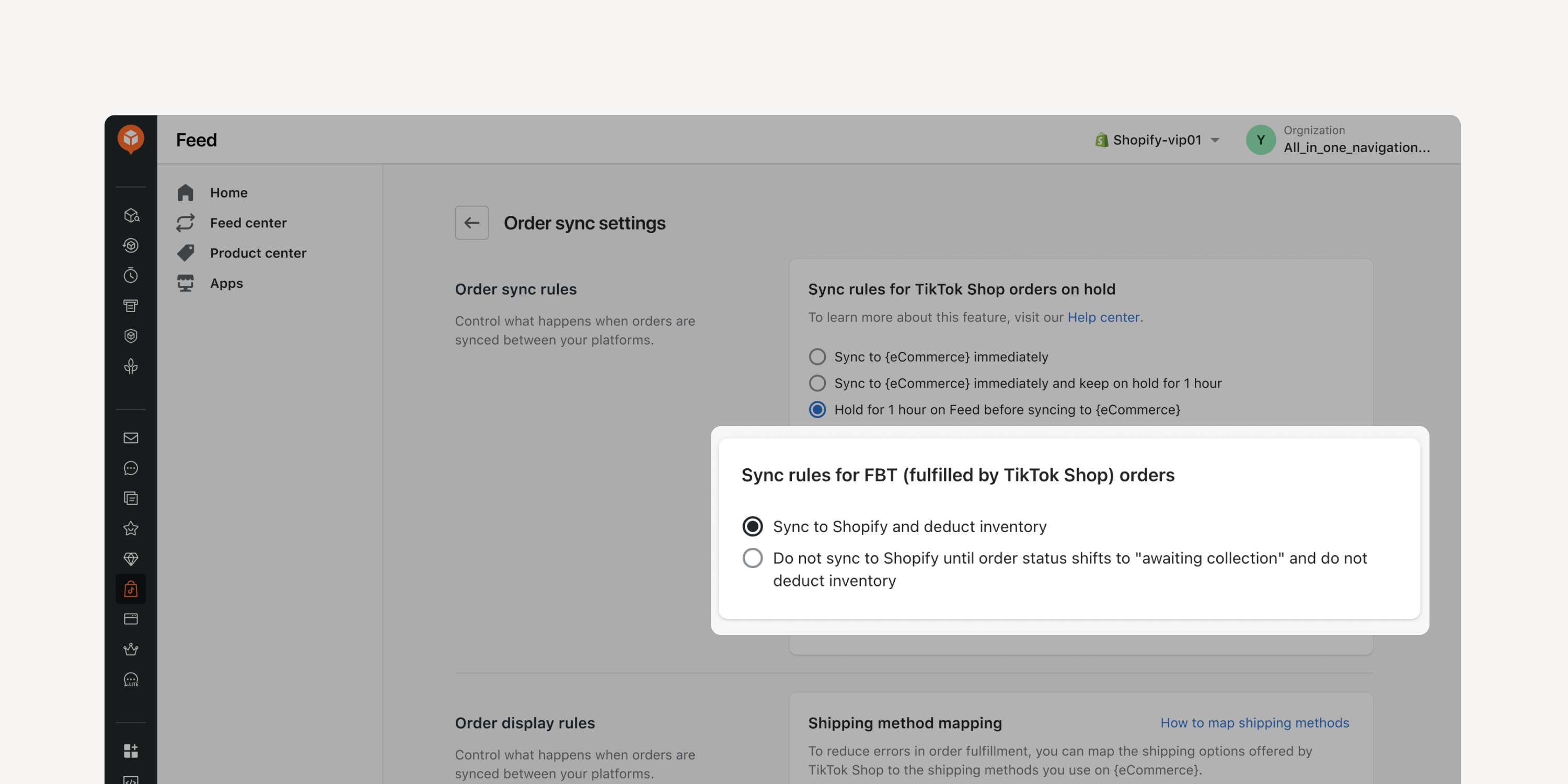
- "Fulfilled by TikTok" (FBT) order sync rules
Customize rules to determine how FBT orders are synced and whether to deduct inventory based on order status. Avoid duplicate deductions if you have allocated designated inventory for FBT orders.
* Applicable to Pro and Enterprise plan users
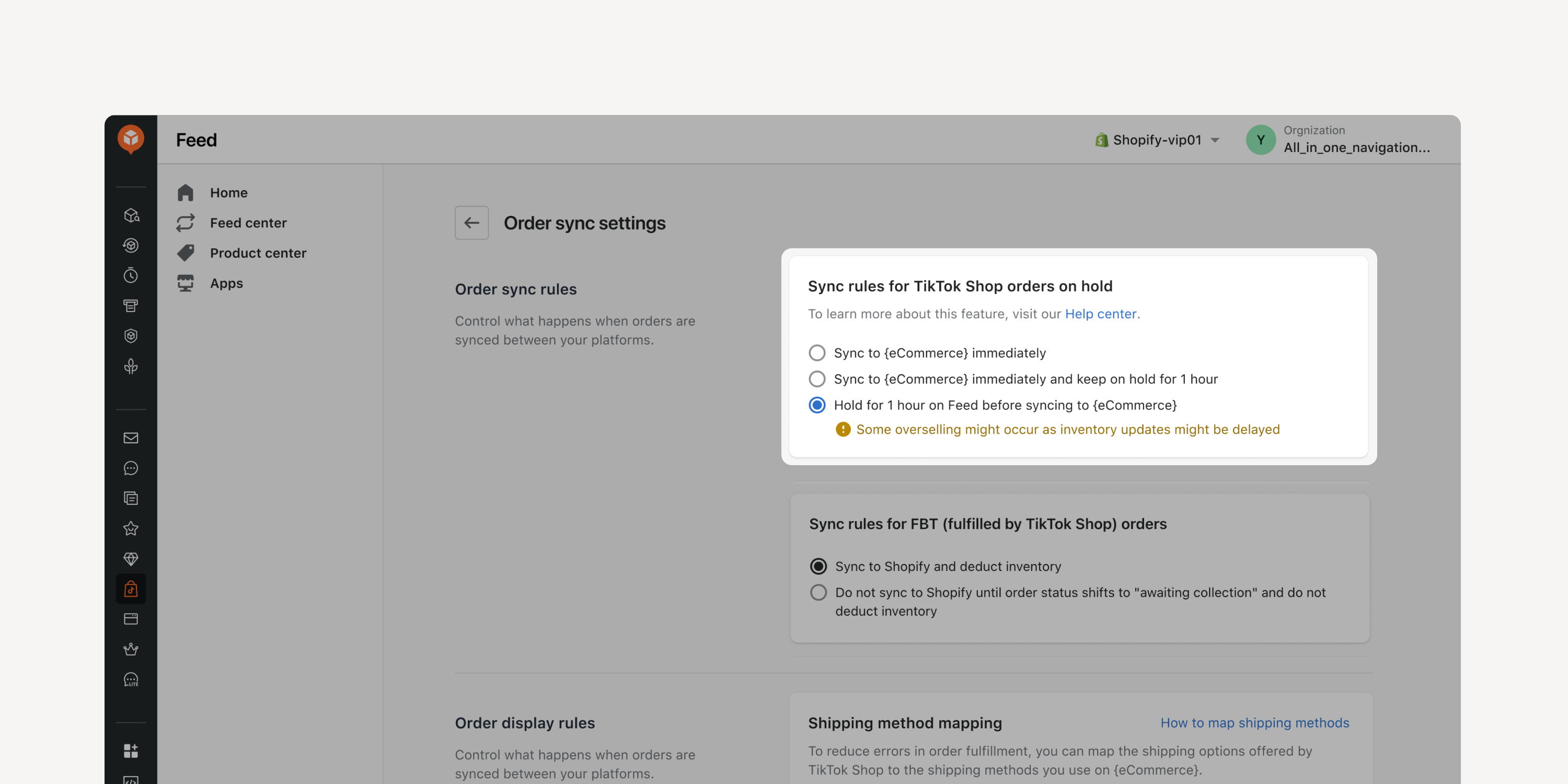
- Enhanced fulfillment hold
Sync TikTok Shop orders to eCommerce platforms immediately, hold for one hour before sync, or one hour after sync. Customize the sync process to ensure compliance with TikTok Shop guidelines.
* Applicable to Pro and Enterprise plan users in the US, and to all plan users in the UK
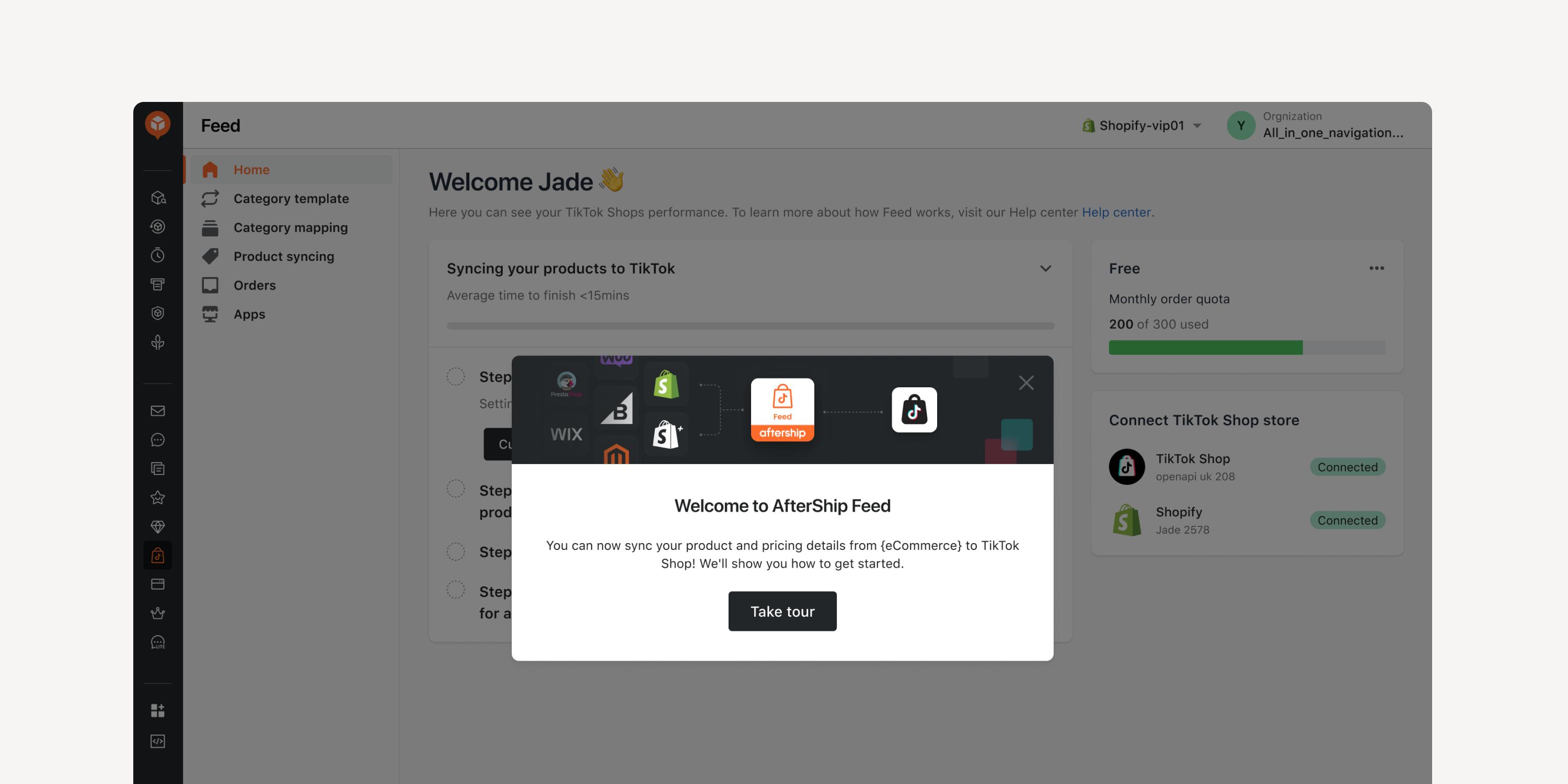
- Enhanced onboarding process
It’s easier and quicker to get started with AfterShip Feed. Enhancements include an admin feature tour and step-by-step guidance for store connection, category mapping, and product sync.
Failed to load more updates.
Share your Wishlist for AfterShip
Got brilliant ideas? We're all ears! Submit your thoughts through the Idea Portal today.

:fill(transparent))
:fill(transparent))