)
Products
Select Products
Tags
- Warranty Workflows
- Carrier Integration
- Copilot
- Company
- Dashboard
- AEDD
- Extension
- Home
- Analytics
- Copilot
- Migration
- Member
- Post-purchase EDD
- Pre-purchase EDD
- Warranty Analytics
- Affiliates
- Return Care
- Review sync
- Email templates
- Integration
- AI shipping rule
- Warranty page
- Warranty Management
- Discovery
- Creators
- Onboarding
- Settings
- Warranty shipping
- Fulfillment sync
- Collect reviews
- Social platforms
- Integration
- Warranty resolutions
- Account
- Organization
- Connectors
- Billing
- Shop now
- Display settings
- Smart Cart
- Smart Search & Browse
- Product Recommendations
- Product Tagging
- Strategic Merchandising
- Settings
- Orders
- Label history
- Claims
- Orders
- Products
- Listings
- Orders
- Notifications
- Carrier rates
- Notifications
- Claim page
- Admin
- AEDD
- Settings
- Onboarding
- Organization settings
- EDD
- Category templates
- API versioning
- Contacts
- Net Promoter Score
- Settings
- Reviews
- Settings
- Overview
- Webhook
- Coverage
- Integrations
- Analytics
- Smart upsell widgets
- Integration
- Analytics
- Integrations
- AEDD
- EDD
- Carriers
- Product recommendations
- Settings
- Product sync
- Inventory sync
- Order sync
- Resolution methods
- Claims
- Analytics
- Shipments
- Tracking pages
- Pricing
- Q&A
- Carriers
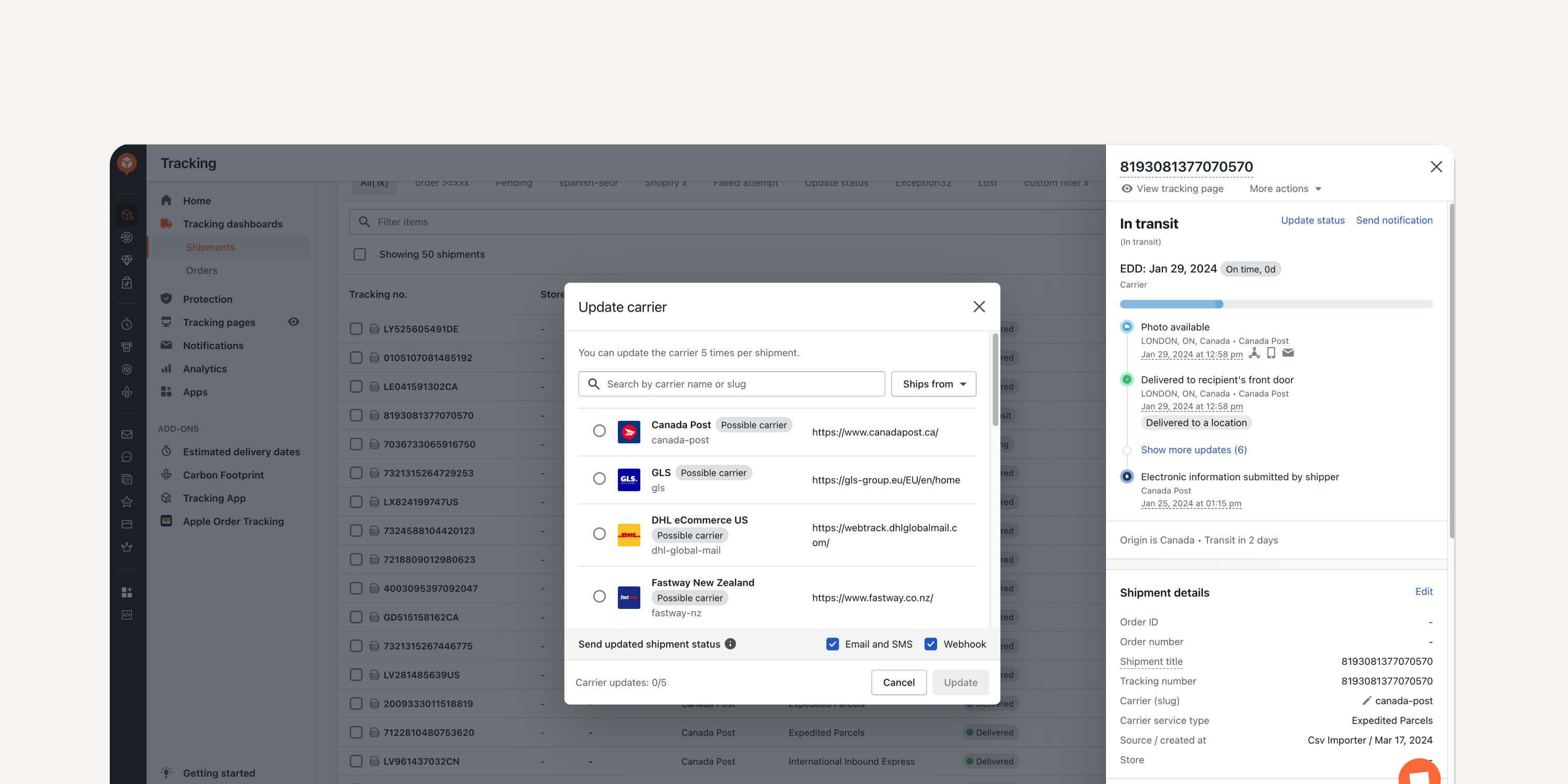
- Carrier Name Update
Update shipments’ carrier info directly within the "Shipments" dashboard. Reduce WISMO tickets and ensure accurate tracking in case of an incorrect entry.
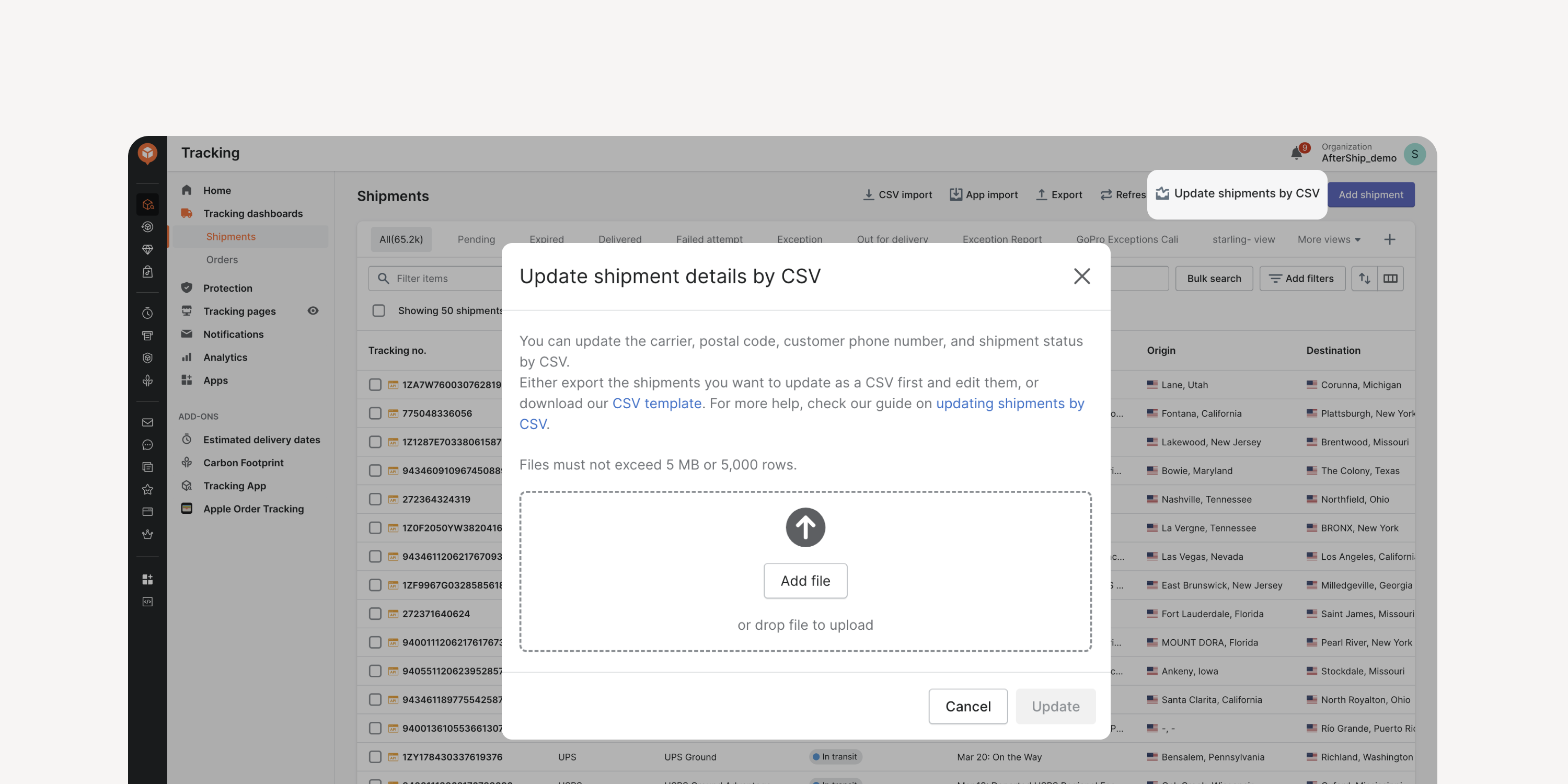
- Shipment Detail Update
Bulk update shipment details using a CSV file or fill in missing fields directly in the ‘Shipments’ dashboard. Reduce pending rates by increasing the chances of retrieving tracking information.
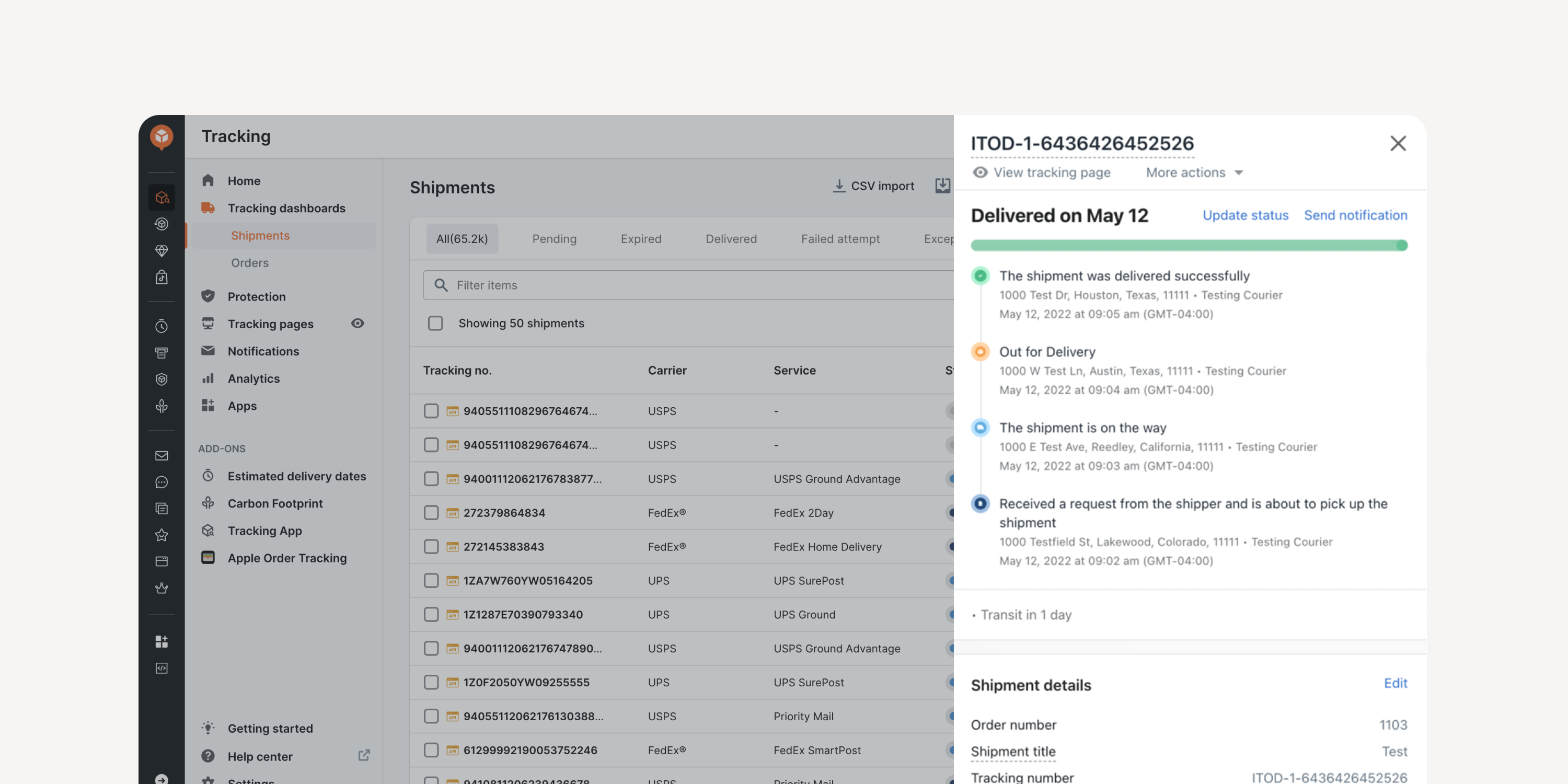
- Test Shipment for Post-Purchase EDD
Import a test shipment via CSV or API, or create one to view an auto-updated EDD. Easily test the EDD update frequency and preview the associated shipment status in the ‘Shipments’ dashboard.
* Creating a test shipment uses up your shipment quota
Failed to load more updates.
Share your Wishlist for AfterShip
Got brilliant ideas? We're all ears! Submit your thoughts through the Idea Portal today.

:fill(transparent))
:fill(transparent))