)
Products
- Exclude business days in transit time
Adjust the processing time calculation by excluding business days to match carriers’ calculation methods. Better align with carriers’ SLA and enhance shipping performance monitoring.
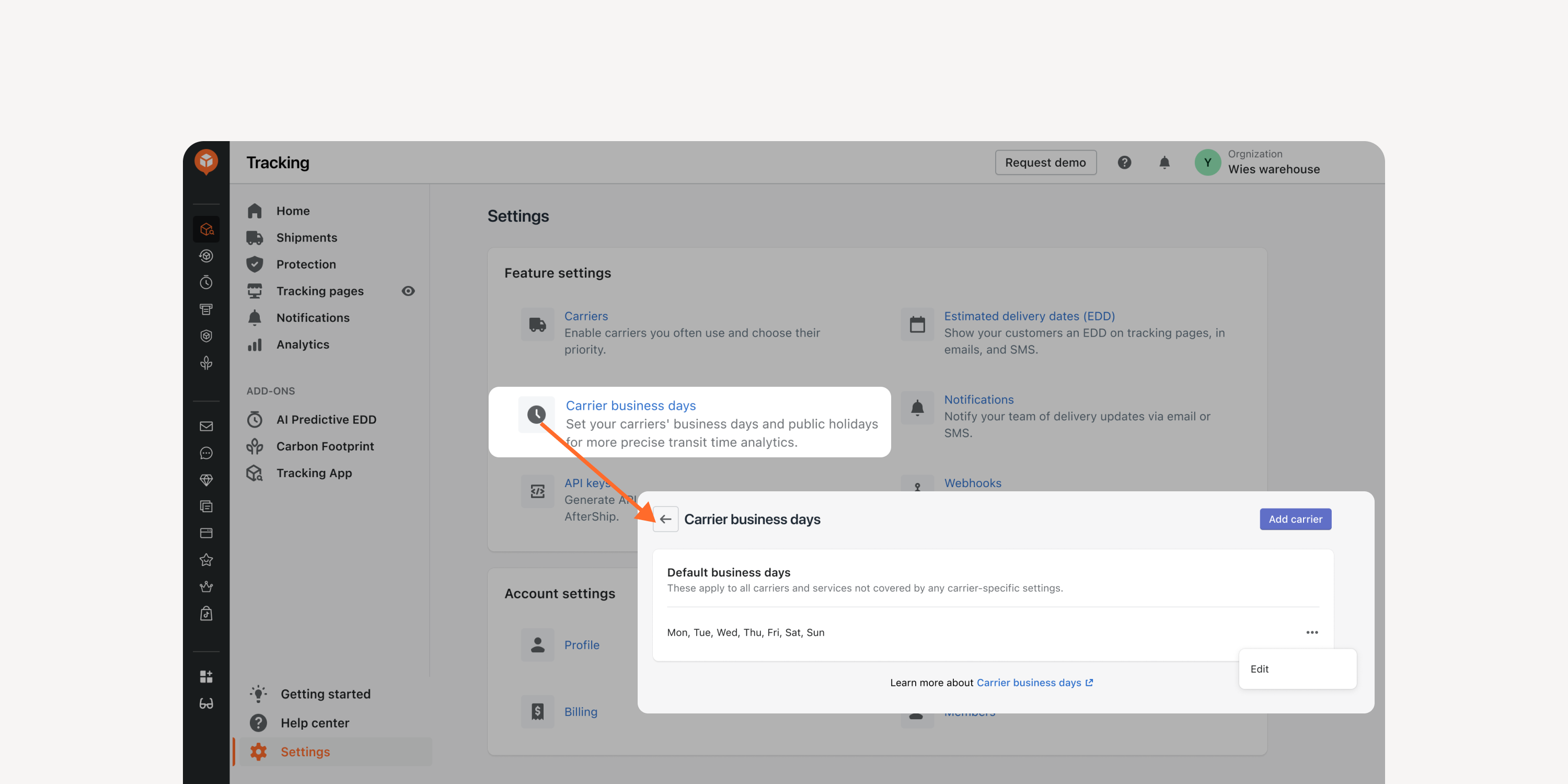
- Multiple shipping location setting
Factor in different shipping locations for accurate order-to-delivery time calculation. Improve data accuracy and optimize the internal processing time, carrier pickup time, and shipment transit time.

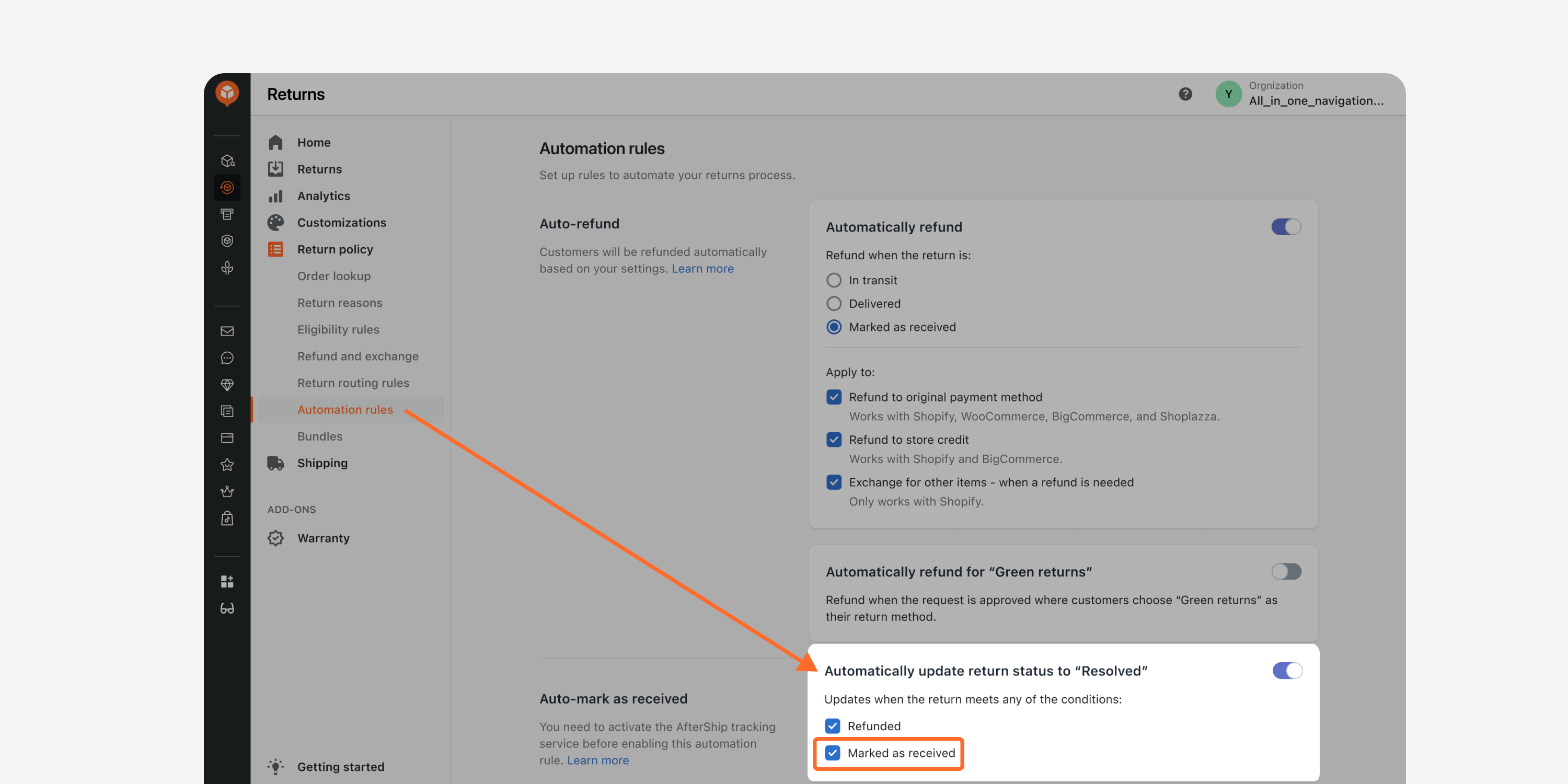
- Option to auto-mark as resolved
Automatically mark returns as “resolved” when received. Improve return operation efficiency without requiring manual configuration.
*Accessible by Premium and Enterprise plan users
Failed to load more updates.
Share your Wishlist for AfterShip
Got brilliant ideas? We're all ears! Submit your thoughts through the Idea Portal today.

:fill(transparent))
:fill(transparent))