)
Products
Select Products
Tags
- Warranty Workflows
- Carrier Integration
- Copilot
- Company
- Dashboard
- AEDD
- Extension
- Home
- Analytics
- Copilot
- Migration
- Member
- Post-purchase EDD
- Pre-purchase EDD
- Warranty Analytics
- Affiliates
- Return Care
- Review sync
- Email templates
- Integration
- AI shipping rule
- Warranty page
- Warranty Management
- Discovery
- Creators
- Onboarding
- Settings
- Warranty shipping
- Fulfillment sync
- Collect reviews
- Social platforms
- Integration
- Warranty resolutions
- Account
- Organization
- Connectors
- Billing
- Shop now
- Display settings
- Smart Cart
- Smart Search & Browse
- Product Recommendations
- Product Tagging
- Strategic Merchandising
- Settings
- Orders
- Label history
- Claims
- Orders
- Products
- Listings
- Orders
- Notifications
- Carrier rates
- Notifications
- Claim page
- Admin
- AEDD
- Settings
- Onboarding
- Organization settings
- EDD
- Category templates
- API versioning
- Contacts
- Net Promoter Score
- Settings
- Reviews
- Settings
- Overview
- Webhook
- Coverage
- Integrations
- Analytics
- Smart upsell widgets
- Integration
- Analytics
- Integrations
- AEDD
- EDD
- Carriers
- Product recommendations
- Settings
- Product sync
- Inventory sync
- Order sync
- Resolution methods
- Claims
- Analytics
- Shipments
- Tracking pages
- Pricing
- Q&A
- Carriers
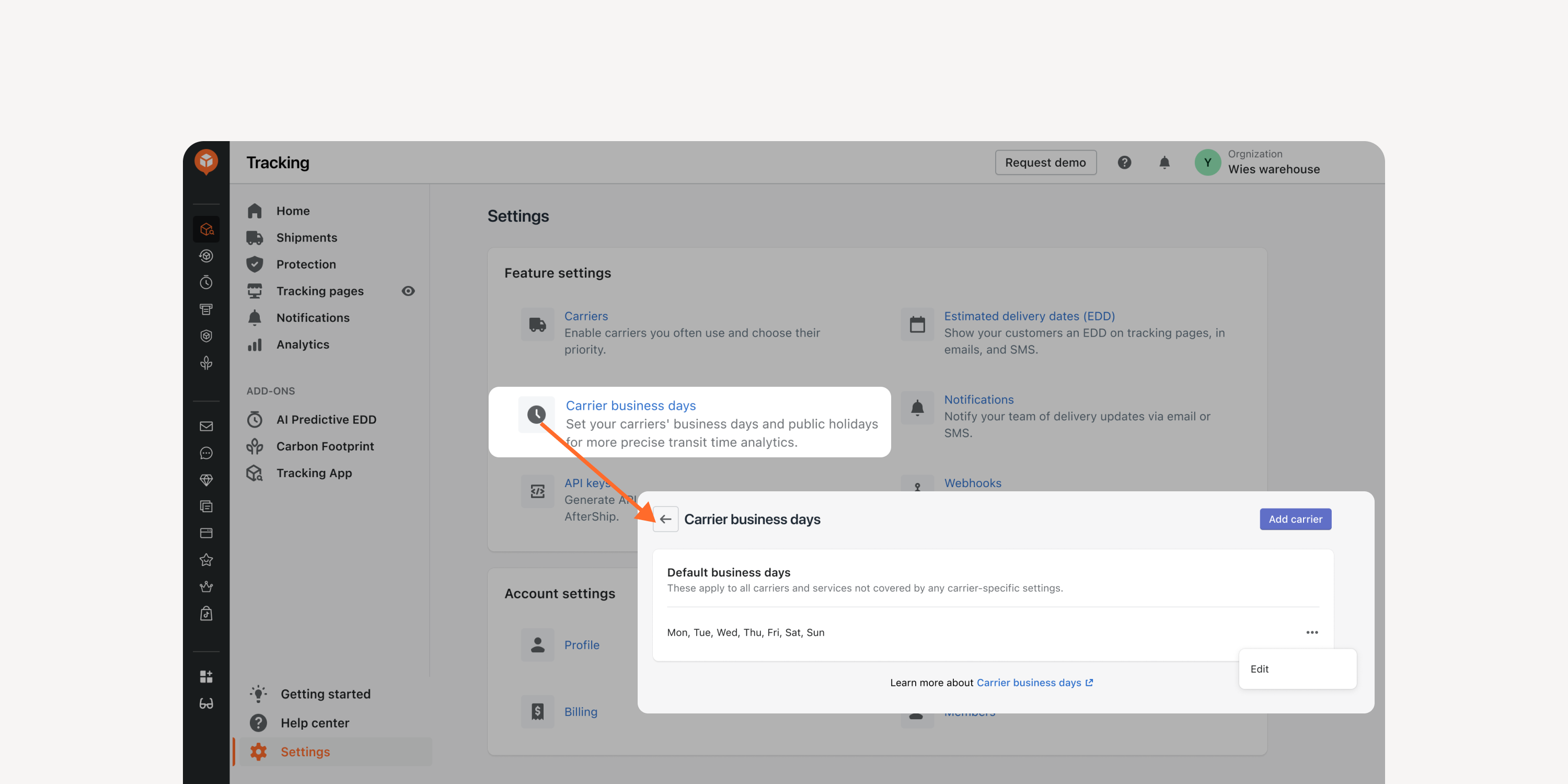
- Exclude business days in transit time
Adjust the processing time calculation by excluding business days to match carriers’ calculation methods. Better align with carriers’ SLA and enhance shipping performance monitoring.
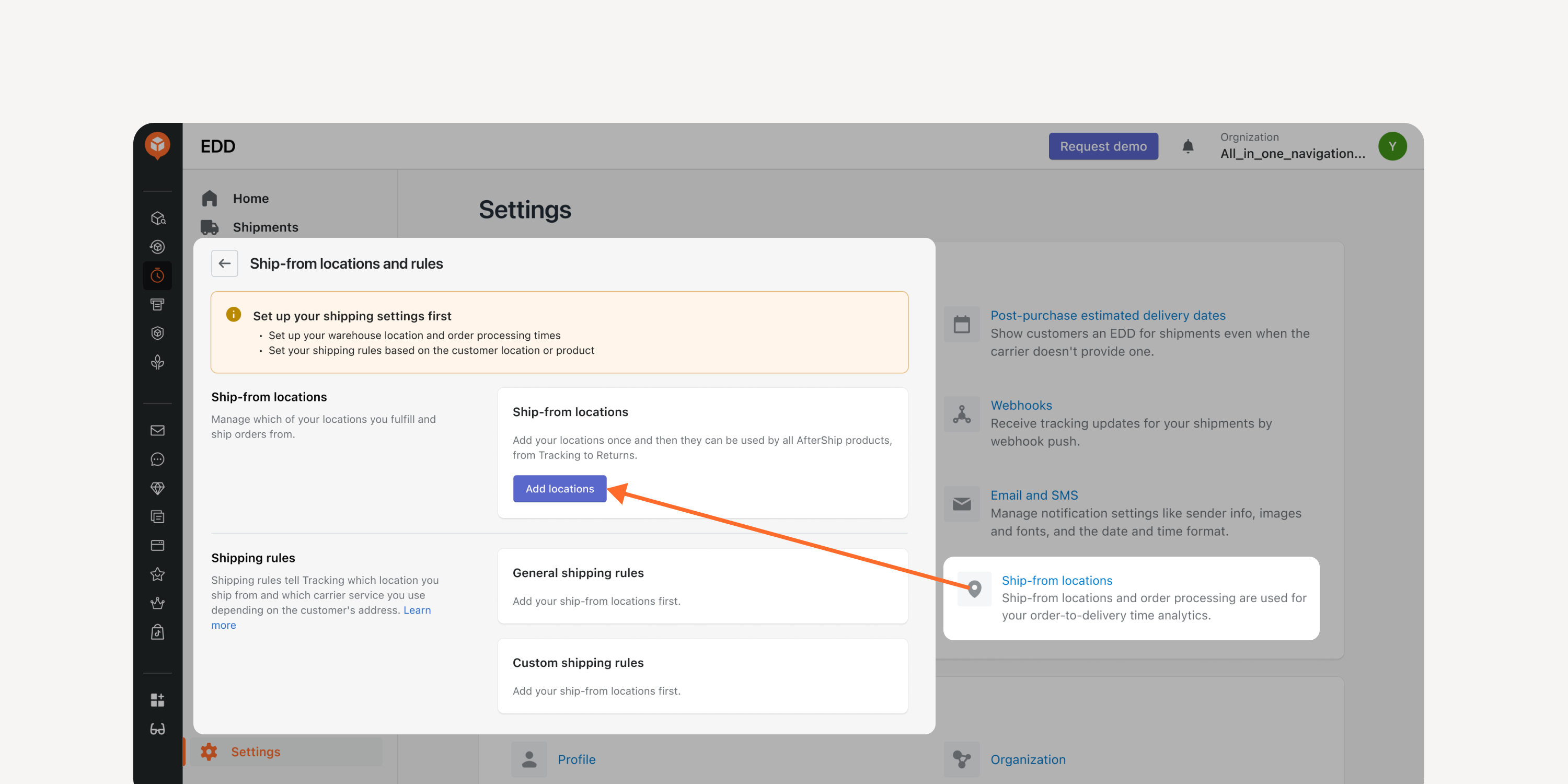
- Multiple shipping location setting
Factor in different shipping locations for accurate order-to-delivery time calculation. Improve data accuracy and optimize the internal processing time, carrier pickup time, and shipment transit time.
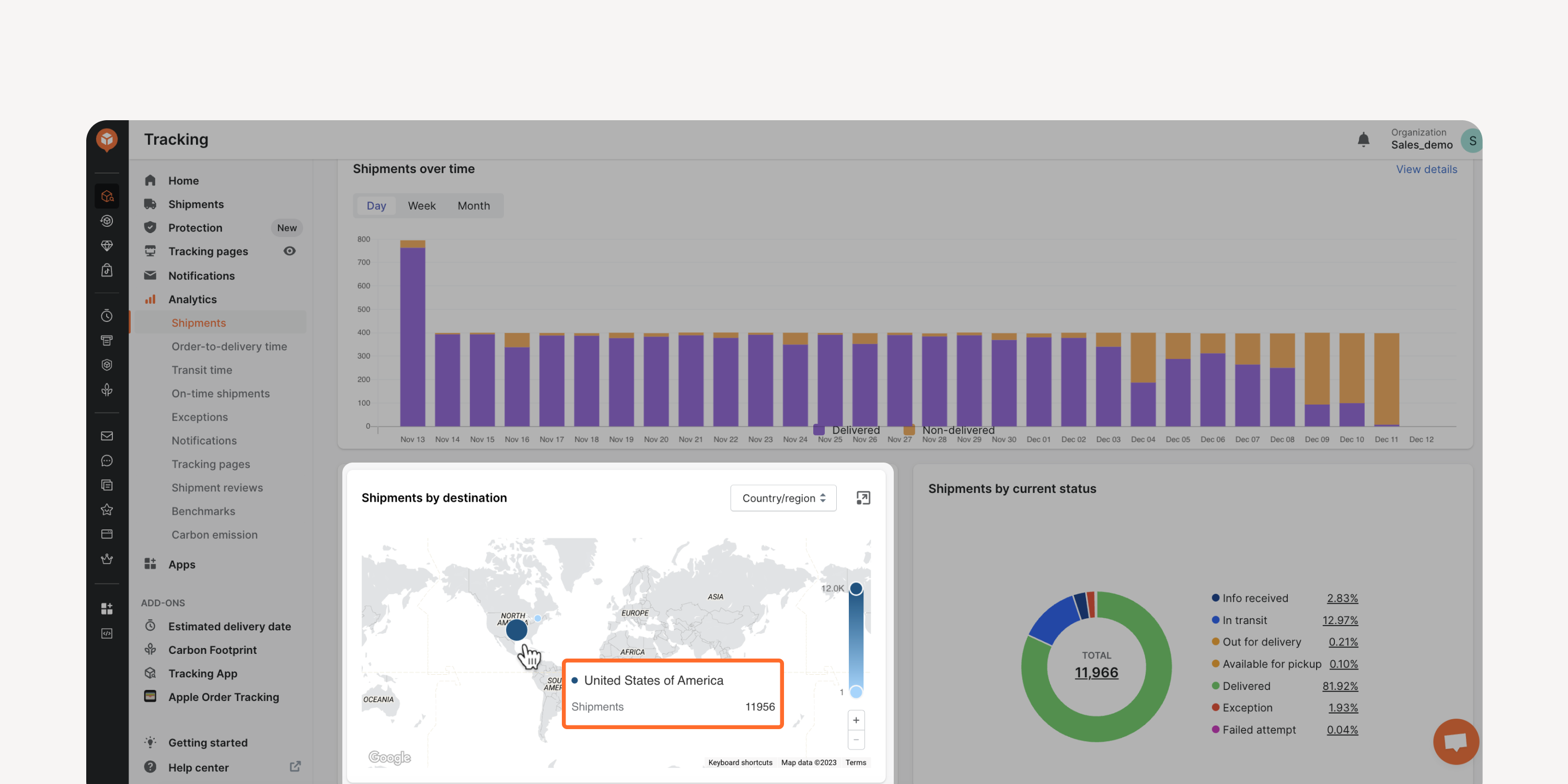
- Map view for shipment and transit time analytics
Use the map view to see the volume and transit time of shipments for different countries/regions or states. Enable faster decision-making by visualizing data at a higher level.
* Applicable to Premium and Enterprise plan users
Failed to load more updates.
Share your Wishlist for AfterShip
Got brilliant ideas? We're all ears! Submit your thoughts through the Idea Portal today.

:fill(transparent))
:fill(transparent))