)
Products
Tags
Select Tags
- Carrier Integration
- Copilot
- Company
- AEDD
- Home
- Copilot
- Migration
- Member
- Post-purchase EDD
- Pre-purchase EDD
- Affiliates
- Review sync
- Integration
- AI shipping rule
- Discovery
- Creators
- Fulfillment sync
- Collect reviews
- Social platforms
- Integration
- Account
- Organization
- Connectors
- Billing
- Display settings
- Smart Cart
- Smart Search & Browse
- Product Recommendations
- Product Tagging
- Strategic Merchandising
- Orders
- Products
- Listings
- Orders
- Notifications
- Admin
- AEDD
- Settings
- Onboarding
- EDD
- Category templates
- API versioning
- Net Promoter Score
- Settings
- Reviews
- Integrations
- Analytics
- Smart upsell widgets
- Integration
- Analytics
- Product recommendations
- Settings
- Product sync
- Inventory sync
- Order sync
- Analytics
- Shipments
- Tracking pages
- Pricing
- Q&A
- Carriers
- New filters
Use “latest location” and “delivery date” to filter shipments. Investigate shipments in specific cities and track those delivered within a particular time frame.

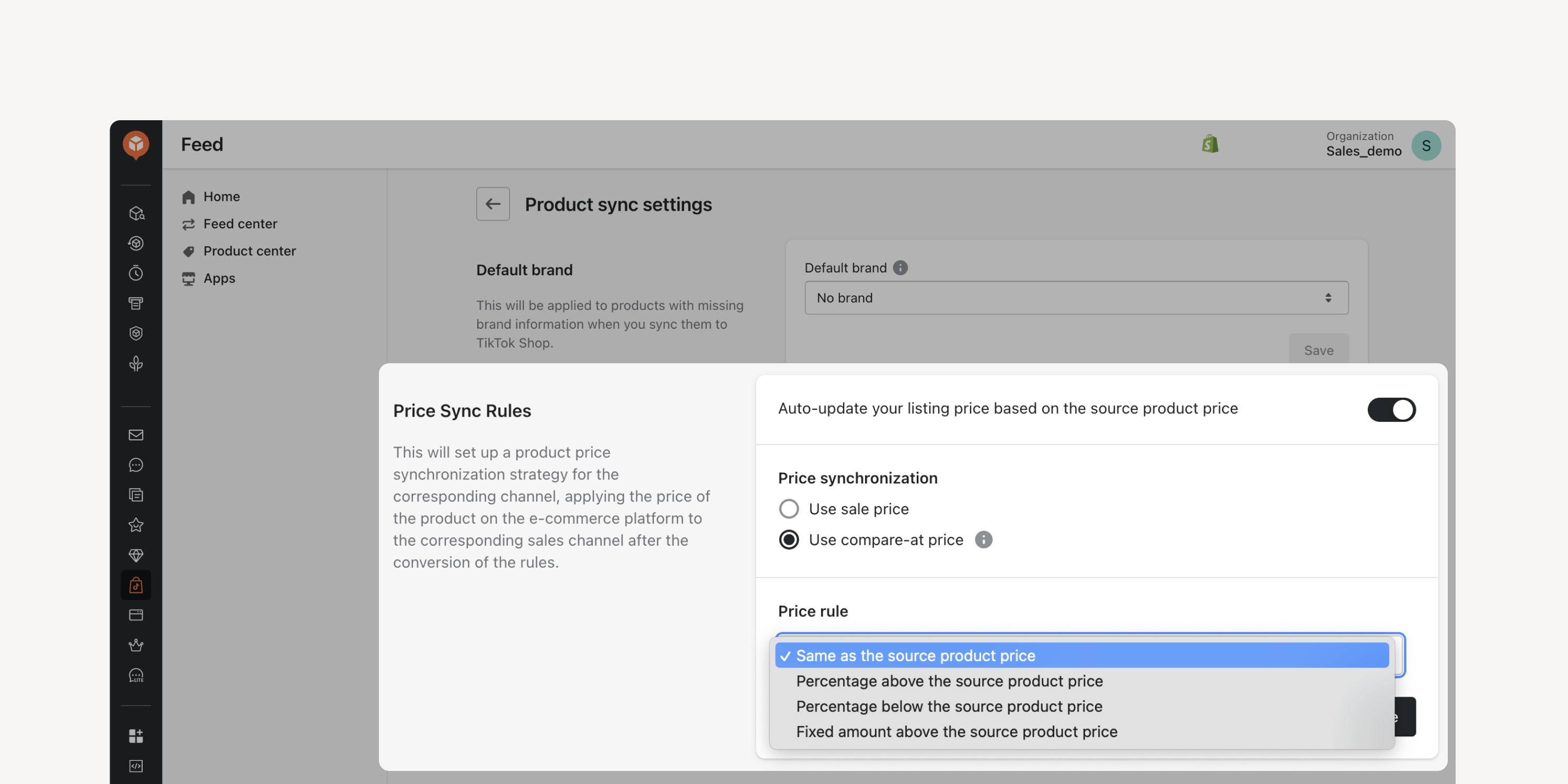
- Price rules setting
Protect profit margins when selling on TikTok Shop. Determine the source price based on the sale price or compare-at price. Set rules to sync it as-is, at a set amount above, or by a percentage.
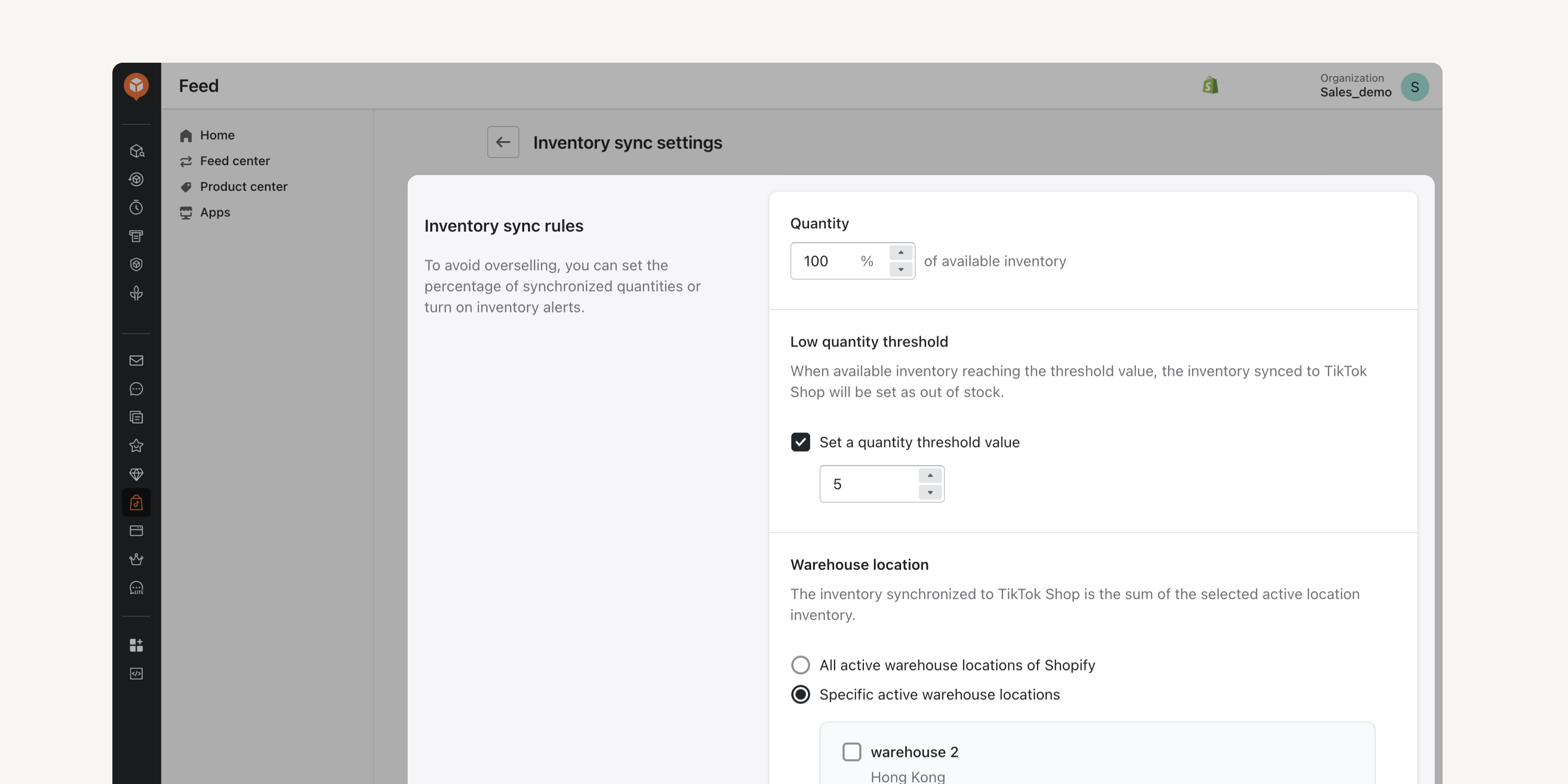
- Inventory rules setting
Configure inventory thresholds and specify the inventory of which warehouses is linked to TikTok Shop. Streamline inventory management and avoid overselling when you sell across multiple channels.
Failed to load more updates.
Share your Wishlist for AfterShip
Got brilliant ideas? We're all ears! Submit your thoughts through the Idea Portal today.

:fill(transparent))
:fill(transparent))