)
Select Tags
- Carrier Integration
- Company
- Home
- Copilot
- Member
- Account
- Organization
- Connectors
- Billing
- Smart Cart
- Smart Search & Browse
- Product Recommendations
- Product Tagging
- Strategic Merchandising
- Orders
- Label history
- Orders
- Notifications
- Carrier rates
- Admin
- AEDD
- Settings
- Organization settings
- API versioning
- Integrations
- Analytics
- Smart upsell widgets
- Integration
- Product recommendations
- Settings
- Analytics
- Shipments
- Tracking pages
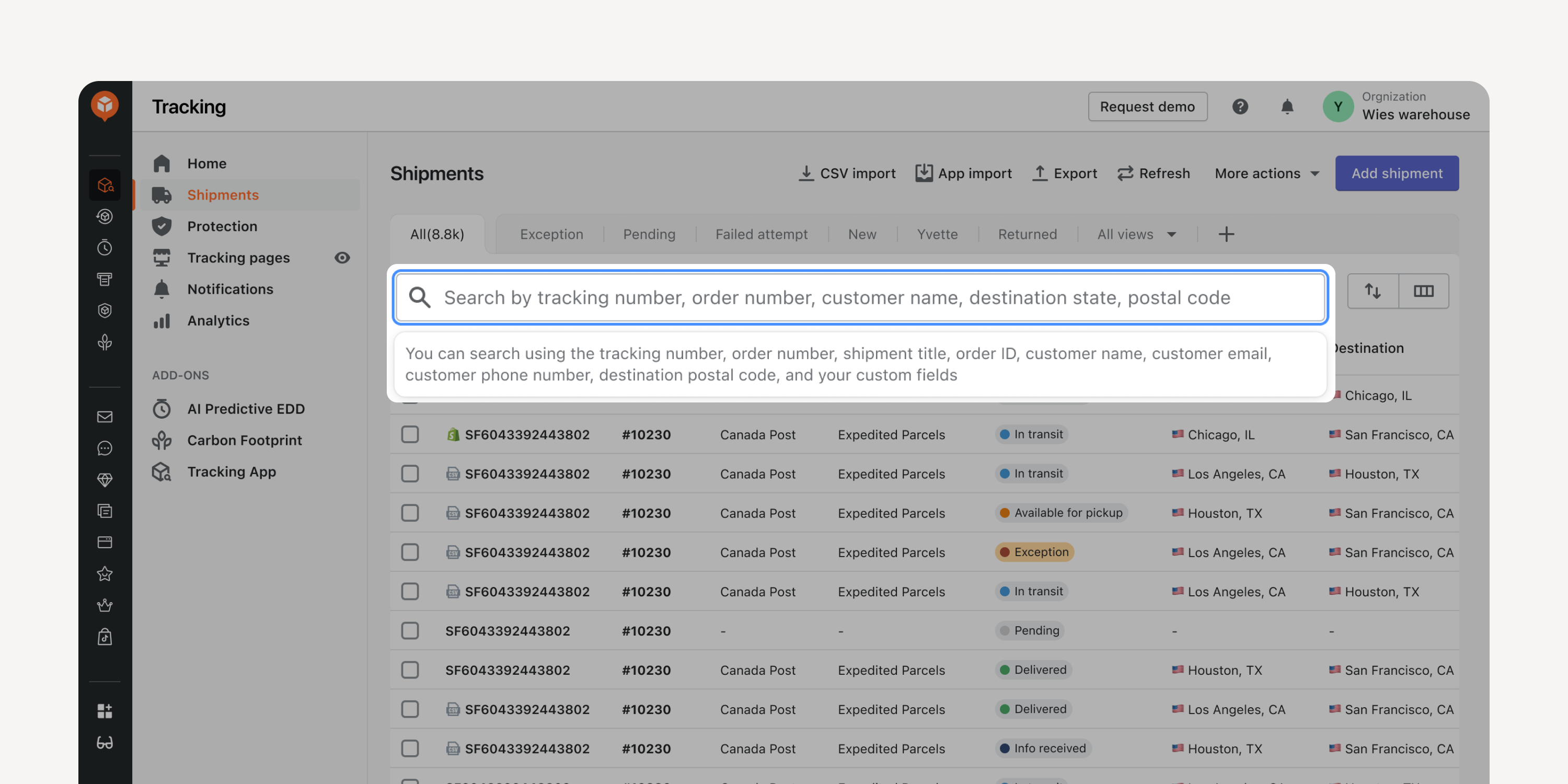
- “Product SKU” & “Destination Zip Code” Search Terms
Locate shipments by entering product SKUs or destination zip codes into the search box, with support for fuzzy matching. Quickly filter and evaluate shipment details for specific items or areas.
- Advanced Smart Cart Tiered Progress Bar
Improve the ability to customize marketing strategies in the Smart Cart Tiered Progress Bar. Have more flexibility in setting up various strategies to enhance conversions and drive more revenue.
Use case highlights:
Unlimited tiers in the progress bar
Previously, the tier in the progress bar was up to 3. Now, you can set unlimited tiers in the bar for more detailed filtering.Order-discount as a new reward
Previously, “free shipping and free gift” were two rewards for shoppers who met certain conditions. Now, you can add “order discounts” as another reward to incentivize purchases.Quantity-based triggering condition
Previously, the only triggering condition for any rewards was "cart value." Now, shoppers can trigger certain promotional activities based on the "number of cart items."Multiple free gift options
Previously, you could select one product as the “free gift.” Now, you can select multiple products to avoid any out-of-stock risks.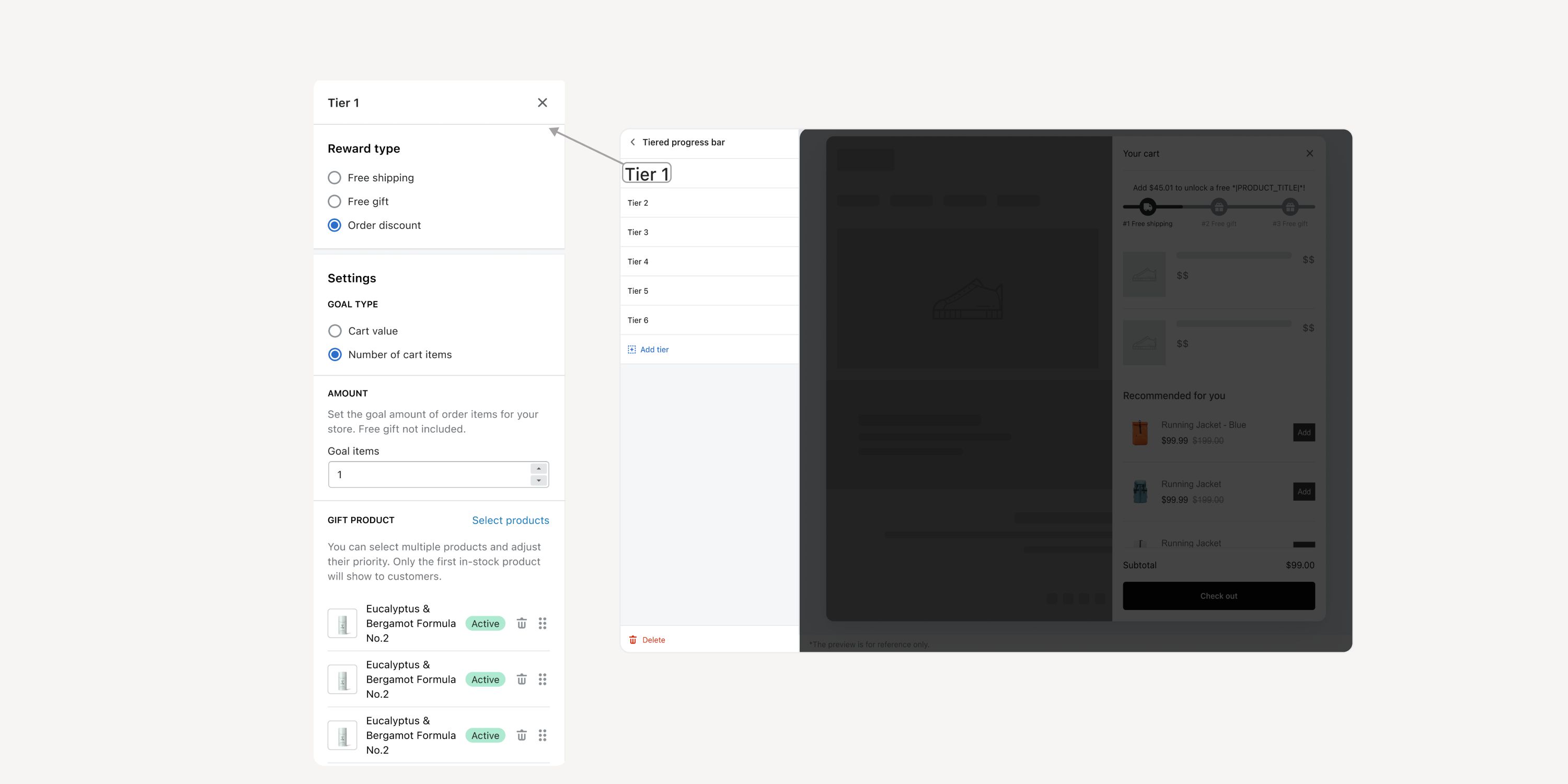
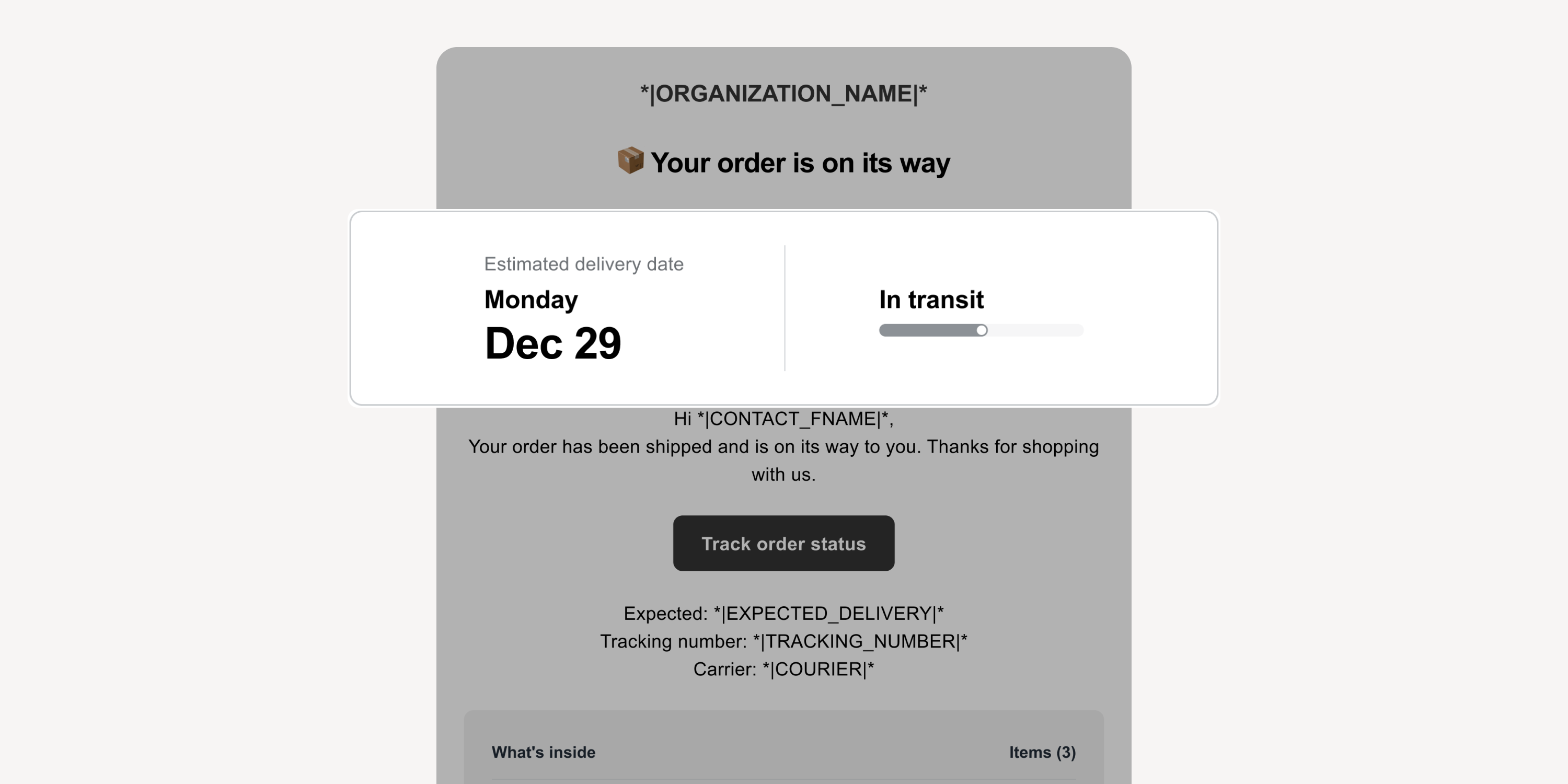
- Shipment Status in Notification Emails
Utilize the new content block in shipment notification emails to display delivery status intuitively. Reassure anxious shoppers with a progress bar, the latest statuses, and estimated delivery dates.
Failed to load more updates.
Share your Wishlist for AfterShip
Got brilliant ideas? We're all ears! Submit your thoughts through the Idea Portal today.

:fill(transparent))
:fill(transparent))