)
Select Products
- Warranty Workflows
- Carrier Integration
- Copilot
- Company
- Dashboard
- AEDD
- Extension
- Home
- Analytics
- Copilot
- Migration
- Member
- Post-purchase EDD
- Pre-purchase EDD
- Warranty Analytics
- Affiliates
- Return Care
- Review sync
- Email templates
- Integration
- AI shipping rule
- Warranty page
- Warranty Management
- Discovery
- Creators
- Onboarding
- Settings
- Warranty shipping
- Fulfillment sync
- Collect reviews
- Social platforms
- Integration
- Warranty resolutions
- Account
- Organization
- Connectors
- Billing
- Shop now
- Display settings
- Smart Cart
- Smart Search & Browse
- Product Recommendations
- Product Tagging
- Strategic Merchandising
- Settings
- Orders
- Label history
- Claims
- Orders
- Products
- Listings
- Orders
- Notifications
- Carrier rates
- Notifications
- Claim page
- Admin
- AEDD
- Settings
- Onboarding
- Organization settings
- EDD
- Category templates
- API versioning
- Contacts
- Net Promoter Score
- Settings
- Reviews
- Settings
- Overview
- Webhook
- Coverage
- Integrations
- Analytics
- Smart upsell widgets
- Integration
- Analytics
- Integrations
- AEDD
- EDD
- Carriers
- Product recommendations
- Settings
- Product sync
- Inventory sync
- Order sync
- Resolution methods
- Claims
- Analytics
- Shipments
- Tracking pages
- Pricing
- Q&A
- Carriers
- Warranty Analytics
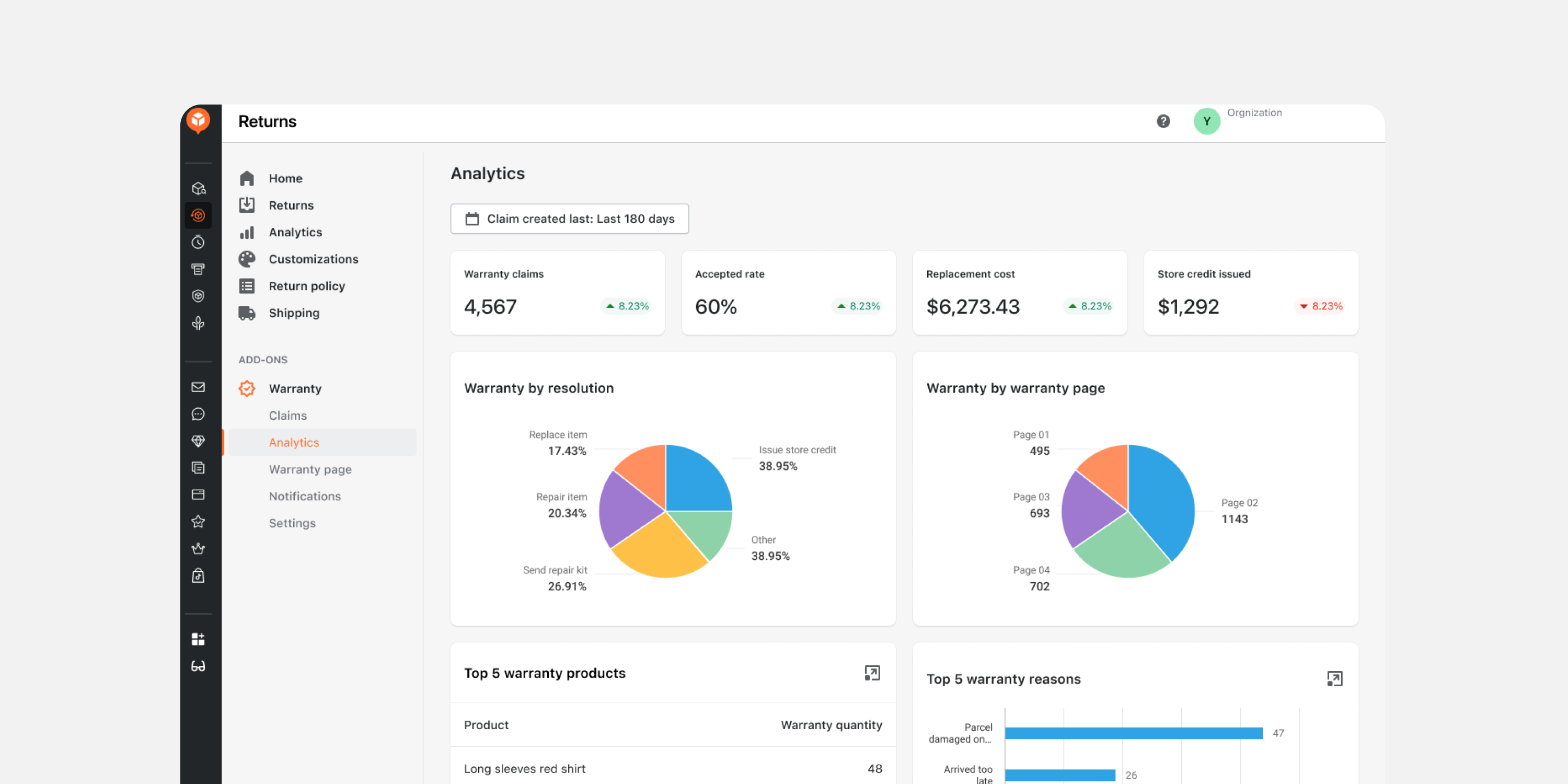
Analyze warranty claims, resolution outcomes, and top product issues through an intuitive dashboard designed specifically for warranty management. Make data-driven decisions to improve product quality and operations while identifying trends that help reduce future warranty claims and associated costs.
- SHEIN Integration
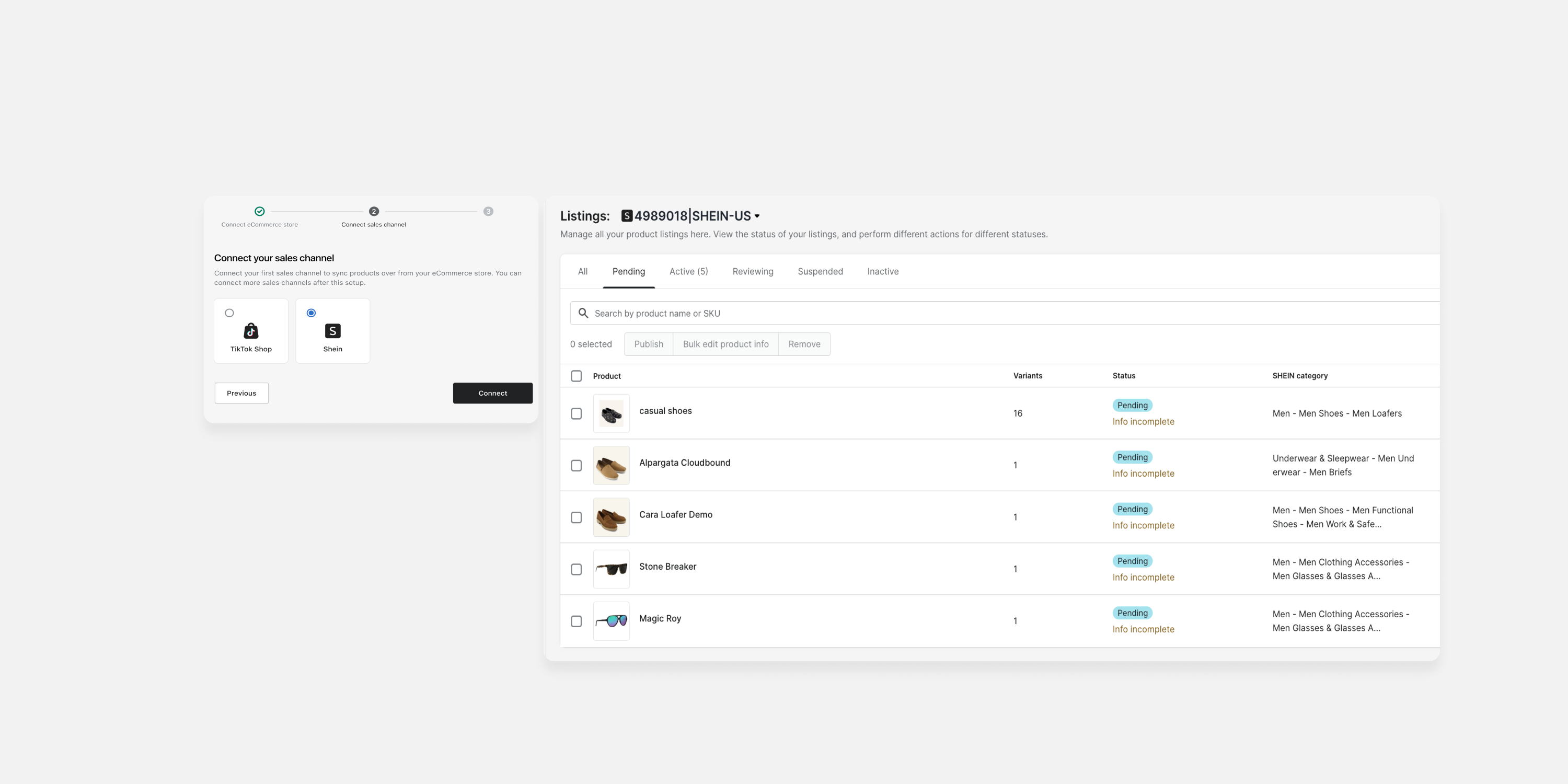
Sync products and orders seamlessly from Shopify to the SHEIN Marketplace with AfterShip Feed. Expand your sales channels effortlessly and unlock new revenue opportunities for your business.
- Map Market Currency from *Shopify Markets Setting
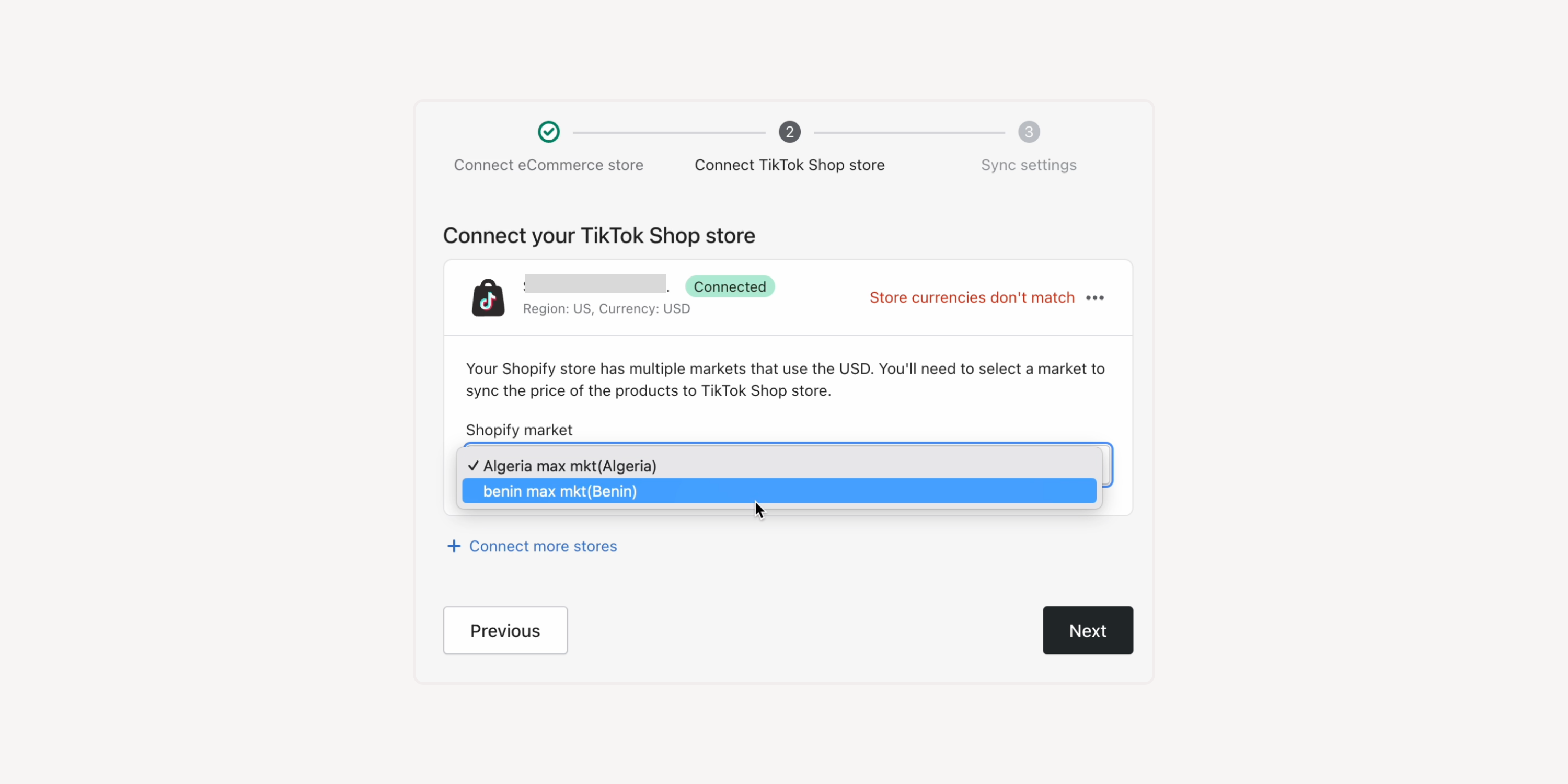
If your Shopify store has multiple markets using the same currency or multiple currencies, you can select the submarket from the Shopify Markets to sync prices. Display the prices as wanted for various markets and unify pricing management in Shopify.
If none of the Shopify Markets’ currencies meets your needs, you can use **Currency Converter to configure exchange rates and convert your eCommerce store's currency to match your TikTok Shop.
*Shopify Markets:
Formerly known as Shopify's cross-border selling solution, it allows businesses to customize experiences for each market, including the store's currency. You can set up prices in different currencies for different markets.
For example, if your default currency on Shopify is GBP, but you have launched the TikTok Shop in the US, you can connect the “US submarket” to show prices in USD. You can also choose to use either EUR or local currencies for European countries, which may have slightly different prices to better suit your needs.
Failed to load more updates.
Share your Wishlist for AfterShip
Got brilliant ideas? We're all ears! Submit your thoughts through the Idea Portal today.

:fill(transparent))
:fill(transparent))