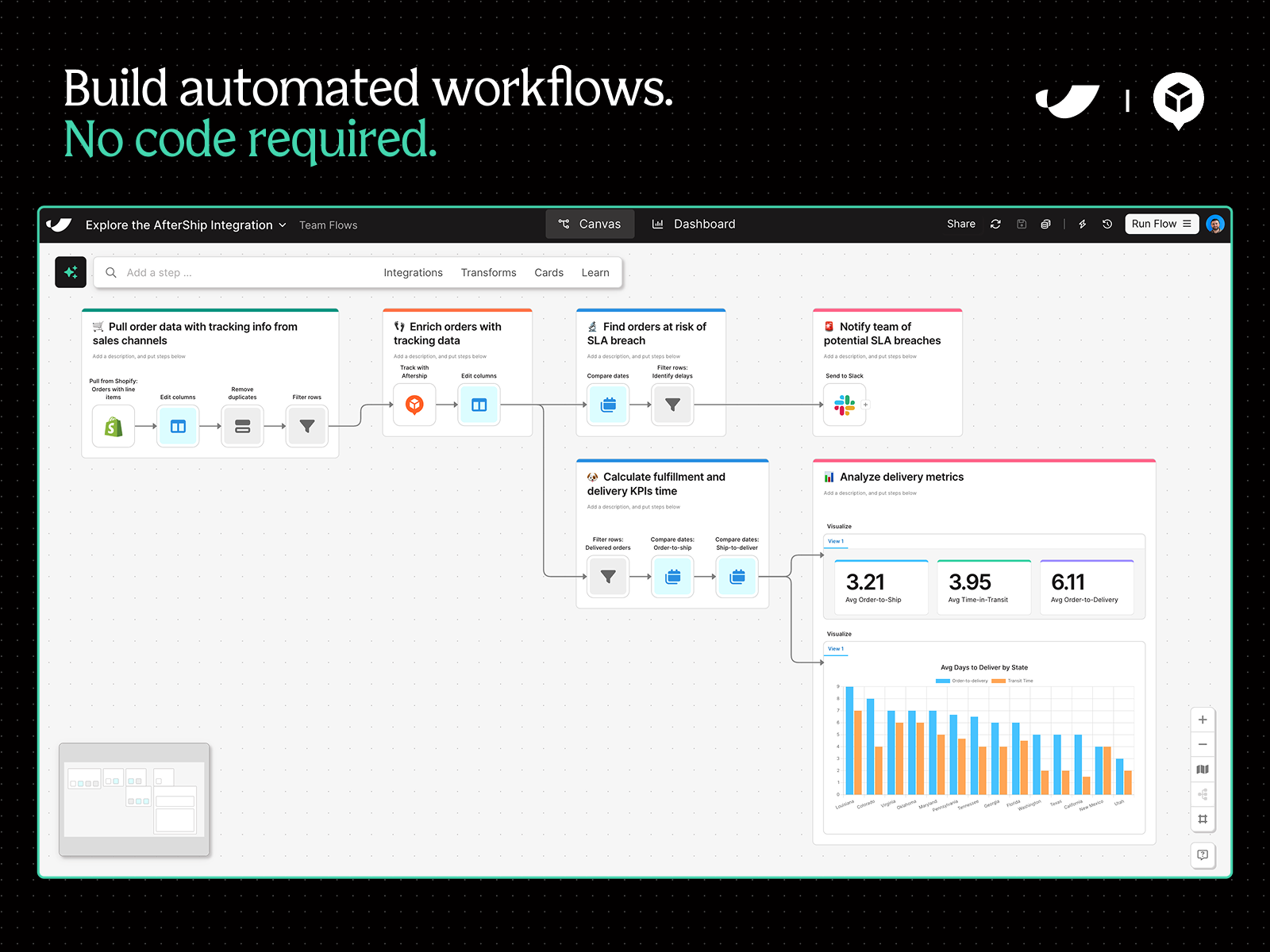
Custom workflows, no code
Improve visibility, catch discrepancies, trigger alerts, and combine data across tools—all without requiring tech resources.

by Parabola
Improve visibility, catch discrepancies, trigger alerts, and combine data across tools—all without requiring tech resources.
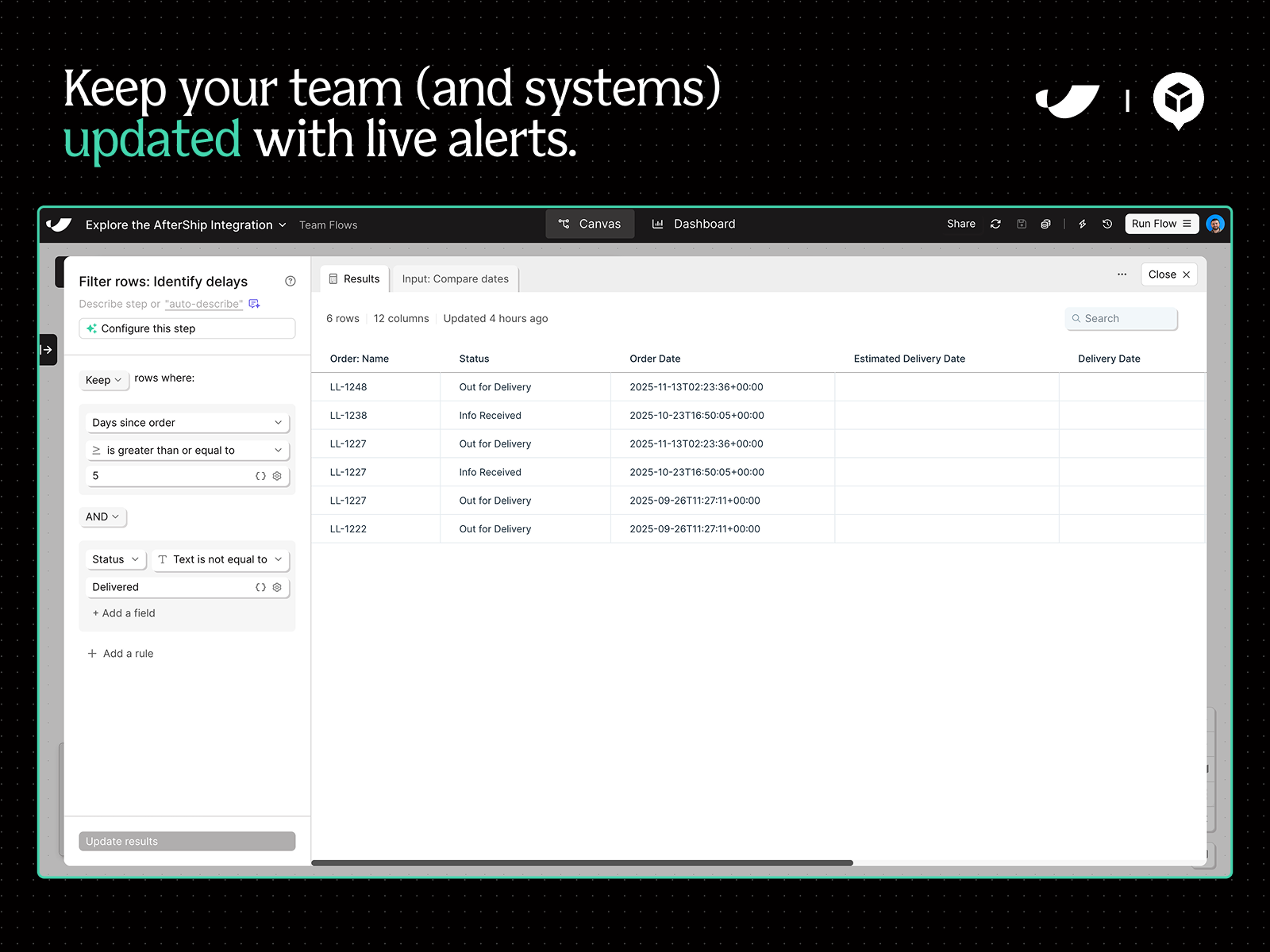
Monitor shipment updates around the clock. Trigger Slack or email alerts to get ahead of delays and update systems as shipments are updated.
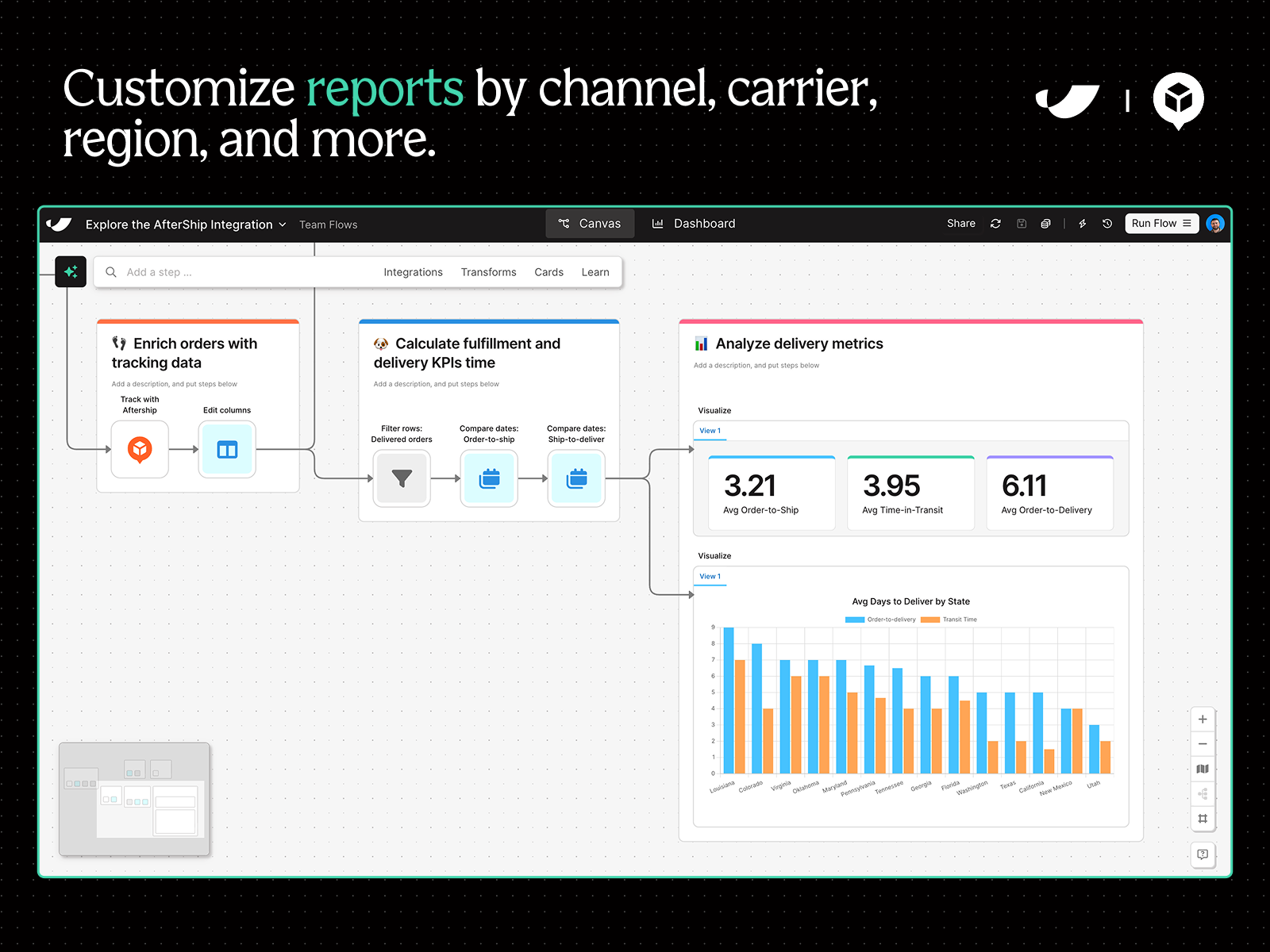
Make better decisions by extracting insight from your tracking data. Scorecard carriers, analyze performance region, & customize any report.
Parabola's AfterShip Tracking integration serves up real-time shipment data so that you can incorporate it into any process—from a custom channel-performance report to an alerting workflow for delays. Your team is likely doing much of this work manually in spreadsheets: exporting CSVs, creating scorecards, searching for discrepancies, and updating systems as updates come in. With Parabola, you can integrate every tool in your stack—from NetSuite and Shopify to ShipBob and AfterShip—and automate any process you could otherwise do manually, all without tech resources.
How it works
Sign up for a free trial at Parabola.io (we highly recommend completing Parabola University to short-cut your learning journey)
Once you’re inside a workflow, type “AfterShip” in the search bar and pull the integration onto the canvas. Alternatively, type your use case into the AI-enabled chat and Parabola will help you build your flow.
Open the AfterShip step once on the canvas and follow the instructions to connect your account
Add filters to pull specific data from AfterShip. Or, pull data from another system and lookup updates for specific tracking numbers.
Use your AfterShip data to automate any process, asking Parabola’s AI questions along the way to help you build


