If your team still prints labels from UPS WorldShip on Windows workstations in 2026, every shipment is locked to one carrier and your shipping database lives on one administrative machine. That leaves no second carrier to price UPS against, and a desktop install to maintain at every station, which is why high-volume teams are weighing cloud-based UPS WorldShip alternatives. AfterShip Shipping replaces that with a cloud platform that compares live rates across your connected carriers, and you connect your own UPS account through UPS's own login so labels bill under your UPS agreement.
Why High-Volume Shippers Are Moving Beyond UPS WorldShip in 2026
Picture the label run at 5,000 or more orders a month: orders export from your store and a few Windows workstations print UPS labels in batches. That is the workflow UPS WorldShip is built for, and at this volume it carries five business risks:
- Windows desktop software: a workgroup shares one database that sits on a single administrative workstation, and WorldShip will not run on Mac, Linux, tablets, or mobile devices.
- UPS services only: WorldShip gives access to UPS's small package and freight services, so every rate decision is made inside one carrier's price list, whatever UPS's rates or service levels do.
- Every workstation is a Windows install that must stay current - UPS stops sending quarterly rate updates to versions more than a year behind.
- Automation stops at UPS: shipping profiles and ODBC or XML imports speed up UPS shipments, but nothing in WorldShip chooses between carriers.
- Integration runs through ODBC or XML import and export, or through UPS Ready software.
The Strategic Shift: What to Look For in a Cloud-Based Shipping Platform
Cloud shipping software removes dependency on desktop-only, on-premise systems. The goal is not the same desktop workflow running in a browser. What you are evaluating is multi-carrier shipping software for e-commerce, and four capabilities set it apart from a label printer:
- API-first architecture, so your store, WMS and ERP exchange orders and labels through documented APIs instead of file imports.
- Live multi-carrier rate shopping, because carriers price DIM weight and surcharges differently by service, and the right service changes from one parcel to the next.
- A carrier rules engine that assigns carrier and service at import, so each order ships on a service whose delivery SLA matches what you promised, chosen by a rule rather than by a person at a desk.
- Connection to the post-purchase experience, so tracking and delivery notifications pick up where the label leaves off.
Shippers are already making this move. BCG's 2025 Parcel Study, published February 3, 2026, found: "More than half of parcel shippers have redesigned their network strategy since the cascading supply chain failures of the pandemic years, with the most common shift being toward multicarrier models."
AfterShip Shipping: The Command Center for High-Volume Fulfillment
AfterShip Shipping is a cloud-based, multi-carrier platform for high-volume shippers. It works as a complete command center for your entire shipping operation: high-volume cloud shipping software that brings labels, rates and rules together.
Control costs. AfterShip Shipping supports 130+ carriers for labels. Live rates from your connected carriers appear side by side for each order, including the rates on your own UPS account, and UPS, FedEx, DHL Express and USPS all return live rates.
Boost efficiency. On Pro and Enterprise, automation rules assign a carrier, service, package, or ship-from location when an order imports, using conditions such as package weight, destination postal code, city, or country. Smart Carrier Recommendation, available on all plans, then picks the service with the best balance of cost and delivery speed for shipments no rule has assigned. Rules run once, when an order is first imported, and are capped at 10 outside Enterprise. A typical rule reads: "If package weight is over 5 kg and the ship-to postal code is in this list, use carrier X." Bulk actions then create and print labels for a batch of orders at once.
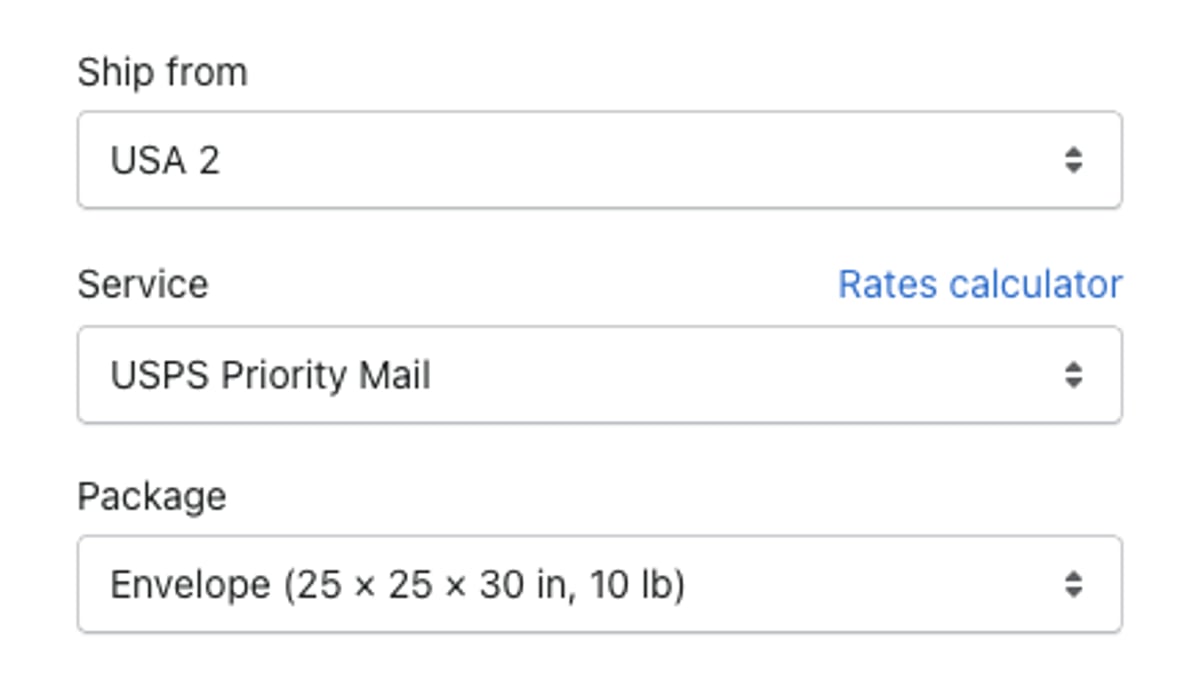
Scale flexibly. AfterShip Shipping runs in the browser, so staff at every warehouse work in the same account, and each ship-from location is set up once. Additional team members are billed per member. On Pro and Enterprise, Shipping APIs cover labels, rates, carrier accounts, and end-of-day forms, so your developers build on the same account.
UPS WorldShip Alternatives: AfterShip vs. The Competition
Choosing a UPS WorldShip alternative comes down to seven criteria: how the software is deployed, which carriers it reaches, how it compares rates, how its rules run, how it scales across sites and users, what it connects to after the label, and who it is built for. The table below compares four options on each. AfterShip Shipping's UPS WorldShip comparison page covers that pairing alone. For a wider field, see how other high-volume brands compare shipping tools, or read a buyer's guide to multicarrier platforms.
| Criteria | UPS WorldShip | ShipStation (cloud shipping software) | EasyPost (shipping API and dashboard) | AfterShip Shipping |
|---|---|---|---|---|
| Deployment model | Windows desktop; several workstations on a local network | Cloud web app | Cloud API with a no-code dashboard | Cloud: browser-based operations UI on every plan, plus Shipping APIs (labels, rates, carrier accounts, end-of-day forms) on Pro and Enterprise |
| Multi-carrier support | UPS services only | Multi-carrier, parcel and LTL freight | Multi-carrier, through the API and dashboard | 130+ carriers for labels; live rates from UPS, FedEx, DHL Express, and USPS among others |
| Rate shopping | Across UPS services; no carrier choice | Rate Shopper across connected carriers | In the API and dashboard; Luma AI Select can choose the carrier | Live rates compared across your connected carriers on every plan, including your own UPS account |
| Automation rule engine | Profiles and ODBC or XML import; UPS services only | Automation rules, Rate Shopper, and auto-routing; unlimited automations from the Standard plan | Luma AI Select rules, set point-and-click in the dashboard | Rules on Pro and Enterprise; Smart Carrier Recommendation on all plans, which leaves out services with a high exception rate on that lane using AfterShip's own tracking data |
| Scalability | Workstations share one database on an administrative workstation | Published plans to 100,000 shipments a month | API-first; dashboard roles for up to 100 additional users | Browser access for every warehouse; ship-from locations on all plans; Pro published to about 25,000 labels a month, Enterprise above |
| Integrated post-purchase suite | UPS notification emails (Quantum View Notify) | Branded tracking page, branded notification emails, and a returns portal from the Standard plan | Branded tracking and notifications sold separately (Advanced Tracking) | Part of AfterShip's suite of shipping, tracking, returns, and warranty. Connects to AfterShip Tracking, Returns, and Warranty, each a separate subscription; shipments sync to Tracking for branded tracking and delivery notifications |
| Ideal user | UPS-only shippers on Windows workstations | Merchants from small to high-volume | Teams building shipping into their own software | High-volume shippers that want a cloud shipping platform with APIs |
The Verdict for High-Volume Shippers
Move to AfterShip Shipping when...
- you want live rates from your own UPS account and your other carriers compared in one place;
- your rules have outgrown a desktop: carrier and service set by package weight, destination postal code, city or country, on Pro and Enterprise;
- you ship from more than one warehouse, or your shipping staff work remotely, with Shipping APIs for your developers on the same account (Pro and Enterprise);
- you want carrier choice that uses delivery performance: Smart Carrier Recommendation leaves out high-exception services on each lane and shows why. That is AfterShip's specialist ground, where performance analytics and lane-level exception data start to matter.
Stay on UPS WorldShip, or look at ShipStation or EasyPost, when...
- you ship UPS only, from one desk, at steady volume: WorldShip may be all you need, until multi-carrier cost pressure, peak-season scale or a distributed team arrives;
- ShipStation, if your team wants labels, a branded tracking page, and a returns portal inside one ShipStation subscription;
- EasyPost, if developers rather than operations staff will own your shipping workflow.
"But Will I Lose My Negotiated UPS Rates?"
Connect your own UPS account to AfterShip Shipping through UPS's own login, and labels are billed to that account under your UPS agreement. Once UPS has authorized the account to return negotiated rates, AfterShip Shipping shows them in the rate comparison. AfterShip Shipping lets businesses use their own negotiated carrier rates.
- If you hold several UPS account numbers, register them under one UPS.com profile before you connect your own UPS account.
- Own carrier accounts come with every plan: 1 on Free, 1 on Essentials, 5 on Pro, and unlimited on Enterprise.
- No UPS End of Day form or PLD report is needed with AfterShip Shipping, because shipment data reaches UPS through the API as each label is created.
- If rates show as published rather than negotiated, UPS says to check that the account is authorized; negotiated rates can also lag on a contract under a week old.
UPS also lists AfterShip in its own UPS Ready partner directory.
Beyond the Label: Why Integrated Post-Purchase Matters
The service you pick at the label shapes the delivery that follows. Smart Carrier Recommendation compares live rates from your connected carriers, leaves out services with a high exception rate on that origin-and-destination lane using AfterShip's own tracking data, and shows why it picked the service. It re-evaluates each shipment, so you do not have to rewrite rules when carrier rates or performance shift.
Shipments created in AfterShip Shipping can sync to AfterShip Tracking - a separate subscription - for branded tracking and delivery notifications. AfterShip's suite covers shipping, tracking, returns, and warranty. For a wider post-purchase evaluation, see how AfterShip holds up as a platform built for enterprise-level demands.

Building the Business Case: Migrating from WorldShip to AfterShip
A VP will want the case built from your own numbers. Work through these five steps as you compare shipping automation tools for enterprise:
- Audit the full cost of running WorldShip: workstations, upkeep to keep every install current, and labor hours.
- Model carrier savings from your own rate cards and shipment mix.
- Estimate time saved by rules and bulk label creation, from your own time studies.
- Count the risk you remove: no workstation database, current rates without version upgrades, and browser access for every site.
- Book a demo to walk through your carrier mix and volumes with the team.
AfterShip Shipping's Pro plan publishes transparent pricing up to roughly 25,000 labels a month (about 300,000 a year); above that, Enterprise is priced on request.
Frequently Asked Questions
Does AfterShip Shipping support my UPS negotiated rates?
Yes. You sign in to UPS from inside AfterShip Shipping, and labels bill to your UPS account under your existing agreement. After UPS authorizes that account to return negotiated rates, those rates sit next to quotes from your other connected carriers whenever you pick a service for an order.
How long does it take to implement AfterShip Shipping?
Getting started means connecting your store, connecting your carrier accounts (UPS through its own login so your negotiated rates and billing stay on your UPS agreement), and setting up your label printers and ship-from locations. Because it is cloud-based, there is no desktop software to install on each workstation.
Does AfterShip support LTL/freight?
AfterShip Shipping is built for parcel shipping. For road freight, Pro and Enterprise accounts can book DSV Road Freight through the AfterShip Shipping API. Today, that DSV service covers door-to-door road freight within Singapore.
What level of support is included for high-volume shippers?
Paid AfterShip Shipping plans include support by 24/7 live chat and email. Teams that want faster responses can add a Silver or Gold support plan, each charged as an additional fee with a per-product monthly minimum.
Is AfterShip better than ShipStation for high volume?
Both are cloud, multi-carrier shipping platforms with automation rules and plans for high-volume shippers, so either can carry the label workload. AfterShip Shipping becomes the specialist choice when carrier decisions need performance analytics and per-lane exception data: Smart Carrier Recommendation draws on AfterShip's own tracking data, with AfterShip's suite of shipping, tracking, returns, and warranty alongside.