Sending Notifications
This documentation outlines typical scenarios for sending notifications related to Commerce API, and provides detailed instructions on how to utilize the API effectively in each case. For additional scenarios and further information, please refer to the index page.
1. Sending Email Notifications
AfterShip Tracking enables you to send timely email notifications for various delivery statuses. These prompt notifications help ensure your customers are consistently informed about the progress of their orders.
Specific Required Fields for creating the order
| Field | Description | Sample |
|---|---|---|
| customer | Customer information object | - |
| customer.emails | The customer's email array | ["[email protected]"] |
Sample Request for creating the order
{
    "source_id": "CM1011",
    "number": "CM1011",
    "currency": "USD",
    "status": "open",
    "delivery_method": "shipping",
    "order_total": "9.5",
    "items": [
        {
            "source_id": "9716591689898",
            "product_variant_title": "Mobile Phone Case",
            "quantity": 1
        }
    ],
    "source_created_at": "2023-02-16T01:00:10Z",
    "source_updated_at": "2023-02-16T01:00:10Z",
    "customer": {
      "emails": [
        "[email protected]"
      ]
    }
}
2. Sending SMS Notifications
To enable SMS notifications, ensure that you include valid customer phone numbers in the order payload under the customer.phones field.
Specific Required Fields for creating the order
| Field | Description | Sample |
|---|---|---|
| customer | Customer information object | - |
| customer.phones | The customer's phone number array | ["+12025553750"] |
Sample Request
{
    "source_id": "CM1011",
    "number": "CM1011",
    "currency": "USD",
    "status": "open",
    "delivery_method": "shipping",
    "order_total": "9.5",
    "items": [
        {
            "source_id": "9716591689898",
            "product_variant_title": "Mobile Phone Case",
            "quantity": 1
        }
    ],
    "source_created_at": "2023-02-16T01:00:10Z",
    "source_updated_at": "2023-02-16T01:00:10Z",
    "customer": {
      "phones": [
        "+12025553750"
      ]
    }
}
3. Notification Workflow - Order Status
When creating a new notification workflow, you can use the Order Status as the trigger.
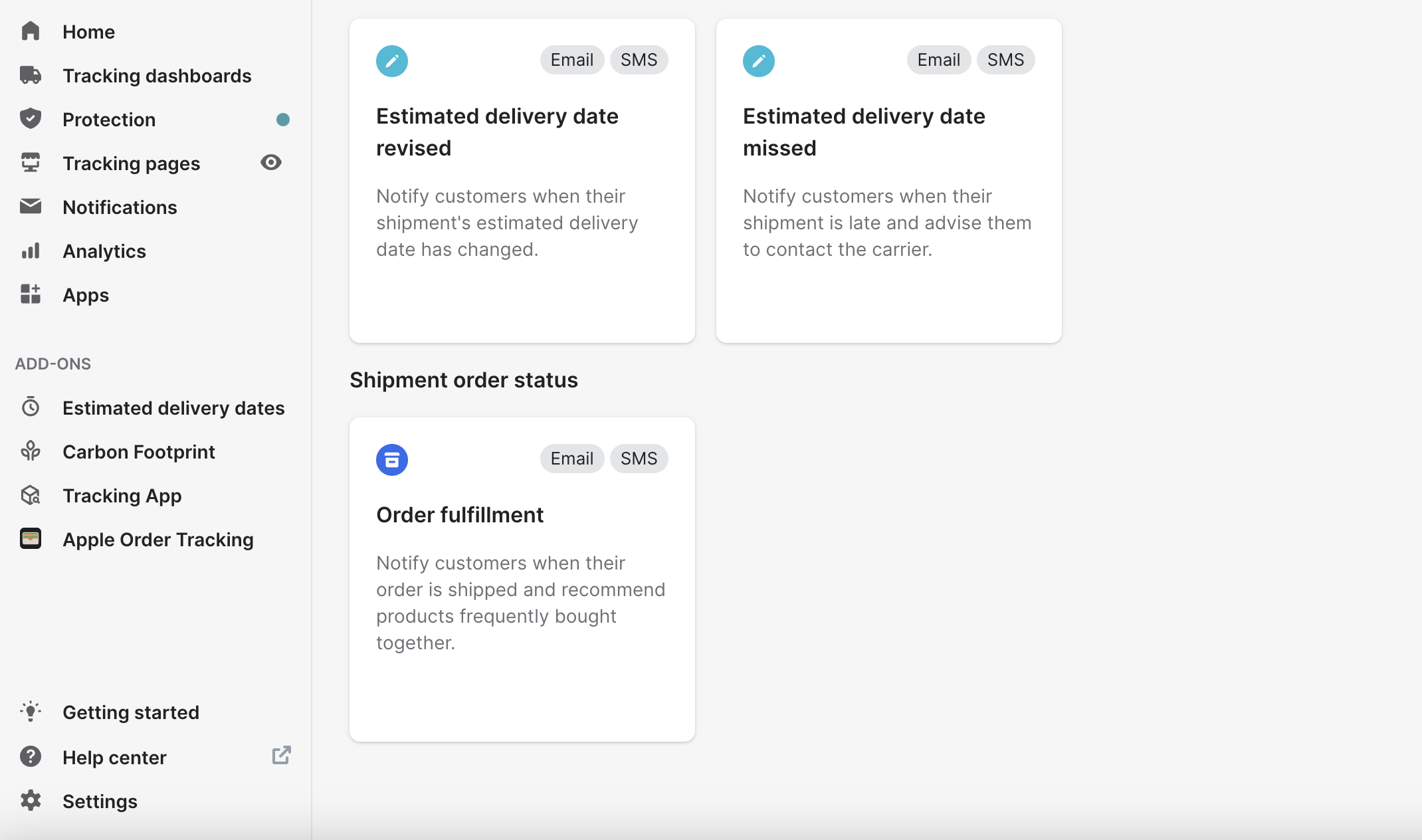
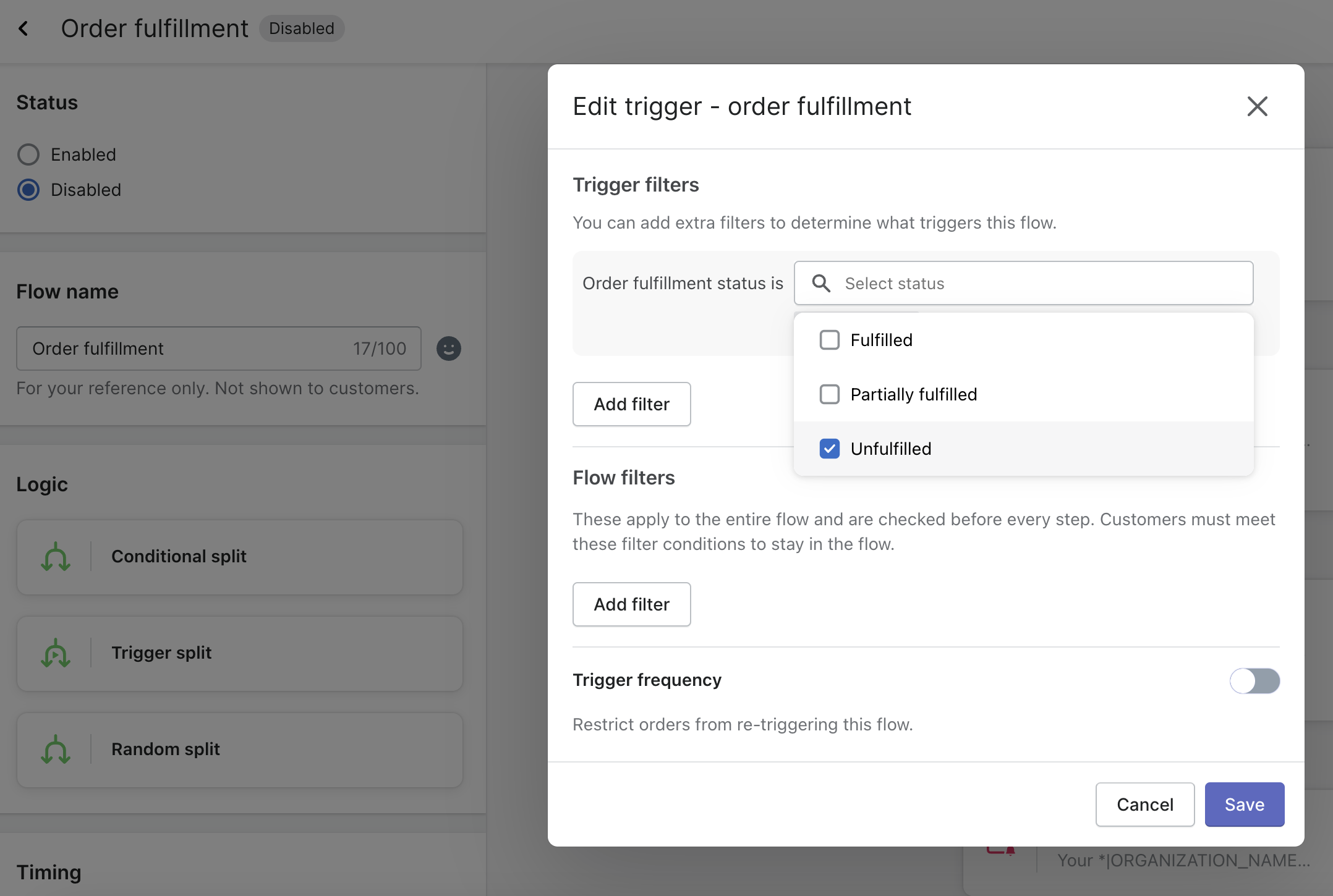
To set up a notification workflow based on an order's status, be sure to include the fulfillment_status parameter when creating the order via Commerce API.
Specific Required Fields for creating the order
| Field | Description | Sample |
|---|---|---|
| customer | Customer information object | - |
| customer.emails | The customer's email array | ["[email protected]"] |
| customer.phones | The customer's phone array | ["+12025553750"] |
| fulfillment_status | The status of fulfillment associated with the order | unfulfilled |
Sample Request
{
    "source_id": "CM1011",
    "number": "CM1011",
    "currency": "USD",
    "status": "open",
    "delivery_method": "shipping",
    "order_total": "9.5",
    "items": [
        {
            "source_id": "9716591689898",
            "product_variant_title": "Mobile Phone Case",
            "quantity": 1
        }
    ],
    "source_created_at": "2023-02-16T01:00:10Z",
    "source_updated_at": "2023-02-16T01:00:10Z",
    "customer": {
      "emails": [
        "[email protected]"
      ]
    },
    "fulfillment_status": "unfulfilled"
}
4. Notification Workflow - Workflow Trigger Filters
When editing the notification workflow, you can apply trigger filters to specify which data elements will initiate or halt a particular flow.
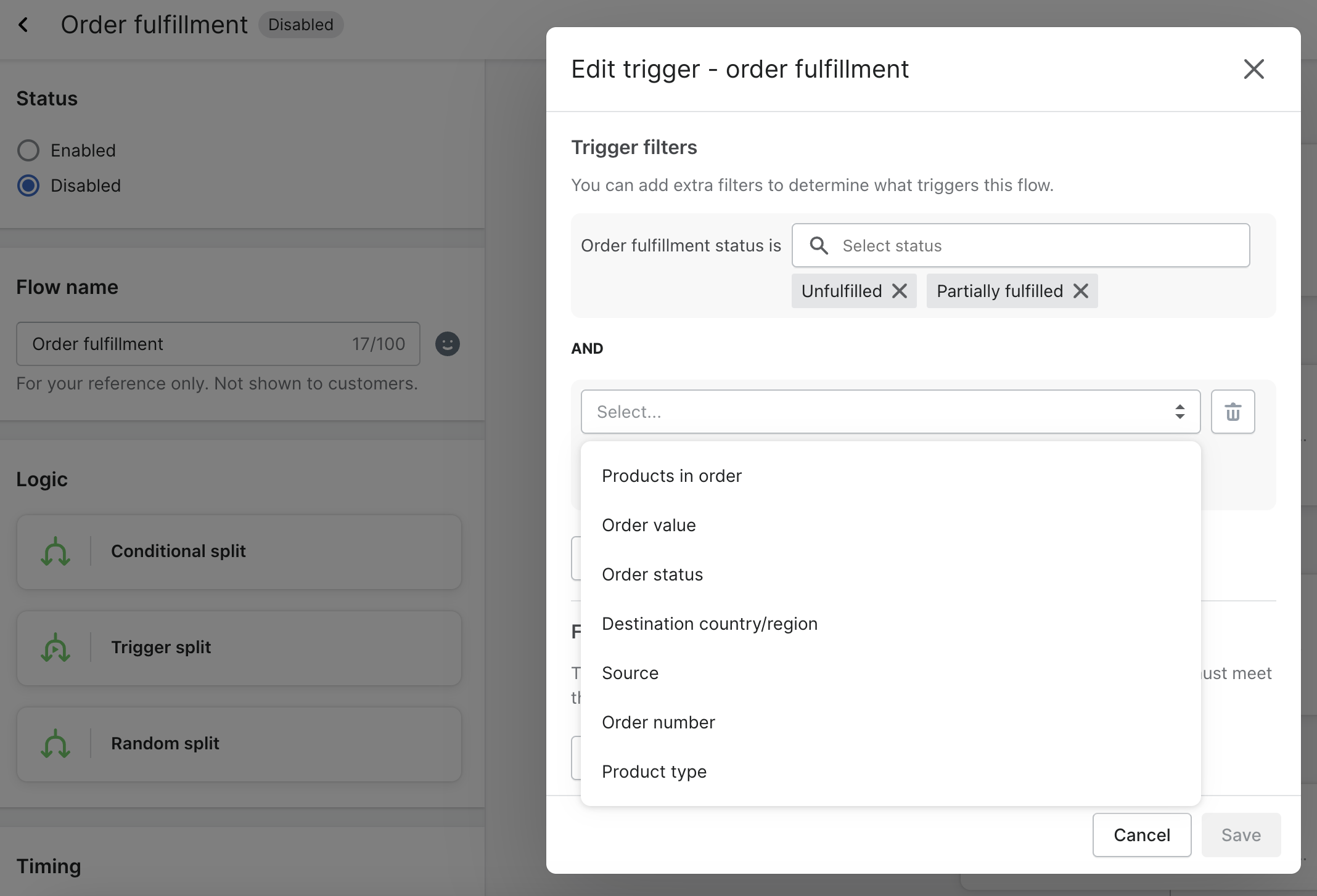
The following table outlines which fields in various resources are associated with each trigger filter.
4.1 Order
| Commerce API Resource Field | Trigger Filter Name | Example Value |
|---|---|---|
| number | Order number | CM1011 |
| status | Order status | open |
| items.*.product_categories | Product type | ["makeup"] |
| shipping_address.country_region | Destination country/region | USA |
4.2 Fulfillment
| Commerce API Resource Field | Trigger Filter Name | Example Value |
|---|---|---|
| trackings.*.slug | Slug | "fedex" |
| trackings.*.custom_fields | Custom fields | {"customer_tag": "testing"} |
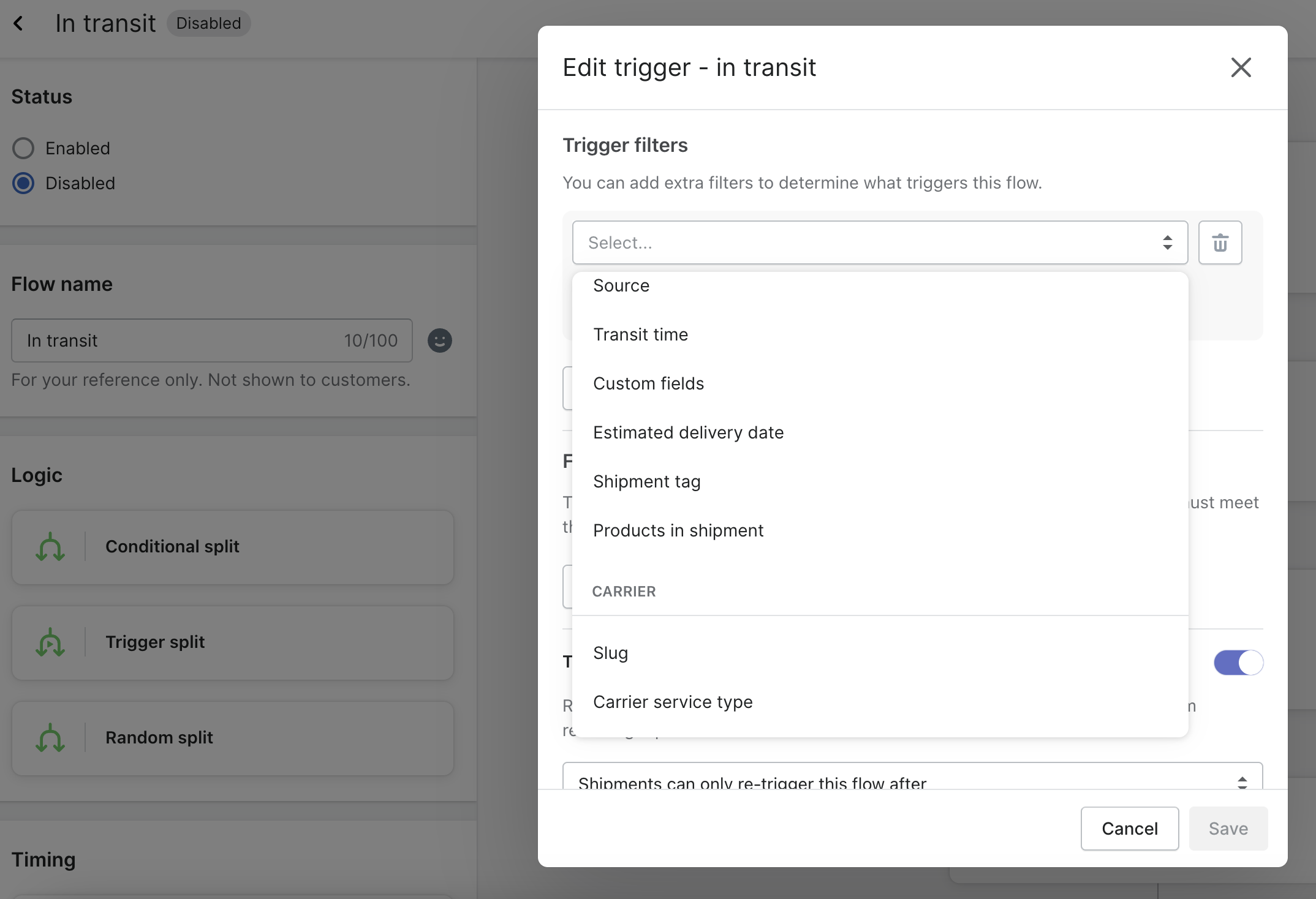
4.3 Other Filter Options
| Trigger Filter Name | Filter Value |
|---|---|
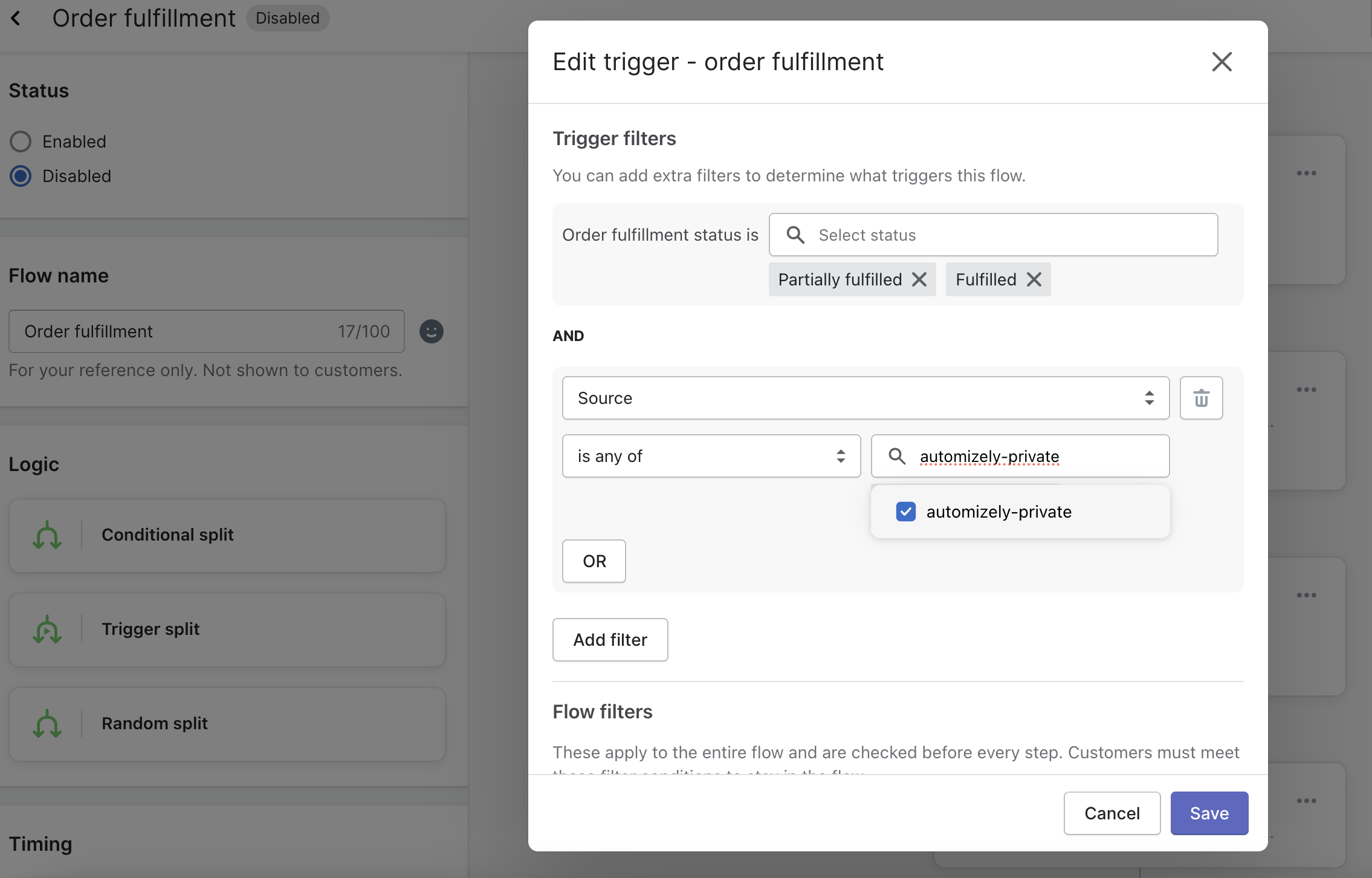
| Source | Please select automizely-private from the list to indicate the orders imported via Commerce API |
5. Product Recommendation
The AfterShip product recommendation feature allows you to showcase the most relevant products to your customers by analyzing various behaviors and criteria. To use this feature, you need to import a minimum of order and product resources into AfterShip.
For configuring the product recommendation feature for the notifications, please refer to this page.
6. Buy Online, Pickup In Store (BOPIS) & Buy Online, Ship to Store (BOSS)
With Buy Online, Pickup In Store (BOPIS) & Buy Online, Ship to Store (BOSS) tracking, shoppers will be able to track when and where to pick up their orders. Proactively communicate with customers, enabling them to prepare for order pickups. Businesses control the information in BOPIS & BOSS tracking page and notifications.
For configuring the BOPIS & BOSS feature for the notifications, please refer to this page.