You have launched your store. Now you are told you need email marketing and social media, but you only have the budget and time for one. Which do you choose? It is a stressful question, and it is also the wrong one. Let us talk about the right one.
Search Mailchimp vs SocialPilot and you will find plenty of people scoring the two against each other. Almost none of them start where a new Shopify store should start, which is with a tally of what you already own and pay nothing for. Do that first and the choice gets a lot smaller.

What Shopify Already Does for You, Free
Before you spend a dollar, count what you already have.
Every Shopify store sends a set of order and shipping notifications automatically, at no extra cost:
- Order confirmation
- Shipping confirmation
- Shipping update
- Out for delivery
- Delivered
Most of these cannot be switched off, and that is a feature rather than a limitation. Your customer already hears from you at the moments they care about most, and you configured nothing to make it happen.
You also get a customer-facing order status page. It shows the shopper where their order is, and you can brand it and edit it from your admin without installing an app.
Then there is marketing email. Shopify Messaging includes 10,000 free emails a month on the Basic, Grow, Advanced and Plus plans. At thirty orders a month, that allowance is not a starter ration. It is more email than you will send for a long while.
So your starting position is better than the advice suggests. You have automatic order and shipping email, a customer-facing order page you control, and a free monthly send allowance sitting unused.
What you do not have yet is a way to reach people who have never heard of your store, a way to talk to the ones who visited and left without buying, and any real control over the experience once the parcel is moving.
The gap after the sale is the one most new stores never close.
What Are Mailchimp and SocialPilot Actually For?
Two tools, two different jobs. Here is each in one sentence.
SocialPilot is your loudspeaker. It schedules and publishes your posts across your social accounts from one place, so you can put your store in front of people who have never heard of it without logging into four apps every morning.
Mailchimp is your conversation tool. It collects email addresses from your site and sends messages to the people who gave you one, turning a visitor into a buyer and a buyer into someone who comes back.
Getting new eyeballs on your store, which marketers call top-of-funnel, is a genuinely different job from convincing someone who already found you. One tool is built for each.
That is why scoring them against each other rarely helps. It is closer to comparing a megaphone to a phone call. Both are useful, and neither does the other one's work. There is a fuller guide to effective Shopify email marketing.
So Which Comes First, Email or Social?
Both. That is the honest answer, and it costs less than it sounds, because you do not have to pay for both on day one.
Start free where you can. Mailchimp has a free plan that covers a signup popup and an automated welcome email, which is enough to begin collecting addresses this week. AfterShip has a free plan too. SocialPilot is the one that costs money from the start, because it publishes no free plan at all, only a 14-day trial. When the trial ends, you are on a paid tier.
That single difference is what should drive your order of operations. The Mailchimp vs SocialPilot question is really a sequencing question. Set up the free things immediately, since they cost you nothing but an afternoon. Then decide whether the paid one earns its place this month or next month. The post-purchase version of that sequencing question is in what a general ESP leaves undone after the sale.
The biggest mistake new founders make: paying for advanced features you do not need yet. Your first goal is to validate, not to scale.
Your first ninety days exist to find out whether anyone outside your friends and family wants what you sell. Proof comes before scale, and proof is cheap.
The Three Jobs of a Founder's Marketing Stack
Stop asking which tool to buy and ask what your marketing actually has to do.
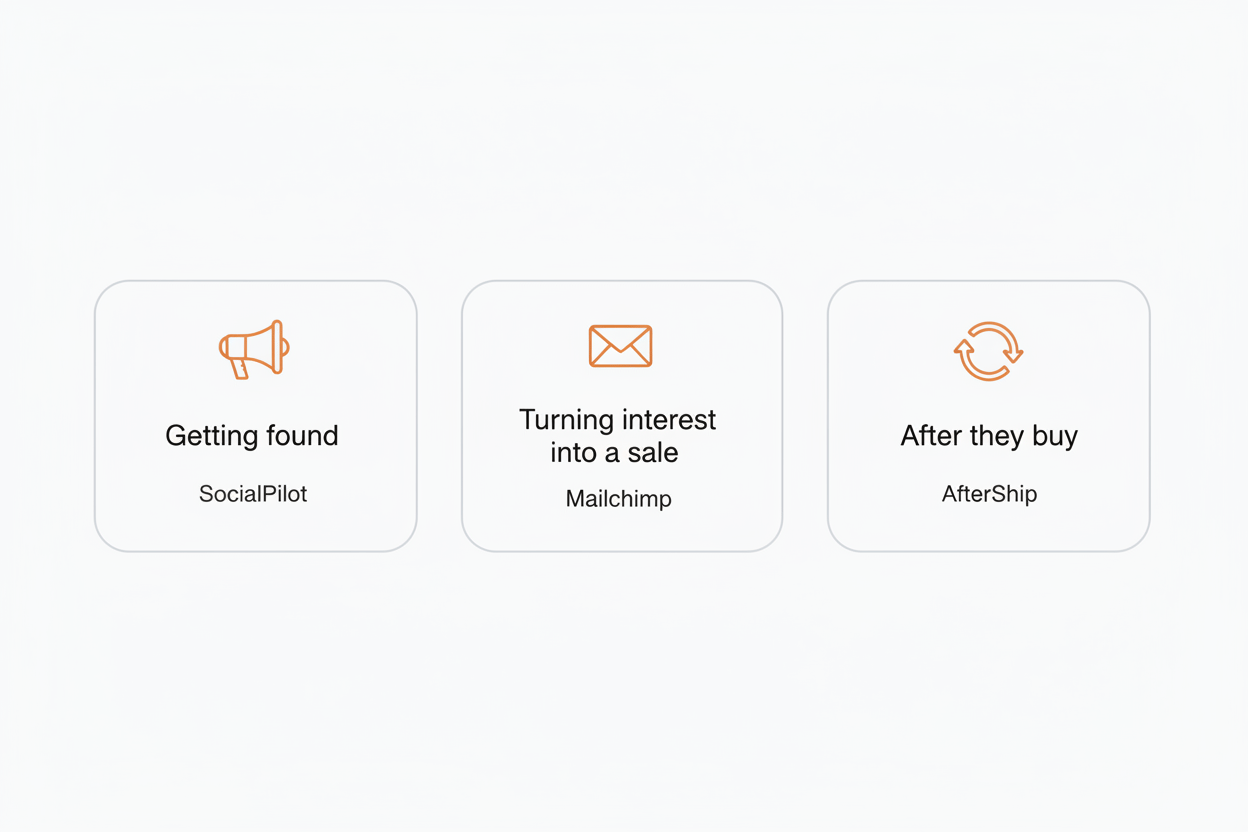
Ecommerce marketing has three jobs: getting found, converting, and keeping customers.
Getting found is SocialPilot's job. Somebody who has never heard of your store has to encounter it somewhere, and social posting is the cheapest way to make that happen when you have no ad budget.
Turning interest into a sale is Mailchimp's job. Most people who land on your store leave without buying, and an email address is the only way you get a second chance with them.
What happens after they buy is the job most new stores skip entirely. It is also the most profitable one you have, because the person on the other end has already paid you, already trusts you, and already gave you their address and their order history.
Transactional shipping emails have higher engagement than marketing emails. Shipping-confirmation emails average a 62.67% open rate, roughly 2-3x the typical marketing email (Omnisend, 2026). Read that as a gap between two numbers rather than as one number on its own, because Apple's Mail Privacy Protection can make emails appear opened before they are read.
Those are the emails your store already sends without you touching anything, which is what makes this job different from the other two. You are not starting from zero on it. You are starting from a baseline your platform hands you, and the question is what you add on top and when.
That is why this one gets sequenced rather than bought on day one.
The Job Most Stores Skip: What Happens After They Buy
Start with what you already have. Shopify sends the delivery milestones and hosts an order status page, and for plenty of stores that really is enough.
What it does not give you is a page of your own.
A branded tracking page turns delivery updates into an owned marketing touchpoint. The order status page is attached to checkout and tied to one order at a time. A dedicated tracking page is a destination you control, where your own promotional messaging sits alongside the delivery status rather than a plain status readout. That is what AfterShip's branded tracking page is built to be.
Then there is the question of who is carrying the parcel. Shopify shows your customer whatever each carrier feeds it, so the experience shifts depending on which label went on the box. AfterShip normalises status across every carrier you ship with, which means your customer sees the same thing on Monday's order as on Friday's, whoever moved it.
You also get a view you do not have today. The in-transit dashboard shows everything currently moving, with the delayed and stuck shipments pulled to the front. At thirty orders a month you can hold most of that in your head on a good week. On a bad week, when three parcels are sitting at a depot in another state, spotting it yourself beats hearing about it from an irritated customer.
Exception-aware notifications sit on top of that. When a delivery attempt fails, when a parcel goes on hold, when it is running late, AfterShip sends a branded email or SMS about it. These begin on the Essentials plan, not the free one, and the free plan carries no logo customisation either.
Nobody should hand you a percentage here. At thirty orders a month there is no ticket volume where one would mean anything. The mechanism is the argument: a customer who can check the parcel themselves, and who hears from you before they have to ask, has fewer reasons to open your inbox. What you are protecting is the experience and your own afternoons.
None of this asks you to spend money this week. AfterShip's free plan covers the tracking page and the in-transit dashboard, so this job can start before you have spent anything on it.
How to Build Your First Stack for Under $50 a Month
Three steps, and the first two take an afternoon.
- Start with SocialPilot Essentials. Connect your social accounts and schedule a week of posts in one sitting. It is the only line that costs money on day one.
- Add Mailchimp Free for capture and a welcome email. Put a signup popup on your store and switch on the automated welcome email.
- Add AfterShip Tracking last. Free gives you the tracking page and the in-transit dashboard. Essentials adds your logo on the page and the branded exception alerts.
One thing not to do in step 2. Your store already sends order confirmations at no cost, so do not route them through Mailchimp. Transactional email there is a paid add-on requiring Standard or above, roughly $40 to $60 a month to reproduce what your platform hands you for nothing.
Step 2 is also where AfterShip's own email and SMS app fits, alongside Mailchimp rather than instead of it. Keep a general email tool for list building and broadcasts, and add AfterShip Email for the post-purchase journey and on-site capture. Both have free tiers you can run at once: Mailchimp Free covers 250 contacts and 500 sends a month with a 250 a day cap, and AfterShip Email's free plan covers up to 300 contacts and 3,000 sends.
The two AfterShip products meter differently, and mixing them up makes the numbers look contradictory. AfterShip Tracking is metered on shipments, and its notifications begin at Essentials. AfterShip Email is a separate app metered on contacts, with its own free tier.
Which AfterShip path you take is a real choice, and at your volume the free one is defensible. A free plan is the right call if you ship fewer than roughly 50 orders a month, if you are a hobbyist or still validating the store, or if post-purchase experience is not yet part of how you compete. Below roughly 50 to 100 shipments a month a free tool is genuinely fine, and the paid features do not pay back yet. At thirty orders a month, that describes you. What you are assembling here is the first layer of building a complete eCommerce tech stack, and the rest can wait until you have the volume to justify it.
The figures below come from the Shopify App Store, where you will install these.
| Tool | Monthly cost | What it covers | Volume ceiling |
|---|---|---|---|
| SocialPilot Essentials | $20, or $17 billed annually | Scheduling and publishing across your social accounts from one place | No free plan, 14-day trial only |
| Mailchimp Free | $0 | Signup popup and one automated welcome email | 250 contacts, 500 sends a month, 250 a day |
| AfterShip Tracking Free | $0 | A tracking page you can theme, plus the in-transit dashboard | 50 shipments a month |
| Free path total | $20 a month | Posting, capture, tracking page and dashboard | |
| AfterShip Tracking Essentials | $11 | Adds logo customisation, branded email and SMS exception alerts, automatic carrier detection and reporting | 100 shipments a month |
| Branded path total | About $31 a month | Everything above, plus your logo on the tracking page and branded exception alerts |
When to Upgrade, and What to Upgrade First
Upgrade on signals, not on a schedule.
- Your list passes 250 contacts, or 500 sends a month. Mailchimp Free's ceiling. Reaching it means the capture is working.
- You want your logo on the tracking page. Logo customisation starts at AfterShip Tracking Essentials.
- You want branded exception alerts on top of Shopify's milestones. Failed attempts, holds and delays sit in that same Essentials layer.
- You cross roughly 50 shipments a month. Where AfterShip Tracking's free tier stops.
Product recommendations on the tracking page sit on the Premium plan, a later-stage move. At thirty orders a month there is not enough traffic through that page for them to matter.
The Bottom Line: Build a System, Not a Toolset
You arrived asking which tool to buy. The better question is what your marketing has to do, and the answer runs to three jobs on top of what Shopify already hands you.
Getting found and turning interest into a sale are the two everyone writes about. The job after the sale is where the return is, and the one you can begin for nothing.
Start on AfterShip's free tier and let your shipment count tell you when to move. A system that grows when you do beats any single tool you could have picked between.
Frequently Asked Questions
Should I start with email or social media for my new Shopify store?
Both, but they will not cost the same. Mailchimp has a free plan you can switch on today. SocialPilot publishes no free plan, only a 14-day trial, so it is the one that costs money from day one. Set up the free pieces first.
What is a marketing stack?
The set of tools that together do the three jobs your marketing needs: getting found, turning interest into a sale, and looking after people once they have bought. Most of the after-sale job is already running on your Shopify plan before you add anything.
How much should a new Shopify store spend on marketing tools?
At roughly thirty orders a month, very little. A working stack runs about $20 a month using free plans for email and post-purchase tracking, and around $31 a month if you add branded exception alerts. Anything past that buys capacity you have no traffic for yet.
Do I need an email tool if Shopify already sends order confirmations?
Yes, for a different job. Shopify's order and shipping notifications are transactional and go out automatically. An email tool is for people who have not bought yet, and for the ones you want back. Do not route order confirmations through Mailchimp: transactional email there is a paid add-on, and your platform already does it free.
What is a branded tracking page, and does a new store need one?
It is a page you own that shows customers where their order is, carrying your branding and your messaging rather than a plain status readout. At thirty orders a month you do not need one yet, and a free plan is the right call while you are still validating. It matters when shipments climb, when delays start generating emails, and when the page becomes somewhere customers return to. AfterShip Tracking's free tier gives you the page and the in-transit dashboard at no cost, and your logo goes on it from Essentials.
