Your shipping platform contract is up for renewal, and finance wants the cost down without losing capability. If you are looking for a cost-effective alternative to Scurri, the subscription is only one of four costs to compare: software, carrier spend, team time and support contacts. AfterShip Shipping is the stronger fit for brands that want published prices and carrier choices made on delivery-performance data.
AfterShip Shipping is multi-carrier shipping software for brands moving real volume across several carriers. It connects your carrier accounts, compares live rates and generates labels. Most roundups of Scurri alternatives for DTC brands stop at the monthly fee. The plan price is one line in a budget that also carries carrier invoices, the hours your team spends picking services by hand, and the support tickets that follow a late parcel.
Scurri Pricing: The Three Inputs for Planning Software Costs
Planning next year's software line needs three numbers, and you need all three before you can defend a budget.
- the price of each plan
- the label volume each plan covers
- which features sit on which plan
At 1,000 to 50,000 orders a month, a plan that looks cheap at your current volume can reprice sharply at next year's, so the label allowance matters as much as the headline figure.
Scurri pricing is published as three product bundles, Plus, Premium and Pro, each adding features to the one before, with cheapest-service selection on the Pro bundle and rates management from Premium.
Both Scurri and AfterShip Shipping sell tiered plans that add features at each level; the difference is what each publishes.
Scurri prices by consultation; AfterShip Shipping publishes its prices by label volume.
Third-party software directories such as Capterra and Software Advice list Scurri's entry bundle at a flat monthly rate.
AfterShip Shipping answers all three inputs on one page. Each plan states its annual label allowance and the features it carries, so you can size your own volume before anyone calls you. Automated shipping rules sit on Pro and Enterprise, and your own carrier accounts scale from one on Essentials to unlimited on Enterprise.
| Plan | Price per month, billed annually (USD) | Labels per year |
|---|---|---|
| Essentials | from $9 | 1,200 |
| Pro | from $69 | 24,000 |
| Pro | $479 | 300,000 |
| Enterprise | Custom | Custom |
Source aftership.com/pricing/shipping, September 2026.
The Real Cost of Shipping: Moving Beyond the Monthly Subscription
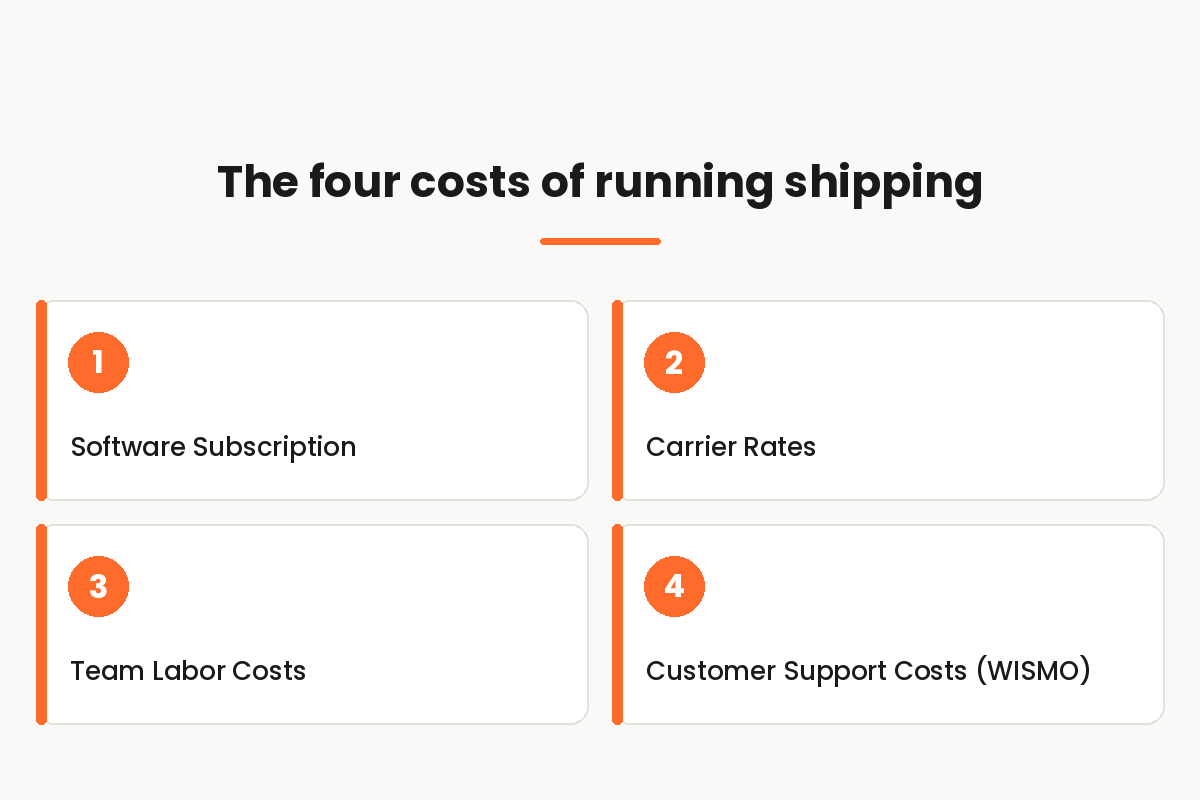
The question that decides this is which platform gives you more control over each of the four costs that make up shipping. Every one of them is a number you can pull from your own systems this week.
- Software fees. The plan price at your annual label volume, plus any separate subscriptions you run alongside it.
- Carrier spend. What you pay per label by carrier and service, and how each service gets chosen in the first place.
- Operational labor. The hours your team spends choosing carriers by hand, correcting labels and working exceptions.
- CX costs. Your monthly where-is-my-order (WISMO) contacts, the share your agents take by phone, and your cost per contact.
Filled in, that list changes the question you take into a renewal meeting. You stop asking who charges less per month and start asking who moves the other three numbers. A platform that trims the subscription while leaving carrier selection, manual rate shopping and WISMO volume exactly where they are has not reduced your cost of shipping at all.
AfterShip Shipping acts on the first three. Published plans let you price your own volume before a sales call, live rate comparison and a per-shipment service recommendation work on carrier spend, and automation rules take manual carrier picking off your team. The fourth pillar runs through AfterShip Tracking, a separate subscription that your Shipping labels can sync into.
Scurri vs. AfterShip Shipping: A TCO Showdown
Five criteria decide this at renewal, and they map onto the four pillars rather than onto feature counts.
| Criteria | AfterShip Shipping | Scurri |
|---|---|---|
| Pricing model | Published plans (Free, Essentials, Pro, Enterprise) priced by label volume; transparent before you talk to sales. | Feature bundles (Plus, Premium, Pro) priced by consultation; Scurri states its pricing suits 100K+ shipments a year. |
| Carrier rate optimization | Smart Carrier Recommendation selects the best-value service per shipment, excluding services with high exception rates on that route using AfterShip tracking data (all plans); automation rules on Pro and Enterprise. | Merchant-configured rules and uploaded rate cards; cheapest-service selection on the Pro bundle. |
| Operational workflow | Dedicated products for shipping, tracking, returns, and warranty on one data layer; labels sync into AfterShip Tracking (separate subscription). | Scurri Connect plus separately sold modules: Track Plus, Checkout and Returns (returns via a ZigZag partnership). |
| CX & WISMO reduction | Labels sync into AfterShip Tracking for proactive, branded delivery notifications. | Track Plus: branded tracking emails and timeline, estimated delivery dates. |
| Analytics | Analytics on carrier performance, delivery times and shipping costs feeding carrier selection. | Volume, transit-time, tracking, exceptions and rates reports, by bundle. |
Both platforms automate carrier selection. What separates them is the data behind the choice.
Scurri's carrier management page states that its selection weighs delivery speed, cost and reliability against your pre-set criteria. AfterShip Shipping works from live rates and from delivery estimates produced by AfterShip's delivery date model, which reads historical tracking data for that carrier service on that lane rather than the carrier's published transit time. Those inputs sit on one data layer, and the platform recommends a service for each shipment.
The same data layer feeds the analytics: carrier performance, delivery times and shipping costs, which in turn inform which service each shipment ships on.
If your shortlist runs wider than two names, compare multi-carrier shipping software across the category on the same five criteria. What decides most renewals is whether carrier choice is driven by your own delivery data or by a rule someone set last year. If the integration layer is in scope too, we have Banyan set against AfterShip on shipping APIs.
The CX and WISMO reduction row shows up in headcount rather than on an invoice.
"The branded tracking pages and notifications have helped us reduce customer inquiries and improve trust." That line comes from an AfterShip Tracking review on G2 by Sachin D., Senior Talent Acquisition Specialist at a mid-market company (51-1000 employees), September 2025. The listing holds 4.7/5 from 311 reviews in September 2026.
How AfterShip Shipping Acts on Your Carrier Spend
Your carrier invoice is the line you have the most room to move. Most attempts to reduce e-commerce shipping costs start and stop at renegotiating a contract, when the bigger lever is which service each parcel actually travels on.
Rates. Compare live rates across rate-enabled carriers and discounted-label services such as DPD, Evri and Parcelforce, and upload your own negotiated rates on Enterprise. Rate-enabled carriers are UPS, FedEx, DHL Express and TNT, and the discounted-label services are supplied through AfterShip's shipping partner Easyship. Live rate comparison is the daily work of multi-carrier parcel shipping, and it is where reducing shipping costs starts. Teams that compare real-time shipping rates on every order find the gaps a carrier contract alone will not close.
Smart Carrier Recommendation. AfterShip Shipping recommends the best-value carrier service for each shipment. Once you switch it on, it excludes services with a high exception rate on that origin-and-destination route, based on AfterShip's own tracking data, and it runs on all plans, including for UK shipments. A shopper's checkout selection and any matching automation rule still take priority, so the recommendation fills the gap rather than overriding your setup.
Your own carrier accounts. Connect the accounts you already hold and apply the rates you negotiated, so the comparison runs against your real prices rather than list ones. Smart Carrier Recommendation can also surface services you have not connected, showing the projected savings and the number of shipments each would affect. That gives you a specific, evidenced position to take into your next carrier review instead of a general request for a better rate.
Together those three levers work on the same pillar from different angles: what a service costs today, which service is worth using on that lane, and what you can negotiate next. All three run on AfterShip Shipping today, on the plans named above.
Hidden Labor and Support Costs: What AfterShip Automates
Start with where your team's hours actually go. Choosing a service by hand on each order, correcting labels, and answering shoppers who cannot see their parcel are three jobs that grow with your volume.
Three live mechanisms act on that.
Smart Carrier Recommendation runs on all plans and removes the manual rate-shopping step from each order.
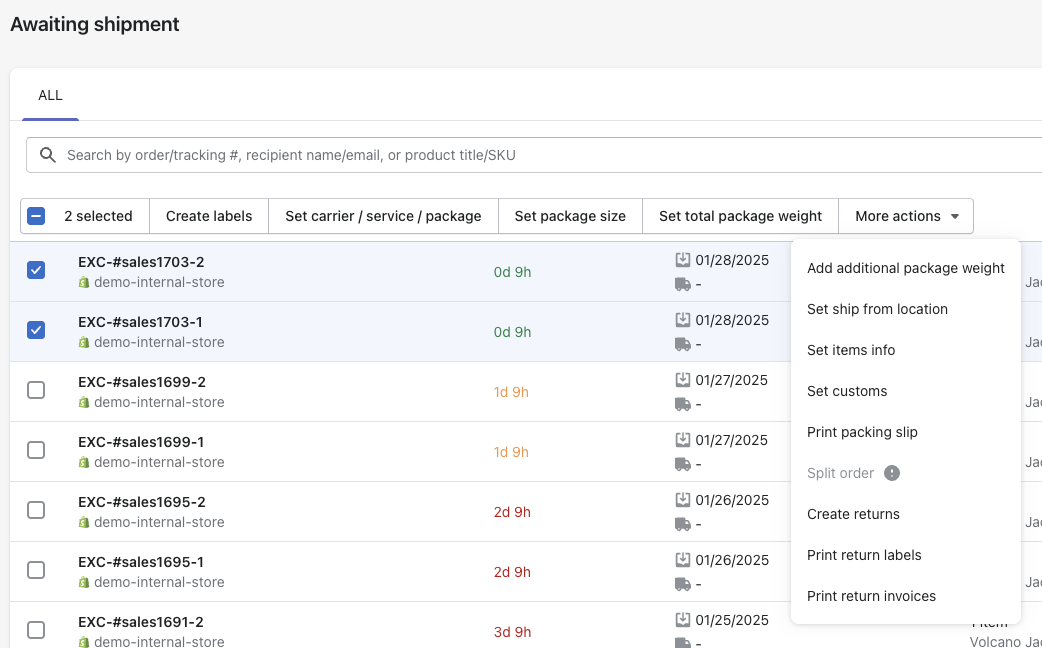
Automation rules, on Pro and Enterprise, set a carrier account and service when an order matches conditions you define, such as destination, package weight, item count or SKU.
Label sync into AfterShip Tracking. AfterShip Shipping labels sync into AfterShip Tracking for proactive delivery updates. The sync needs an active AfterShip Tracking subscription and draws on its shipment quota, so these are two subscriptions. Proactive branded notifications tell shoppers where their order is before they ask.
Turning that into a number takes two separate calculations. For the labor pillar, take the orders a month your team still assigns a carrier by hand, multiply by the minutes each decision takes, and multiply again by your loaded hourly cost. For the CX pillar, take your monthly WISMO contacts, multiply by the share your agents handle by phone, and multiply by the cost of an inbound call. Keep the two apart; they come from different budgets.
| Input | Where the number comes from |
|---|---|
| Orders a month assigned a carrier by hand | your order system |
| Minutes per manual decision and team hourly cost | your team and payroll |
| WISMO contacts a month | your helpdesk |
| Share of those handled by phone | your helpdesk |
| Average cost of an inbound call (UK) | GBP 6.17, ContactBabel, The UK Contact Centre Decision-Makers' Guide 2026 |
The Verdict: Choosing a Cost-Effective Alternative to Scurri
For UK and EU brands that want published pricing and carrier choices informed by delivery-performance data, AfterShip Shipping is the stronger fit.
Choose AfterShip Shipping if carrier performance, analytics and costs are starting to matter, and:
- you want each plan's price and label volume published before a sales conversation
- you want a carrier service recommended for each shipment from live rates and AfterShip's lane-level delivery data (all plans), working alongside automation rules on Pro and Enterprise
- you want dedicated products for shipping, tracking, returns, and warranty on one data layer, with labels syncing into AfterShip Tracking (a separate subscription)
- you want projected savings and affected shipments shown for carrier services you have not connected yet
Choose Scurri if:
- you ship more than 100,000 parcels a year, your carrier rules are simple and static, and you prefer a consultation-led, account-managed setup
In that case, a rules-based platform like Scurri can be enough. AfterShip Shipping supports rules-based setups too, and publishes each plan's price and label volume.
Do this first. Before your renewal date, list the carriers you need live rates from, then price your own annual label volume on AfterShip Shipping's published plans. If you want more than two names on the list, see a wider shortlist of Scurri replacements.
FAQ: Evaluating Scurri Alternatives
What's the real difference between AfterShip and ShipStation for DTC?
Both are multi-carrier shipping tools, so the difference is architectural. AfterShip runs shipping, tracking, returns, and warranty as dedicated products on one data layer, each a separate subscription, which keeps the post-purchase experience native to the same platform. Carrier selection draws on AfterShip's own tracking data through Smart Carrier Recommendation, so the service chosen for a shipment reflects how carriers have actually performed on that lane.
How hard is it to migrate from Scurri to AfterShip?
Work through it in three steps. Connect the carrier accounts you already hold, so your own negotiated rates apply. Then rebuild your existing rules as automation rules, available on Pro and Enterprise, or switch on Smart Carrier Recommendation, which needs no rules at all and runs on every plan. Finally, if you run AfterShip Tracking, turn on the label sync so shipments created in AfterShip Shipping appear there; that is a separate subscription with its own shipment quota.
Does AfterShip support UK/EU carriers like Royal Mail, DPD, Evri?
Both AfterShip Shipping and Scurri work with Royal Mail, DPD, Evri, Parcelforce, DHL, UPS and FedEx. AfterShip Shipping works with 130+ carriers. AfterShip Shipping creates Royal Mail labels on your own Royal Mail account once your AfterShip account team enables it. Live rates come from rate-enabled carriers, which are UPS, FedEx, DHL Express and TNT, and from discounted-label services, with your own negotiated rates uploaded on Enterprise. Smart Carrier Recommendation works on UK shipments on all plans.
Does AfterShip Shipping automatically choose the cheapest carrier?
It recommends the best-value service, which is not always the cheapest one. Smart Carrier Recommendation balances cost against delivery speed, so it can select a more expensive service when the delivery time saved is worth the cost. It also excludes services with a high exception rate on that route, based on AfterShip's own tracking data. Cheapest-service selection is common across shipping platforms; the difference here is the lane-level tracking data behind the choice.