You installed Route to solve package tracking and offer protection. Both platforms now do that, so the real question is not which has more features - it is who owns your customer after checkout, what each platform will tell you about its own costs, and what it takes to leave. On all three, a Shopify brand that plans to scale is better served by AfterShip, and the move itself is more involved than uninstalling an app.
If you are running Route today, you know the shape of it. The tracking page carries someone else's brand. WISMO tickets, the ones asking where an order is, did not fall as far as you hoped. And post-purchase work sits across separate apps that do not talk to each other.
AfterShip vs Route for Shopify: The 30-Second Verdict
Seven questions decide AfterShip vs Route for most Shopify brands. The table answers all seven.
On the Shopify App Store, read 3 September 2026, AfterShip Tracking holds 4.6 out of 5 from more than 1,400 reviews, and Route holds 4.0 out of 5 from more than 350.
Great app with very helpful support. Karan from AfterShip support was patient, professional, and solved my CSV tracking import issue quickly. Saved me a lot of time. Highly recommended.
amerivale, United States, five stars, Shopify App Store, 8 February 2026
| Criteria | AfterShip | Route |
|---|---|---|
| Brand Experience Control | Tracking page runs on your own domain through the Shopify Proxy URL, carrying your brand assets and product recommendations. | Markets a visual tracking experience that replaces generic carrier pages. |
| WISMO Reduction Effectiveness | Named carrier statuses, delivered through native Klaviyo and Attentive inside the program you already run. | SMS, push and email shipping notifications, toggled and managed in Route's Merchant Portal. |
| Claims Management Control | You configure coverage rules, the approval flow and the claim experience. AfterShip names InsureShield on its Protection product page. | Coverage arrangement documented on a separate insurance page. |
| Complete post-purchase suite (shipping, tracking, returns, warranty) | All four run first-party on one data layer, so one order reads as one record across the stack. | Protect, Track, Cash Back, Engage and Returns; Returns requires the merchant's own EasyPost account. |
| Shopify Flow Integration | Connects to Flow, fed by tracking and returns data from one platform. | Listing states it works with Checkout and Shopify Flow. |
| Scalability for Growth | Plan tiers step up with order volume, and the platform adds products without adding vendors. | Pricing page notes a minimum gross merchandise value requirement may apply. |
| True ROI (Cost vs. Value) | Lowest premium of $1.5 for every $100 order value, stepping by band. AfterShip billing help centre, read 3 September 2026. | Publishes no protection rate on any surface. |
Two questions run through the whole table: which platform owns the surface your customer sees after checkout, and which one publishes what it charges to run it.
What Actually Changes When You Move from Route to AfterShip
Start with the surface. The tracking page your customer opens is served through the Shopify Proxy URL under your own domain, carrying your brand rather than a vendor's. The highest-intent traffic your store gets, customers checking an order they have already paid for, lands on a page you control and can merchandise.
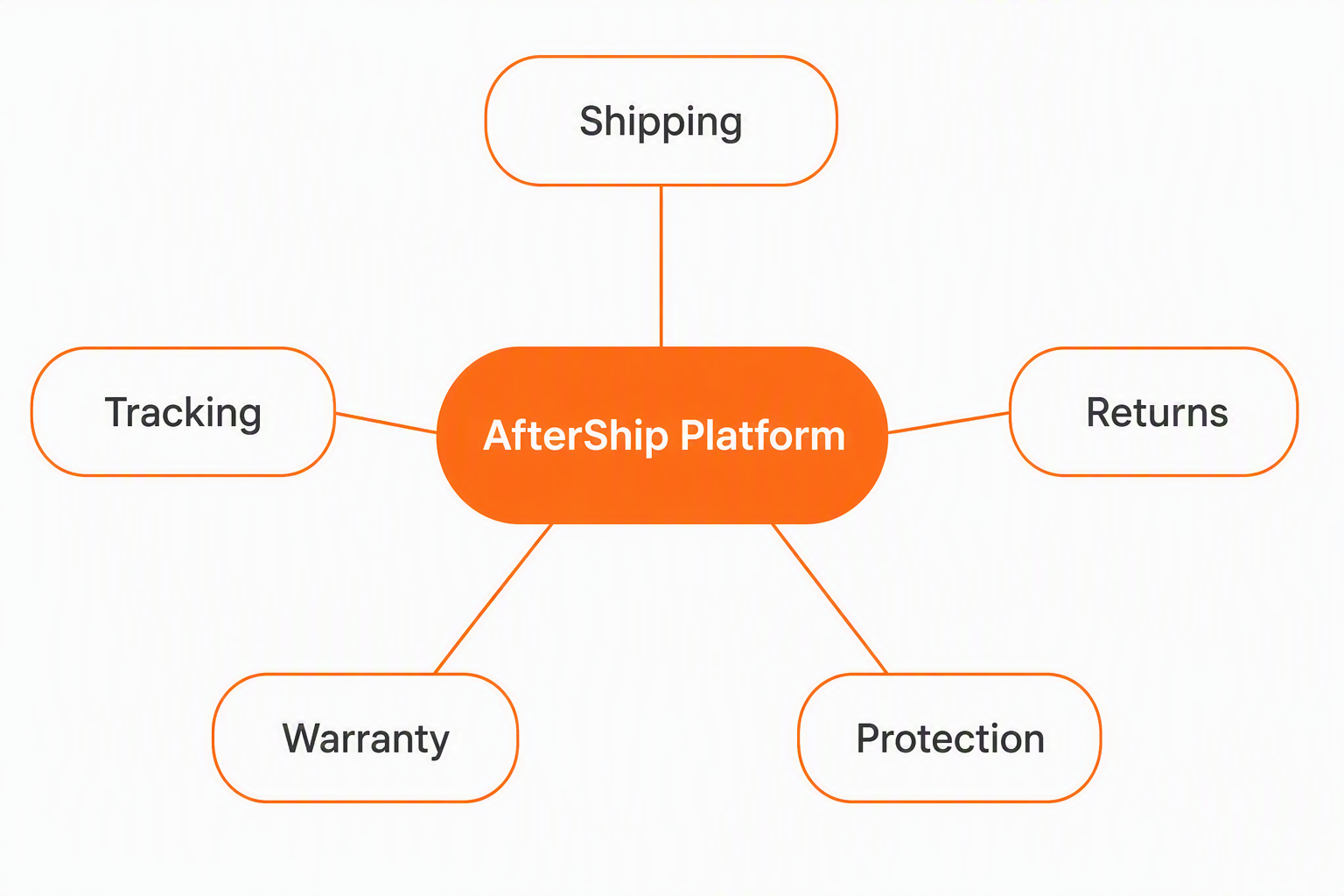
Then the data underneath it. AfterShip runs tracking, returns and protection on one data layer. A delivery exception, a return reason and a protection claim describe the same order rather than three unrelated events. Separate widgets each hold a slice, and stitching those slices together afterward is work your team does by hand.
Then the money. Someone always pays for coverage. The question is who carries the charge, whether you get to choose, and whether the platform publishes the rate before you commit.
A feature list will not settle any of that, which is why we have covered Route set against AfterShip separately. AfterShip vs Route, for a brand that has already decided to move, comes down to what the move actually takes.
Where Shopify Specificity Changes the Answer
Most of this comparison would read the same on any platform. Two parts of it would not: where your tracking page actually lives, and how much of a protection claim you get to configure.
Branded Tracking & WISMO Reduction
Shopify package tracking, in its generic carrier-style form, answers one question, where the parcel is. Both platforms improve on that baseline, so whether your tracking page is branded is settled ground. The open questions are whose brand it carries and whose domain it runs on, and your customer opens that page repeatedly between checkout and delivery, already paid up and already waiting. Baymard Institute's 2024 Order Tracking and Returns UX benchmark, 20 large sites against 27 research-based guidelines, argues for a transparent first-party tracking experience.
That page runs on your own domain, as covered above. Check the plan before you promise it internally: the custom domain sits on Tracking Premium, not Essentials.
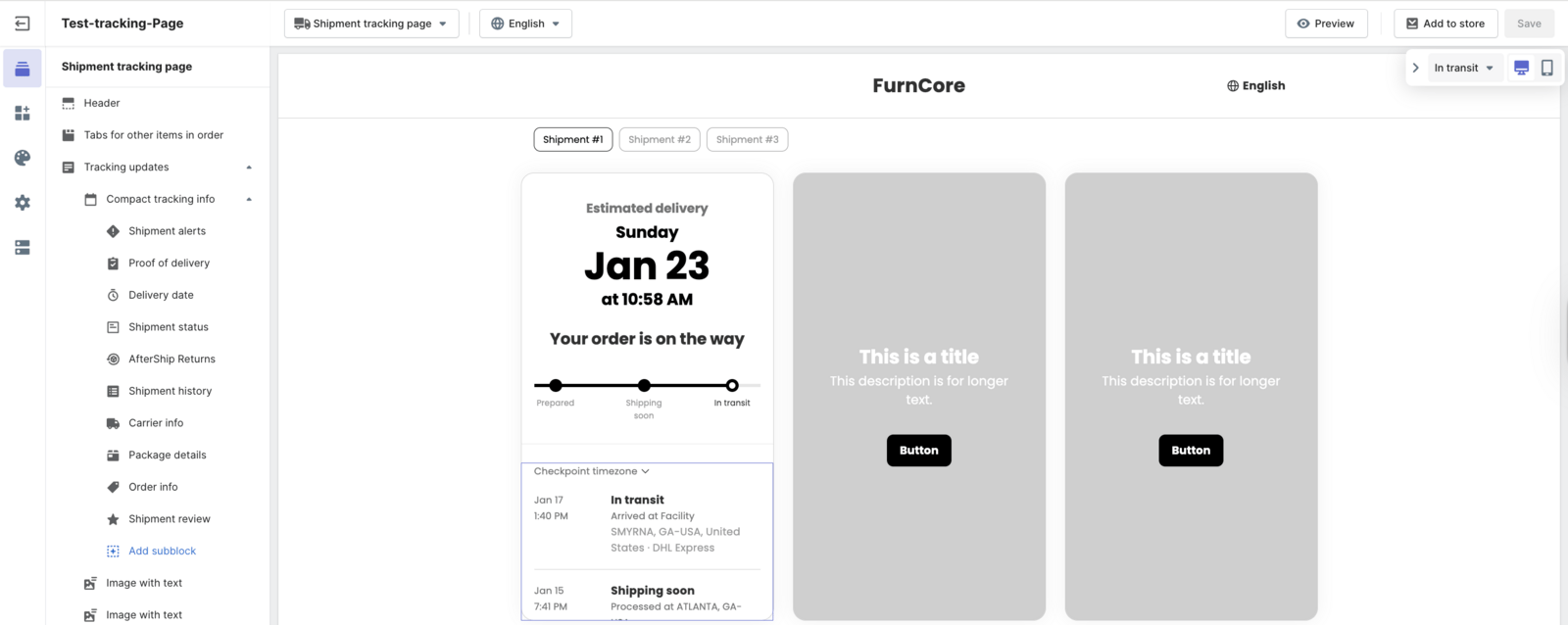
The AfterShip tracking page editor: content blocks on the left, and a live preview carrying the merchant's brand, the delivery estimate, the status bar and the carrier checkpoint trail.
The page handles the customer who comes looking. Notifications handle the customer who otherwise would. AfterShip reduces WISMO tickets with proactive, multi-channel shipping notifications. They fire on the carrier statuses that actually change a shopper's day: Info Received, In Transit, Out for Delivery, Available for Pickup, Delivered, Failed Attempt and Exception. Those go out through native Klaviyo and Attentive integrations, so the message arrives inside the email and SMS program you already run rather than from a second vendor with its own templates.
A Failed Attempt alert that reaches someone before they write in is a ticket that never opens. AfterShip shrinks that queue on two axes, status depth and delivery channel, and its deep integration with Shopify and Shopify Flow is what wires both into the store you already run. That is also why AfterShip keeps turning up as one of the best branded tracking apps for Shopify.
Package Protection & Claims Management
Both AfterShip Protection and Route's protection product are insurer-backed. What separates them is how much of the program the merchant controls, and where each company publishes what it has arranged.
AfterShip Protection is a merchant-branded plan you configure: the rules that decide what is covered, the approval flow, and the claim experience your customer actually meets. AfterShip names InsureShield on its Protection product page, where a buyer evaluating the product is already looking. Route documents its coverage arrangement on a separate insurance page. If you want the two put side by side, we have a head-to-head feature comparison of protection providers elsewhere.
On that same AfterShip product page, InsureShield's data shows 95% of claims are approved, within 2 to 5 business days. For the claim itself, step by step, see how each platform handles a lost-parcel claim.
One limit to state plainly before you build a plan around it. AfterShip Protection enrollment is currently open only to business entities based in the USA, on Shopify or Shopify Plus, with a store currency of USD, more than 5,000 annual orders, and a claim ratio at or below 3%. Clear that bar, as a brand at the scale this article is written for usually does, and the gate is working for you rather than against you: it is what keeps the pool vetted and low-claims-risk, and it is confined to Protection. Tracking carries no such gate: AfterShip's tracking page, read 14 October 2026, puts it at 2,000+ carriers in one integration, and neither Returns nor Shipping is restricted this way.
The practical test is whether the claim experience your customer meets after a lost parcel is one you wrote. You can also learn how AfterShip Protection compares to other providers separately, but that is the question the comparison comes down to.
AfterShip vs Route Pricing on Shopify: What Each Platform Publishes
Both platforms offer the shopper-funded model for checkout protection. The shopper opts into a coverage fee, and no software subscription attaches to that model on either side. AfterShip adds a second path, standard SaaS pricing, and lets you decide whether you or your customers will pay.
Disclosure is where a finance team feels the difference. AfterShip publishes its protection premium on its own billing help centre, and the charge steps by 100-dollar band, so you can put the program in a model before you turn it on. Route publishes no rate on any surface.
A rate that is not published is a rate you cannot forecast.
Return-label economics sit outside all of this and are not shopper-funded on either side. Route documents that the merchant or the customer pays for return labels. Keep that line item out of any protection comparison you build, or you will end up comparing two different things.
For a brand drafting next year's post-purchase budget, the useful test is whether you can put a number in the spreadsheet before you commit. With AfterShip you can, from a page you can open today.
The Verdict: Why AfterShip is the Best Route Alternative for Shopify in 2026
The decision comes down to two lists. Read both honestly and one of them will describe your next twelve months.
Choose AfterShip if:
- You want the post-purchase surface running on a domain you own, embedded through the Shopify Proxy URL rather than pointed at someone else's page.
- You want shipping, tracking, returns, and warranty on one data layer, with one record per order instead of four tools each holding a fragment.
- You want to configure the protection program yourself: what is covered, how claims are approved, and what your customer sees when they file one.
- You want protection pricing you can put in a model before you commit, because the rate is published.
- You want the platform your store runs on to have vetted the app. AfterShip Tracking and Returns both carry Built for Shopify certification.
Choose Route if:
- Your only requirement is a checkout protection widget with no software line item.
- You do not need the tracking surface on your own domain.
AfterShip provides a complete, brand-owned post-purchase platform for Shopify. For a merchant weighing the best alternative to Route on Shopify, that is the upgrade. What remains is making the move without breaking the storefront or your agreement.
How to Migrate from Route to AfterShip on Shopify
Three steps, in this order. The first one is paperwork, and it is the step that can cost you money.
1. Read your Route paperwork before you touch anything.
Pull your service order and your Route agreement together, because they say different things and you need both. Route's agreement reserves the right to treat removing its code or uninstalling its services from your storefront as a material breach, at Route's election. Early-termination fees are not defined in that agreement at all. They live in your service order, which is the document specific to your account.
So start with the paperwork. Find your notice period, give notice in writing, and set your cutover date after it expires rather than before. Do this in week one, because the notice period is the only part of this migration you cannot compress.
2. Stand up AfterShip and verify it on real orders.
Install the app and connect your store. Configure the tracking page and point it at your own domain: the documentation on how to embed your tracking page through the Shopify Proxy URL covers the exact setup, and it is worth following step by step rather than from memory. Connect your notification channels next, then push real orders through and watch what your customer would see.
Verify three things before you go further. The tracking page resolves on your domain. Notifications fire on the statuses you configured, to the right shopper, in your own templates. Your order data is flowing rather than sitting empty. If you are eligible, apply for AfterShip Protection at this stage too, since approval is not instant.
3. Cut over, then remove Route.
Run both in parallel until AfterShip is live and verified. There is no prize for switching in a single afternoon, and an overlap gives you real orders to test against while the old system is still catching anything you missed.
Once you are satisfied, follow Route's own published uninstall for Shopify, which has three parts: remove the app, delete the Route Package Protection product from your catalogue, and remove the route-div element from your theme. Route's own documentation has you switch off Shopify's "Out for the delivery" and "Delivered" notifications, so turn them back on or repoint them to AfterShip. The theme edit is the one teams forget, and leaving it behind puts a dead element on a live storefront. Check the page source after you publish. From there the post-purchase surface is yours.
Frequently Asked Questions
Is AfterShip Protection the same as shipping insurance?
Not in the sense of a policy you buy for your own account. AfterShip Protection is a merchant-branded coverage program you configure and offer to shoppers at checkout, insurer-backed, with AfterShip naming InsureShield on its Protection product page. You set what is covered and how claims are approved, and your customer files a claim inside your brand rather than with a company they have never dealt with.
Is AfterShip Protection available outside the US?
AfterShip Protection enrollment is currently limited to US-based business entities, the one gate covered earlier in this article. Tracking, Returns and Shipping carry no such restriction and run globally, so a brand outside the US can move its tracking and returns onto AfterShip today. If you are consolidating a post-purchase stack, the gate does not block the move.
Can I keep using Route while I set up AfterShip?
Yes, and running both in parallel is the recommended sequence. Install AfterShip, configure the tracking page on your domain, and verify notifications against real orders while Route is still handling protection. Only once AfterShip is live and verified do you follow Route's published uninstall steps. Check your Route agreement first, since it governs the notice you owe. A short overlap means you are never without a tracking surface, and it gives you live orders to test against rather than a staging store.
Does AfterShip work with Klaviyo?
Yes, natively, and with Attentive as well. Shipping notifications fire into the email and SMS programs you already run, so post-purchase messages match the rest of your customer communication instead of arriving from a separate vendor with its own templates. That also means your marketing team edits them in the tool they already work in, which is usually what keeps them maintained.