You are running Wonderment for tracking and Loop for returns. Since December 2024 those have been the same company. So why are they still two subscriptions, two meters, two quotas and two contracts that renew on different terms, and why does your delivery data still not talk to your returns data?
Loop announced its acquisition of Wonderment on 10 December 2024, and Wonderment is now Loop Tracking. That makes this one vendor selling two products, with the seam between them still yours to operate.
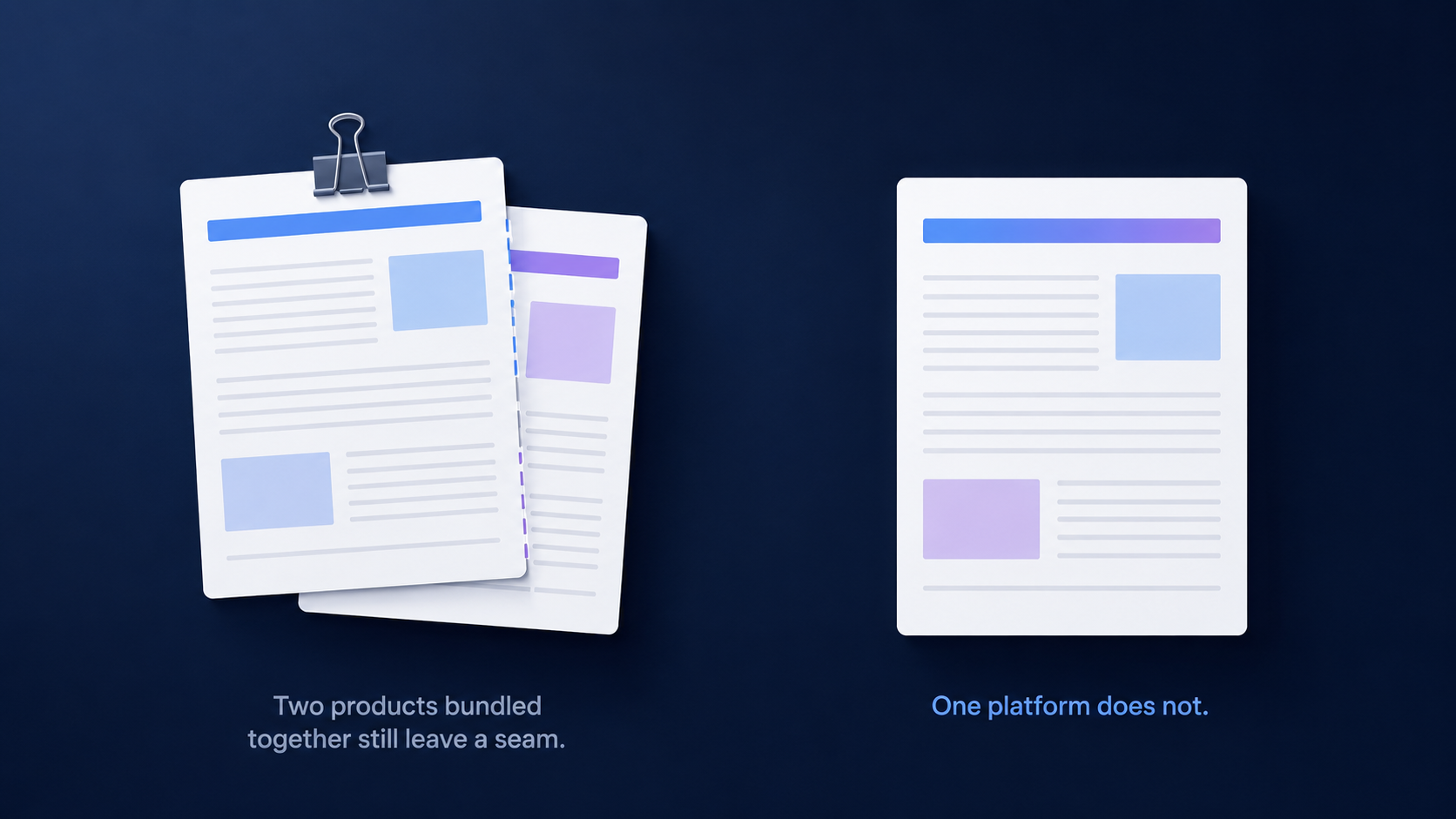
So the comparison that matters is AfterShip vs Wonderment and Loop as they exist now: one platform against one vendor's two products. AfterShip runs tracking and returns on one platform with one data layer, and it publishes a specialist-assisted path for moving off another post-purchase platform.
One Vendor Is Not One Platform
Loop owns both products and markets a "Bundle and save 10% OFF" option across them. That is the commercial reality today, so any case for consolidating your post-purchase stack has to start there rather than argue that you are paying two companies.
A bundle discount changes what you pay. It does not change what you operate. Running Loop Tracking alongside Loop Returns still means:
- Two Shopify App Store listings, billed separately
- Two meters, one counting shipments and one counting returns
- Two quotas that fill at different rates
- Two contract terms, because standalone Loop Tracking is month to month while every other Loop plan requires an annual contract
Loop's own help centre is the clearest source on the seam. It describes the link between Loop Returns and Wonderment as an integration, and states that merchants must be customers of both. For how Loop compares with its closest returns rival, see Loop measured against Redo for Shopify returns.
AfterShip puts both products on a single platform and a single data layer. One data model, and one set of delivery events that your returns workflows can read directly.
Moving Tracking: What Carries Over, and What Changes Tier
The tracking side is where switching actually costs you something, and it is not the tracking page.
Loop Tracking has no notification engine of its own. It writes 14 named "Wonderment -" events into your Klaviyo account, which means every post-purchase flow you own today fires off one of those events. Move the tracking layer and those triggers stop firing.
AfterShip Tracking supplies its own Klaviyo metrics in their place: 10 flow metrics on public plans and 18 on Enterprise, 2 item content blocks against 5, and 57 text variables on both. Most of the map is direct. Attempted Delivery and Delivery Error land on the standard delivery and exception flow metrics available on public plans.
Two of them do not. Shipment Stalled maps to the stalled-order scenario and ETA Changed maps to the EDD scenario, and both of those flow metrics are Enterprise. (AI EDD as a Tracking product feature sits on Premium. The Klaviyo EDD flow metric is a different surface.) If those two flows carry real weight in your current setup, price Enterprise into the move rather than discovering it afterwards.
AfterShip publishes a Narvar to AfterShip Klaviyo transition guide and no Loop Tracking equivalent, so plan this as a one-time rebuild with a specialist rather than a self-serve afternoon.
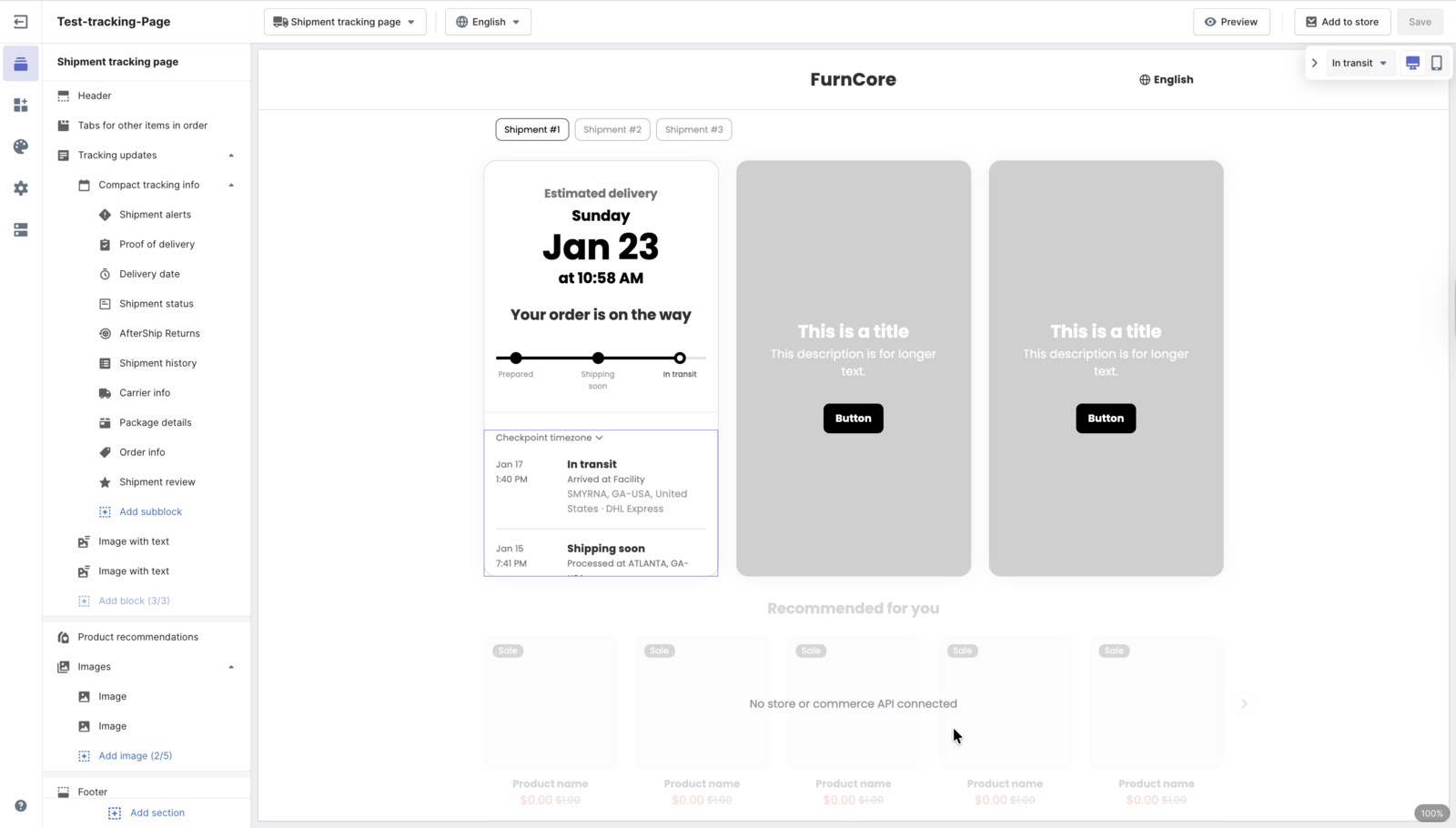
Everything the shopper sees moves across more easily than the plumbing behind it. Here is the honest split.
| Capability | Carries over unchanged | Has to be rebuilt | Changes tier |
|---|---|---|---|
| Branded tracking page | Your logo, colours and brand assets, and the shopper-facing job the page does | The page itself, recreated in AfterShip's tracking page editor | No |
| Notifications and Klaviyo flows | Your Klaviyo account, lists, segments and email templates | Every flow trigger. Loop Tracking writes its own named events into your Klaviyo account, and those give way to AfterShip's Klaviyo metrics | Yes. The stalled-shipment and ETA-change flow metrics are Enterprise |
| Delivery estimates | A delivery date on the tracking page and in notifications | Estimate settings are configured fresh | Yes. AI EDD as a Tracking product feature is Premium. The separate Klaviyo EDD flow metric is Enterprise |
| Analytics | Order and shipment history already held in your commerce platform | Dashboards, saved views and any scheduled reporting | No |
| API and webhooks | Your own endpoints and the systems consuming them | Endpoint configuration and payload mapping, re-pointed to AfterShip | No |
The branded page, the delivery data and the API surface arrive intact. The rebuild is scoped and it happens once, and it lands you on a platform where those same delivery events are already available to your returns workflows.
Moving Returns: The Switching Cost That Is Not Real
The returns side carries the fear that stops most migrations, and it is the easiest one to check.
Loop issues store credit through Shopify's own Gift Card API. The gift card is created by Loop, but it lives in your Shopify admin under Products > Gift Cards. Outstanding balances sit in your Shopify data, so they stay exactly where they are when you cut over.
That removes the largest perceived cost of evaluating a Loop Returns alternative. What remains is configuration work.
Your portal gets rebuilt with your branding. Your automation rules get re-authored against the AfterShip Returns rule set. Exchanges and refund methods map across at the level of policy, so the question is which outcomes you want to offer rather than which toggle sits where.
This section is about switching risk. The feature-level view of how AfterShip compares to Loop Returns is a separate comparison.
Loop's bonus-credit logic is deep, and a brand running incentive-weighted store credit should plan to rebuild that logic deliberately rather than assume it ports. AfterShip's automation engine picks the same job up from a different input: because returns and tracking read from the same data layer, a return workflow can be triggered by a verified carrier delivery event instead of a date or a manual status change.
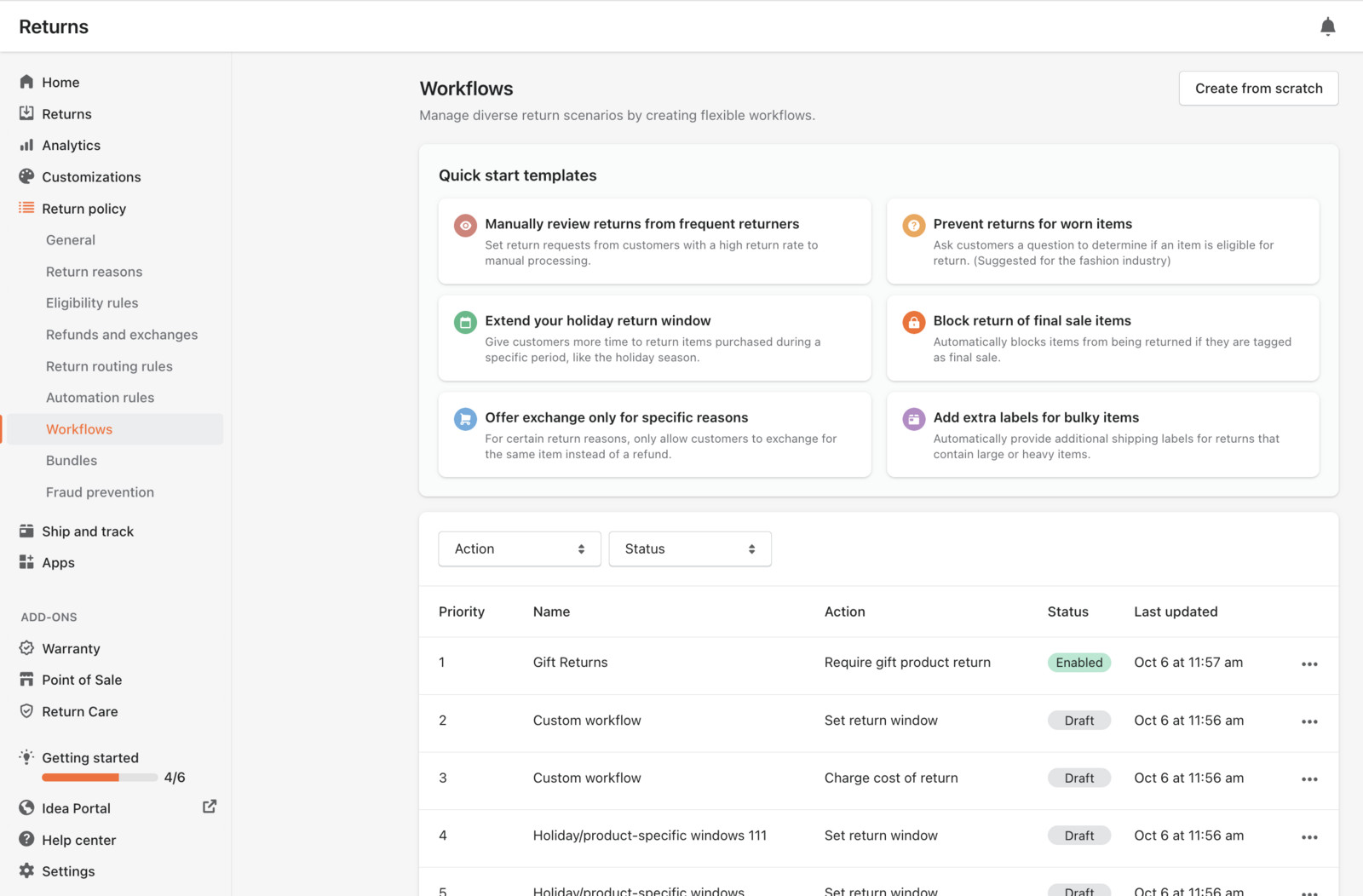
Here is what survives the move and what you should budget time for.
| Capability | Carries over unchanged | Has to be rebuilt | Changes tier |
|---|---|---|---|
| Returns portal | Your policy content, brand assets and the return reasons you offer | The portal itself, recreated in AfterShip's builder | No |
| Automation rules | The decisions your current rules encode, which transfer as intent | Each rule, re-authored in AfterShip's workflow editor | No |
| Exchanges | Your exchange policy and the catalogue shoppers exchange into | Exchange flows and their conditions are configured again | No |
| Refund methods | The resolution types you offer shoppers today | Method-level routing rules are set up again | No |
| Store credit balances | Everything. Loop issues store credit through Shopify's Gift Card API, and the gift card lives in your Shopify admin under Products and Gift Cards | Nothing | No |
| Historical returns data | Records already written back to your commerce platform | Export and re-import for reporting continuity. Loop's returns API caps each export pull at a 120-day window, so plan the pulls | No |
Nothing on the returns side is unrecoverable. What you gain is a rules engine that can act on what the carrier actually did.
The Platform Advantage: One Data Layer, and What It Actually Buys You
A single platform is a claim worth testing, so start with the part you can open and look at.
AfterShip publishes the Revenue Center dashboard, which consolidates Tracking, Personalization and Returns on a revenue-attribution axis. It is available on all plans on Shopify. The nearest cross-product reporting Loop documents is its Stuck Shipping Status Report, which covers inbound return labels only.
Revenue Center is where unified post-purchase analytics stops being an architecture argument and becomes a number you can put in front of finance. Tracking-page engagement, personalization revenue and returns outcomes land on one attribution axis, so your post-purchase stack reports as a single line item in the business case instead of three you assemble by hand.
The second thing is structural rather than pre-built. Both datasets sit in one platform and one API, so delivery events can trigger return-side workflows and both feed the same analytics layer. One data layer is what makes that possible. The specific analysis stays yours to build.
The trigger side is what an operations team feels first. A verified delivery event can start a return-side workflow the moment the carrier confirms it, because that workflow is reading the same records the tracking side wrote.
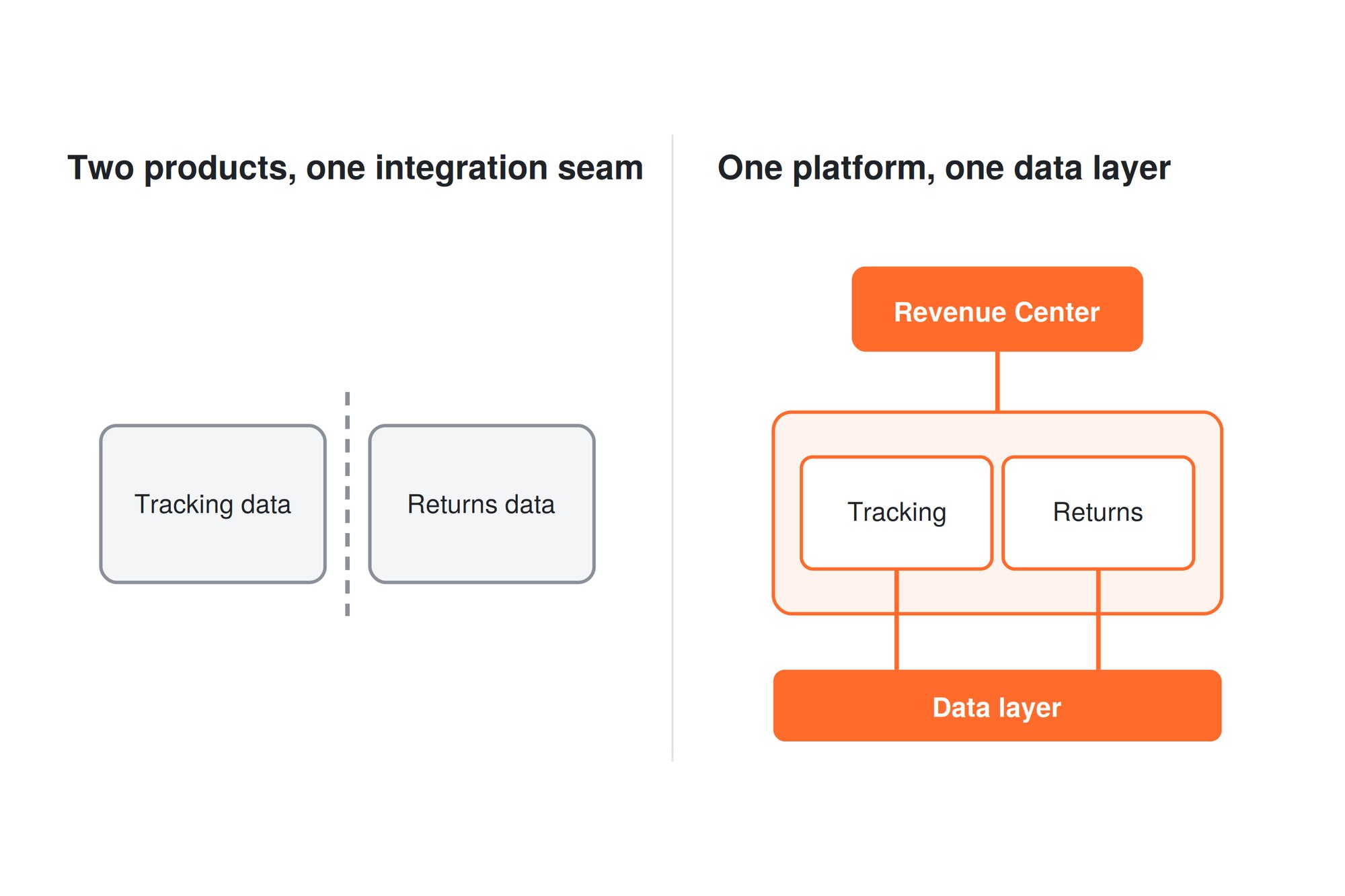
For a team writing that consolidation business case, this is the difference between two reporting surfaces you reconcile by hand and one revenue view you can open.
What a Migration Actually Looked Like: Smith Optics
Smith Optics moved both products to AfterShip in a single migration. The brand selected AfterShip Tracking and AfterShip Returns to run post-purchase on Shopify Plus, migrating from a previous provider.
Per AfterShip's published Smith Optics case study: a 77% transit email open rate, a 30% transit email click rate, $10,000 migration fee avoided, and a $2,000 per year integration fee eliminated.
Per the same case study, the brand cut average return processing time to under 3 days and had exchanges live on day one. The page also records that AfterShip natively integrated with Smith's tech stack out of the box, including Attentive, Klaviyo, and Gladly. Gladly is Smith's customer service platform, and connecting it was one of the line items the previous provider billed for separately.
One caveat, stated plainly. No vendor in this category, AfterShip included, publishes an outcome metric attributable to consolidation itself. That is why this section is one brand's migration rather than a category statistic, and a named migration with published numbers is the more honest evidence.
What Smith Optics does demonstrate is a dual-product move that landed on Shopify Plus with the existing marketing stack intact from day one.
The Cost Conversation, Honestly
Price is where consolidation arguments usually go wrong, so here is the honest shape of it at 1,000 to 50,000 orders a month.
AfterShip's published sliders stop before your range ends. Tracking moves to custom pricing on every tier at 7,000 shipments a month. Returns moves to custom pricing on every tier at 6,000 returns a year. Past those points you are in a quote.
Two things follow from that, and neither one flatters us. Above those thresholds you cannot self-serve your way to a number at your volume. Loop publishes a computable per-shipment rate at volumes where AfterShip quotes, which is easier to model against on a spreadsheet.
At scale, AfterShip is custom-quoted, and per-unit economics improve with volume. The entry-tier overage rate is not the enterprise rate. Any model built by adding a flat overage to a published base misprices the tier, because both sliders re-price the whole tier at the volume you select.
So the argument moves onto four things that come with buying one platform:
- A single bundle covering two or more AfterShip products at 25% off the first year, against the bundle discount Loop advertises across its two products
- Consolidation onto one contract and one invoice at Enterprise, and at Enterprise only
- A unified revenue view across tracking and returns, covered above
- Cost avoidance of the kind Smith Optics recorded, skipping an incumbent migration fee and dropping a recurring annual integration fee
Return Care belongs in the same conversation as an AfterShip capability: a qualifying US Shopify brand can run the returns side with no monthly software cost through it. Eligibility is specific. It sits on top of a Returns Premium or higher plan plus a separate AfterShip Protection subscription, and Protection requires Shopify or Shopify Plus, a US business entity, a USD store currency, more than 5,000 orders a year, and a claim ratio at or below 3%.
What consolidating actually puts in front of a finance review is concrete: one commercial relationship to negotiate, one bundle covering both products, and a revenue view that already spans tracking and returns.
Making the Switch: Your Migration Path
AfterShip documents a four-step path, and Loop's own documentation supplies the calendar around it. Together they turn a vague switching risk into a schedule you can put on a slide.
- Plan. A dedicated Solutions Architect maps customer data, workflows and reports before anything moves. This is the sales-assisted route attached to Enterprise and custom onboarding. Premium plans get standard onboarding.
- Migrate. Pull returns history in 120-day windows, because Loop's returns API caps each export pull at that range. Store credit needs no migration at all, since those balances already sit in your Shopify admin.
- Test. Rebuild the Klaviyo flows scoped earlier and fire them against live shipments before cutover. This is the step most worth over-resourcing.
- Scale. Loop recommends leaving the prior system active for 30 to 60 days after go-live, so budget for a parallel run.
Each step has a named owner on your side as well. Plan is an operations decision. Migrate is a data task. Test belongs to whoever owns your Klaviyo account, and Scale is the finance and CX call about when to stop running two systems at once.
The whole sequence runs on a parallel system, which turns the risk window into a calendar entry.
AfterShip does not charge a Shopify migration fee, and the specialist-assisted path for moving off another post-purchase platform is available before you commit to a cutover date.
The Verdict for 2026
For a mid-market Shopify DTC brand, the question is no longer which vendor, because it is already one vendor. What you are deciding is whether two bundled products with two meters and an integration seam beat one platform with one data layer, one bundle checkout, and a documented migration path. That is a narrower question than the one most comparison pages answer, and it is the one your renewal date actually asks.
Two cases make staying put reasonable. A brand that only needs standalone tracking and values Loop's month-to-month term has a real reason to keep it. So does a brand whose entire returns operation runs on bonus-credit logic it has tuned over years.
For the growth case, the answer is AfterShip. If you are running both products, adding volume, and writing a 2026 consolidation business case, one platform, a single bundle and a specialist-assisted migration is the stronger position to hold twelve months from now.
Proactive shipment tracking that delights your customers, reduces WISMO tickets, and improves your delivery performance.
Book a Demo with a Migration SpecialistFrequently Asked Questions
Can AfterShip replace Loop Returns?
Yes. AfterShip Returns covers the returns portal, automation rules, exchanges, refund methods and store credit that a Loop Returns setup runs on. The move is configuration work, and store credit balances stay in your Shopify admin throughout.
Does AfterShip have branded tracking pages like Wonderment?
Yes. AfterShip Tracking includes a branded tracking page editor with live preview and branding controls, so the shopper-facing page is rebuilt with your own design.
What happens to my Loop store credit if I switch?
Loop issues store credit through Shopify's Gift Card API. The gift card lives in your Shopify admin under Products > Gift Cards, so outstanding balances stay with your store when you leave Loop.
Do I have to rebuild my Klaviyo flows to move off Loop Tracking?
Yes. Loop Tracking writes its own named events into your Klaviyo account, so any flow built on those events needs repointing to AfterShip's Klaviyo metrics. Most map directly on public plans. The stalled-shipment and ETA-change equivalents are Enterprise flow metrics.
Does AfterShip charge a migration fee?
AfterShip does not charge a Shopify migration fee. Moving off another post-purchase platform runs on a specialist-assisted path, with a dedicated Solutions Architect on Enterprise and custom onboarding plans.
