Why the Default UPS Tracking Page Is Failing Your Brand
Your brand is nowhere in sight, the status reads 'In Transit: Departed from Facility,' and the only next step the page offers is a UPS account - not a way back to you.
Your customer clicked "Track My Order" in your shipping email and landed on ups.com. For a Shopify brand shipping 1,000 to 20,000 orders a month, that page turns a simple delivery question into a support ticket and hands the post-purchase moment to the carrier. The best UPS tracking alternatives replace it with a branded page, set up without code, that keeps the customer inside your brand.
The default page lets a growing brand down in four specific ways:
- No branding of yours. The default UPS page shows none of your branding: no logo and no store name. UPS's own branded option is a separate program you must be approved for, carrier by carrier. AfterShip gives you a fully branded page across every carrier with no carrier approval required.
- Status language your customer cannot act on. UPS's support glossary defines seven customer-facing statuses. Live tracking history emits "Departed from Facility", "Arrived at Facility" and free-text delay sentences such as "A late flight has caused a delay," none of which appear in that glossary. A delay that arrives as a sentence rather than a defined status leaves your customer guessing, and guessing customers create WISMO tickets.
- A dead-end journey. Every link on the page goes to a UPS-owned property, and none leads back to your store. Research from the Baymard Institute found that shoppers visit carrier sites "mainly when the test sites forced them to by not providing complete tracking information," and that third-party tracking pages "consistently failed to include a direct link to the 'Order Details' page."
- It sells UPS, not you. The page pushes a UPS account, from the Log In button to an assistant inviting the shopper to "personalize your experience by logging in or signing up." The corrective actions a worried shopper wants sit inside UPS My Choice, UPS's own membership program, where the free tier charges $5.99 to $14.99 per delivery change.
The fix sits at the link in your shipping confirmation, which decides the page your customer opens, and AfterShip lets you point that link at a page you own.
The Solution: Taking Control with a Branded Tracking Page
Better UPS tracking starts with a branded tracking page, which moves the post-purchase moment back to your store. The customer stays in your ecosystem, reads a status written in words they understand, and sees your next step instead of the carrier's.
There is a cost side to that clarity. According to Gartner, "The median cost per contact is $1.84 for self-service and $13.50 for assisted channels." Every delivery question your tracking page answers on its own is a contact that stays on the self-service side of that gap. Branded tracking pages help reduce "Where Is My Order?" support tickets.
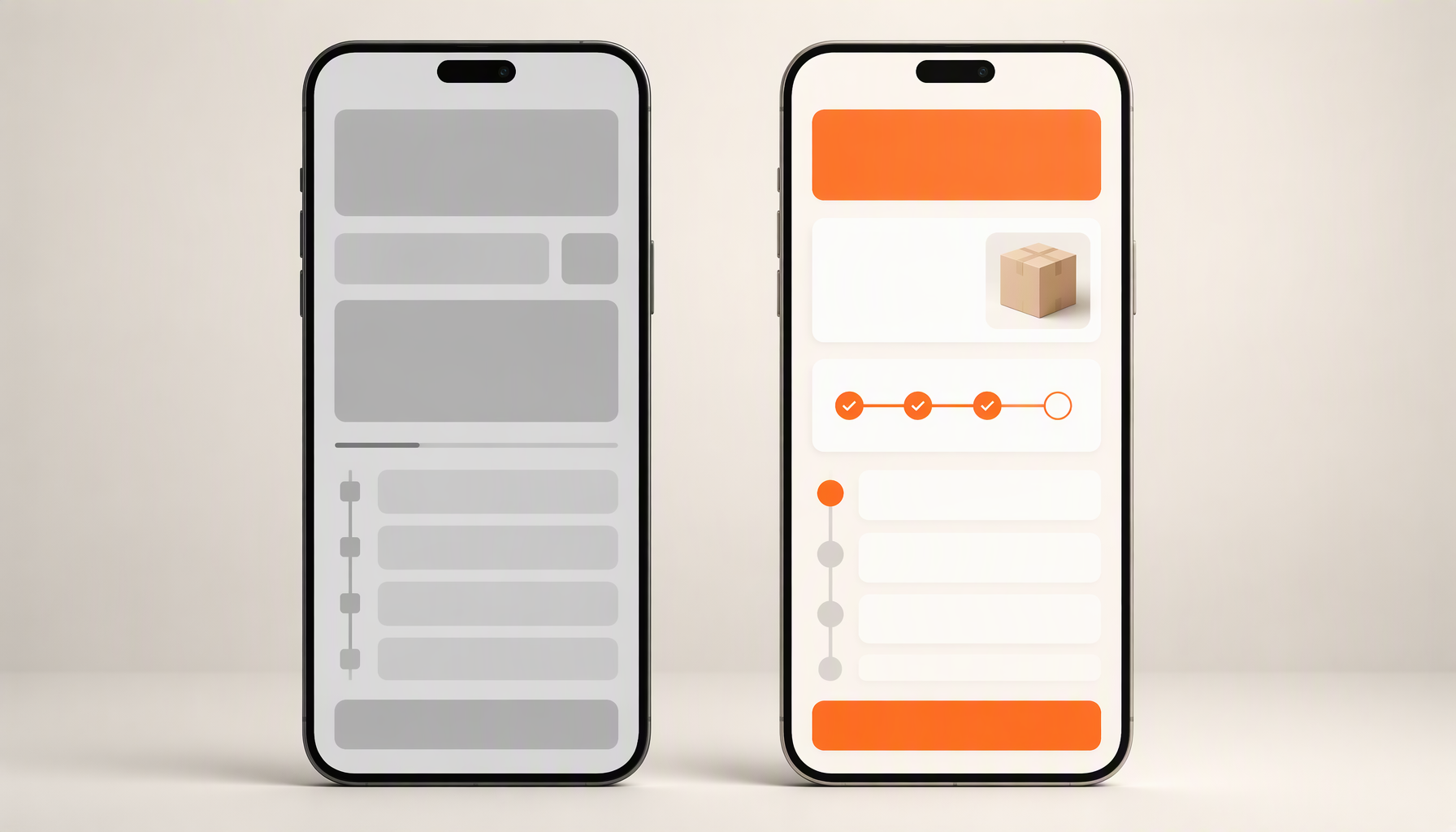
AfterShip replaces the generic UPS tracking page with a branded experience. The same page carries your logo on every shipment, whichever carrier moves it.
AfterShip Tracking: Your Custom UPS Experience, and More
AfterShip Tracking is the tracking product in AfterShip's suite of shipping, tracking, returns, and warranty, built to replace the carrier page your customer lands on today.
A branded page from your first paid plan. AfterShip gives your customers a fully customizable, branded page in place of ups.com. The Essentials plan includes a "Branded tracking page with your logo & colors," and Premium or Enterprise puts that page on your own domain. It becomes your custom UPS tracking page and the page for every other carrier you use. The page leads with a named status, such as In transit, and carries the carrier's raw scan line beneath it as detail.
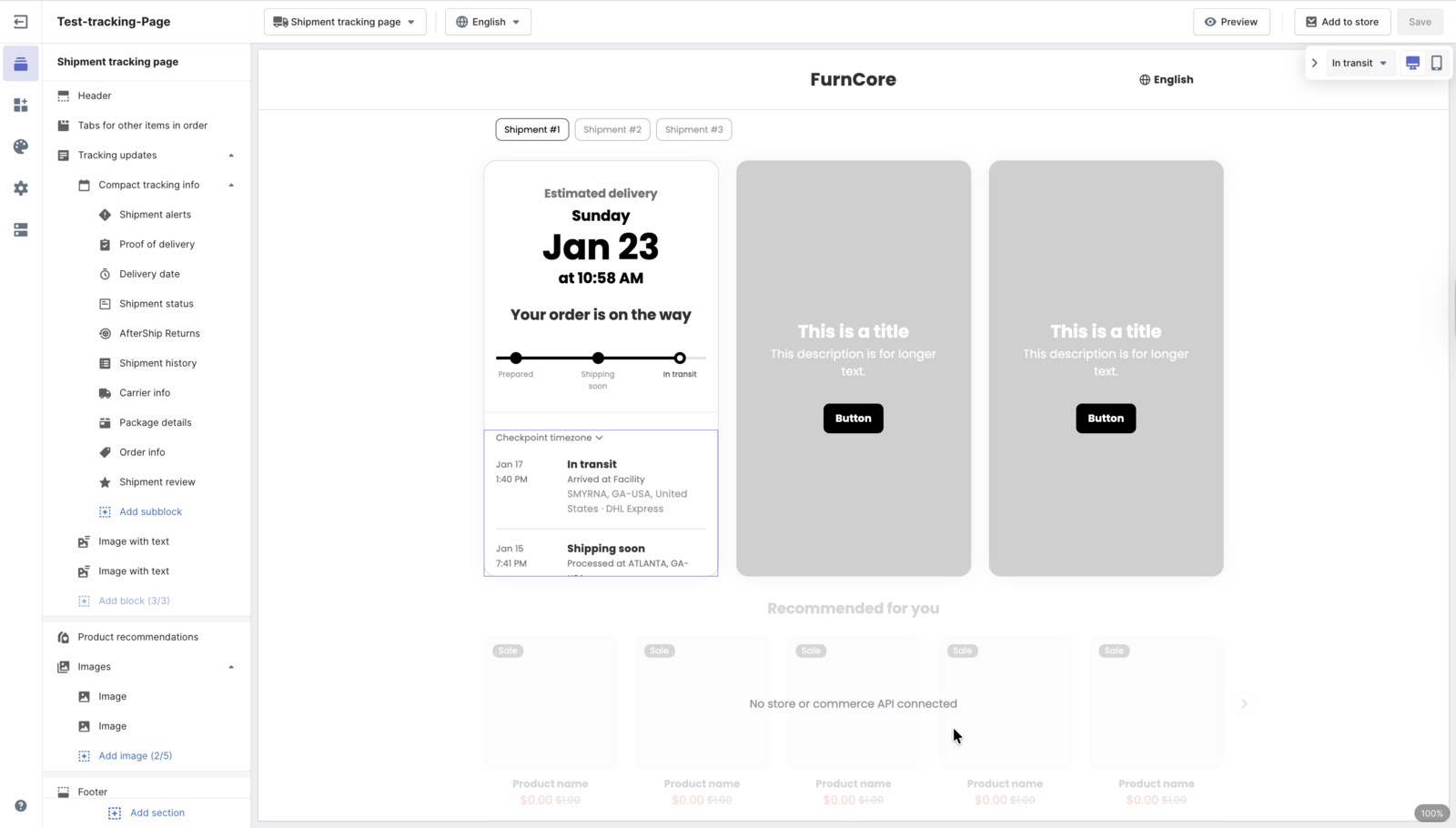
Proactive notifications in plain language. AfterShip provides proactive delivery notifications via email and SMS for UPS shipments. Each update names a status your customer recognizes, such as In Transit, Out for Delivery, Available for Pickup, Delivered, Failed Attempt or Exception.
The update reaches the customer before the question does.
Delivery estimates your customer can plan around. AfterShip shows AI-powered estimated delivery dates, "calculated from carrier reliability, route analysis, and delivery performance with up to 95% prediction accuracy." Where a UPS delay arrives as a free-text sentence, your branded UPS tracking page gives the customer a date to plan around.
UPS is rarely the only carrier in a growing brand's mix. With AfterShip Tracking you track across 1,900+ carriers in one integration, so every parcel, UPS included, lands on a page that carries your brand.
Top UPS Tracking Alternatives for 2026
A UPS tracking alternative has to do three jobs for a Shopify brand at 1,000 to 20,000 orders a month. It puts your brand on the tracking page, it tells the customer what is happening in words they recognize, and it covers every carrier you ship with alongside UPS.
Three tools are built for that brief: AfterShip Tracking, Narvar and Malomo.
Narvar is a post-purchase platform whose tracking runs on two products, Track and Notify. Track includes a self-serve track page editor, and Notify sends updates by email, SMS, WhatsApp and Line.
Malomo focuses on Shopify and Shopify Plus brands and has been owned by Redo since February 2026. It builds pages with a tracking page creator, sends Klaviyo events carrying carrier, product, customer and order data, and notifies customers by email and SMS.
AfterShip Tracking meets all three jobs on one integration: a branded page from Essentials, email and SMS updates in plain status language, and tracking across the full carrier mix. It also publishes both its pricing ladder and its analytics tiers on its own site.
AfterShip vs the Competition: A Head-to-Head Comparison
All three tools brand the tracking page without code, and all three notify customers proactively. The differences sit in pricing transparency, analytics depth and what the page can sell.
On aftership.com, AfterShip Tracking starts with a free plan and publishes a volume-based ladder above it, with predictable overage on every priced plan. Above about 5,000 orders a month, AfterShip pricing is quoted rather than published.
| Criteria | AfterShip Tracking | Narvar | Malomo (now part of Redo) |
|---|---|---|---|
| Shopify setup | No-code branded page setup on Shopify | Self-serve track page editor | Shopify and Shopify Plus focus |
| No-code branding | Logo and colors on Essentials, domain on Premium | Branded page; retailer chooses the domain | Branded page via tracking page creator |
| Notification channels | Email and SMS across named shipment statuses | Email, SMS, WhatsApp and Line | Email and SMS, Klaviyo shipment events |
| Pricing, 1,000 to 20,000 orders/mo | Essentials $199/mo annual at 5,000/mo; quoted above that | No public price published | $49/mo at 1,000 shipments; Growth from $400/mo |
| Analytics for reducing WISMO | Premium: custom views by carrier, lane, SKU, destination | Markets post-purchase insights across its platform | Named Shipment Reporting & Analytics area |
| On-page upsell and marketing | AI product recommendations on pages and notifications | Embeddable marketing assets and product recommendations | Klaviyo flows on carrier shipment statuses |
AfterShip's analytics read every carrier in the mix through one data layer. Essentials includes out-of-the-box dashboards on shipment volume, on-time performance and exception rates, and Premium adds custom views sliced by carrier, lane, SKU or destination that feed your BI tools. For a line-by-line view, see the full AfterShip and Narvar comparison.
Both AfterShip and Narvar mark the tracking page. Every live Narvar page checked carries "Powered by Narvar" in its footer, and AfterShip's help center states that its branding "appears in the following locations: Branded Tracking Page (BTP), Notification emails, Custom domain, Apple Wallet Tracking, 'Track with AfterShip' app prompt." AfterShip also publishes the way out: "Manual removal is available for Premium and Enterprise plan users. Additionally, users on any paid AfterShip plan can request branding removal by contacting support via chat."
The page content is yours from Essentials, and the address is yours from Premium.
The Verdict: The Best UPS Tracking Alternative for Growing DTC Brands
For a growing DTC brand on Shopify, AfterShip Tracking is the best UPS tracking alternative: published, volume-based pricing with a free plan, a branded page that needs no code and no carrier approval, and one integration for the whole carrier mix.
Choose AfterShip Tracking if...
- You want to see your price before you speak to sales, with a free plan, a published ladder and predictable overage.
- You need analytics you can act on, sliced by carrier, lane, SKU or destination.
- You ship 1,000 to 20,000 orders a month across several carriers and want one integration and one branded page covering all of them.
- You want to build and brand the page yourself, without code and without a carrier's approval.
Consider Narvar or Malomo if...
- You need tracking notifications on WhatsApp or Line as well as email and SMS (Narvar).
- You already work with Redo and want tracking from the same owner (Malomo).
Narvar is an established post-purchase platform used across brand sizes. The catch for a growing brand is transparency: Narvar publishes no public pricing, no order minimum and no implementation timeline on any page we checked, so a buyer cannot self-serve a cost or a go-live date. AfterShip publishes volume-based pricing and lets you set the branded page up yourself.
On the Shopify App Store, AfterShip Order Tracking holds a 4.6 out of 5 rating from 1,500+ reviews and carries the Built for Shopify badge, as read in September 2026.
Take Back Your Customer Journey. Proactive shipment tracking that delights your customers, reduces WISMO tickets, and improves your delivery performance.
Start Your Free TrialHow to Replace the UPS Tracking Page, a No-Code Setup
Replacing the default UPS page happens in your Shopify admin and your AfterShip account, with no developer involved. You need three things before you start: a Shopify store, an AfterShip Tracking account and an active UPS account.
- Add the app. Open your Shopify admin and install AfterShip on Shopify from the Shopify App Store.
- Connect UPS. AfterShip's UPS integration lists its requirements as "Active AfterShip Tracking account. Active UPS account", so connect the UPS account you already ship with and AfterShip UPS tracking picks up those shipments on your branded page.
- Customize the page. Add your logo and colors to the branded tracking page, which the Essentials plan includes. Then turn on email and SMS notifications for the statuses your customers care about most, such as Out for Delivery and Delivered.
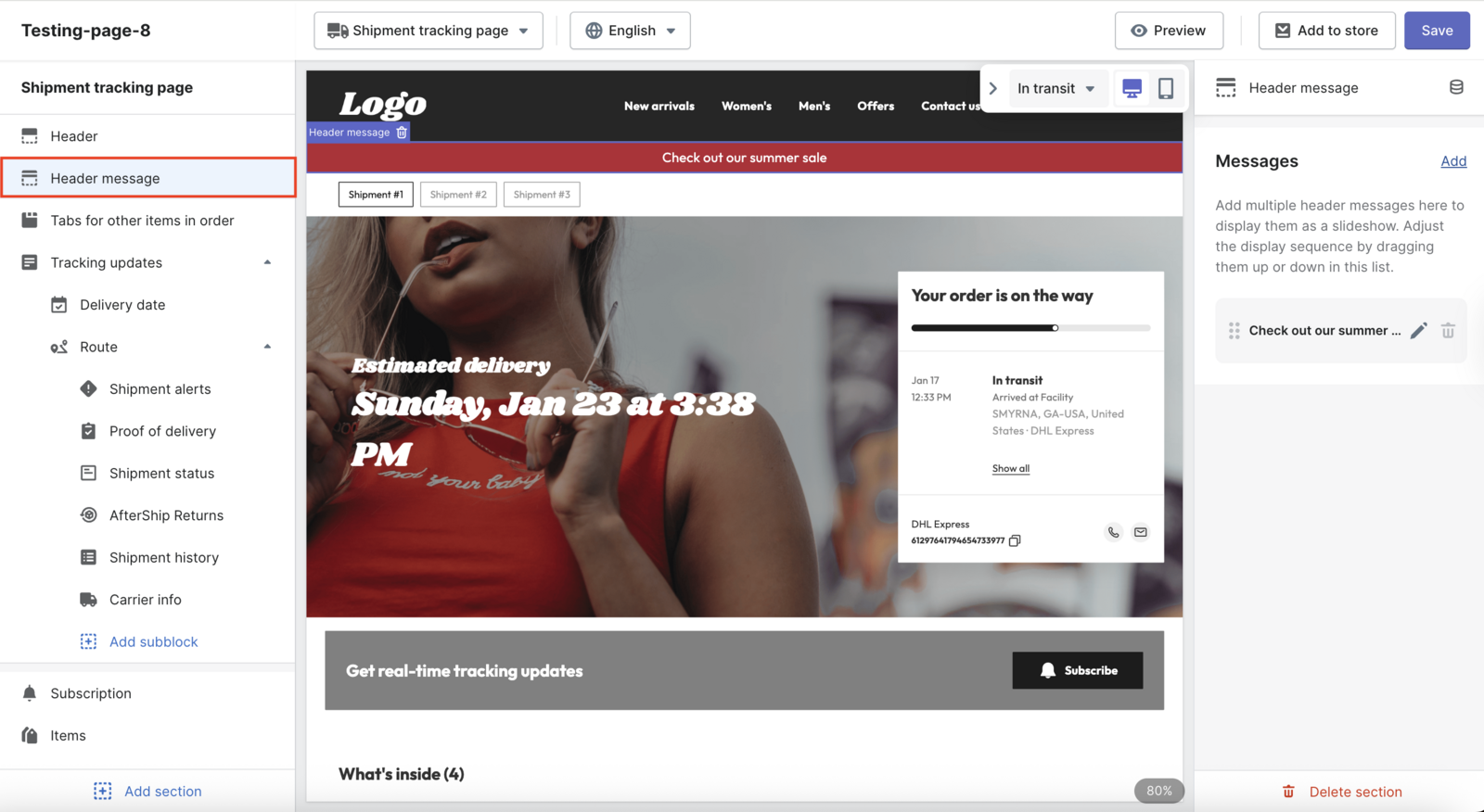
The branded page works immediately on the AfterShip-hosted URL. A fully custom domain is a Premium or Enterprise feature, and its DNS change can take up to 72 hours to propagate.
Whether or not your custom domain is live yet, AfterShip puts your brand in front of customers from the very first shipment.
Frequently Asked Questions
Can I still use my negotiated UPS rates?
Yes. AfterShip Tracking reads tracking data and does not buy labels or touch your rates, which belong to a different product, AfterShip Shipping. As AfterShip's own UPS carrier page puts it, "AfterShip provides package tracking services only." Your negotiated UPS pricing stays with your UPS account.
Does this work with carriers besides UPS?
Yes. AfterShip Tracking offers 1,900+ tracking integrations, so every carrier in your mix lands on the same branded page and sends the same proactive email and SMS updates.
How does this reduce support tickets?
Two ways. The branded page states each status in plain language your customer can act on, and proactive updates reach them before they think to ask. A delay appears as a named status with a delivery estimate beside it, so the customer has a date to plan around. Every answer a customer finds on the page is a self-service contact, and Gartner's customer service benchmarks put self-service at a far lower median cost per contact than assisted channels.
Do I need my own domain?
No. The branded page runs on an AfterShip-hosted URL from the Essentials plan, carrying your logo and colors. When you want the address to be yours too, a custom domain is available on Premium and Enterprise.
