You may be evaluating alternatives on routing or price, but the gap most teams miss is that your route planner only shows the customer your deliveries. The moment you also ship via UPS or FedEx, the customer sees two disconnected experiences.
That gap has a direct fix. Keep a route planner for the work your drivers do, and add a post-purchase layer that covers every carrier you ship with. This guide profiles five Track-POD alternatives for routing, then shows where AfterShip Tracking fits once parcels leave with a carrier. If you want the wider picture first, start with how to improve your last-mile delivery experience.
Why Teams Outgrow Track-POD
If you are reading route optimization software reviews ahead of a renewal, you are probably running more volume, more drivers and more carriers than when you signed. Track-POD was built around the deliveries its own drivers make, and four points tend to surface at that stage:
- Own-fleet scope. Customer tracking covers deliveries made through the app; no parcel-carrier integration appears on the pages checked, September 2026.
- Tier gating. Branded email and an ETA tracking-link notification come on every plan, while a branded tracking-page URL sits on the Ultimate, Enterprise and XL tiers.
- Operational analytics. Driver statistics and trip summaries are there; customer-engagement analytics were not found on the pages checked, September 2026.
- Recurring friction. Reviews dated 2024 and 2025 on Capterra point to pricing, ETA accuracy and SMTP or SMS notification reliability.
The Two Jobs of Last-Mile Software: Operations vs. Experience
Most last-mile delivery software bundles two different jobs into one screen. Separating them makes the buying decision clearer.
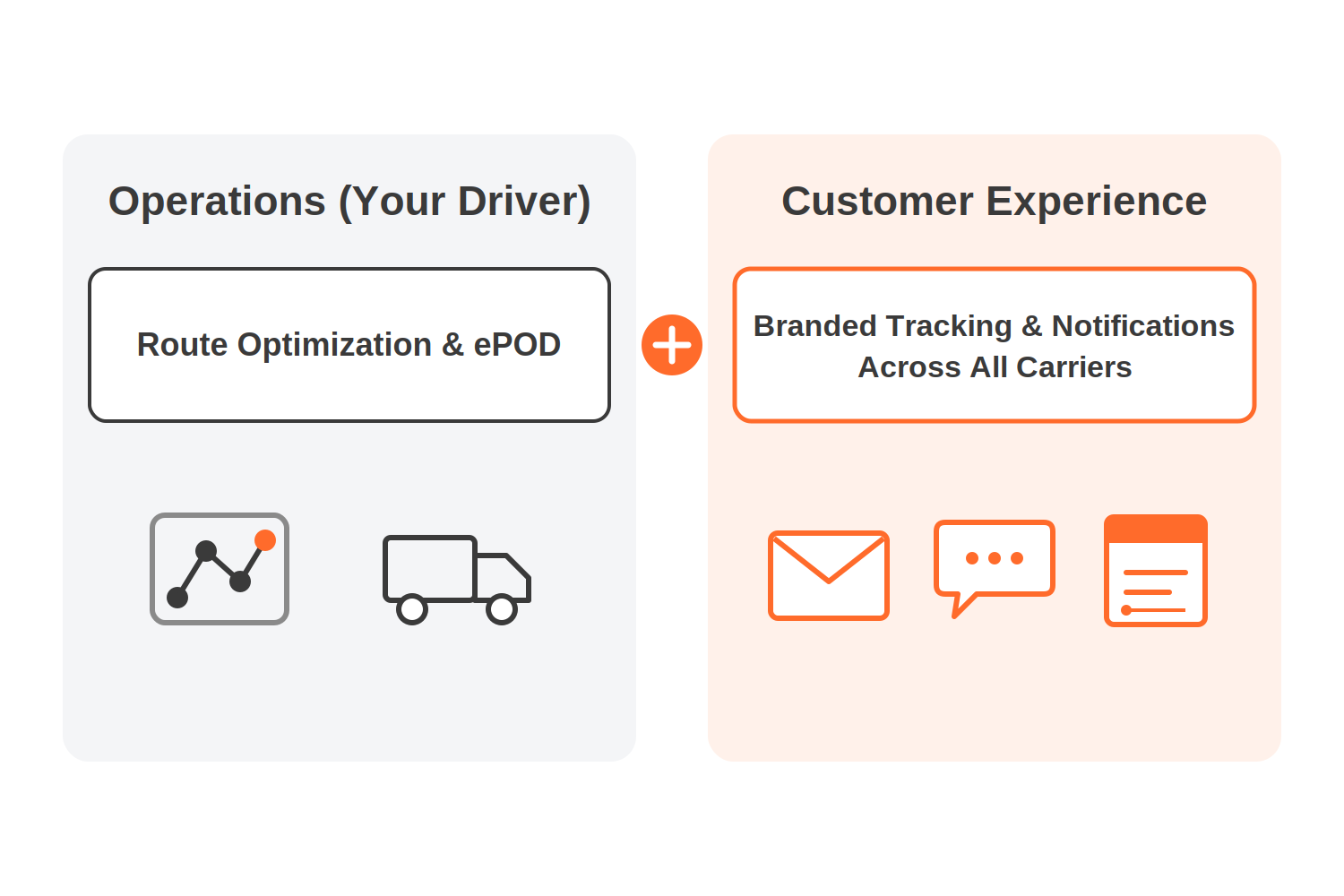
Job 1, operations: route optimization, driver dispatch and electronic proof of delivery (ePOD). This is what a route planner exists to do.
Job 2, customer experience: one branded tracking experience across every carrier you use, proactive notifications on all of them, fewer "where is my order" (WISMO) tickets and post-purchase engagement.
Route planners already brand and notify for their own deliveries. The job AfterShip adds is coverage across carriers. AfterShip Tracking does not plan routes, dispatch drivers or capture proof of delivery, so it pairs with a route planner and takes over the customer-facing half across every carrier.
Route planners manage drivers; AfterShip manages the customer experience.
Top 5 Direct Alternatives for Route Optimization & Fleet Management
If you are shortlisting a route planner or proof of delivery app to replace Track-POD, these five cover the operations job. Prices sit in the table below.
Routific
For small teams billed on order volume, Routific starts free at low volumes and charges per order above its bands. Customers get email notifications plus a Delivery Tracker link, and SMS is an add-on quoted on request.
Detrack
For teams that budget per driver, Detrack sells a driver-app plan, with route optimization starting on its Advanced tier. It sends branded customer notifications and tracking links over SMS, WhatsApp and email, and offers a REST API and webhooks.
Onfleet
For operations that count work in tasks, Onfleet bundles a monthly task allowance into each plan. Its entry plan includes a "Branded tracking experience", and notifications trigger on status changes and ETA.
Spoke Dispatch
For courier-style teams that plan by stops, Spoke Dispatch prices on monthly stop volume. Formerly Circuit for Teams, it was renamed on 23 October 2025. Every tier includes a standard recipient tracking page with customized SMS and email, and a branded recipient page comes above Starter.
OptimoRoute
For fleets that also want feedback after each visit, OptimoRoute prices per driver per month. It offers customizable text and email notifications, live tracking with ETA, and post-service surveys.
| Vendor | Entry price, billing mode and volume |
|---|---|
| Routific | Free up to 100 orders a month; $150 a month for 101 to 1,000 orders; per-order rates above that |
| Detrack | $29 per driver app, billed monthly (Pro); route optimization from $39 per driver app, billed monthly (Advanced) |
| Onfleet | From $619 a month (Launch), including 2,500 delivery or pickup tasks |
| Spoke Dispatch | Starter $125 a month for 1,000 stops, billed monthly |
| OptimoRoute | Per driver, per month |
The Problem: Your Route Planner Only Covers Your Own Drivers
Your customers do not care which vehicle carries their order. They care whether it arrives when promised, and whether they can see where it is without contacting you.
Delivery expectations shape the sale before the parcel ever moves: Baymard Institute lists "Delivery was too slow" at 20% among the reasons shoppers give for abandoning a checkout. After checkout, the same expectation turns into tracking questions.
A route planner covers the deliveries dispatched through it. Its tracking link, ETA and notifications follow your drivers. The break comes when an order goes out with UPS or FedEx instead. On the pages checked, September 2026, no route planner shows an own-fleet delivery and a parcel-carrier shipment together on one customer-facing page, or sends one branded stream of updates across both.
So the customer tracks one order on your planner's page and the next on a carrier site with different branding and wording. Your support team fields the questions that fall between the two. It is the same pattern as the gap between built-in logistics tracking and a dedicated solution: tracking that ships inside an operations tool covers that tool's scope and stops there.
The Solution: Complement Your Route Planner with AfterShip Tracking
Keep the route planner for routing, dispatch and proof of delivery. Add AfterShip Tracking as the second half of the stack, the layer your customers see. Your planner keeps running the day, and AfterShip picks up each order once it has a carrier tracking number or a fleet checkpoint.
AfterShip unifies tracking across 1,900+ carriers on one branded page. Connect your fleet's delivery data through AfterShip's API or a supported integration and those deliveries appear alongside your UPS and FedEx shipments in the same dashboard and the same customer-facing tracking page. AfterShip's carrier directory listed that total in September 2026.
AfterShip publishes connectors for Track-POD, Routific and Detrack. Each requires an active account on both sides. If your planner is not among them, the API is the route in, covered below.
If you are weighing tracking platforms against each other rather than against your route planner, Compare top order tracking platforms side by side before you commit.
Unify Your Tracking Experience
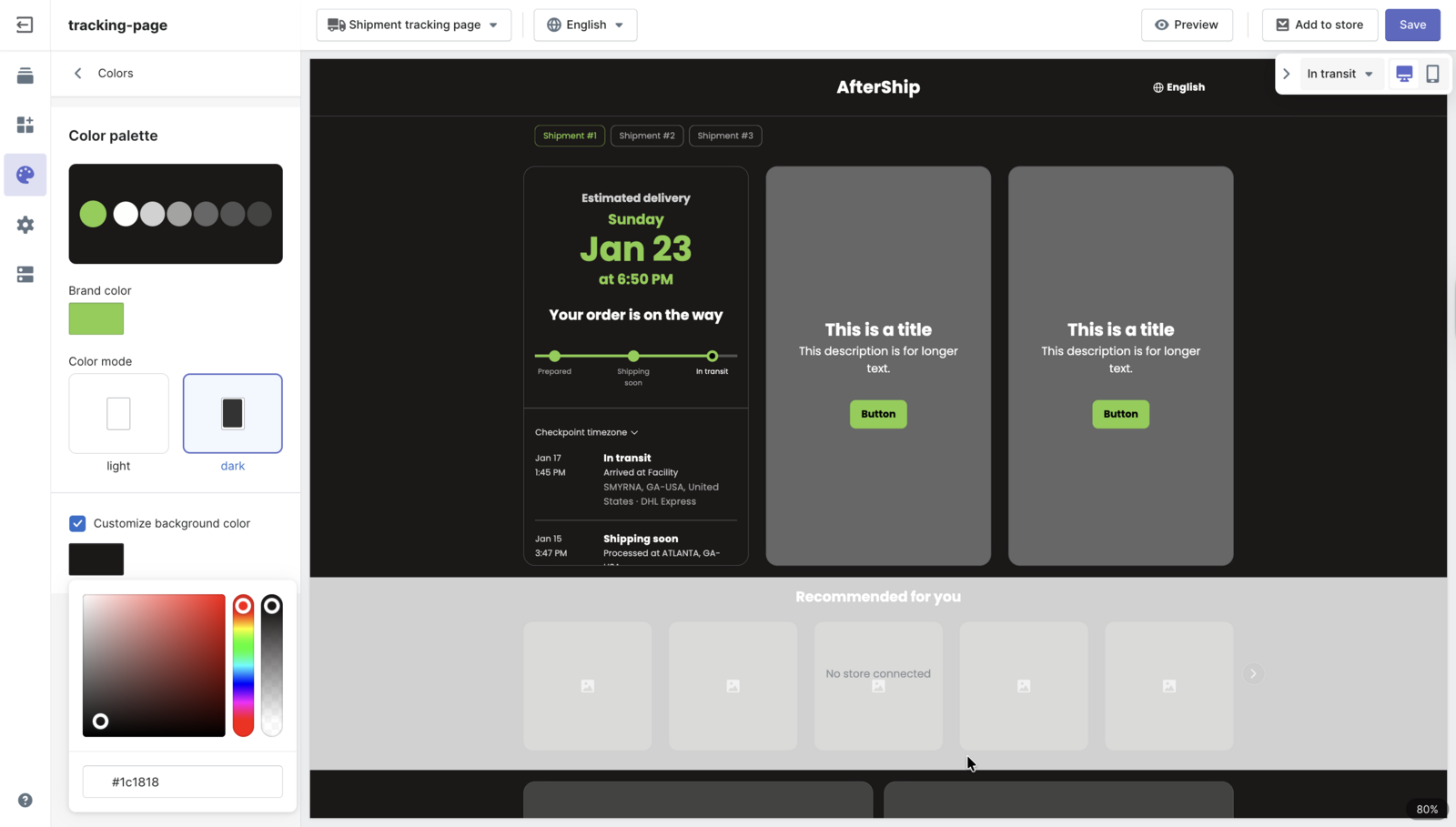
AfterShip unifies tracking for in-house fleets and third-party carriers. One tracking page replaces the split between your planner's link and each carrier's site:
- Every shipment, one page. UPS, FedEx and other parcel shipments sit on the same branded page as your fleet deliveries, under your logo and colors.
- Fleet deliveries under a carrier entry. Each fleet delivery is recorded under a carrier entry: either the route-planner connector or a custom carrier you define. Your fleet appears once its data is fed in through an integration or the API.
- Dates you control. For a custom fleet feed, the customer sees the statuses and dates you push rather than an AfterShip-modeled estimate. The fleet timeline reflects the checkpoints you send.
- A page that looks like your store. A consistent, on-brand page matters more once two delivery methods share it. For a wider view of the category, see the best branded tracking apps.
Reduce WISMO with Proactive Notifications
A WISMO ticket often starts with silence. The customer has not heard anything, so they ask.
AfterShip Tracking sends branded email and SMS at the moments customers watch for: in transit, out for delivery and delivered. Those updates go out for every carrier on the page, so a UPS parcel and a fleet delivery reach the customer with the same look and wording.
Fleet deliveries follow the same rule as parcels: when a checkpoint arrives, the matching update goes out. Email and SMS notifications are included from the Essentials plan up.
Each question you answer before it is asked is one less ticket in your support queue, and one more agent-hour for the exceptions that need a person. That matters most in peak weeks, when order volume climbs faster than headcount.
AfterShip customer StackCommerce cut WISMO tickets 71% year over year after giving its customers tracking visibility with AfterShip Tracking.

“AfterShip's shipment tracking is pretty amazing stuff. And I think the 71% drop in WISMO tickets is due to us providing that tracking visibility to our customers.”
Deryck Lim, Sr. Operations Manager
Read their story →Gain Full Visibility with Centralized Analytics
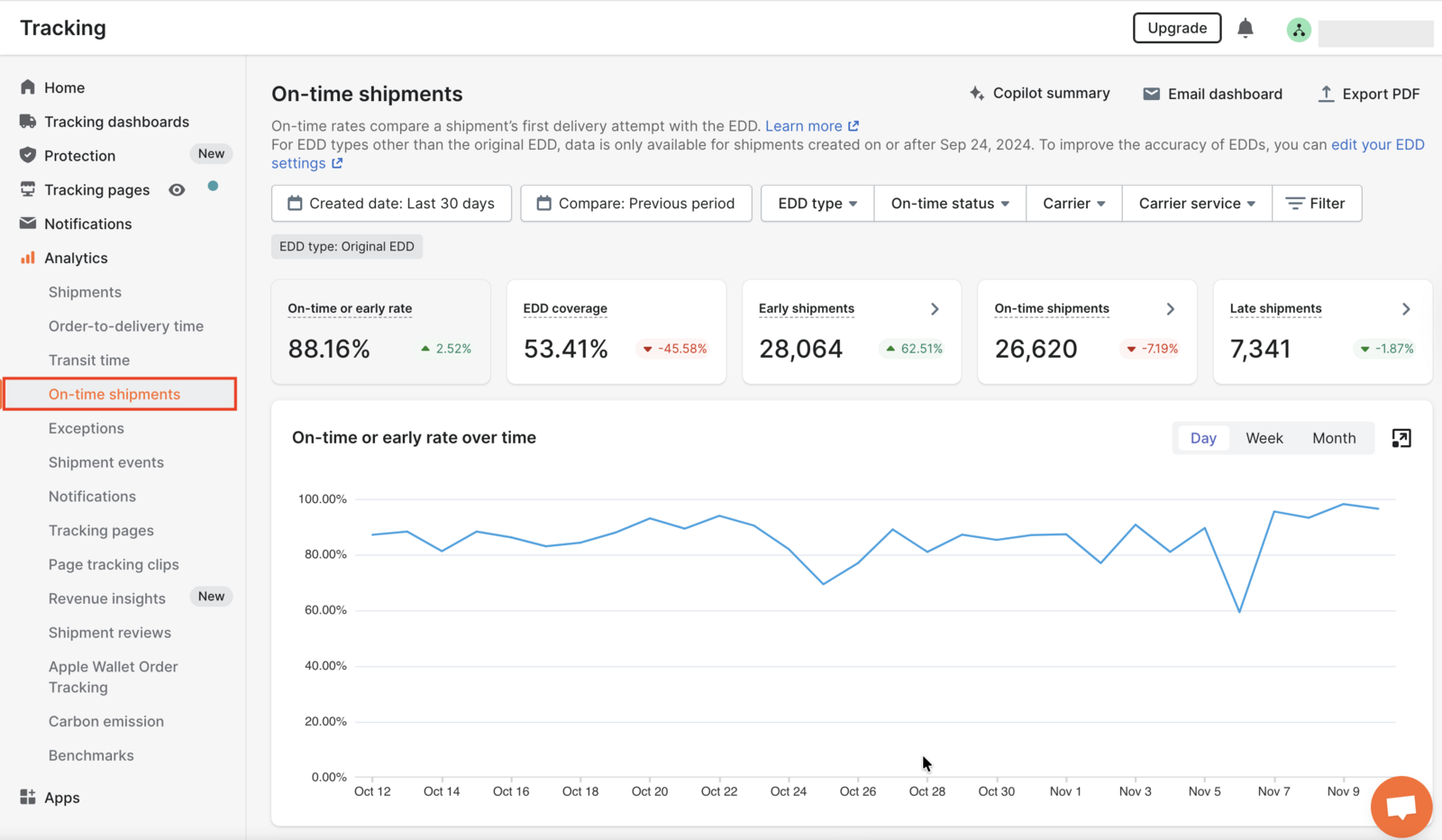
Carrier decisions need data from every carrier you use, not one delivery method. A route planner reports on the deliveries dispatched through it, driver statistics and trip summaries, which is the data your dispatchers work from.
AfterShip reports across every carrier you ship with. Transit time, delivery performance and notification engagement sit in one place, whether the order went with your driver or a parcel carrier. That is how you spot a slow carrier lane or a notification customers ignore, and how you judge a carrier on its record rather than its reputation. For fleet deliveries, those reports reflect the checkpoints you send.
Day to day, the same data sits behind one portal where your team can filter, track and view the details of every order and shipment. The full analytics suite comes with the Premium plan.
How to Connect Your Fleet
To turn your own drivers' deliveries into branded customer notifications, feed their checkpoints into AfterShip via the API or a supported integration (API access starts on the Premium plan). Manually marking an order 'Delivered' logs the status but will not send the customer an email or SMS.
In practice you have two supported paths:
- A supported route-planner integration, or a CSV import that posts genuine checkpoints for each delivery.
- The Tracking API and webhooks, for a planner without a connector or a custom-built fleet system.
On the Essentials plan, which does not include API access, CSV import and app import are the documented ways to bring shipments in.
Both paths work for the same reason: notifications fire on real checkpoint updates. Plan the connection before launch so your first fleet delivery reaches the customer with the same branded updates as a UPS parcel.
The Complete 2026 Last-Mile Tech Stack
Put the two tools side by side and the division of labor is clear.
| Capability | Route planner | Post-Purchase Platform (AfterShip) |
|---|---|---|
| Route Optimization | Yes | No |
| Driver Dispatch & App | Yes | No |
| Electronic Proof of Delivery (ePOD) | Yes | No |
| Unified tracking across in-house fleet and third-party carriers (UPS/FedEx) | Own fleet only | 1,900+ carriers in one view |
| Proactive branded email & SMS across all carriers, not just the fleet | Fleet deliveries only | All carriers |
| Post-purchase analytics across all carriers | Own operations only | All carriers |
The first three rows are the route planner's work, and AfterShip Tracking leaves them there. The last three rows come down to scope. A route planner tracks, notifies and reports on the deliveries dispatched through it. AfterShip does the same across every carrier you ship with, and your fleet joins that view once its checkpoints are connected through a connector or the API.
Final Verdict: Stop Replacing, Start Architecting
The best delivery management system for a team running its own drivers alongside parcel carriers is two tools with a clear boundary between operations and the customer experience. A best-of-breed stack uses separate tools for routing and tracking. Swapping one route planner for another costs a migration, retrains your drivers and leaves the customer-side gap where it was.
What your route planner should own:
- Route optimization and daily route planning for your drivers
- Driver dispatch, the driver app and changes during the day
- Electronic proof of delivery captured at the door
- Operational reporting such as driver statistics and trip summaries
What AfterShip Tracking should own:
- One branded tracking page for fleet and parcel deliveries, under your own logo and colors
- Proactive email and SMS updates for every carrier you ship with, sent in one consistent voice
- Analytics on transit time, delivery performance and notification engagement across all carriers, so carrier decisions rest on your own data
- Fewer "where is my order" tickets reaching your support team, so support time goes to the orders that need a person
- Fleet checkpoints ingested through a connector or the Tracking API, so your own drivers' deliveries need no second tracking tool
Proactive shipment tracking that delights your customers, reduces WISMO tickets, and improves your delivery performance.
Book a demoFrequently Asked Questions
Can AfterShip provide proof of delivery?
AfterShip does not capture proof of delivery; your route planner does. AfterShip consumes the delivered status to trigger the customer notification.
Does AfterShip integrate with route planning software?
Yes. AfterShip publishes connectors for Track-POD, Routific and Detrack. Any other planner or in-house system connects through the Tracking API and webhooks, which require the Premium plan or above. Customers are only emailed or texted when real checkpoints arrive through one of these routes; a status changed by hand is recorded without a customer message.
What does the customer see for fleet versus parcel deliveries?
The same branded tracking page and the same email and SMS updates for both. Parcel shipments update from each carrier's own checkpoints. Fleet deliveries show the statuses and dates you send, so their timeline reflects the checkpoints your route planner or system pushes. Your team sees both in the same dashboard.
Do I need to replace my route planner to use AfterShip Tracking?
No. Keep your route planner for routing, dispatch and proof of delivery, and your drivers keep the tools they already know. Connect it to AfterShip Tracking, and your customers get one branded tracking experience and proactive updates across your fleet and every carrier you ship with.
