You've hit 50 orders a day on Shopify and your brand is growing, so why does your shipping process feel like it's holding you back? If orders go stale after a change in Shopify and "Where's my order?" emails keep arriving, you haven't chosen the wrong shipping app. You've outgrown the category entirely.
If you're hunting for a ShipStation alternative for Shopify, you're probably shopping for a better label tool. The more useful fix is a post-purchase layer: the tracking, notifications, and returns your shopper actually experiences after the label prints. AfterShip adds that layer on top of the tool you already use.
You've Outgrown Your Shipping App. Here Are the Signs.
Fifty orders a day is the point where a store stops improvising. You have a packing routine and a rhythm that works. What breaks first is rarely the label. It is everything attached to the order after it prints.
Three signs show up together.
- Orders that go stale after a change in Shopify. An order imports once, then a line item is edited or the fulfillment location changes, and your shipping tool holds the old version. NZ Tack Saddlery Co, New Zealand, wrote in a review edited 15 September 2026: "ShipStation only imports an order once." If you have searched "why are people leaving ShipStation", order sync is the complaint that recurs in recent Shopify App Store reviews. You find out at the packing bench.
- The shopper hears nothing when a parcel goes wrong. Updates land at the journey's fixed moments. A delay, a failed delivery attempt, or a customs exception is when your customer most wants to hear from you. So they email you.
- Returns run apart from the rest of the order. Your team rebuilds the story of each order by hand on every request.
That is a normal stage of growth: you bought label software, and the job now covers the whole order.
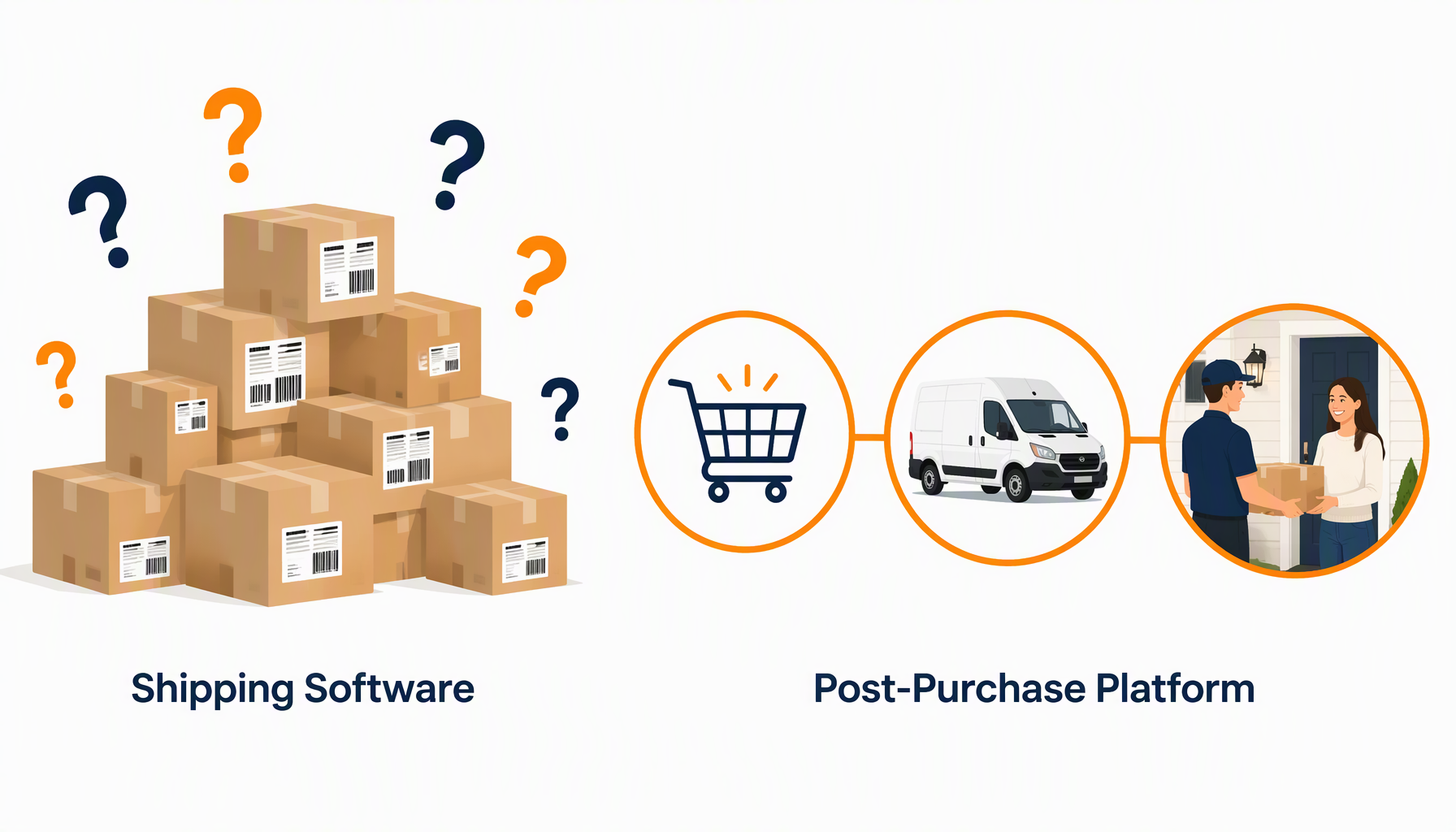
The Real Choice: Shipping Software vs. Post-Purchase Platform
Shipping software handles one job: comparing rates, printing labels, and automating the label workflow. ShipStation adds a branded tracking page and a returns portal on its Standard plan, the plan you are most likely on. Everything in that list is built around the shipment, which is where the category's scope ends.
A post-purchase platform covers the whole journey after the click to buy, across shipping, tracking, returns, and warranty. That means a delivery date shown before purchase, labels, branded tracking, proactive notifications when something goes wrong, and self-service returns with exchanges. When you run both, label data from AfterShip Shipping feeds AfterShip Tracking, so the shipment you created is the shipment your customer follows.
That stretch of the order is where loyalty gets decided. Sifted's 2025 consumer survey of 500 US consumers, published 16 September 2025, found that "76% of shoppers said a positive delivery experience influenced their decision to repurchase from a brand, up from 72% in 2024."
So the real question is what owns the order after the label prints. For a growing Shopify store, that is the layer worth adding first.
How AfterShip Solves the Whole Puzzle for Shopify Stores
You can fix what your customer experiences without touching how you print labels: AfterShip Tracking first, then AfterShip Returns if returns are the pain. Moving labels to AfterShip Shipping comes later, and only when the label tool itself is what slows you down.
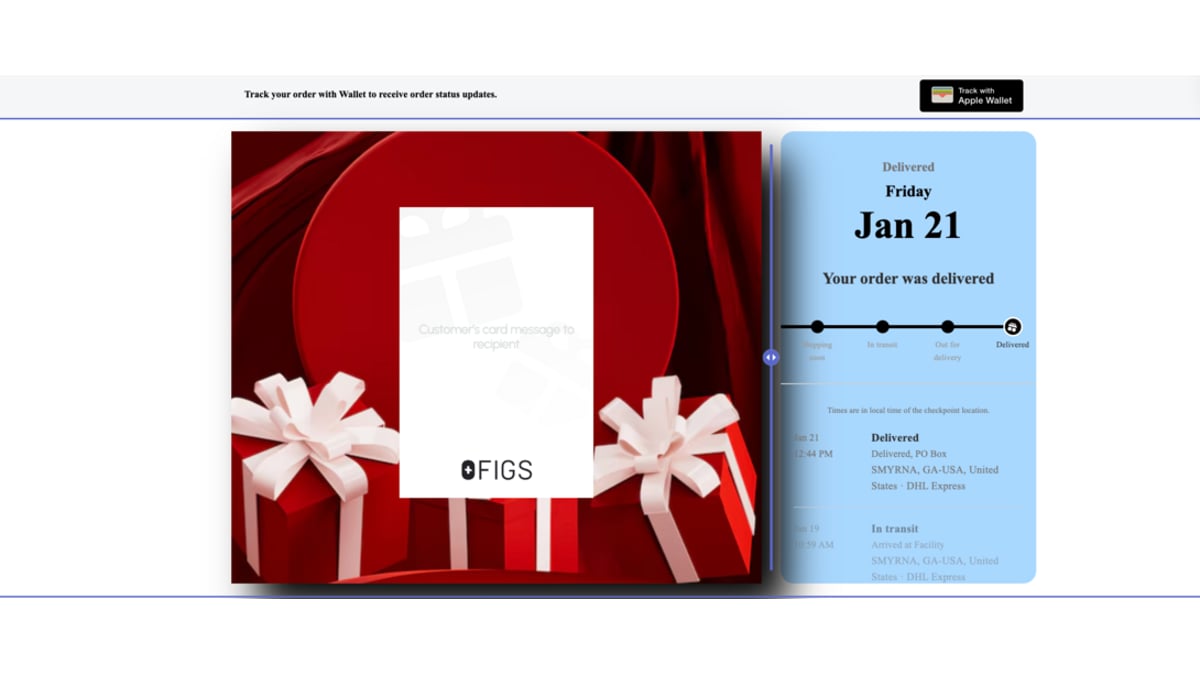
Tracking That Builds Your Brand (and stops WISMO)
Start with what your shopper already sees. ShipStation's Standard plan gives them a branded tracking page and branded notification emails.
AfterShip Tracking widens what your shopper hears about. From Essentials up, it notifies them when a parcel hits an exception or a delivery attempt fails, and it runs SMS flows alongside email. The tracking page itself carries product recommendations, so a page your shopper already visits can also sell. On Premium, AfterShip Tracking also shows a delivery date before your shopper buys.
AfterShip Tracking connects directly to ShipStation and to your Shopify store, so all of this works whichever tool prints your labels. If you are also weighing dedicated tracking solutions, AfterShip Tracking is one product in a suite that covers shipping, tracking, returns, and warranty.
StackCommerce, an AfterShip Tracking customer, cut its WISMO tickets by 71% year over year.
Returns That Aren't a Headache
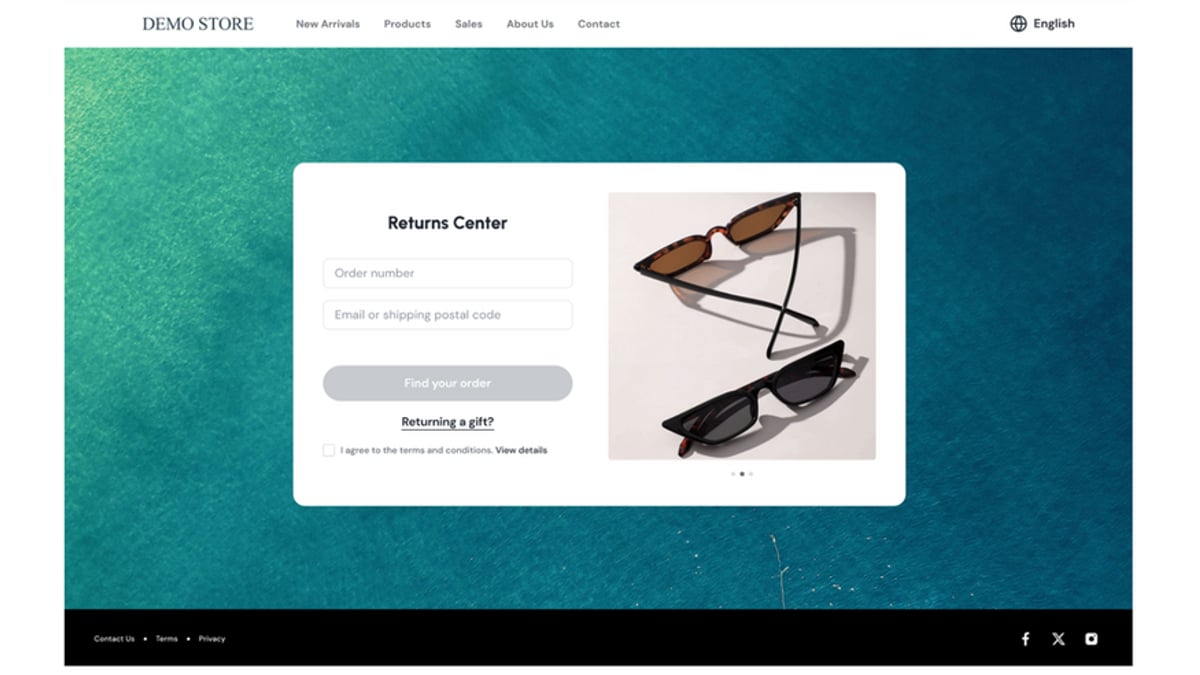
Your returns portal decides whether a return becomes a second sale. ShipStation's Standard plan includes one, with exchanges on Shopify orders and domestic returns only.
AfterShip Returns gives your customer a self-service returns page where they pick the item and the reason, swap for something else, or take a refund to store credit, and it handles global returns with automation. A refund to store credit keeps the money with your brand instead of sending it back to a card.
Shipping That Works With Your Shopify Orders
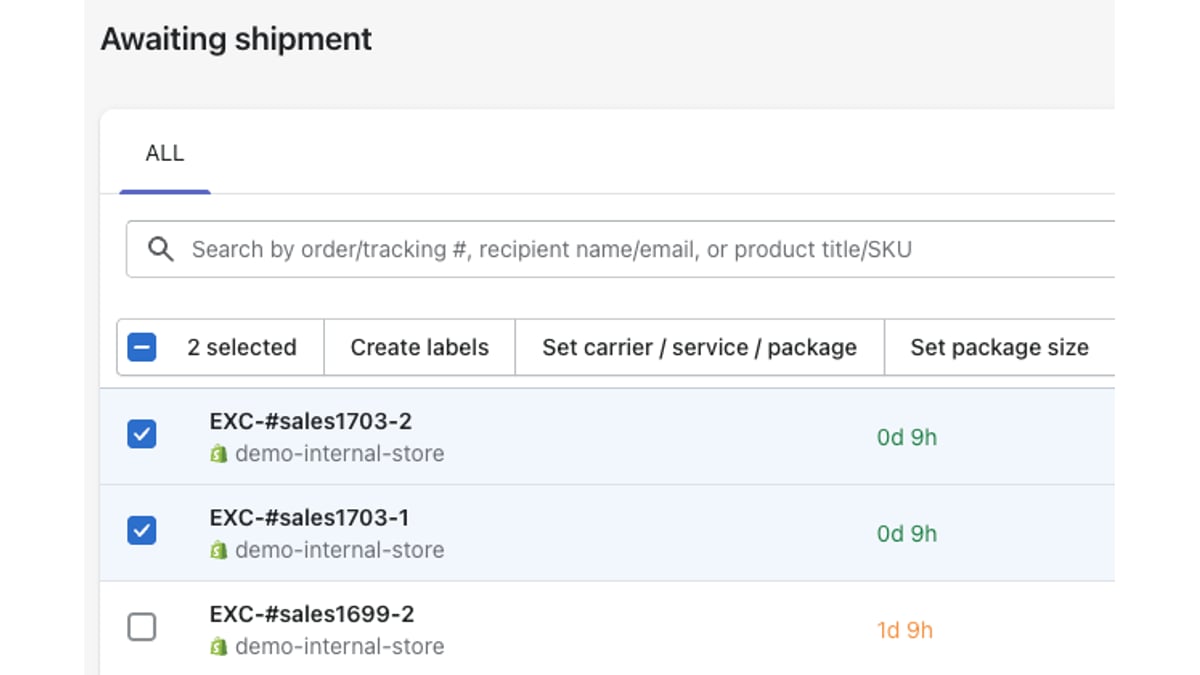
AfterShip Shipping runs in its own dashboard and syncs with Shopify. It imports your orders and can auto-fulfill them in Shopify when a label is generated. It writes the tracking number, shipping provider name and tracking URL back to Shopify. It is one of the Shopify shipping automation tools that also runs your other channels, managing Shopify alongside TikTok Shop, BigCommerce and WooCommerce in one place. Its Pro plan can show AfterShip rates at your Shopify checkout, on an annual or Advanced Shopify plan or higher. Automation rules sit on Pro and Enterprise.
Smart Carrier Recommendation is available on all AfterShip Shipping plans. It excludes carrier services with a high exception rate for a shipment's origin and destination, based on AfterShip tracking data. It is off by default. That signal comes from AfterShip's own tracking exception data, built into AfterShip's multi-carrier shipping software.
AfterShip vs. ShipStation: The 2026 Verdict for Shopify
Five criteria decide this at your volume, on the plans you are actually on. The AfterShip vs ShipStation table below covers each one. If you want every feature line by line, we keep an honest, head-to-head comparison of the two products.
| Criteria | AfterShip | ShipStation |
|---|---|---|
| Core function | Post-purchase platform across shipping, tracking, returns, and warranty, each on its own plan | Shipping software for labels, rates and label automation |
| Shopify integration | Imports Shopify orders, auto-fulfills and writes the tracking number, provider and URL back; AfterShip rates at Shopify checkout on Pro | Imports Shopify orders on a varying schedule and marks them shipped; checkout rates on Shopify Advanced and above |
| Customer experience | Branded tracking page, plus exception and failed-attempt notifications from Essentials, SMS flows, product recommendations, and a delivery date shown before purchase on Premium. | Branded tracking page and branded notification emails on Standard and above; shipment-triggered emails. |
| Returns | Self-service returns with exchanges, store credit and international returns, priced per return. | Returns portal on Standard and above; exchanges on Shopify orders only and domestic only; Shopify return-portal features not available to UK accounts. |
| Ideal user | Growing, CX-focused Shopify brand past a few hundred orders a month | Store whose first need is labels, rates and label automation |
Support is part of the switch too. In a Shopify App Store review of AfterShip Shipping, OEM Car Key Mall, United States, wrote on 29 May 2024: "We ran into some minor issues with Aftership labels, and Aditya was able to assist me with the issues. I appreciate their help and the quick resolution."
Is It Hard to Switch from ShipStation to AfterShip?
The move is low-risk because it happens in stages.
- Add AfterShip Tracking and connect it to ShipStation or directly to your Shopify store. Shipments import on their own, and your customers start getting branded updates without any change to how you print labels.
- Set up your branded tracking page and your notifications. If returns are the pain, add AfterShip Returns at the same time.
- When the label tool itself becomes the friction, install AfterShip Shipping from the Shopify App Store, connect your carriers, and move labels over. AfterShip Shipping offers a free plan with 10 shipping labels a month, so a growing store can start at no cost and scale up. Use it to test the workflow before you move real volume across.
Each stage works on its own, so you only take the next one when AfterShip has earned it.
The Final Take: When to Choose AfterShip (and When to Stick with ShipStation)
For a growing Shopify store past a few hundred orders a month, AfterShip is the best pick for the post-purchase experience. Add AfterShip Tracking and AfterShip Returns now, alongside ShipStation or on their own, and move labels to AfterShip Shipping when the label tool itself becomes the friction.
Choose AfterShip if:
- "Where is my order?" emails are eating your team's time and you want customers told when a parcel is delayed, fails delivery or hits an exception, which AfterShip Tracking does alongside ShipStation or on its own
- You want returns with exchanges, store credit and global coverage
- You want a delivery date shown before purchase
- You want to start at no cost and add each product on its own plan as you grow
- You want carrier choice informed by AfterShip's own tracking exception data once your label tool becomes the friction
Stick with ShipStation if:
- You are a brand-new store where the lowest label cost is the only goal right now
At 50 orders a day you are past that point, and AfterShip Tracking is where the gain shows up first.
Proactive shipment tracking that delights your customers, reduces WISMO tickets, and improves your delivery performance.
Book a demoFrequently Asked Questions
What is the best ShipStation alternative for my Shopify store?
Growing Shopify stores choose AfterShip for its integrated shipping, tracking, and returns. AfterShip Tracking adds exception and failed-delivery notifications and SMS flows from its Essentials plan, plus a delivery date before purchase on Premium. AfterShip Returns adds exchanges, store credit and global returns. If you want the best shipping app for Shopify besides ShipStation, AfterShip Shipping prints labels from its own dashboard and syncs with Shopify.
How is AfterShip different from ShipStation?
ShipStation is shipping software; AfterShip is a complete post-purchase platform. ShipStation's job is rates, labels and label automation. AfterShip covers shipping, tracking, returns, and warranty, each on its own subscription, and AfterShip Tracking connects directly to ShipStation, so you can add the post-purchase layer without changing how you print labels.
What are the benefits of a post-purchase platform?
AfterShip reduces customer support tickets with proactive, branded order tracking. Your customer hears from you when a parcel is delayed, fails delivery or hits an exception. Returns become self-service, with exchanges and refunds to store credit that keep revenue with your brand. A delivery date shown before purchase sets the expectation, and branded tracking keeps the whole journey under your name.
Is it easy to switch to AfterShip?
You do not have to switch all at once. AfterShip Tracking connects directly to ShipStation, so shipments import and your customers get branded updates while ShipStation keeps printing labels. Add AfterShip Returns when returns are the pain. Move labels later, when the label tool itself is the friction, and AfterShip Shipping takes it from there.
